Knowledge base
1000 FAQs, 500 tutorials and instructional videos. Here, there are only solutions!
Manage languages and translations in Site Creator
This guide explains how to change the language of the Site Creator interface and how to manage the translations of your pages.
Changing the interface language
Start by logging in to the Infomaniak Manager with your credentials (user account with the necessary permissions for the relevant product):
- Click here to access the hosting & site management interface (filtered to display only Site Creator).
- If nothing is displayed, you may not be in the Organization to which your site is linked (❓: help).
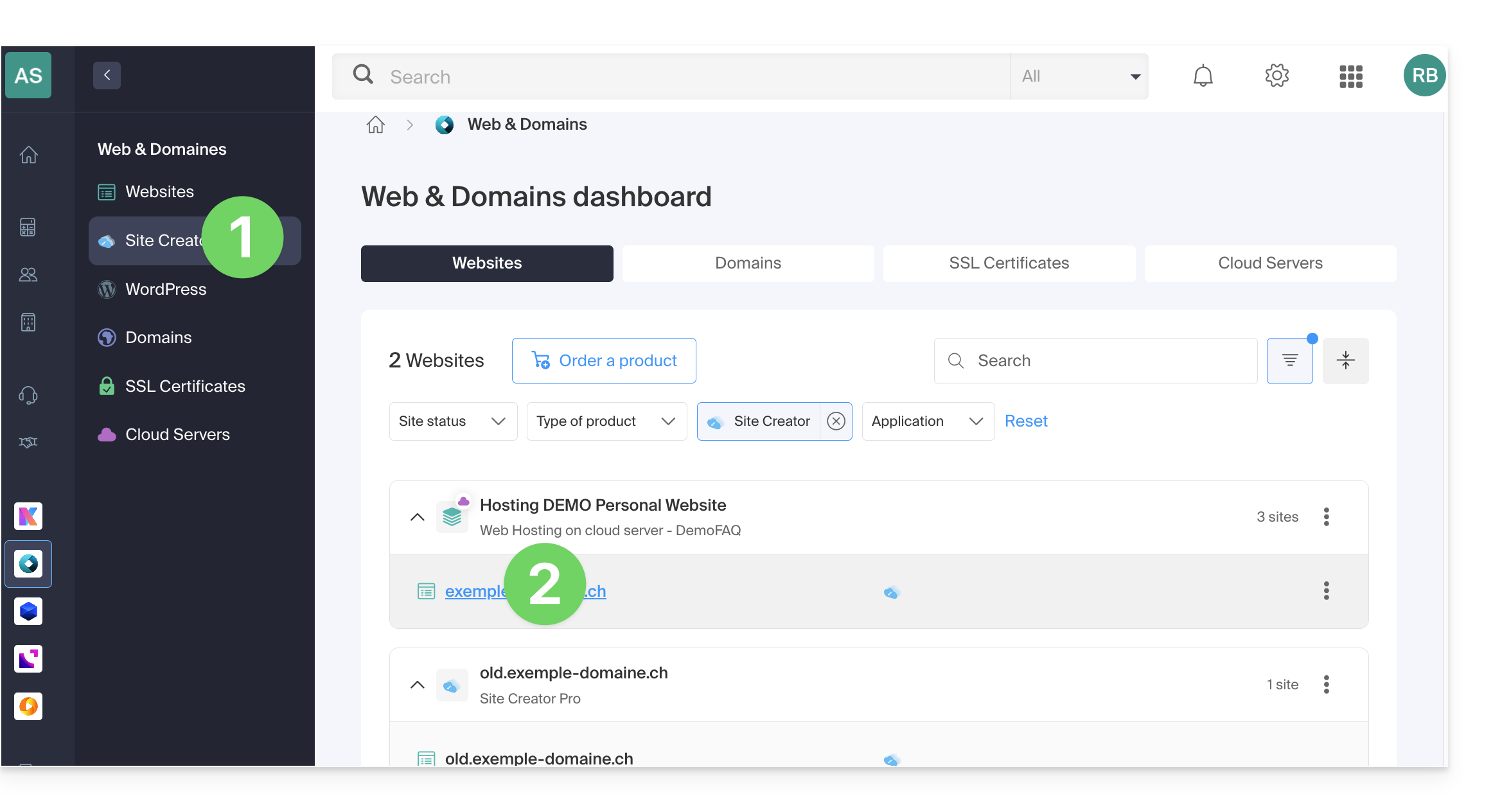
- Click on the name of the Site Creator in question:
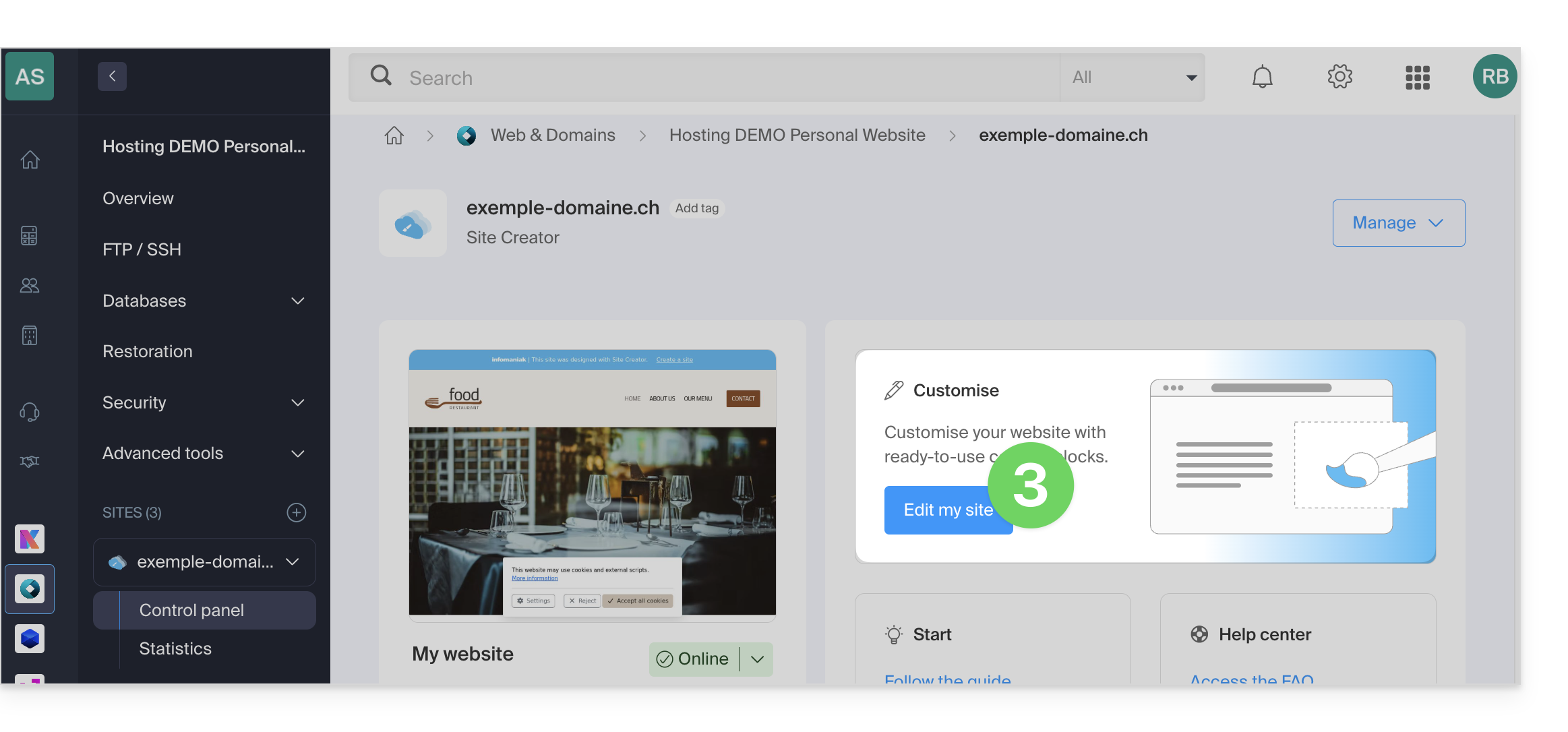
- Click on the button to edit your site:
Once in Site Creator, to change the language:
- Click on the Settings button in the left-hand menu.
- Click on General Settings.
- Change the language of Site Creator:
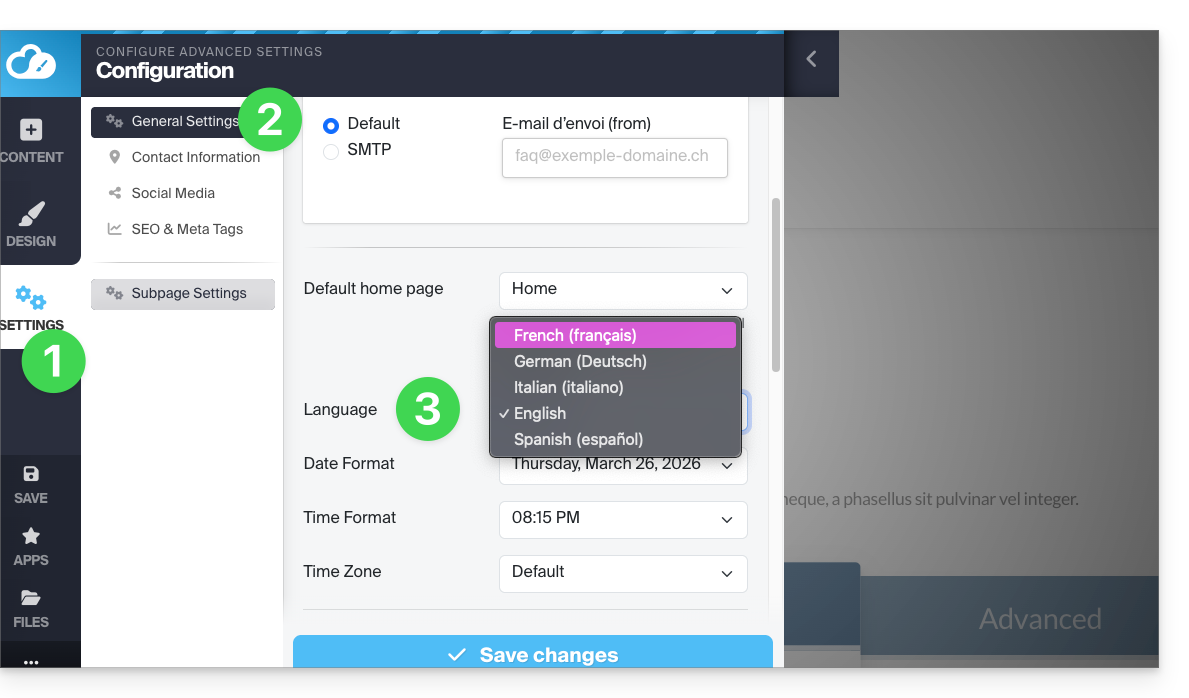
A drop-down menu allows you to change the language of the Site Creator editor interface (this will also translate some elements accessible to visitors, such as the Search button in the search bar, etc.); the available languages are German, French, Spanish, Italian, and English.
Remember to save your changes at the bottom of the page.
Offer your site in multiple languages
Automatic and on-the-fly translations of all your pages
To enable automatic translation of your website:
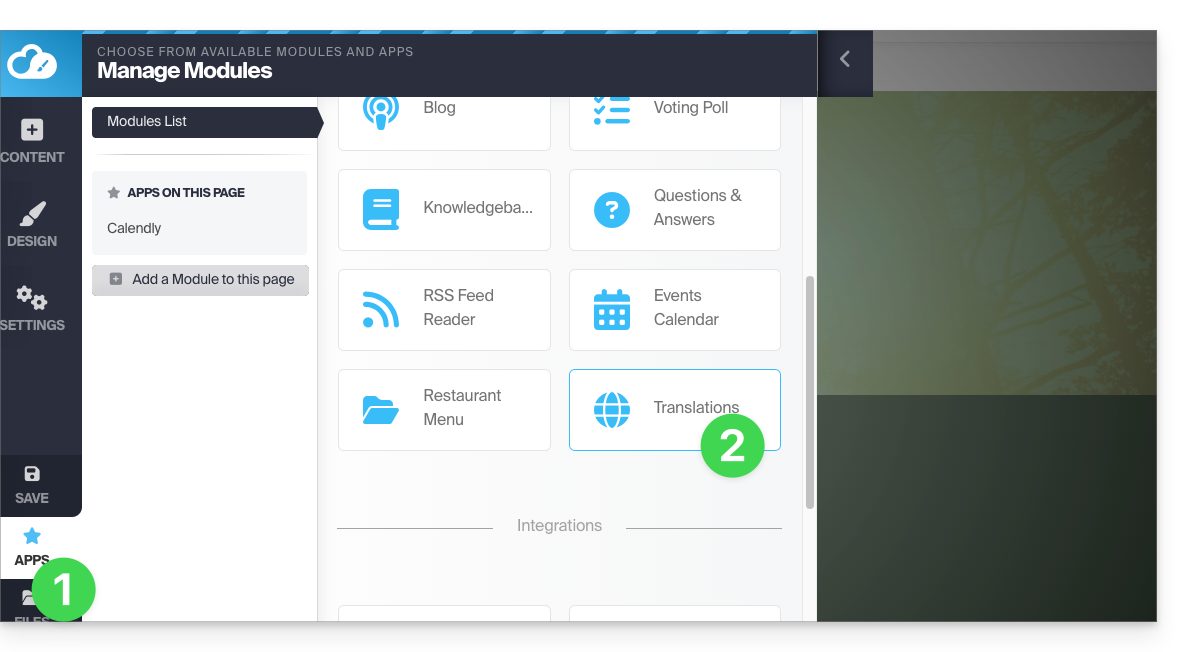
- Click on the Applications button in the left-hand menu.
- Click on the Translations module:
You can add or remove the languages in which your site will be offered to visitors: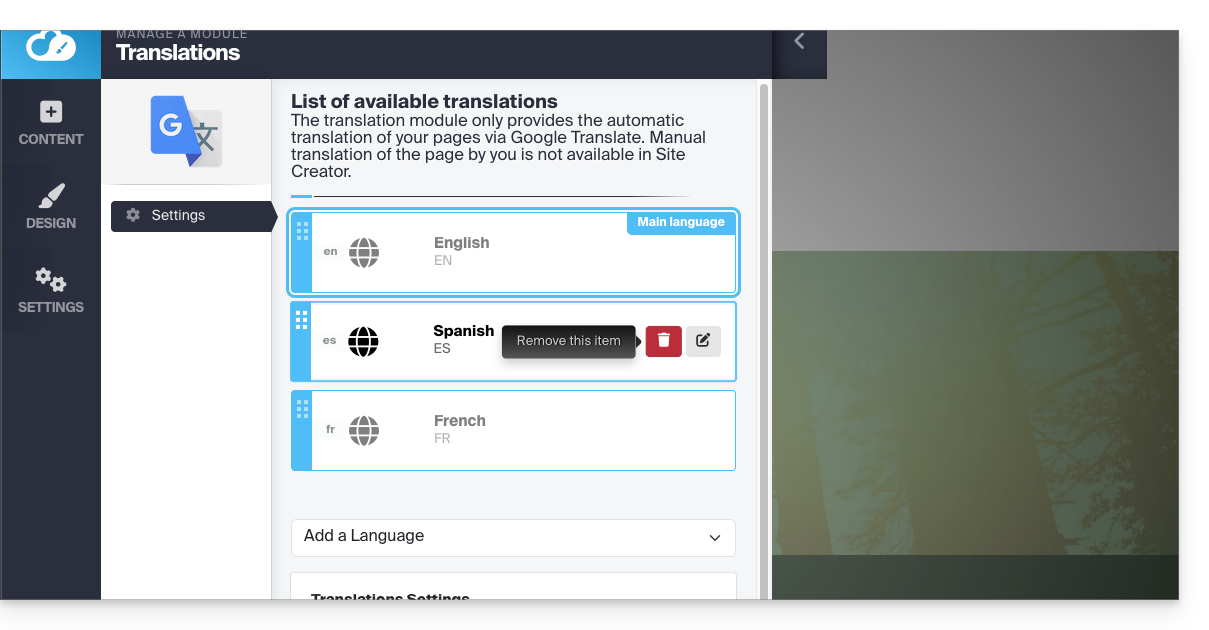
Using the mouse, move the languages into the desired order, which will affect the language selection dropdown menu (see below).
This menu can be enabled in the lower part of the translation module configuration page: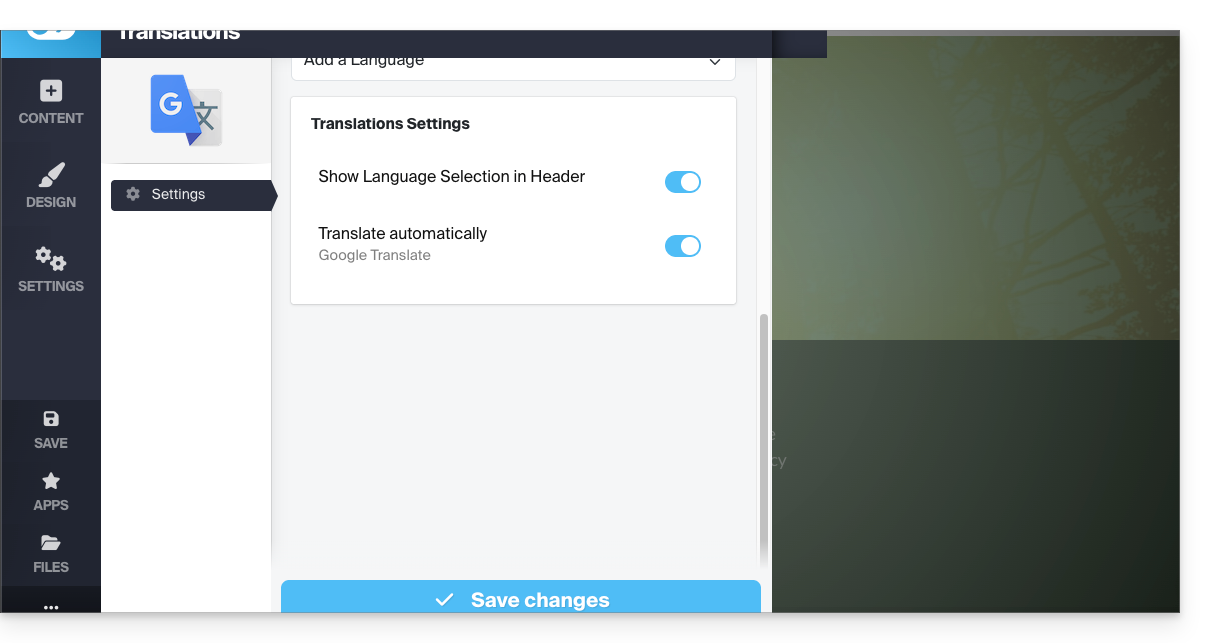
Once the languages have been determined and arranged in the top section (remember to save your changes at the bottom of the page), activate the menu to allow visitors to choose their preferred language from a drop-down menu at the top of the page: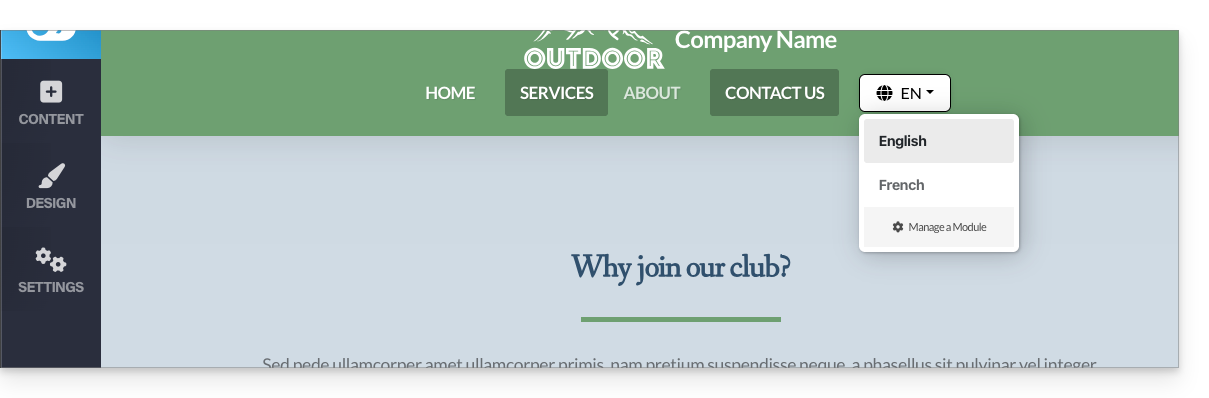
Manually translated page
It is possible to provide a manually prepared page (unique per language) to which the visitor will be redirected when they choose a language different from the main language via the language selection dropdown menu (see above).
To do this, edit the desired language by clicking on the pencil ✎ icon, then click on the second radio button next to the field that allows you to specify the URL of your translated page: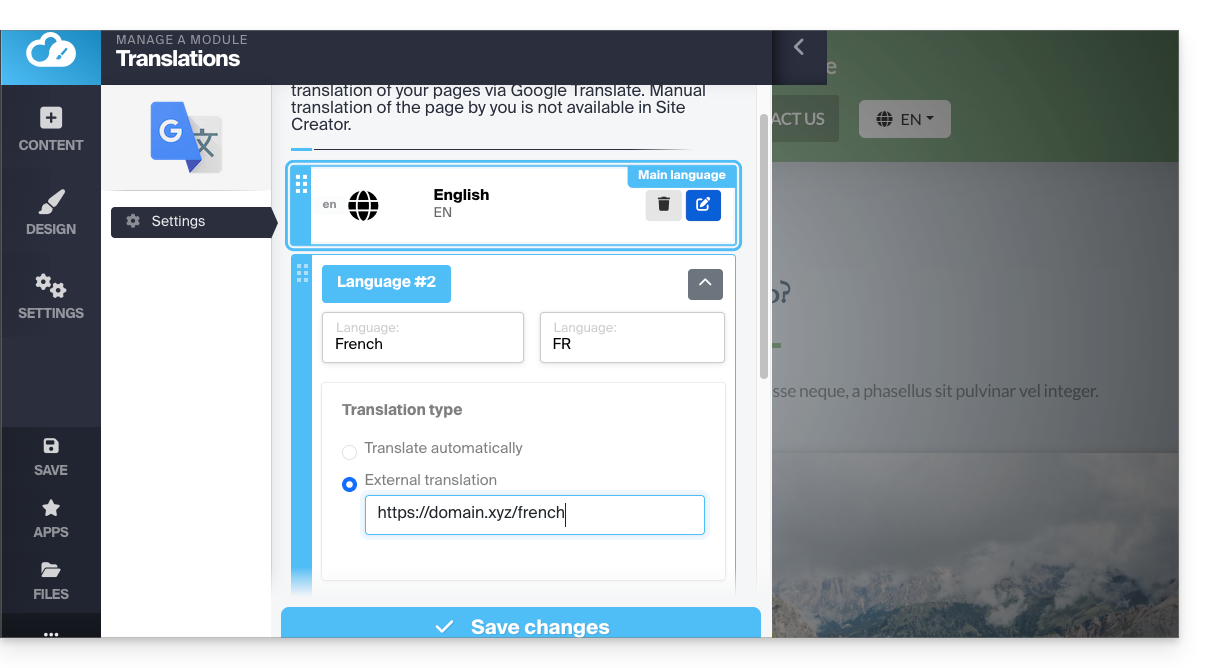
You can therefore create a page for each language in advance. Finally, it is recommended to hide this type of page from your main menu: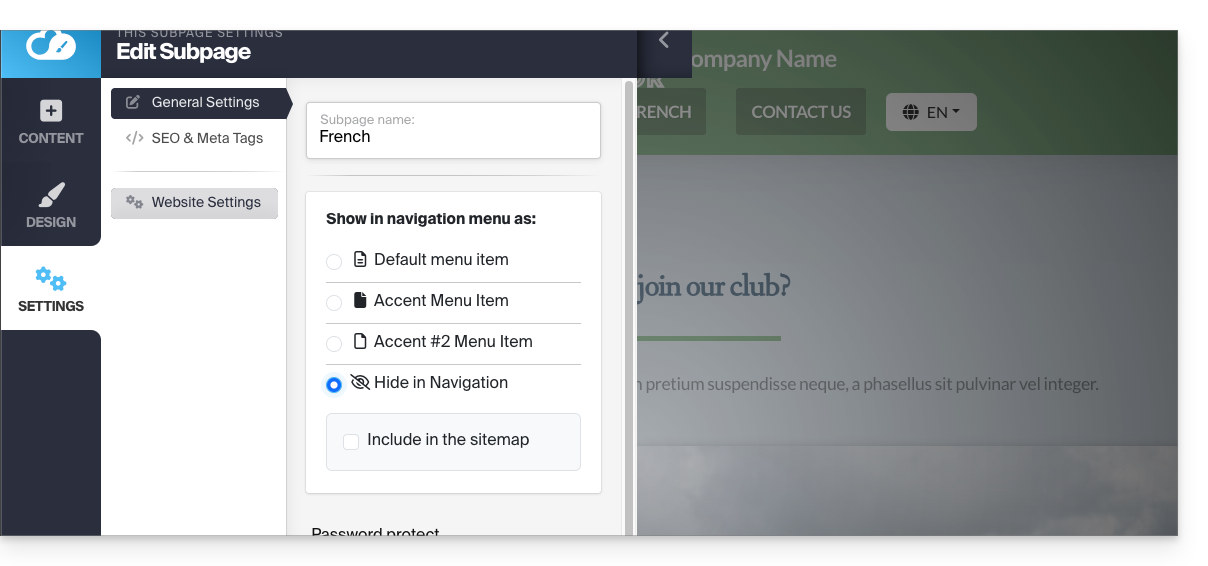
Link to this FAQ: https://faq.infomaniak.com/2713
Has this FAQ been helpful?