Knowledge base
1000 FAQs, 500 tutorials and instructional videos. Here, there are only solutions!
Create a new Site Creator on Infomaniak
This guide explains how to obtain and connect to Infomaniak's Site Creator with an existing web hosting account.
Introduction
- Site Creator is available…
- … either free of charge with every paid web hosting plan.
- … or as a standalone product (available in 3 versions) and does not require any other specific offer in this case.
- Refer to this other guide for compare the different plans available.
- You don't need to download anything to use Site Creator; everything is done online through an interface accessible from any browser.
1. Add Site Creator to your existing web hosting
To add Site Creator to a site on your existing web hosting:
- Click here to access your hosting management in the Infomaniak Manager (need help?).
- Click directly on the name of the hosting in question.
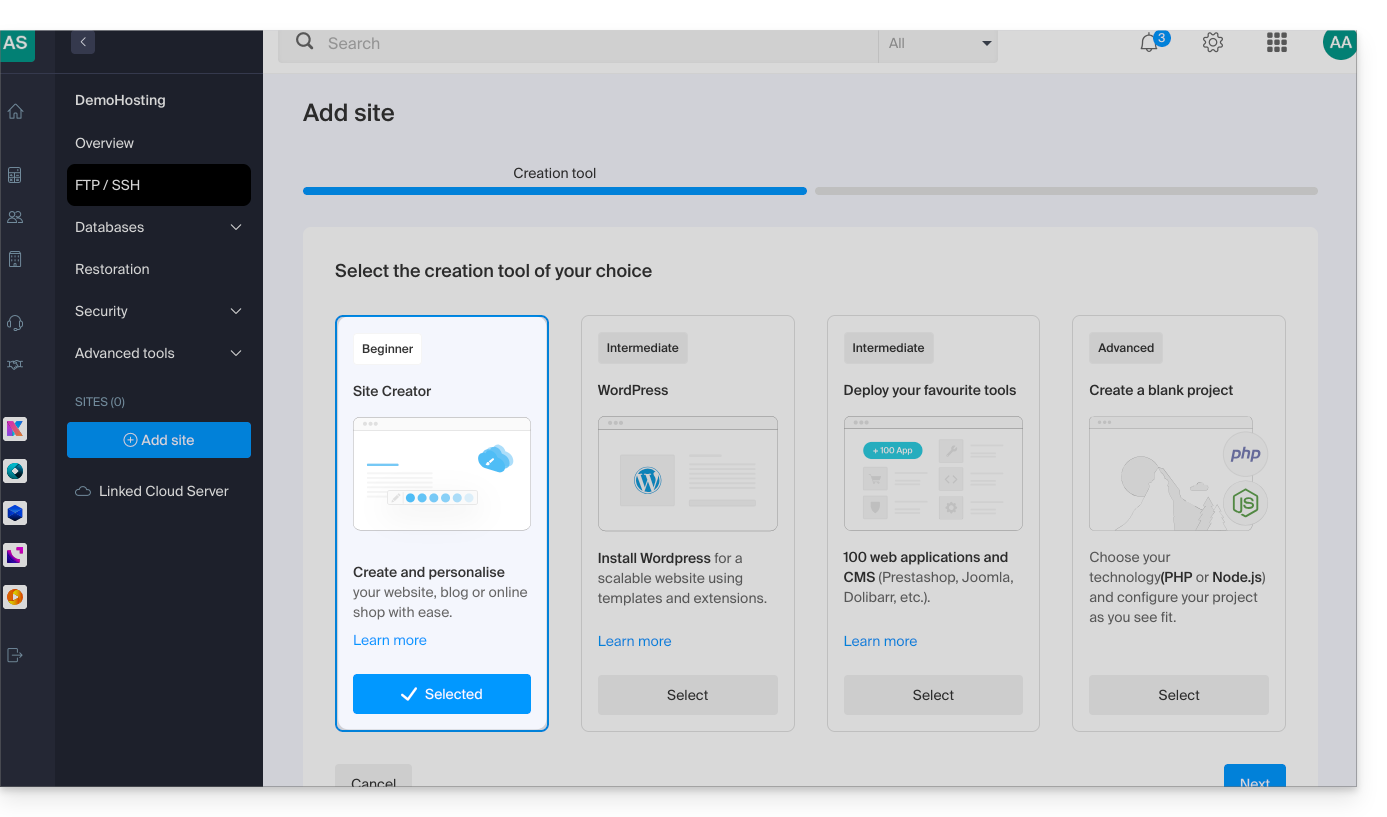
- To add a website, refer to this other guide from step 3 and choose Site Creator in step 4:
2. Order Site Creator without specific hosting
To obtain Site Creator independently, go to the description of the Site Creator Free, Lite, and Pro plansand simply click on the button for the offer you are interested in.
Access Site Creator
To start using Site Creator to design your website:
- Click here to access your product management interface on the Infomaniak Manager (need help?).
- Click directly on the name assigned to the Site Creator in question.
- Click on the Edit my site button to launch the editor:
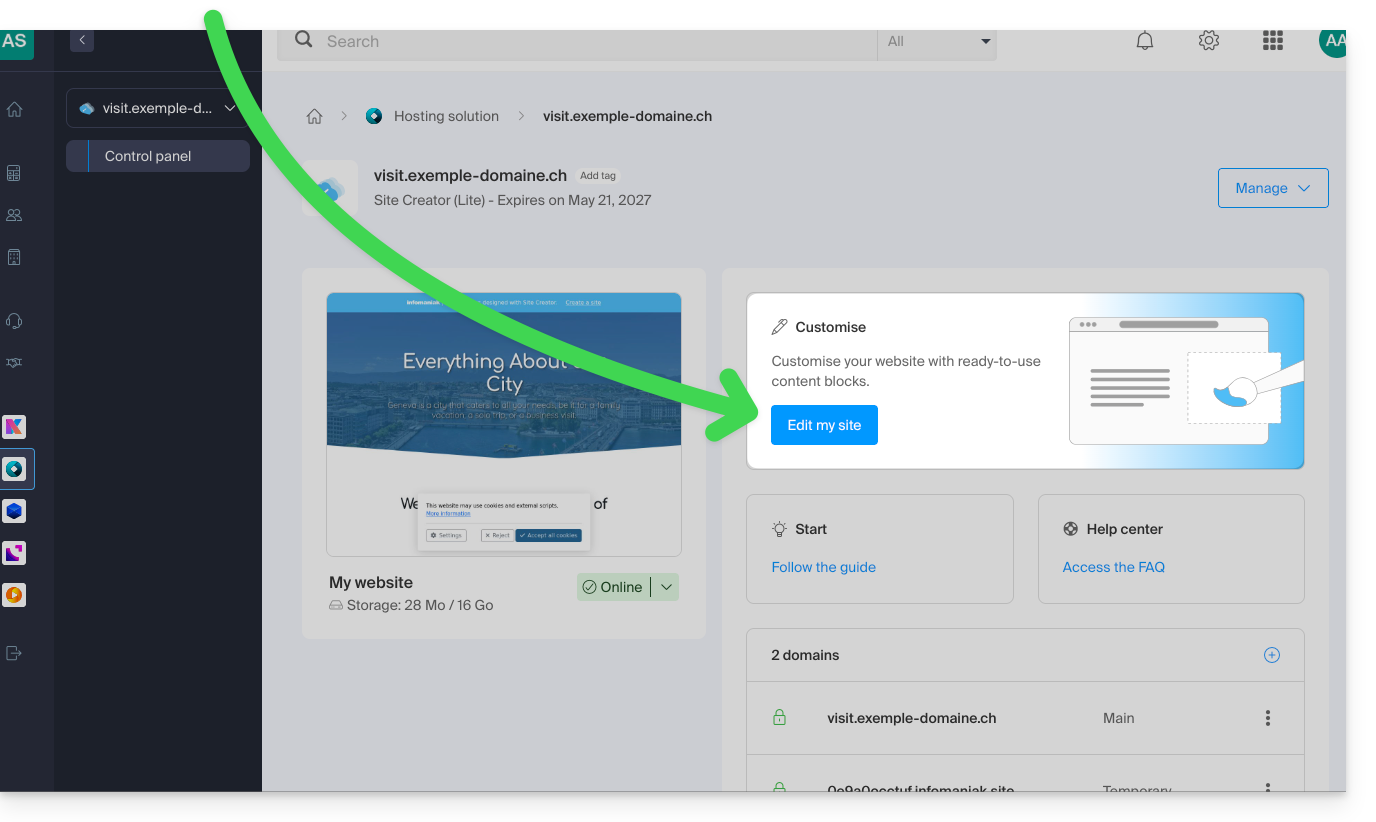
When Site Creator is installed on your website and you browse it, if you have not logged out of the Infomaniak Manager, the editing menu will then be visible (only to you) so you can use the editor at any time.
You can hide it and return to it whenever you want:

Link to this FAQ: https://faq.infomaniak.com/2704
Has this FAQ been helpful?