Knowledge base
1000 FAQs, 500 tutorials and instructional videos. Here, there are only solutions!
Ticketing: send an email or SMS to all event participants
This guide explains how to contact people who purchased tickets for your events directly through the Infomaniak ticketing system.
Send an email or SMS to customers
This tool allows you to quickly communicate with your customers, whether to inform them of a change in schedule, a cancellation or postponement, or to provide specific important information. Emails or SMS messages are sent to the list of customers who have placed an order, and not to the participants:
- Click here to access the management of your product on the Infomaniak Manager (need help?).
- Click directly on the name assigned to the ticketing system for the event.
- Click on Schedule in the left-hand menu.
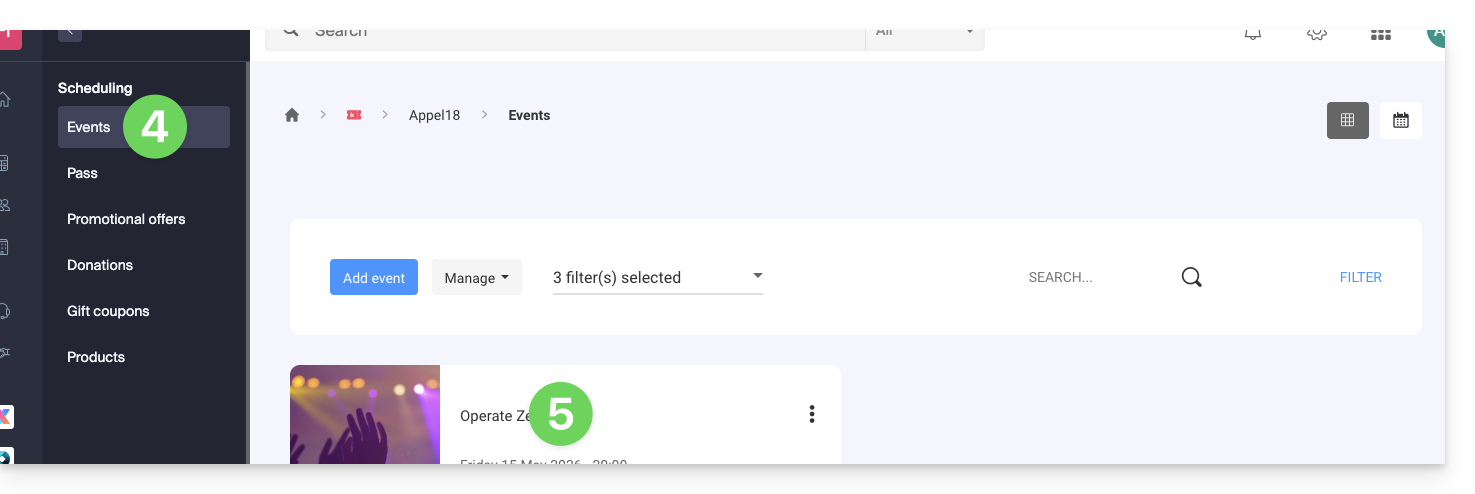
- Click on Events in the left-hand menu.
- Click on the name of the event in question:
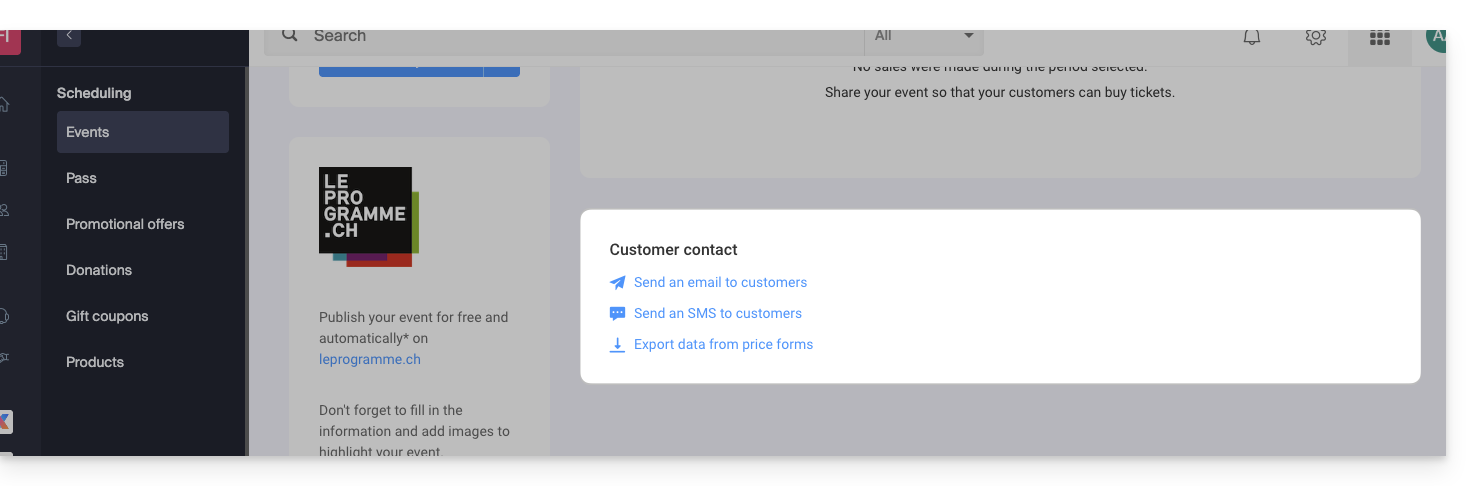
- Click on the desired link at the bottom of the page:
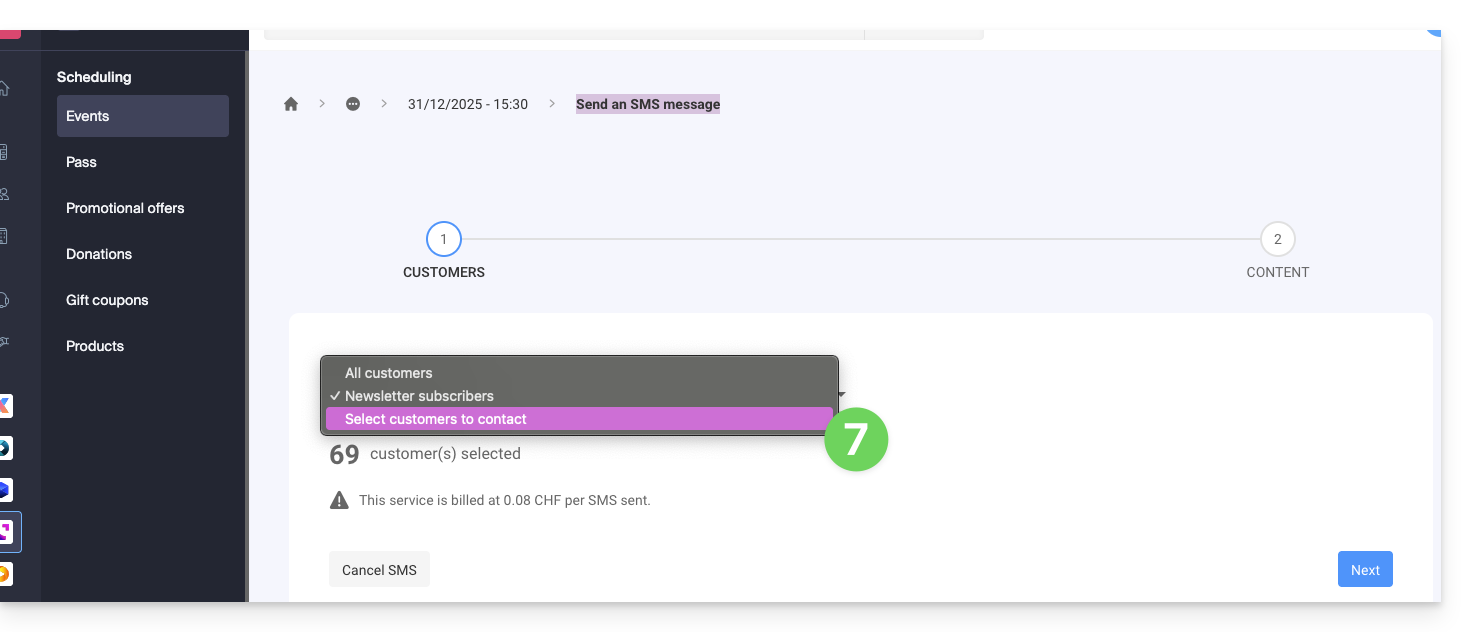
- Choose the contacts to reach (example of sending an SMS):
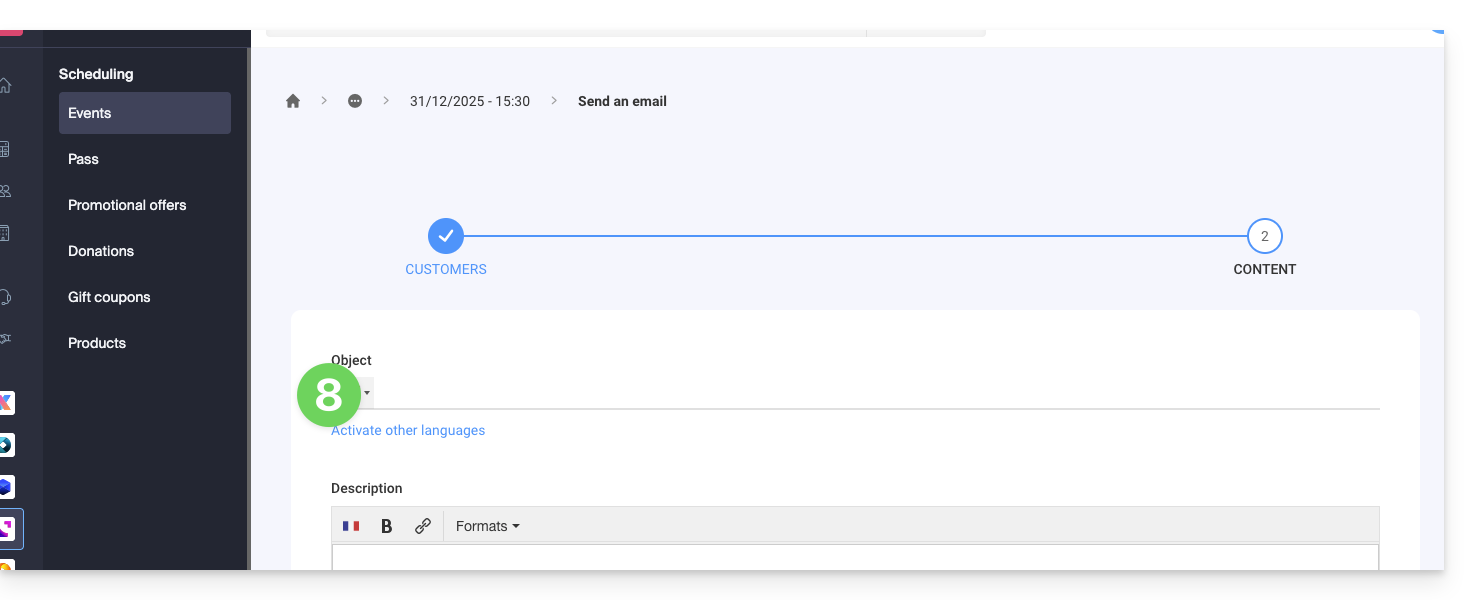
- Write the message to send (example of sending an email):
Link to this FAQ: https://faq.infomaniak.com/2700
Has this FAQ been helpful?