Knowledge base
1000 FAQs, 500 tutorials and instructional videos. Here, there are only solutions!
Ticketing: perform an identity verification
This guide explains how to verify your identity to order rental equipment from Infomaniak and receive your payments (as part of the Infomaniak ticketing system).
Introduction
- This identity verification procedure must be performed the first time you want to receive payments or request to be featured on the Infomaniak portal.
- Identity verification can only be performed by the legal account owner. If the options to start the verification procedure do not appear on your account, this indicates that you do not have the necessary access.
Access your ticketing system
To do this:
- Click here to access the management of your product in the Infomaniak Manager (need help?).
- Click directly on the name assigned to the ticketing system for the event.
Complete the identity verification process
The process can be accessed in two places:
- On the main dashboard:

- If a bank account is entered, in the Accounting menu, then Infomaniak Payments:
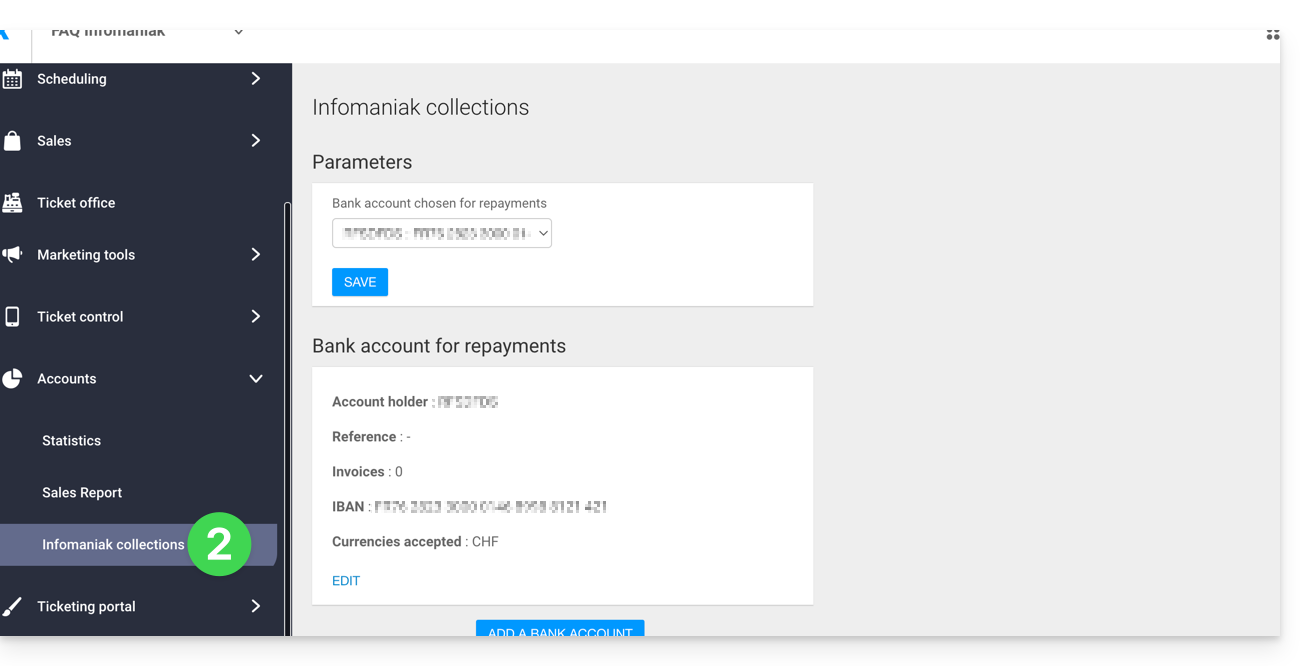
- Refer to this other guide to complete the identity verification process with kCheck.
Link to this FAQ: https://faq.infomaniak.com/2694
Has this FAQ been helpful?