Knowledge base
1000 FAQs, 500 tutorials and instructional videos. Here, there are only solutions!
Ticketing: cancel orders or tickets
This guide explains how to cancel tickets that have been ordered (within the Infomaniak ticketing system).
Log in to the ticketing system and find the order
To do this:
- Click here to access your product management interface on the Infomaniak Manager (need help?).
- Click directly on the name assigned to the ticketing system for the event.
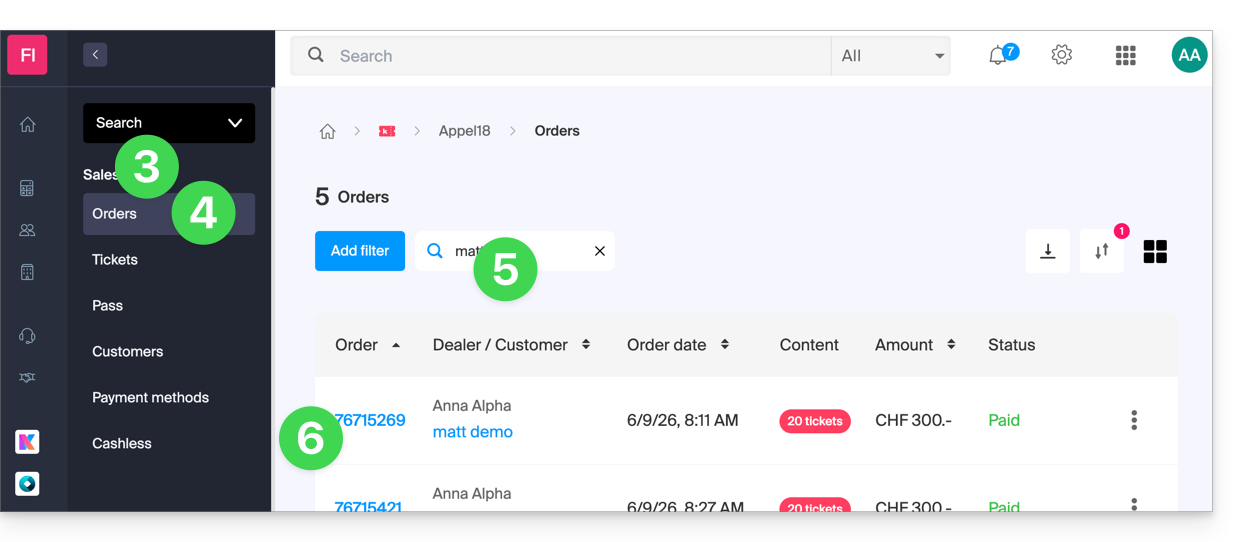
- Click on Sales in the left-hand menu.
- Click on Orders in the left-hand menu.
- In the search field, enter the order number, customer name, customer email address, or ticket number, depending on the information you have available.
- Click on the order for which you want to cancel the tickets:
Cancel a paid order or tickets
You can cancel the entire order, or cancel individual tickets.
Please note: This operation does not refund the tickets! It ensures that these tickets are no longer valid during inspection and releases the seats for sale.
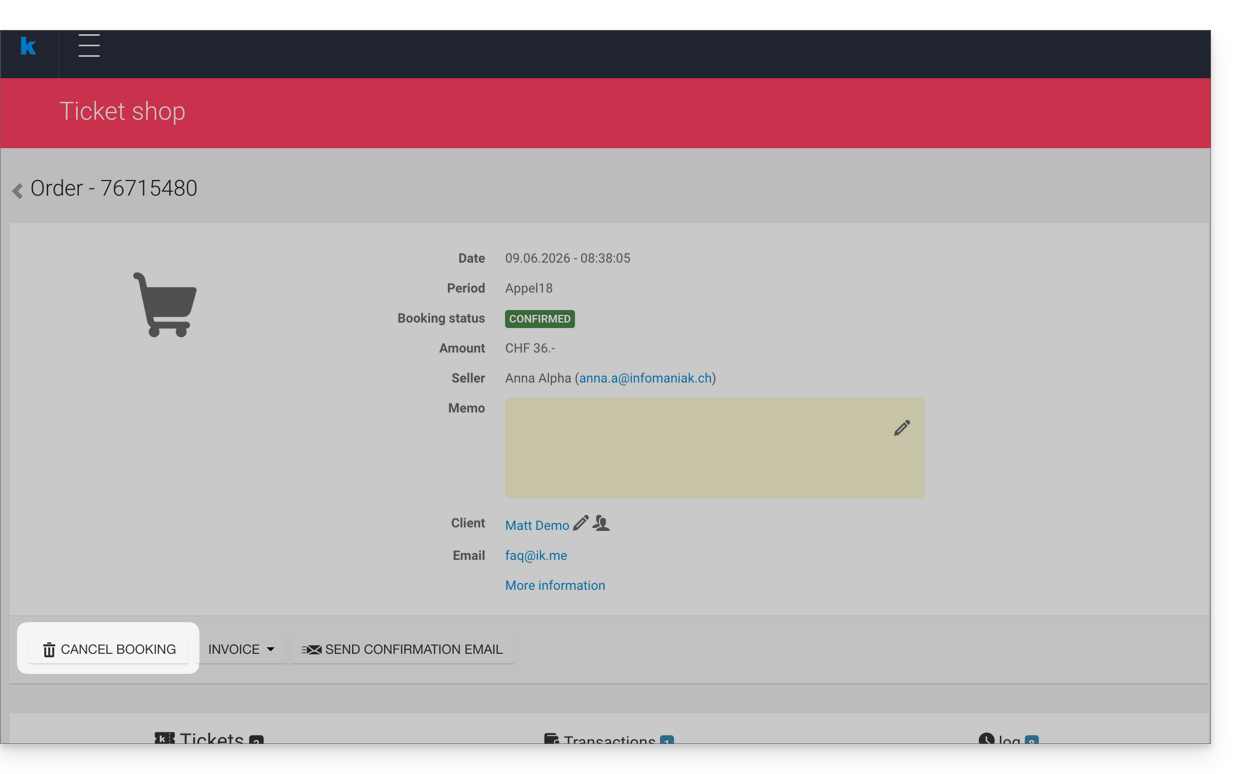
- To cancel the entire order, click Cancel in the order window:
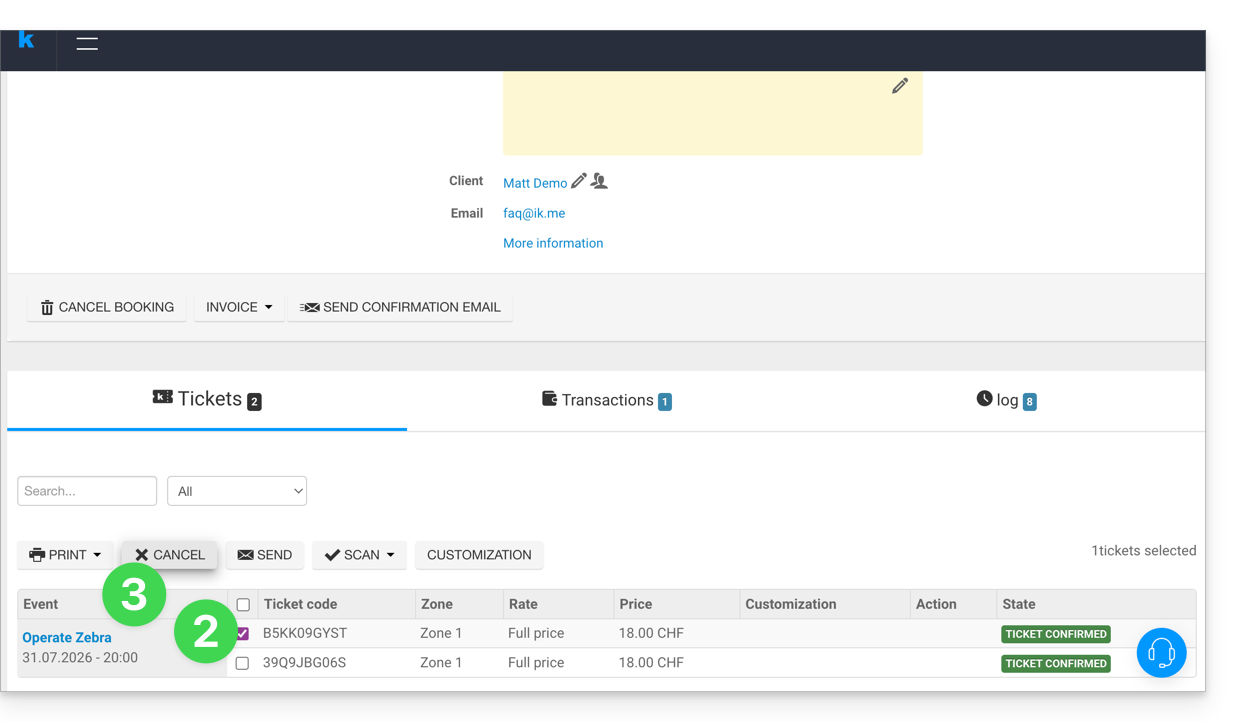
- To cancel individual tickets, select the tickets you wish to cancel below.
- Then click on the Cancel button:
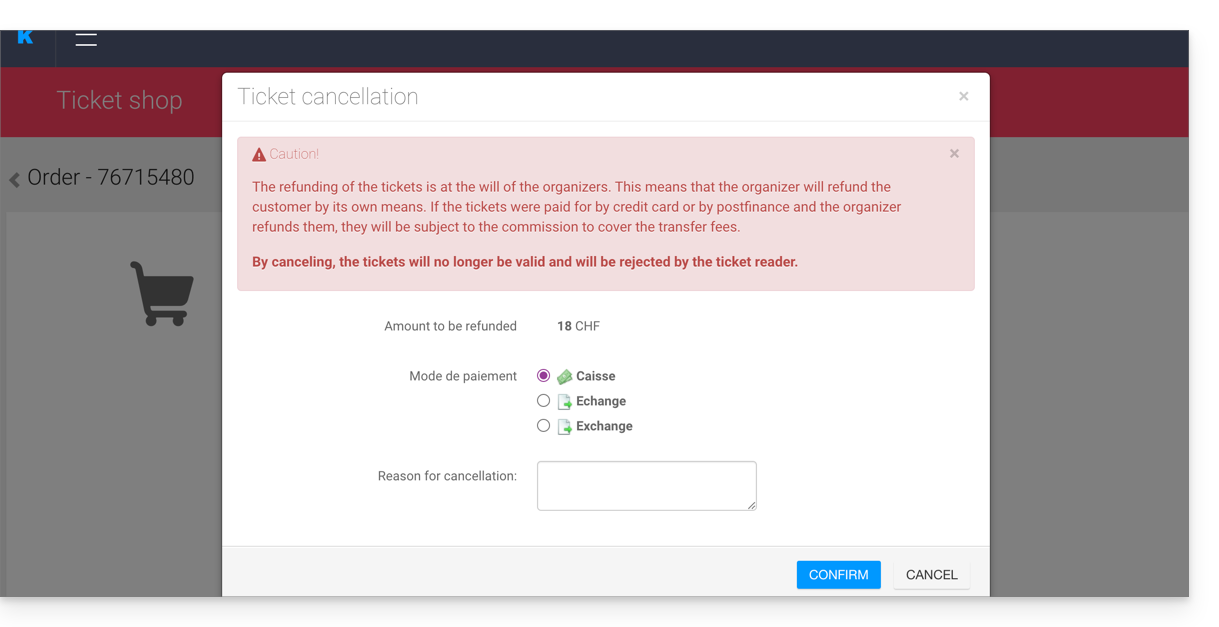
- Choose the method used for the refund and the reason for the refund. This information may be useful for your accounting operations:
- If the customer is unaware, inform them that the ticket(s) have been cancelled.
The refundit is the organizer's responsibility to refund the customer, using their own means. Tickets are always subject to the Infomaniak commission.
Cancel an order awaiting payment
When using the Invoice payment method, it is not possible to cancel individual tickets, as the invoice would no longer be accurate.
You will need to cancel the entire order, create a new order, and send the new invoice to the customer.
Also, please refer to this other guide regarding automatic cancellation deadlines with this payment method.
Cancel tickets at the ticket counter
To do this:
- Go to the Control Panel.
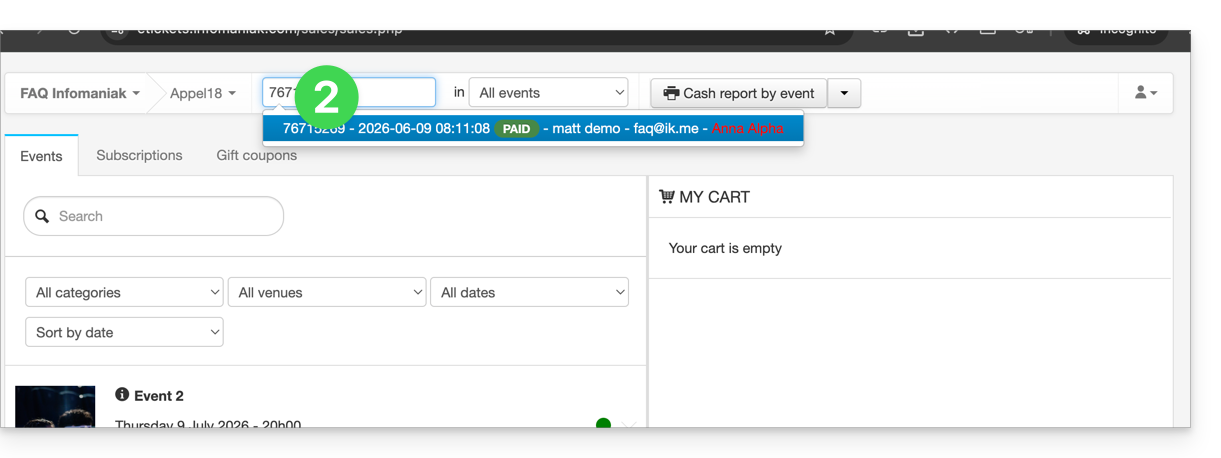
- Use the search field at the top of the control panel to find the command:
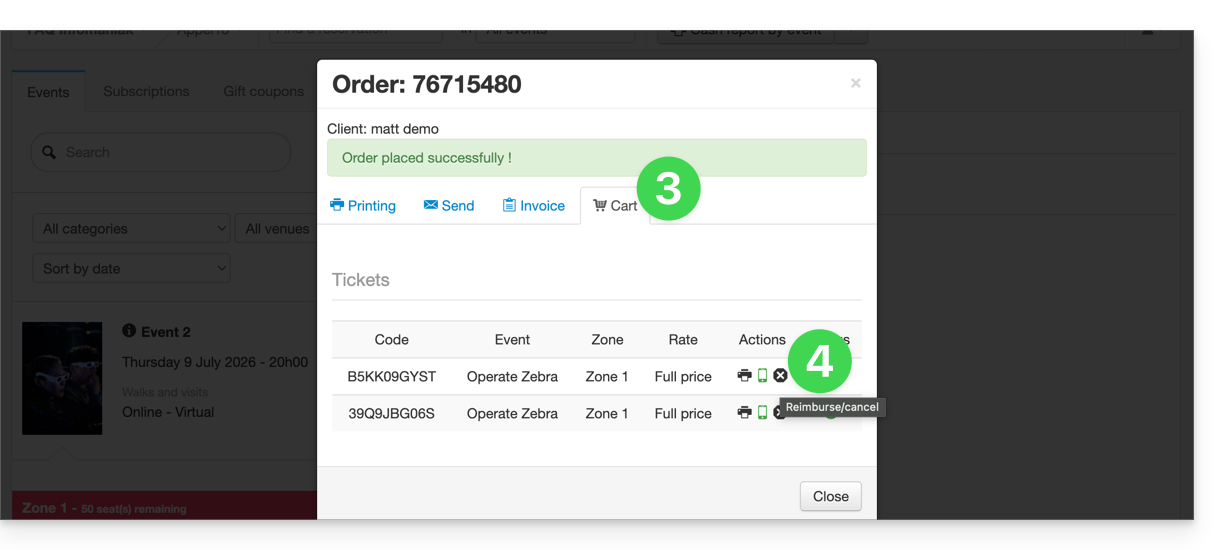
- Go to the Cart tab.
- Click on the small black cross next to the ticket you want to cancel:
Link to this FAQ: https://faq.infomaniak.com/2693
Has this FAQ been helpful?