Knowledge base
1000 FAQs, 500 tutorials and instructional videos. Here, there are only solutions!
Set up a custom store
This guide explains how to use the advanced options for your custom stores in the Infomaniak ticketing system (refer to this other guide if you are looking for information on the general configuration of the main store).
Introduction
- This Custom Store section, intended for advanced users, allows you to find all the advanced settings for your online stores.
- You can continue to use multiple links with different configurations and advanced settings to integrate them into your site as you wish.
- It is possible to configure events that will not be listed on
infomaniak.events. - All private events will therefore use this option.
Create a customized store
To access the online ticketing options:
- Click here to access the management interface for your product in the Infomaniak Manager (need help?).
- Click directly on the name of the relevant ticketing system.
- Click on Ticket Portal in the left-hand menu:
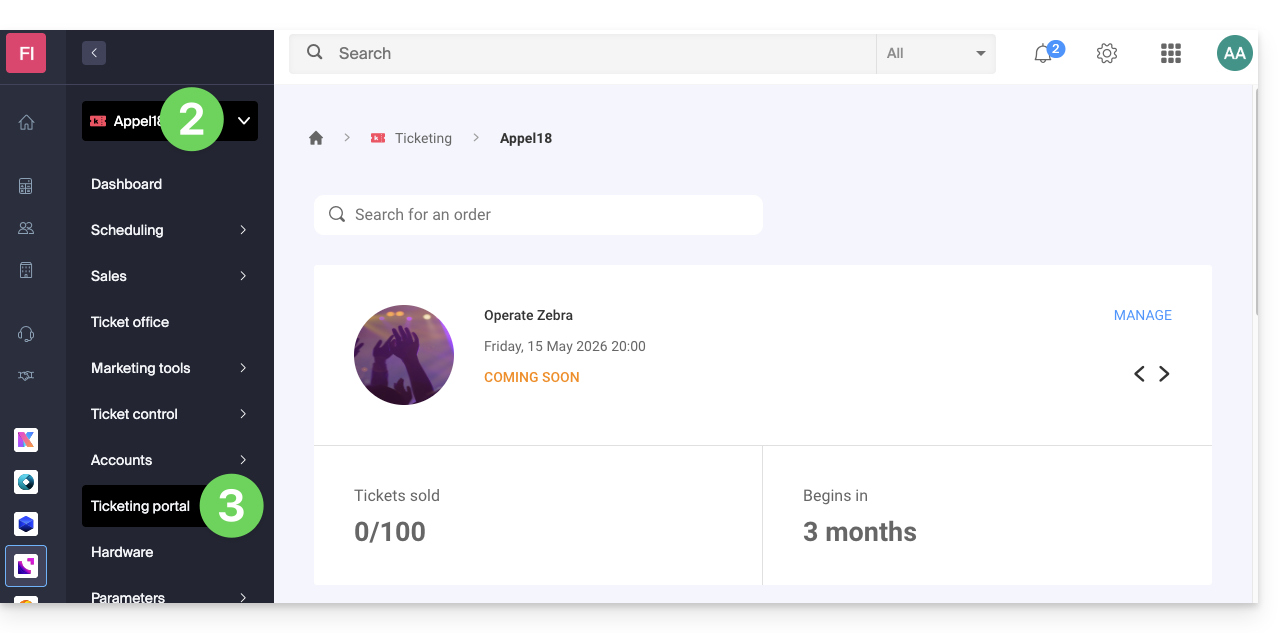
- Click on Online Store in the left-hand menu.
- Click on Create a custom store:
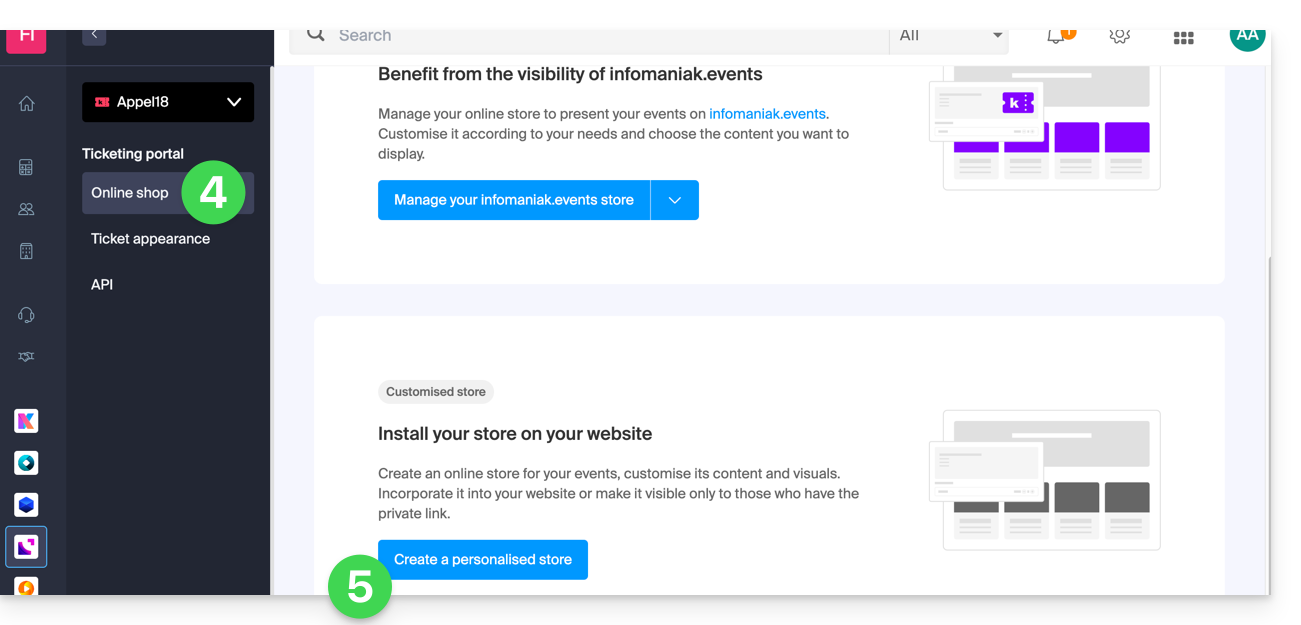
Configure the custom store
This store is designed for advanced use and allows you to configure stores that will not be listed on infomaniak.events. All private events will therefore go through this option, including if there is a need for customization with html or js code.
It is possible to have multiple links with different types of content to configure. These options can be found in the Developer menu at the bottom of the page:
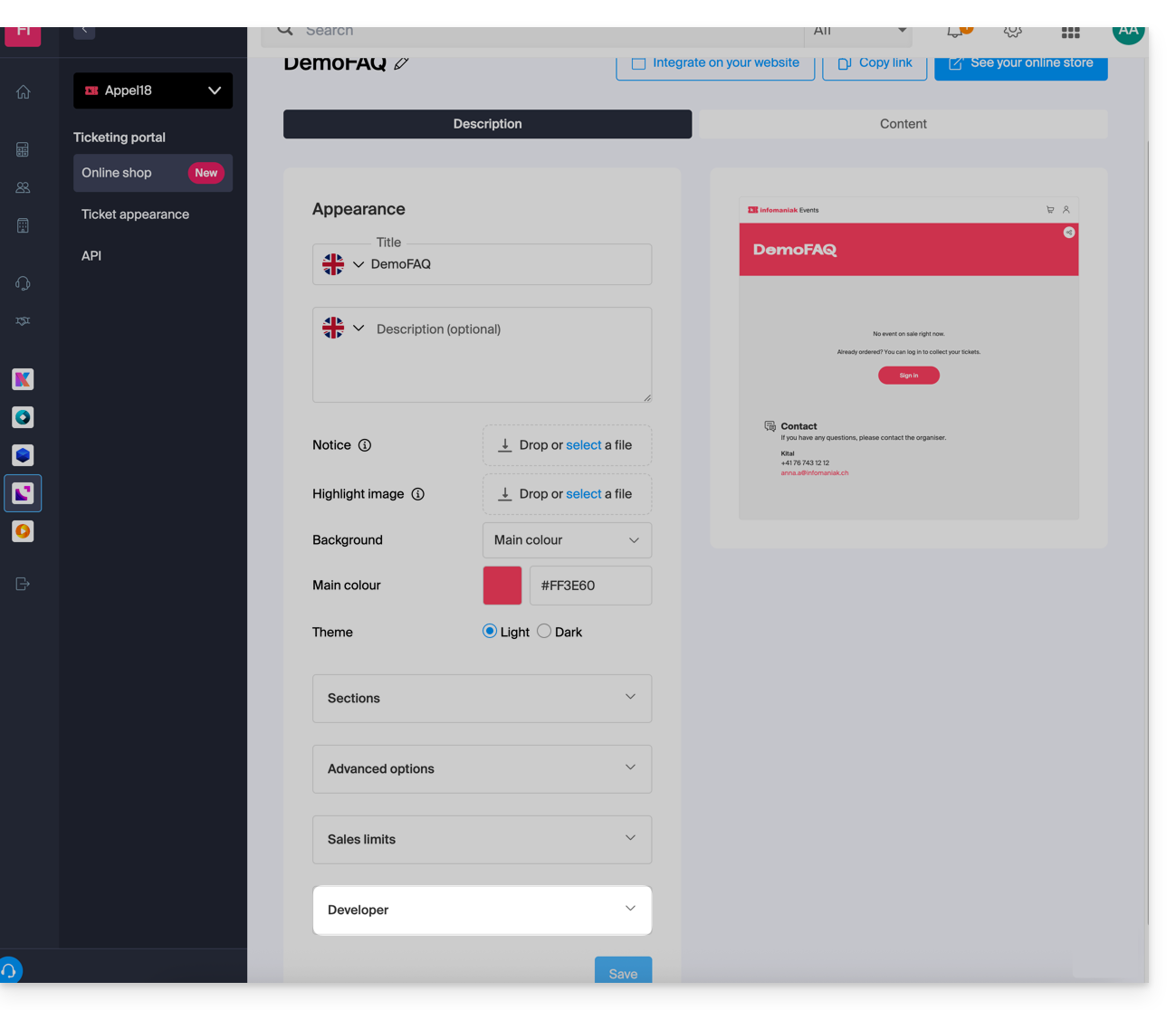
Each customized store will have its own URL and can be managed independently. You can retrieve the links to these stores at any time for integration on your site, or delete them to disable the link: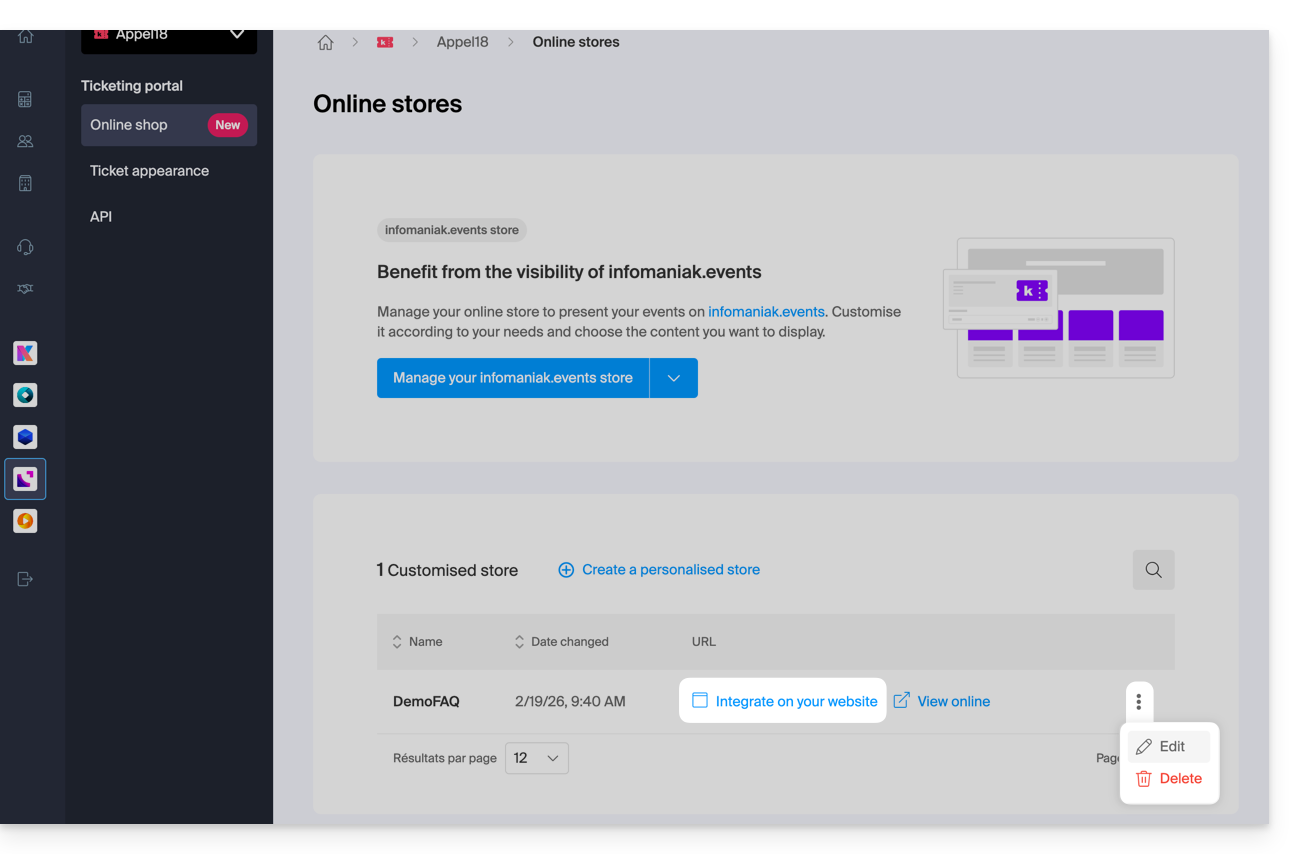
Using triggers for marketing tools
You can insert, at the HTML code level, a script to connect your store page with tools such as the Meta pixel (Facebook) or Google Tag Manager: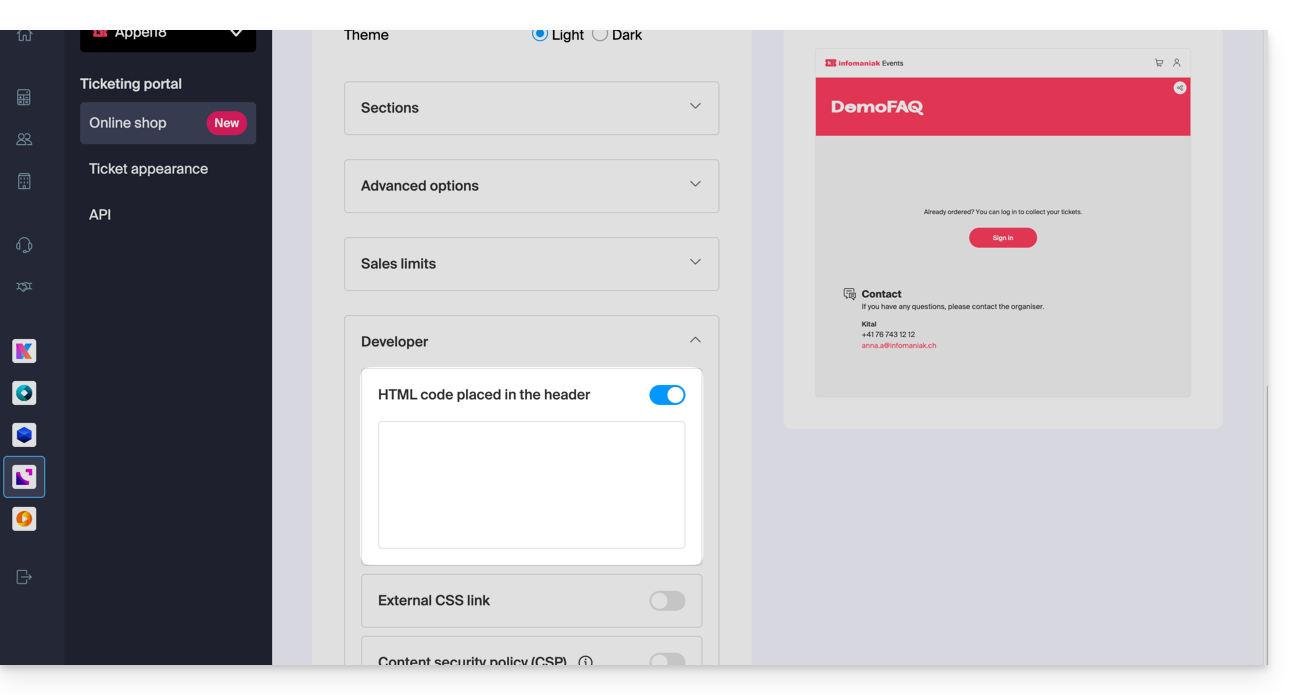
Integration via API
API integration allows you to embed the ticketing system directly on your website. To do this, you will need to create an API key and follow the documentation.
Link to this FAQ: https://faq.infomaniak.com/2684
Has this FAQ been helpful?