Knowledge base
1000 FAQs, 500 tutorials and instructional videos. Here, there are only solutions!
Partnership: managing billing methods
This guide explains the differences between the two types of payment modes possible within a partnership (with full access granted to the partner).
Indeed, in the context of adding a Partner for managing your products, if you grant all rights, you will need to decide whether to also entrust them with the entire billing part.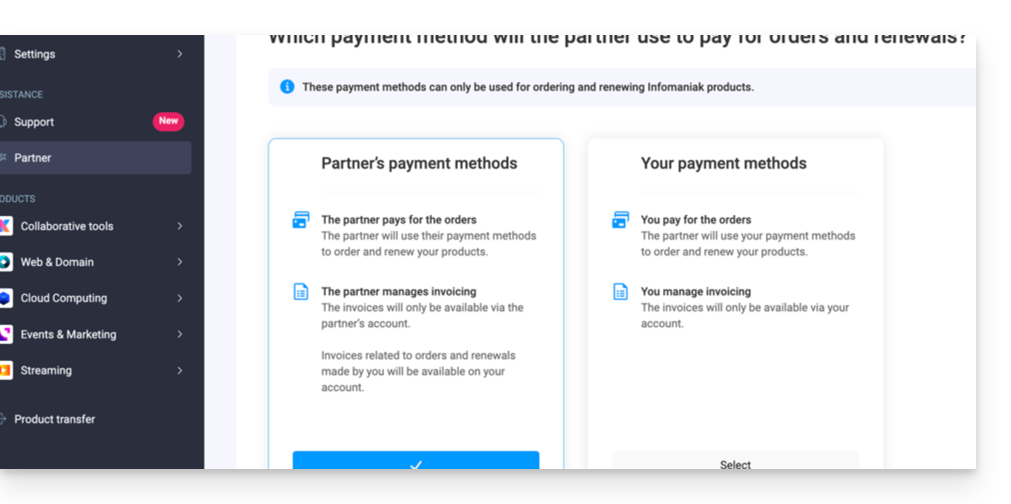
Payment modes ...
... of the Customer
In this case:
- The Customer manages billing and pays for orders and renewals made by the Partner.
- The Partner:
- Pays the public price and will receive income (cashback) in their account depending on the benefits they receive as an Infomaniak reseller
- Also receives income (refund) for any order and renewal made directly by their client.
- Invoices will only be accessible within the Customer's organization, and the Partner will not have access.
- The products will be installed directly within the Customer's Organization.
... of the Partner
In this case:
- The partner
- Manages billing and pays for orders and renewals made for their client
- Benefits directly from reseller discounts when ordering and renewing on behalf of their client
- Also receives income (refund) for any order and renewal made directly by their client.
- Invoices will only be available within the Partner's organization, and the Customer will not have access.
- The products will be installed directly within the client's organization.
Change the payment mode
When granting full access to an associate, the Customer can change the type of payment mode used in the partnership at any time:
- Log in to the Infomaniak Manager (manager.infomaniak.com).
- Click on Partner in the left sidebar menu.
- Click on the name of the partner concerned:
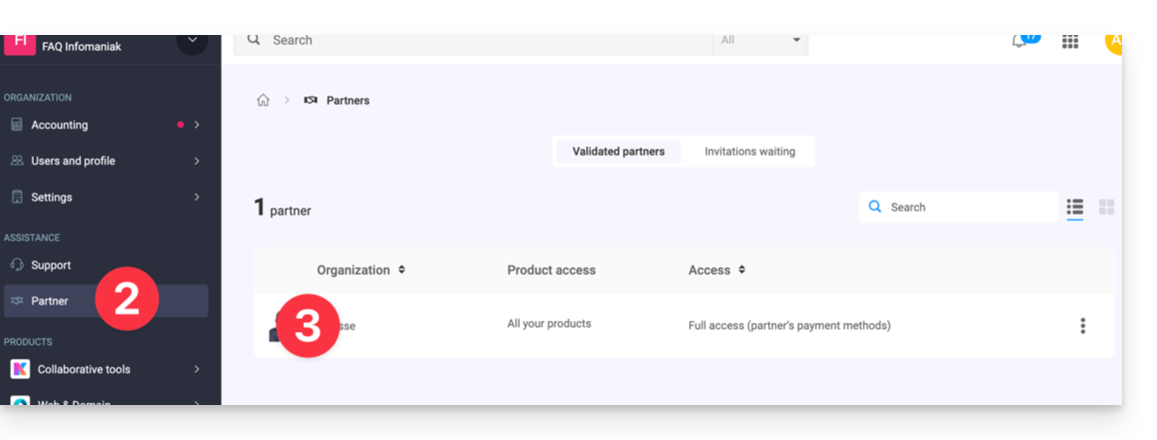
- Click on the pencil icon at the top of the page to the right of Payment:
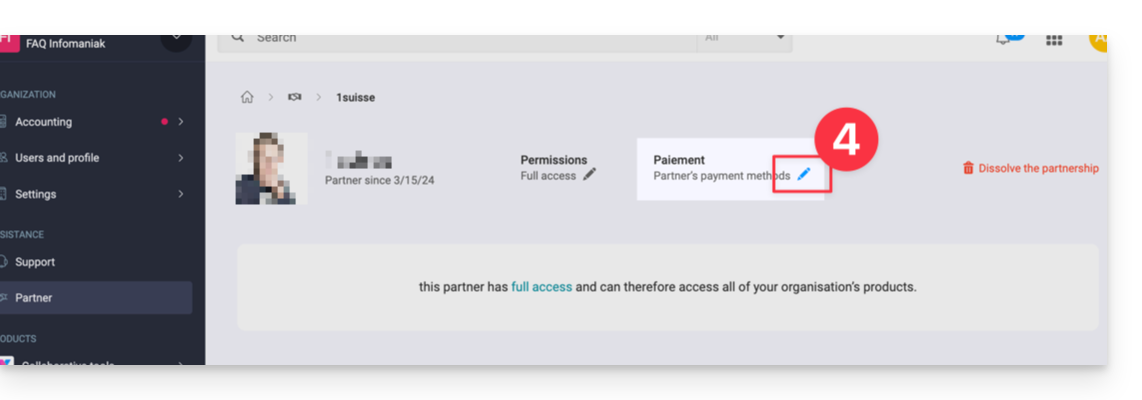
- Modify and verify the desired information.
The Partner will receive a notification of the change by email.
Also refer to this other guide.
Link to this FAQ: https://faq.infomaniak.com/2679
Has this FAQ been helpful?