Knowledge base
1000 FAQs, 500 tutorials and instructional videos. Here, there are only solutions!
Ticketing: Understanding Payment Methods
This guide explains how to manage the different payment methods (within the Infomaniak ticketing system).
Available payment methods
It is important to clearly distinguish between the 3 payment methods available:
- online methods (fee: 0.89 + 1% + bank charges)
- Postcard
- Credit card
- Twint
- on-site or directly on your account payment methods (fee: 0.20 per ticket)
- cash
- Postcard
- Credit card
- by invoice
- on-site
- exchange payment methods (free)
- exchanges at the counter
- exchanges on the online ticketing platform
- free / invitation
There is also a test credit card that allows you to simulate a payment.
Enable and manage payment methods
To do this:
- Click here to access the management interface for your product in the Infomaniak Manager (need help?).
- Click directly on the name assigned to the ticketing system for the event.
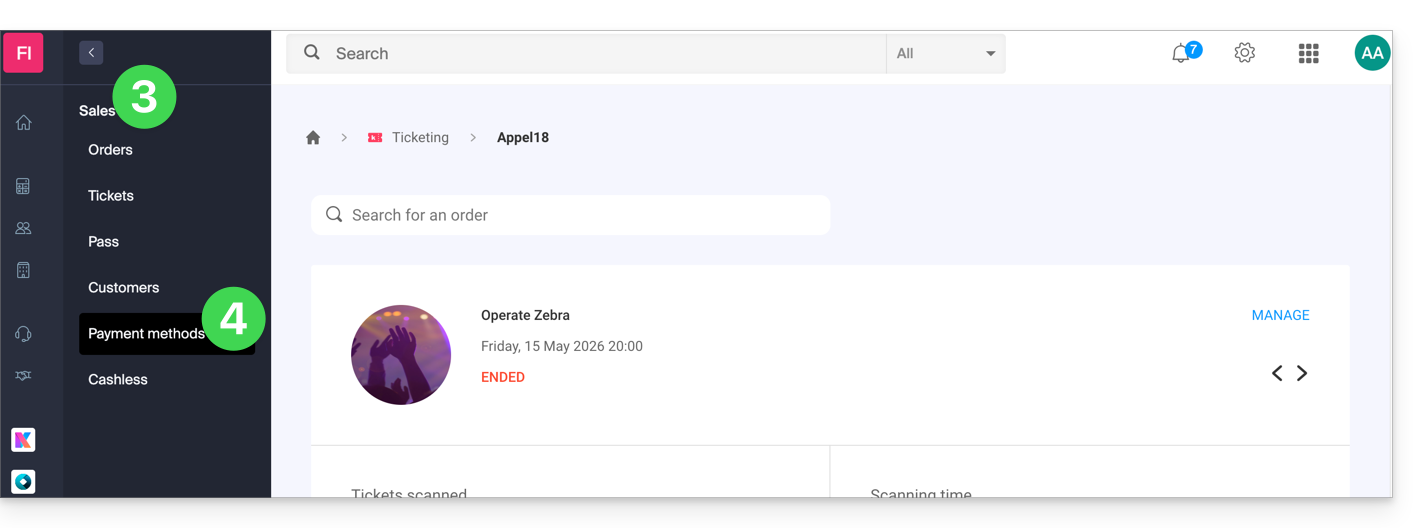
- Click on Sales in the left-hand menu.
- Click on Payment methods in the left-hand menu:
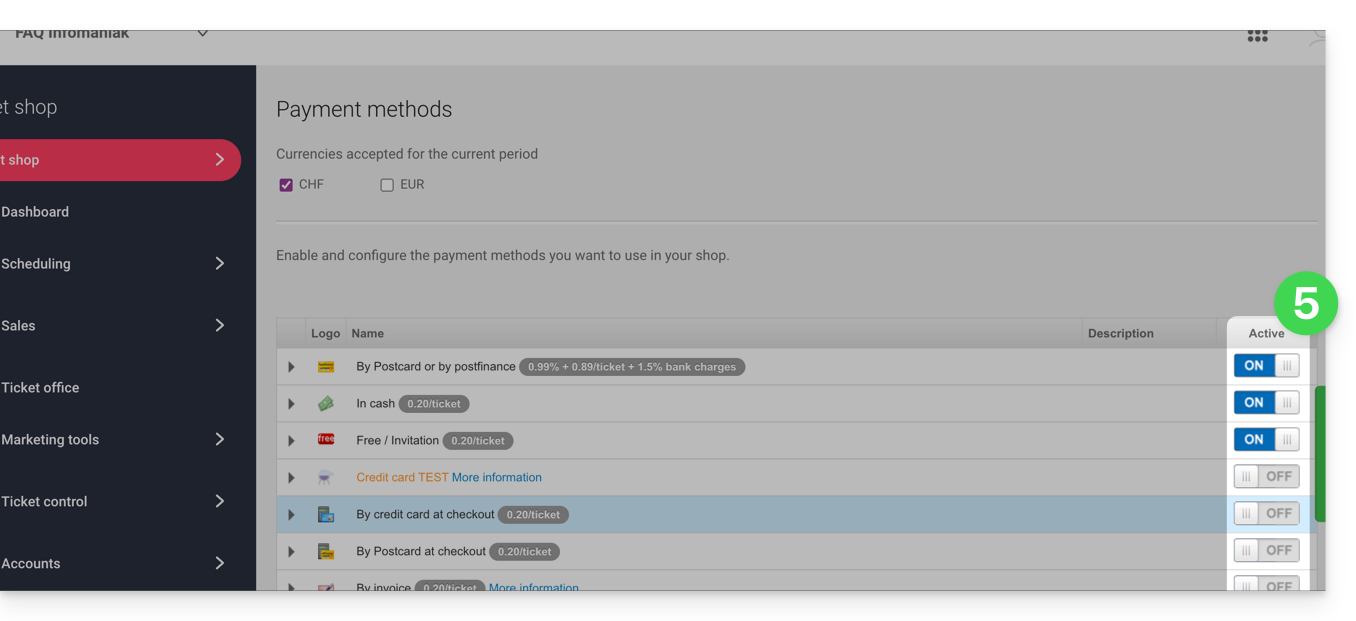
- To enable or disable a payment method, toggle the switch to ON or OFF to the right of the desired payment method:
- To manage the details of a payment method, click on the arrow to the left of the payment method to configure various aspects:
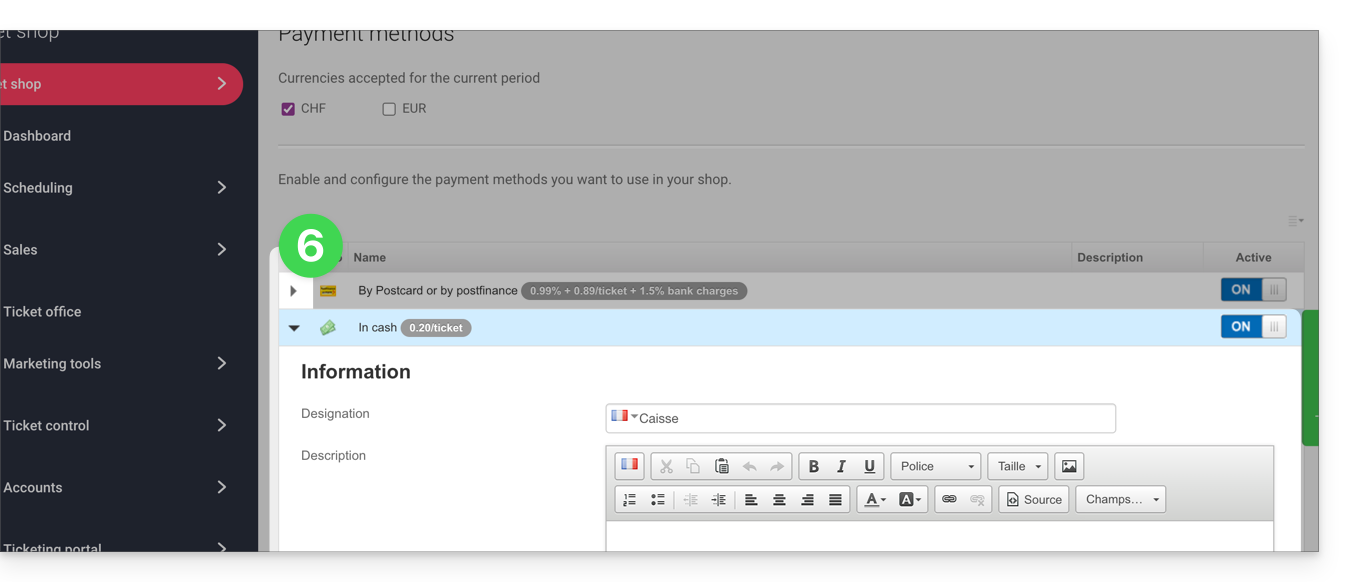
- Name: the name indicated for this payment method
- Description: for the description of this payment method in case explanations are needed
- Minimum amount required for the payment method to be available
- Availability of the payment method (customers, resellers, and administrator)
- Fees for transactions or tickets (for the exchange method)
Link to this FAQ: https://faq.infomaniak.com/2676
Has this FAQ been helpful?