Knowledge base
1000 FAQs, 500 tutorials and instructional videos. Here, there are only solutions!
Partnership: Disconnect the Client/Partner link
This guide explains how to terminate a partnership between a Client and a Partner within the Infomaniak Partner Program.
Terminate the partnership…
... as a Customer
To do this:
- Click here to access the management of your partnerships in the Infomaniak Manager (need help?).
- Click on the action menu ⋮ to the right of the relevant Partner in the table that appears.
- Click on Stop collaboration:
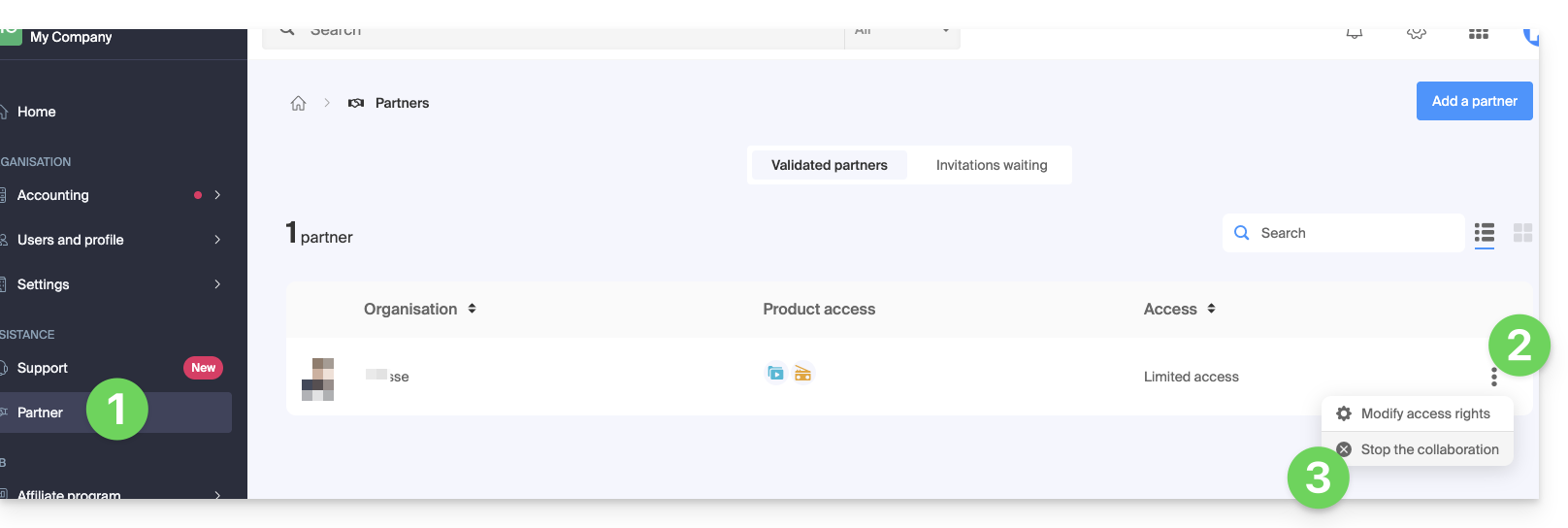
- Confirm the removal of the Partner for the first time.
- Confirm by entering your Infomaniak account password.
- The partnership has been successfully terminated.
... as a Partner
To do this:
- Click here to access your Managed Clients in the Infomaniak Manager Reseller Space (need help?).
- Click on the action menu ⋮ to the right of the relevant Client in the table that appears.
- Click on Stop collaboration:
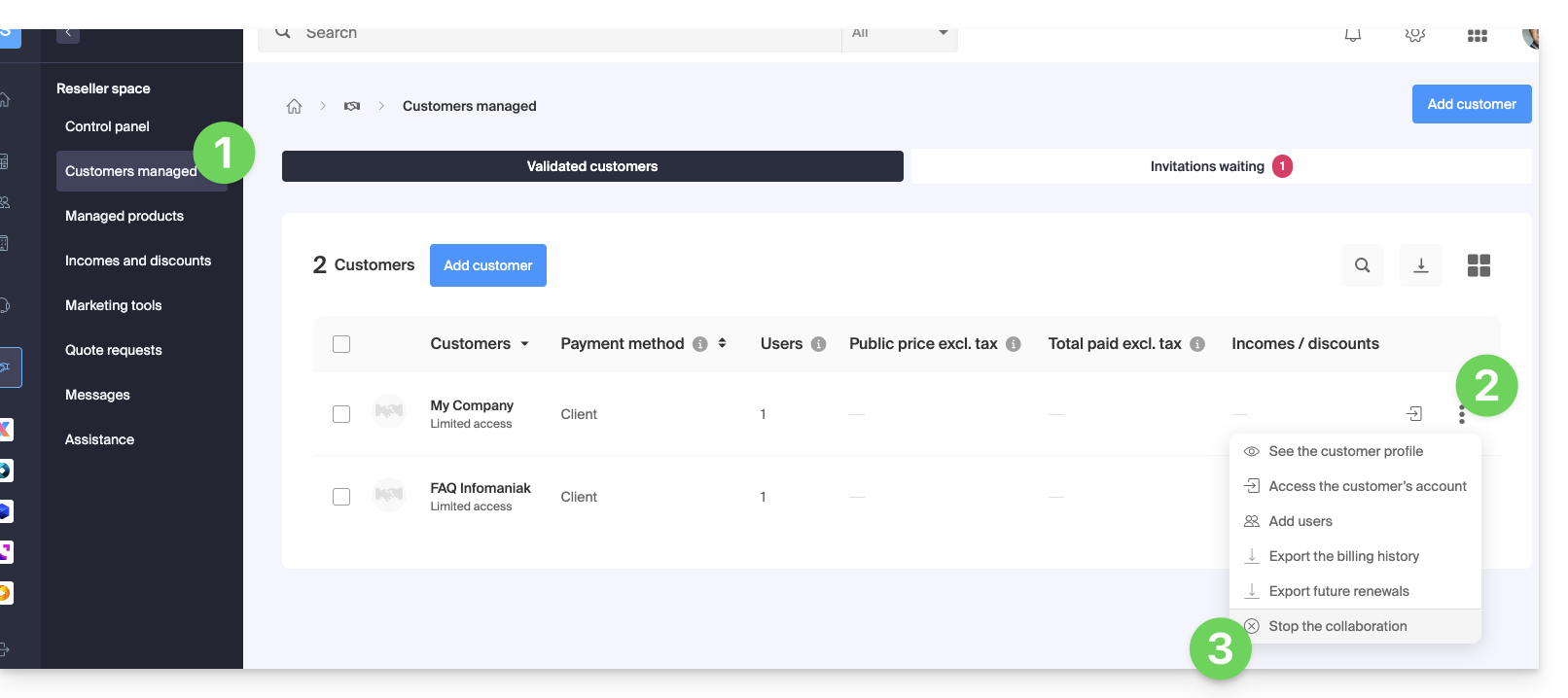
- Confirm the removal of the Client for the first time.
- Confirm by entering your Infomaniak account password.
- The partnership has been successfully terminated.
Link to this FAQ: https://faq.infomaniak.com/2673
Has this FAQ been helpful?