Knowledge base
1000 FAQs, 500 tutorials and instructional videos. Here, there are only solutions!
Partnership: Understanding the 2 types of access
This guide explains the differences between the two types of access authorization available to choose from when the Partner wants to start a partnership by selecting the Client they will manage.
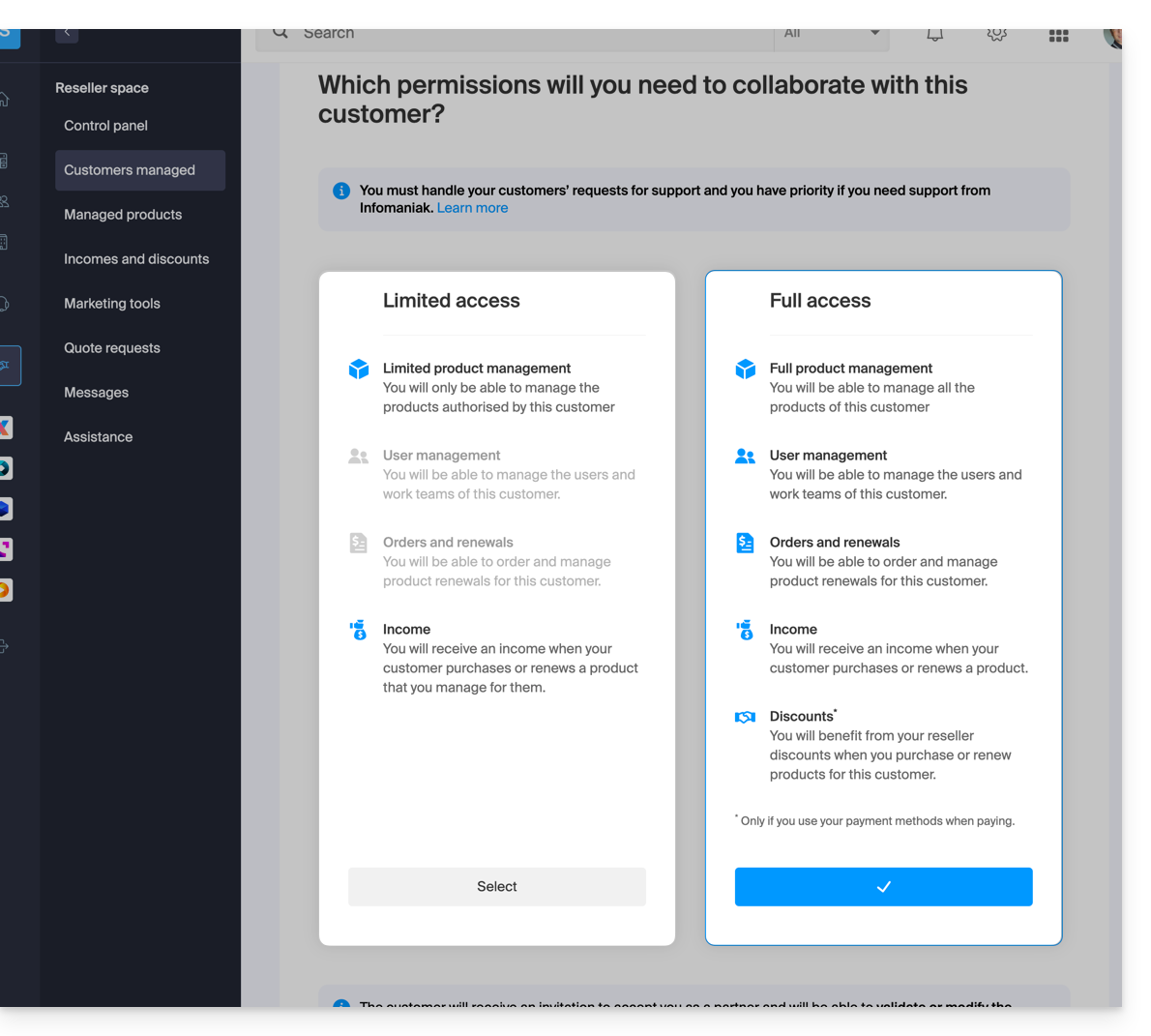
Limited access
When making this choice:
- The Client
- grants his Partner access specifically to certain products
- can have several Partners with limited access on his Organization provided they manage different products
- The Partner
- manages only the products for which the Client has assigned him management (Limited product management)
- can manage the Client's users and Groups (User management)
- cannot order and renew products for his Client (Orders and renewals)
- receives revenue when the Client makes purchases or renews products for which the Partner has management (Revenue)
Full access
When making this choice:
- The Client
- grants his Partner access to all his products (Full product management)
- can only have one Partner with full access on his Organization
- The Partner
- can manage the Client's users and Groups (User management)
- can order and renew products for his Client (Orders and renewals)
- receives revenue for any product order or renewal (Revenue)
- benefits from reseller discounts when purchasing or renewing products for his Client, provided he uses his own payment methods (Discounts)
- The Client & the Partner can define which payment methods will be used for orders and renewals (Payment methods)
The type of authorization granted to the Partner can be modified at any time, and only by the Client.
Link to this FAQ: https://faq.infomaniak.com/2670
Has this FAQ been helpful?