Knowledge base
1000 FAQs, 500 tutorials and instructional videos. Here, there are only solutions!
Partnership: Understanding the 2 Types of Access
This guide explains the differences between the two types of access authorization available when the Partner wishes to start a partnership by choosing the Client they will manage.
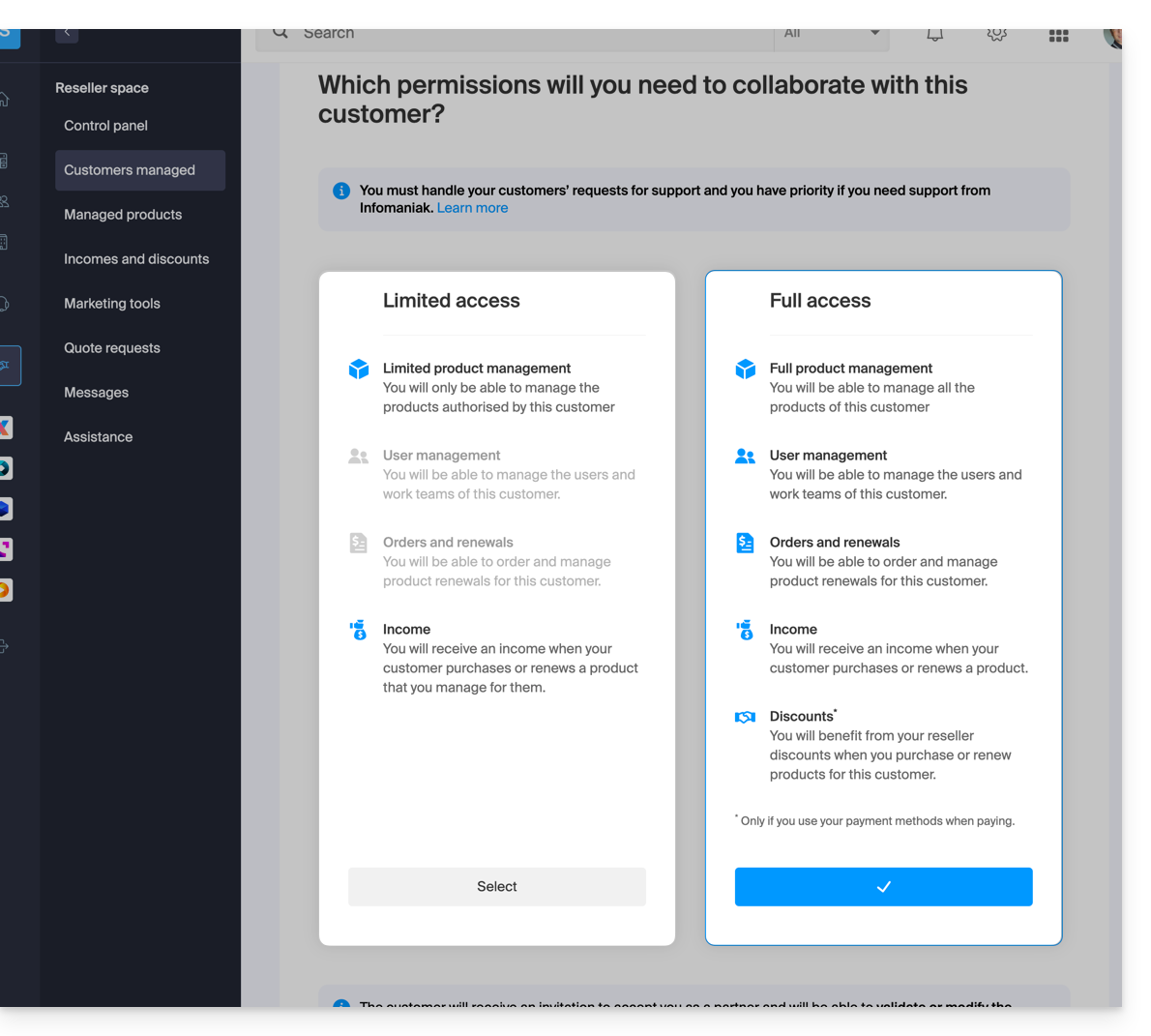
Limited Access
When making this choice:
- the Client
- grants their Partner access specifically to certain products
- may have multiple Partners with limited access to their Organization, provided they manage different products
- the Partner
- manages only the products that the Client has assigned to them (Limited product management)
- can manage the Client's users and Groups (User management)
- cannot order and renew products for their Client (Orders and renewals)
- receives revenue when the Client makes purchases or renews products for which the Partner has management rights (Revenue)
Full access
When making this choice:
- the Client
- grants their Partner access to all their products (Full product management)
- can only have one Partner with full access to their Organization
- the Partner
- can manage the Client's users and Groups (User Management)
- can order and renew products for their Client (Orders and Renewals)
- receives revenue for each product order or renewal (Revenue)
- benefits from reseller discounts when purchasing or renewing products for their Client, but only if they use their own payment methods (Discounts)
- the Client & the Partner can define which payment methods will be used for orders and renewals (Payment Methods)
The type of permission granted to the Partner can be modified at any time, and only by the Client.
Link to this FAQ: https://faq.infomaniak.com/2670
Has this FAQ been helpful?