Knowledge base
1000 FAQs, 500 tutorials and instructional videos. Here, there are only solutions!
Ticketing: Create a new Infomaniak ticketing system
This guide explains how to create a new ticketing system, or new period, within the Infomaniak ticketing system.
Introduction
- You can create multiple events within the same ticketing system:
- This “period” generally corresponds to an edition, season, or a highlight of your program (2025-2026 season, summer 2026 festival, etc.).
- It is simply a framework for grouping; it does not technically isolate events as a new ticketing system would.
- Creating a new ticketing system allows you to structure and organize your ticket sales independently:
- You organize recurring seasons of events (cultural seasons, sports seasons).
- You manage several distinct clients (e.g., ticketing partners).
- You want to separate your sales, settings, or statistics from one series of events to another.
- You need separate management spaces, with different teams or access rights.
- This action should not be confused with creating a new Infomaniak Organization.
- Also, please review this other guide before publishing.
Add the Online Ticketing Tool
To start a new Infomaniak ticketing system:
- Click here to access the management of your products on the Infomaniak Manager.
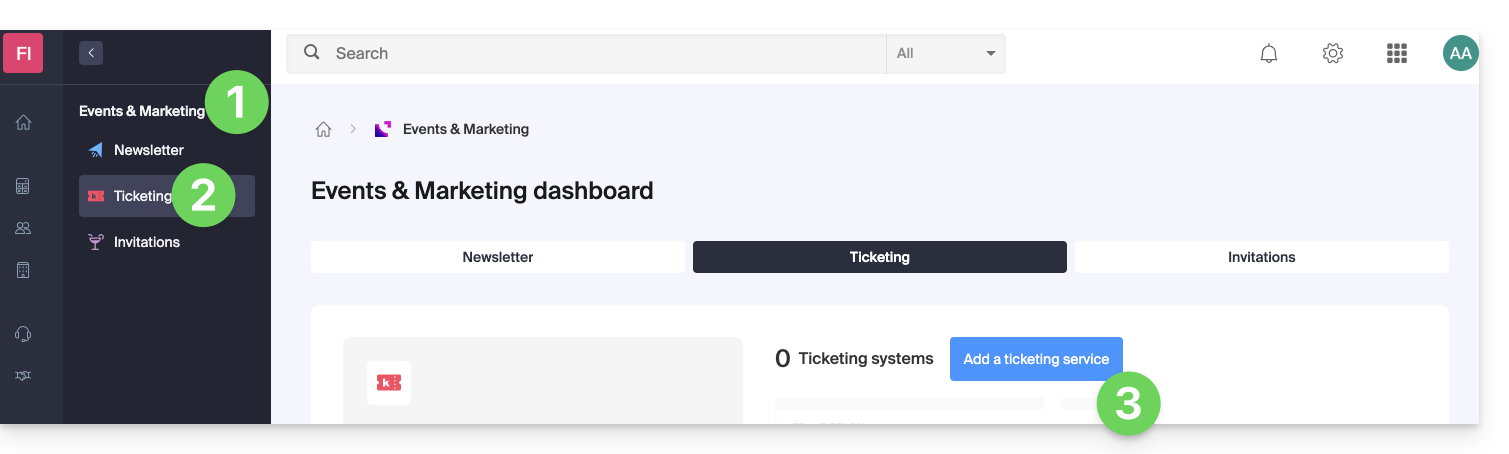
- Click on Ticketing under the Events & Marketing section.
- Click on the blue Add button:
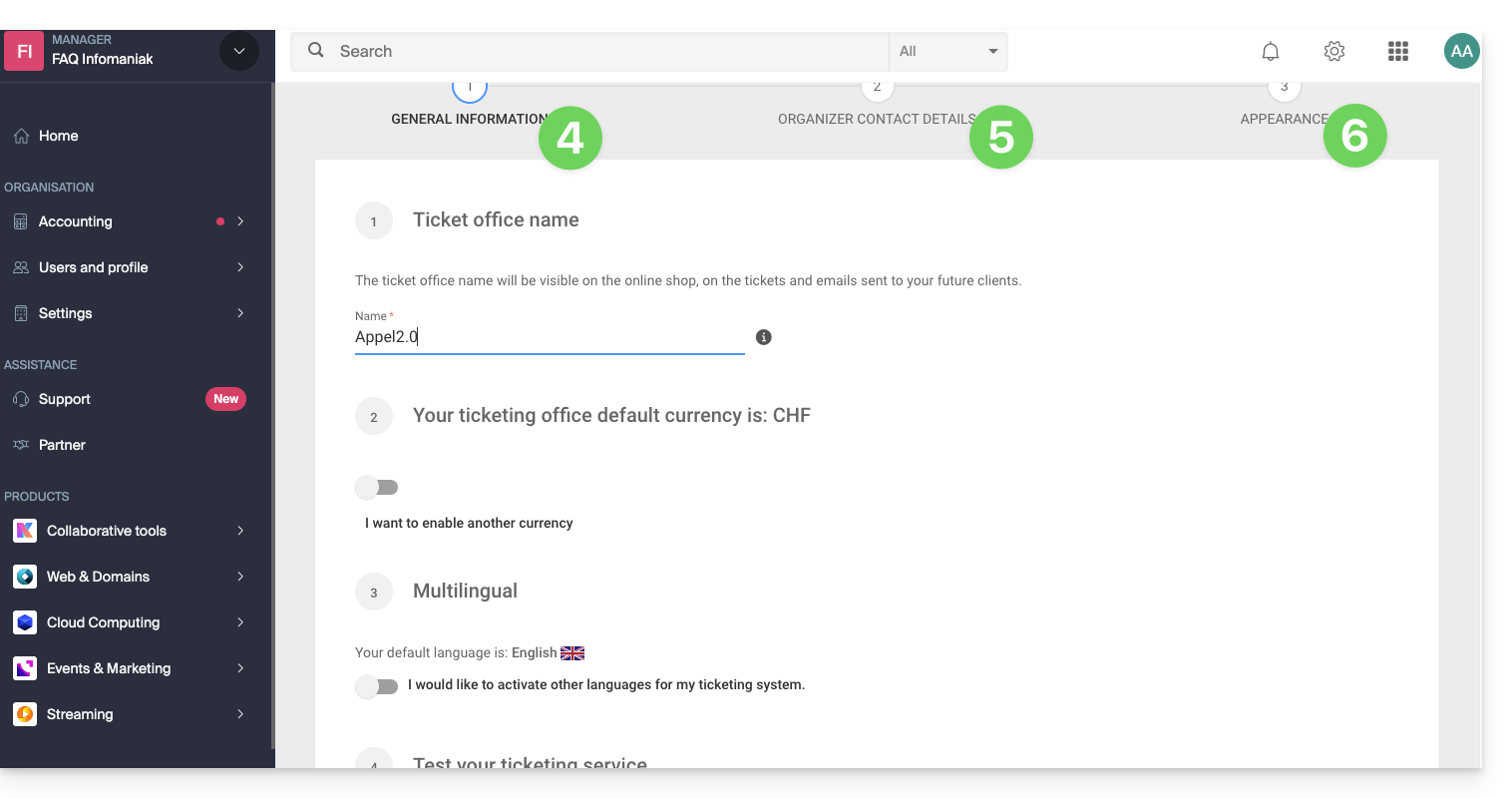
- Enter the name of the ticketing system, the currencies to use, and the languages to use on the ticketing system.
- Enter the user's contact information.
- Choose the default appearance of the ticketing system:
This information can be modified at any time in the ticketing system settings.
Link to this FAQ: https://faq.infomaniak.com/2658
Has this FAQ been helpful?