Knowledge base
1000 FAQs, 500 tutorials and instructional videos. Here, there are only solutions!
Ticketing: exchange tickets at the ticket counter
This guide explains how to perform ticket exchanges at the counter (as part of the Infomaniak ticketing system).
Introduction
- This function allows you to select new tickets while canceling the current ones.
- This operation is only possible for individual tickets; for passes, you will need to cancel a ticket and re-add it from the passes menu.
Enable Exchange mode
To enable the Exchange payment method, please refer to this other guide and then:
- Go to the Control Panel.
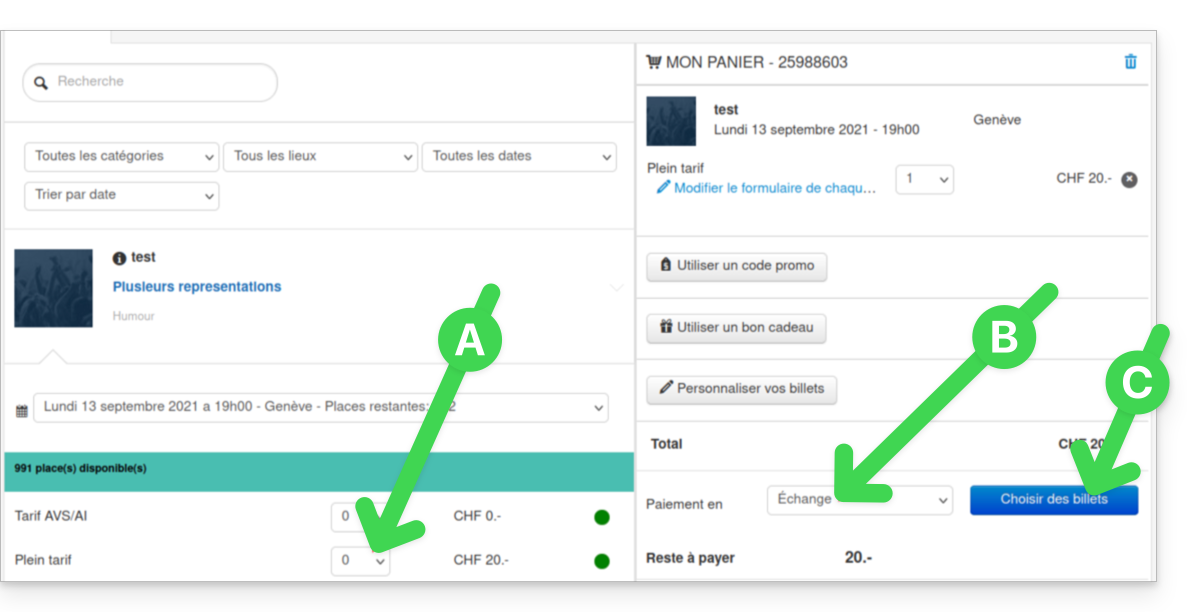
- From the Control Panel, select the new tickets; they will be added to the cart on the right side of the screen.
- Once all the new tickets have been selected, select the Exchange payment method:
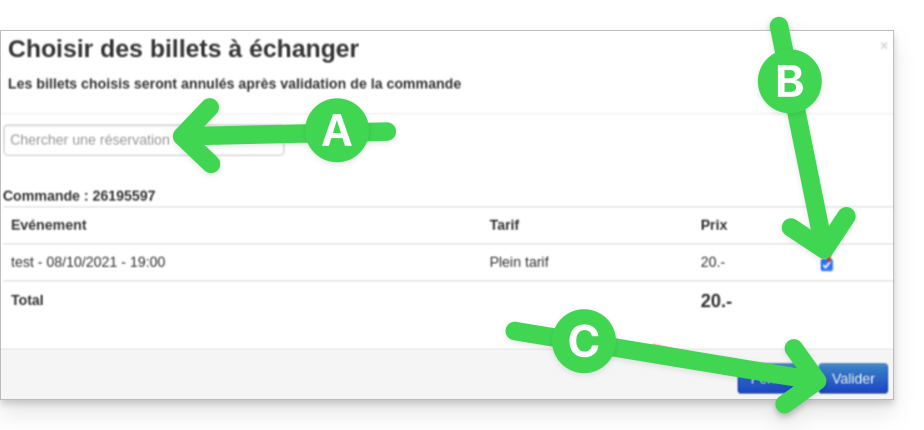
- In the new window, search for the order or ticket number.
- Select the tickets to cancel and confirm:
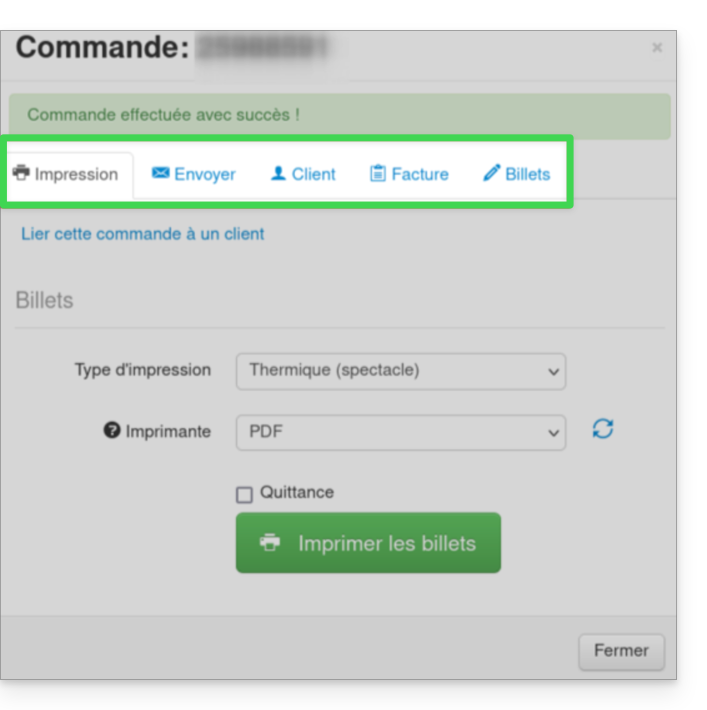
- Enter the customer's information and send the order confirmation to the customer, or print the ticket:
Link to this FAQ: https://faq.infomaniak.com/2657
Has this FAQ been helpful?