Knowledge base
1000 FAQs, 500 tutorials and instructional videos. Here, there are only solutions!
Ticketing: Replace the pass printer ribbon
Update 10/06/2026
This guide explains how to replace the ribbon in the IDP SMART 51 badge printer as part of the Infomaniak ticketing system.
Introduction
- Ribbons are used to print on PVC cards, similar to how ink cartridges are used in a standard printer.
- Black and white ribbons allow you to make approximately 1200 prints, and color ribbons allow you to make approximately 250 prints.
- If the quality of your prints starts to deteriorate or the system indicates that the ribbon is worn, you need to replace it.
- Please follow each of these steps carefully: incorrect handling can lead to temporary or even permanent malfunction of the printer.
Ribbon Replacement Procedure
To do this:
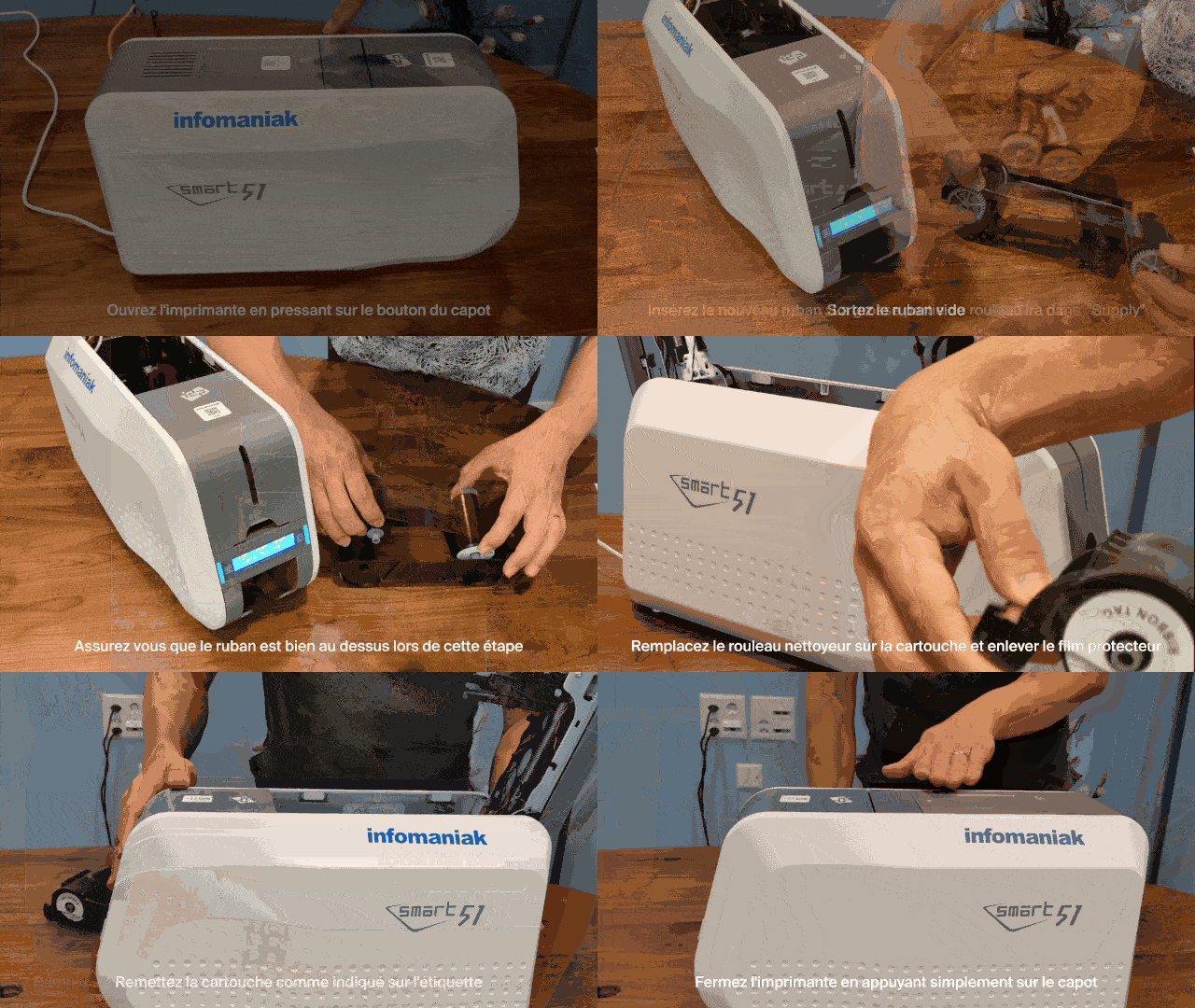
- Open the printer: press the button on the top cover to unlock and open the cover.
- Remove the cartridge: take the entire frame/ribbon cartridge out of the printer.
- Remove the used ribbon: unclip the two spools of the empty ribbon to separate them from the frame.
- Install the new ribbon in the cartridge:
- The thicker part of the spool should be positioned in the slot identified as "Supply".
- First, insert the side without gears into its slot, then press down on the side with the gears to properly snap it into the slots provided for this purpose:
- Make sure that the ribbon passes over the frame during this step, so that it is oriented downwards once the cartridge is turned over.
- Replace the cleaning roller:
- Install the new adhesive/cleaning roller provided with the ribbon in the cartridge.
- Remove the white protective film by firmly pulling on the tab provided for this purpose:
- Reinsert the cartridge into the printer: slide the opening system towards the front of the printer and put the cartridge back in place, respecting the orientation indicated on the inner label.
- Close the printer: fold the cover down by pressing it until it clicks shut.
Learn more
Link to this FAQ: https://faq.infomaniak.com/2655
Has this FAQ been helpful?