Knowledge base
1000 FAQs, 500 tutorials and instructional videos. Here, there are only solutions!
Ticketing: manage profiles
Profiles allow you to define permissions for ticket sales, ticket validation (scanners), and access to the admin panel (Infomaniak Manager). Profiles can be used for autonomous scanning, with predefined settings, using access codes that you create.
Create a profile
You can assign profiles to your users. If you want to add more users, please add them in the user management section of your Organization.
- Click here to access the management of your product in the Infomaniak Manager (need help?).
- Click directly on the name assigned to the ticketing system for the event.
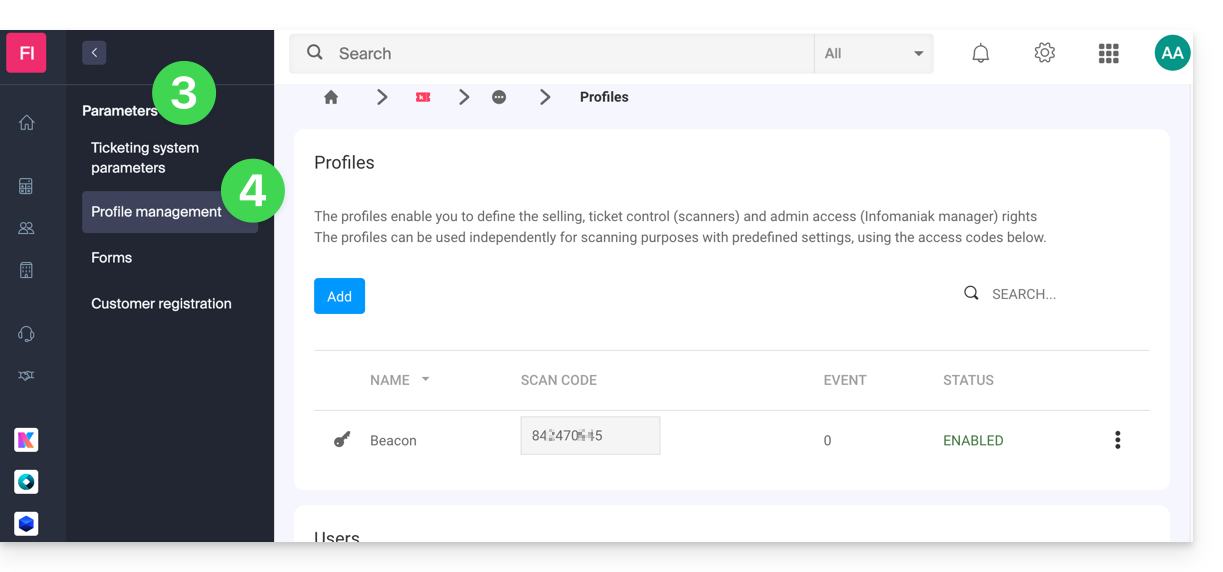
- Click on Settings in the left-hand menu.
- Click on Profile Management in the left-hand menu:
Link to this FAQ: https://faq.infomaniak.com/2649
Has this FAQ been helpful?