Knowledge base
1000 FAQs, 500 tutorials and instructional videos. Here, there are only solutions!
Ticketing: Install the Wi-Fi hotspot
Update 10/06/2026
This guide explains how to set up and use the Wi-Fi hotspot to connect your sales package or your scanners linked to the Infomaniak ticketing system.
Introduction
- The Wi-Fi hotspot acts as a network access point for your on-site sales devices (tablets, printers) and your scanners.
- Unlike the 4G hotspot, it requires a connection to your wired network (Ethernet) with internet access.
- It is powered and connected to the network via a PoE (Power over Ethernet) adapter.
Setting up the Wi-Fi access point
Prerequisites
- You must have a wall-mounted Ethernet (RJ45) port or a router with a functional Internet connection.
- Have a nearby power outlet available.
Operating the charging station
To do this:
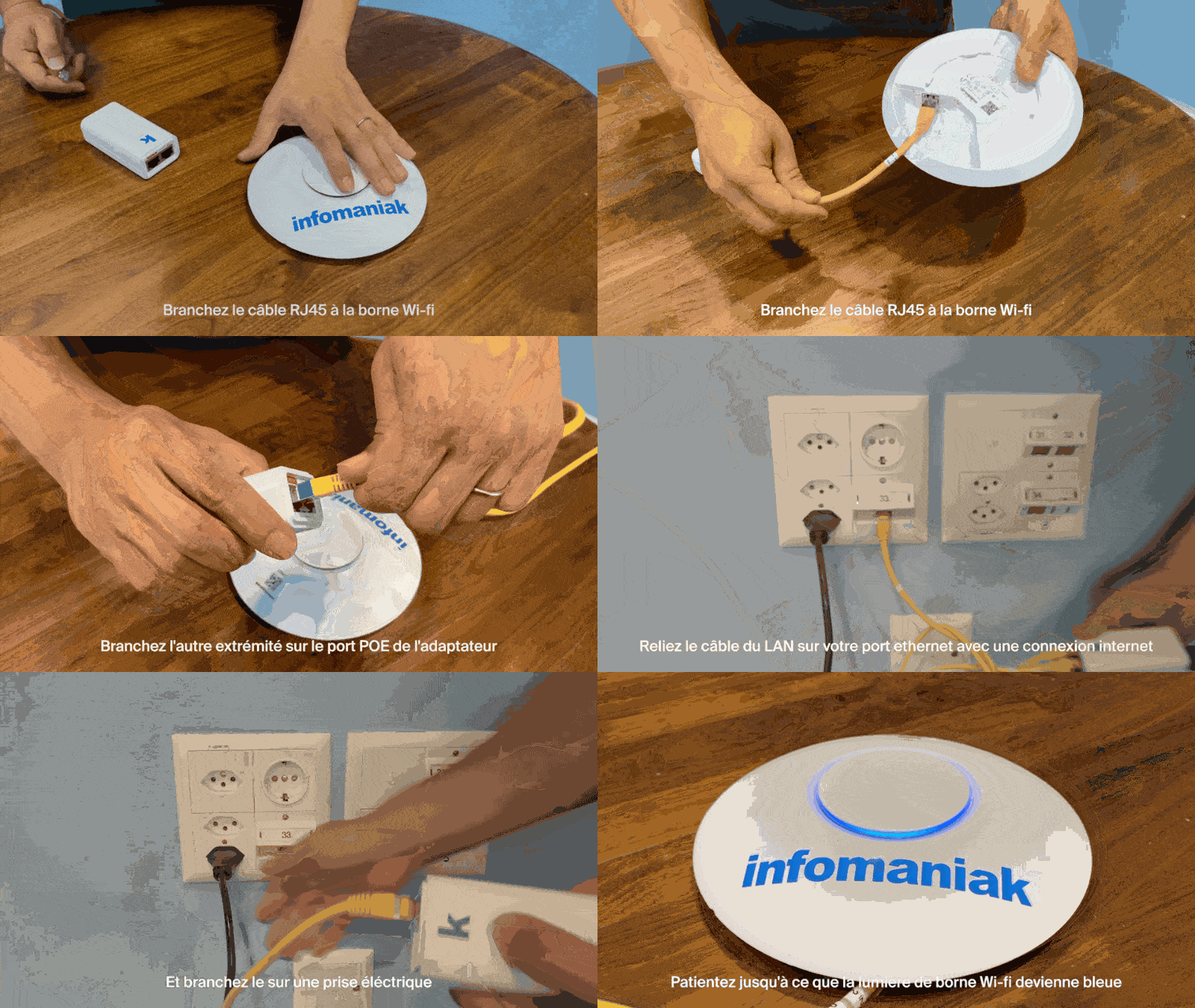
- Connect an Ethernet (RJ45) cable to the Wi-Fi base station:
- Plug the other end of this cable into the POE port of the adapter:
- Plug the second Ethernet cable into the LAN port of the adapter, then connect it to your network Ethernet port connected to the Internet:
- Plug the power cable into the adapter, then connect it to a mains power outlet.
- Wait until the light on the Wi-Fi hotspot turns blue:
- Once the device is turned on and connected to the network, it will create a network named Infomaniak.
- Infomaniak printers, tablets, and scanners will automatically connect to this network.
Learn more
Link to this FAQ: https://faq.infomaniak.com/2646
Has this FAQ been helpful?