Knowledge base
1000 FAQs, 500 tutorials and instructional videos. Here, there are only solutions!
Sign out and sign back in to your Infomaniak account
This guide explains how to log out of an Infomaniak account (user account) from the Infomaniak Manager. Once you have logged out, you can easily log in to a different Infomaniak account and access a different Organization or a user with a different role within the same Organization.
Logging out and logging in with Infomaniak credentials
To log out of an Infomaniak account and log in to another:
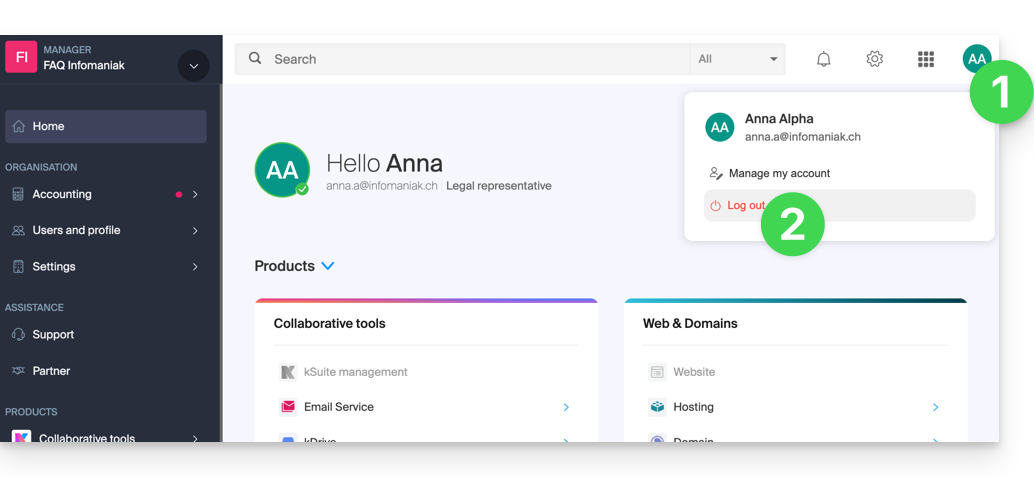
- Click on your initials / avatar in the top right corner.
- Click on Log out:
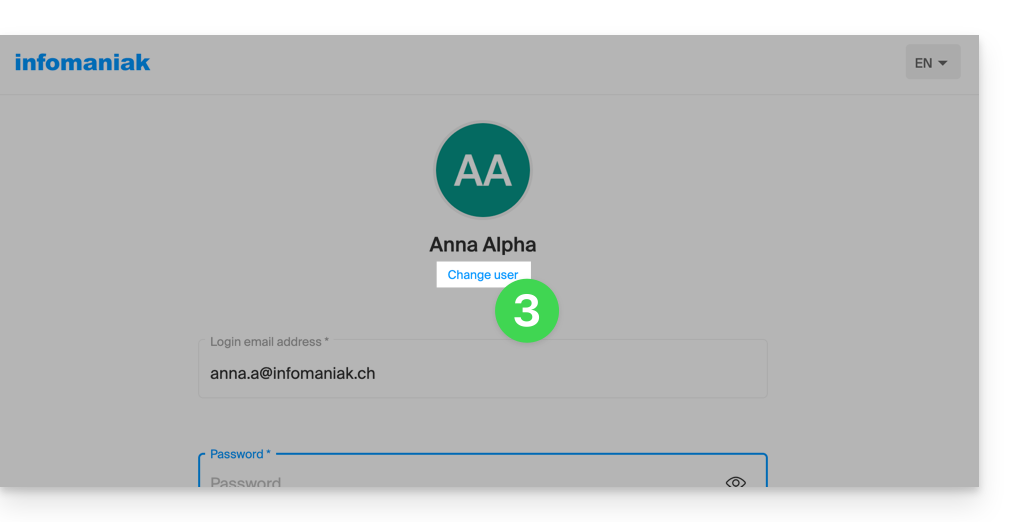
- Click on Change user:
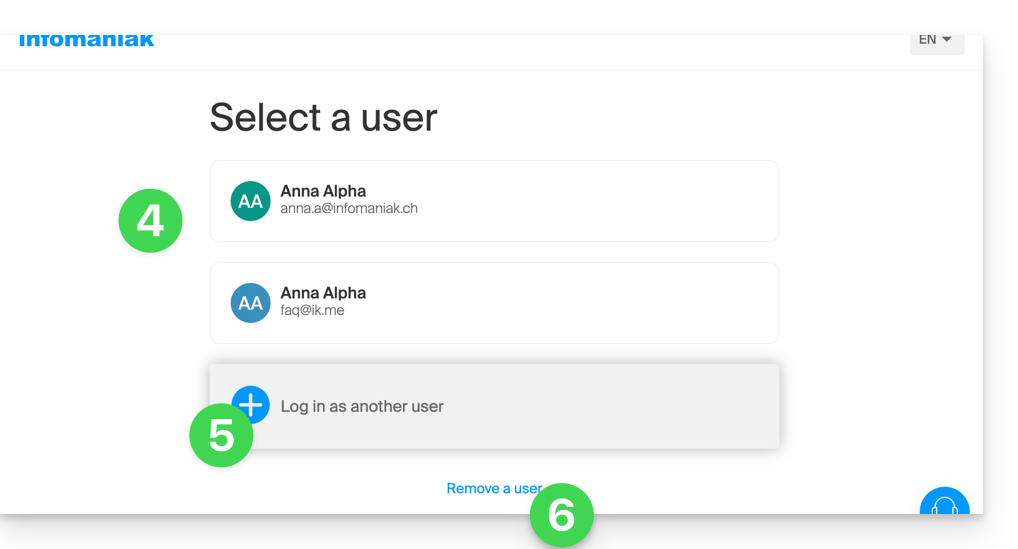
- Choose another pre-registered user…
- … or click the button to log in with new credentials…
- … or delete one of the users already saved:
- Enter the login details and click the Login button.
Once you have logged in with several different users from the same device, you can find your different Infomaniak accounts and switch between them:
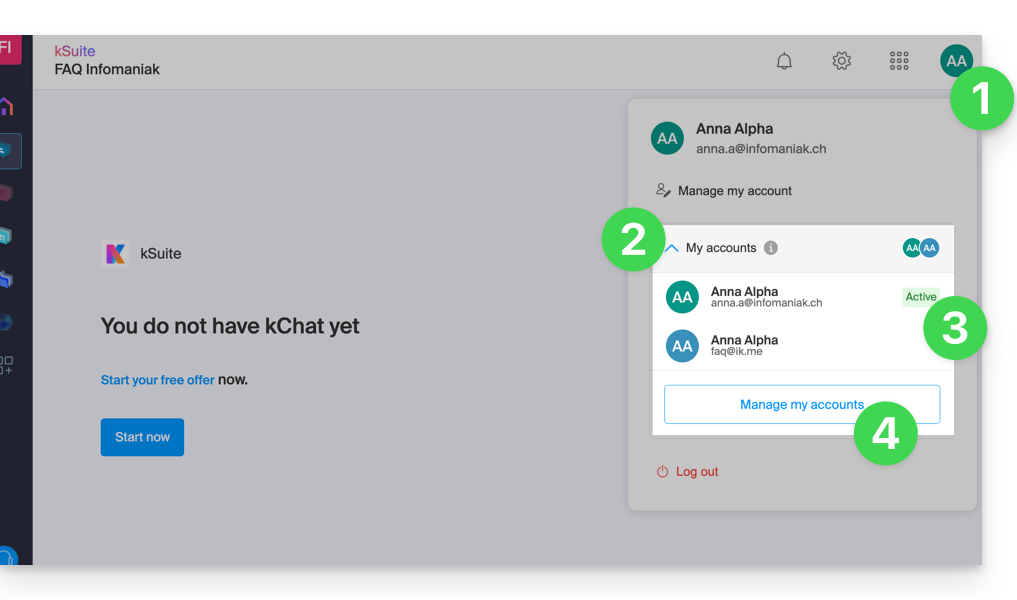
- Click on your initials / avatar in the top right corner.
- Click on the chevron My accounts to expand the list of saved accounts.
- Click on one of the inactive accounts to switch to it.
- Click on the Manage accounts button to add or remove one of your accounts (see section 4 of the chapter above):
If your user is associated with multiple Organizations, they can simply switch between them without having to disconnect and reconnect.
Link to this FAQ: https://faq.infomaniak.com/2642
Has this FAQ been helpful?