Knowledge base
1000 FAQs, 500 tutorials and instructional videos. Here, there are only solutions!
Add an additional domain name to kSuite
Update 10/13/2026
This guide explains how to have multiple domain names linked to an existing kSuite, by adding additional domain names to it.
Prerequisites
- Own the new domain name, and create it beforehand if necessary (❓: help).
- Review the instructions in this other guide and apply the instructions that correspond to your situation (this is to ensure that the domain name works when it is linked to your kSuite).
Add a domain name to kSuite
Once the new domain name is ready to be used alongside the old one, you need to add it to kSuite:
- Click here to access kSuite.
- If nothing appears after logging in, you may not be in the Organization to which your kSuite is linked (❓: help).
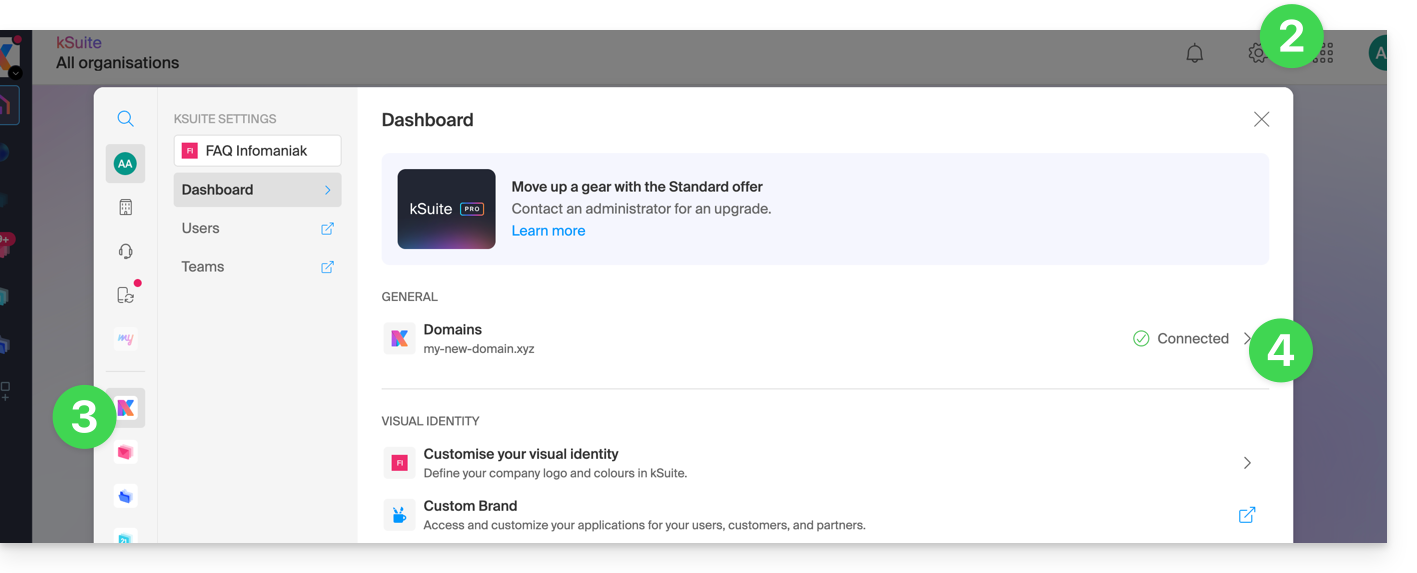
- Click on Settings in the top right corner.
- Click on kSuite in the left-hand menu.
- Click on Domains:
- Click the Add an alias domain button:

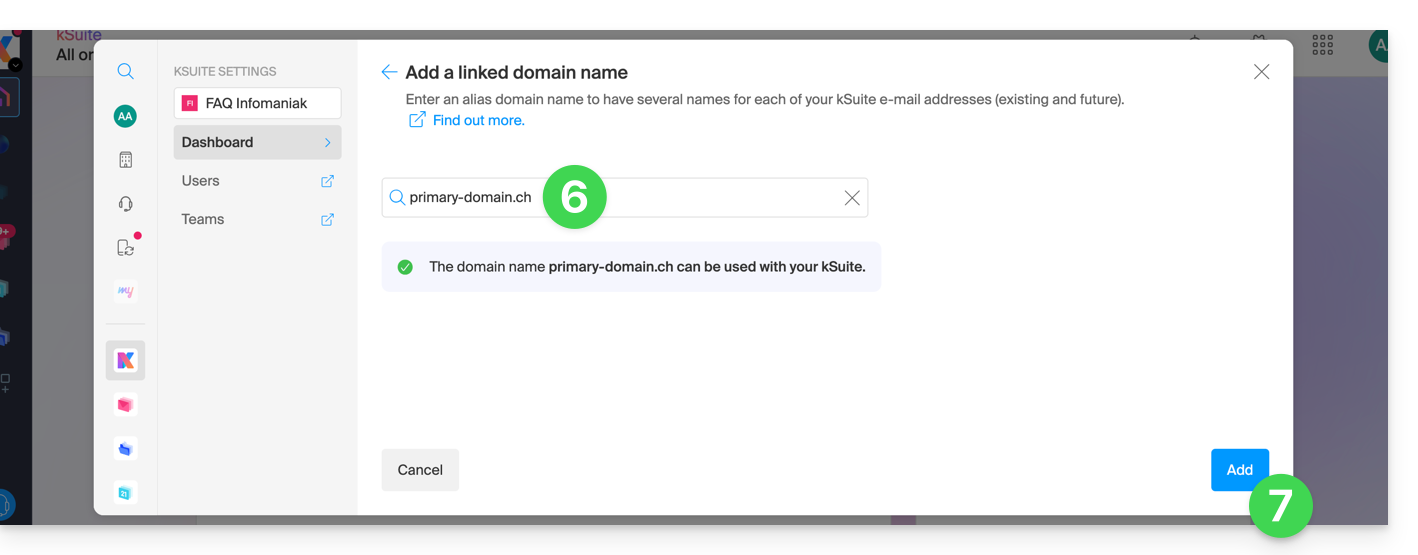
- Choose the domain to associate from among those in your Organization (still available, i.e., not associated with any service) or enter an external domain name (see prerequisites).
- Click the button to add the domain:
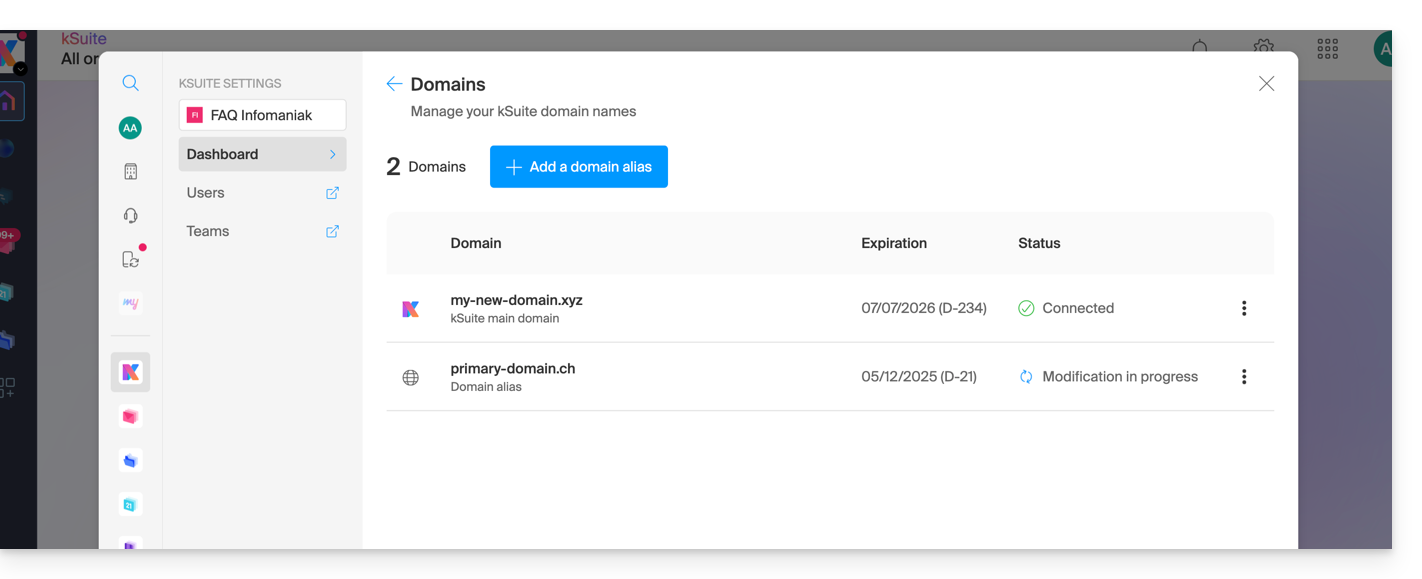
- The domain has been successfully linked:
You can also consider swapping the additional domain name linked to kSuite with its main domain, in order to completely change the domain name of your kSuite (❓: help).
Link to this FAQ: https://faq.infomaniak.com/2640
Has this FAQ been helpful?