Knowledge base
1000 FAQs, 500 tutorials and instructional videos. Here, there are only solutions!
Manage the Renewal Warranty option to secure the renewal of your services
This guide explains how to enable or disable the Renewal Warranty option for Infomaniak products.
Introduction
- Renewal Warranty is an additional security measure to ensure the continuity of your products in case you are unable to renew them on time or if an automatic renewal fails; it ensures that you avoid any service interruption.
- Infomaniak will renew the products for you and issue an invoice that you will find in your account.
- This option is available when placing the order (except for the Synology NAS product) or after the purchase.
Activate the Renewal Warranty option
One product at a time
To activate Renewal Warranty on the product of your choice:
- Click here to access the management of payments in the Infomaniak Manager (need help?).
- Click on the action menu ⋮ located to the right of the item in question.
- Choose to enable the option:
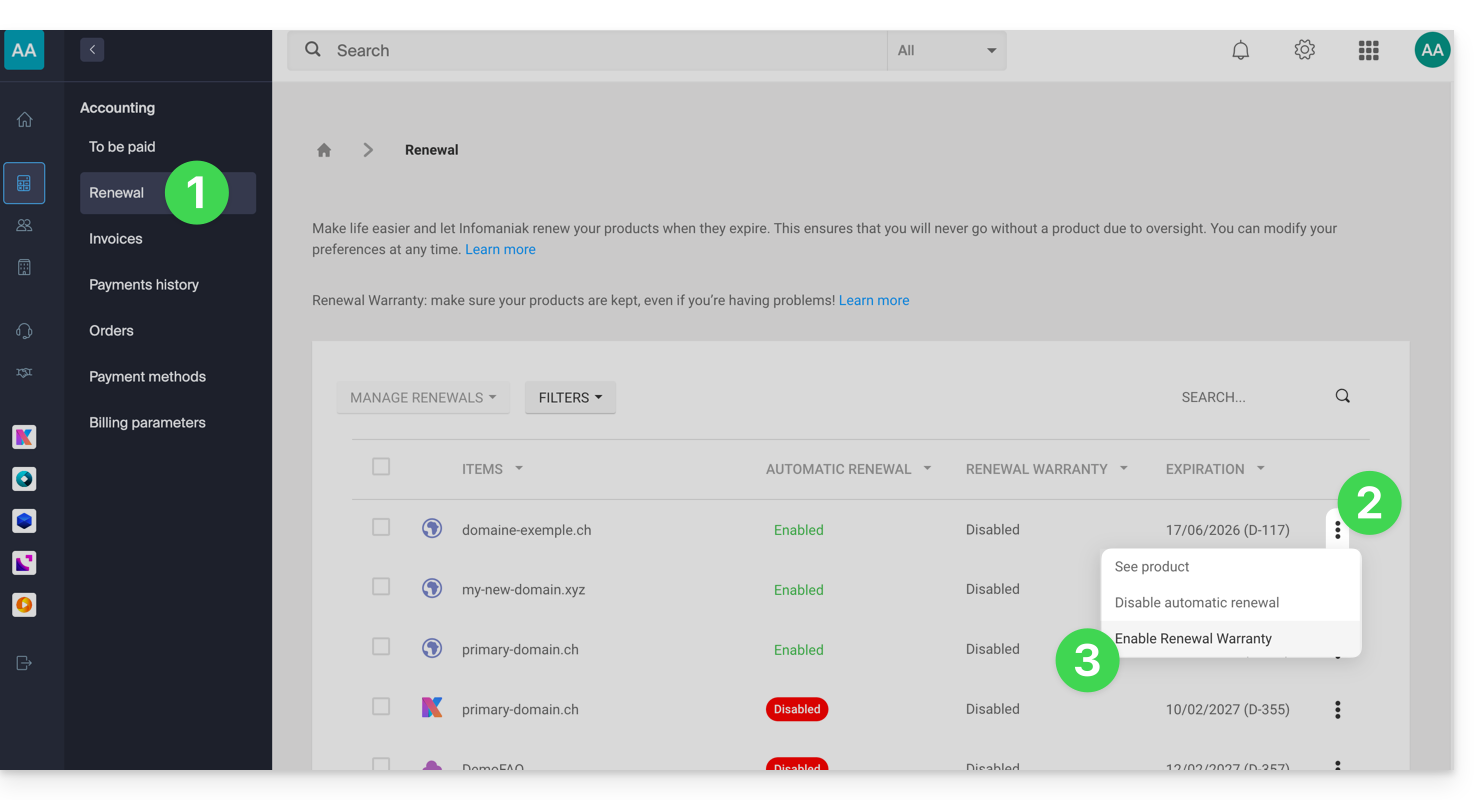
- Follow the instructions in the window that has opened.
All products at once
To activate Renewal Warranty on several of your products:
- Click here to access the management of renewals in the Infomaniak Manager (need help?).
- Click the box at the top of the column to select all your products with one click.
- Click on the Manage renewals button.
- Choose to enable the following option:
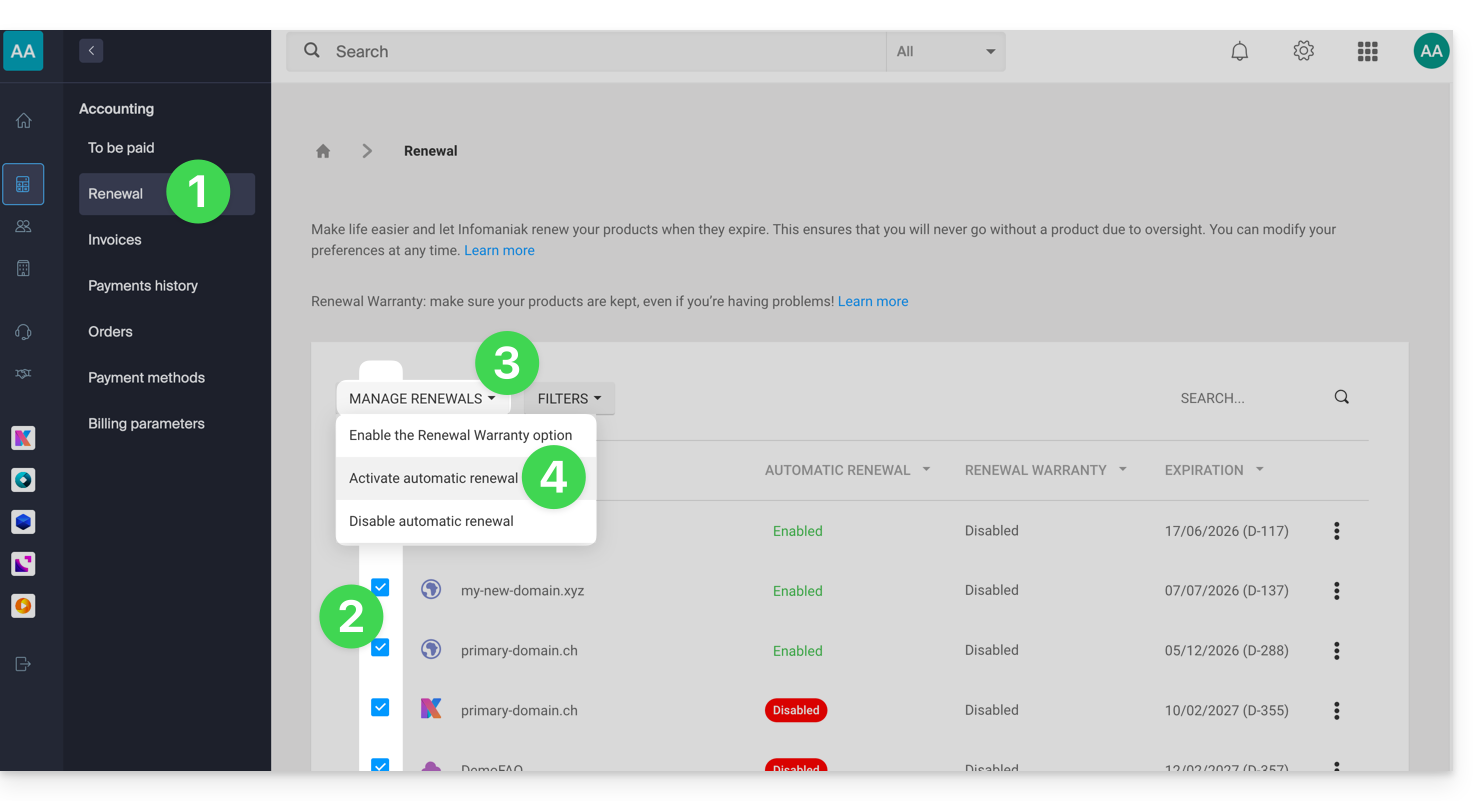
- Follow the instructions in the window that has opened.
Disable the Renewal Warranty option
One product at a time
To disable Renewal Warranty on the product of your choice:
- Click here to access the payment management section in the Infomaniak Manager (need help?).
- Click on the action menu ⋮ located to the right of the relevant item.
- Choose to disable the option:
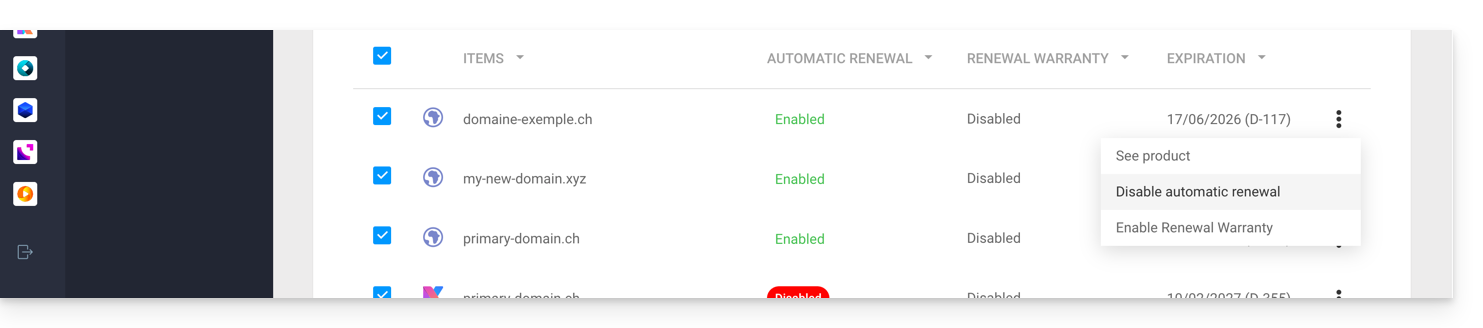
- Follow the instructions in the pop-up window.
All products at once
To disable Renewal Warranty on several of your products:
- Click here to access the management of renewals in the Infomaniak Manager (need help?).
- Click the box at the top of the column to select all your products with one click.
- Click on the Manage renewals button.
- Choose to disable the option:
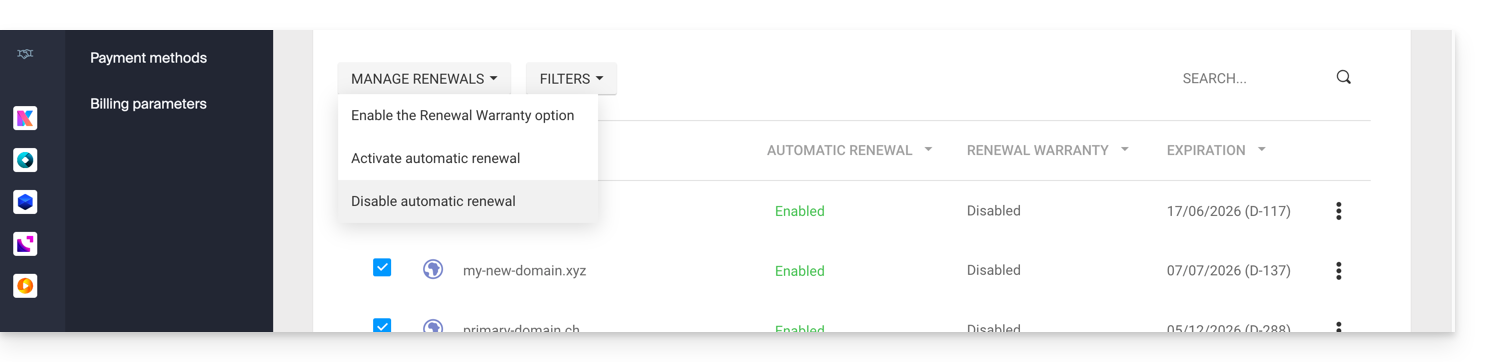
- Follow the instructions in the window that has opened.
Link to this FAQ: https://faq.infomaniak.com/2637
Has this FAQ been helpful?