Knowledge base
1000 FAQs, 500 tutorials and instructional videos. Here, there are only solutions!
Ticketing: manage the "exchange" payment method
This guide explains how to set up the Exchange payment method (as part of the Infomaniak ticketing system).
Introduction
- This payment method will allow your customers to exchange the tickets they have for new tickets.
Activate the payment method in the Ticketing system
To do this:
- Click here to access the management interface for your product in the Infomaniak Manager (need help?).
- Click directly on the name assigned to the ticketing system for the event.
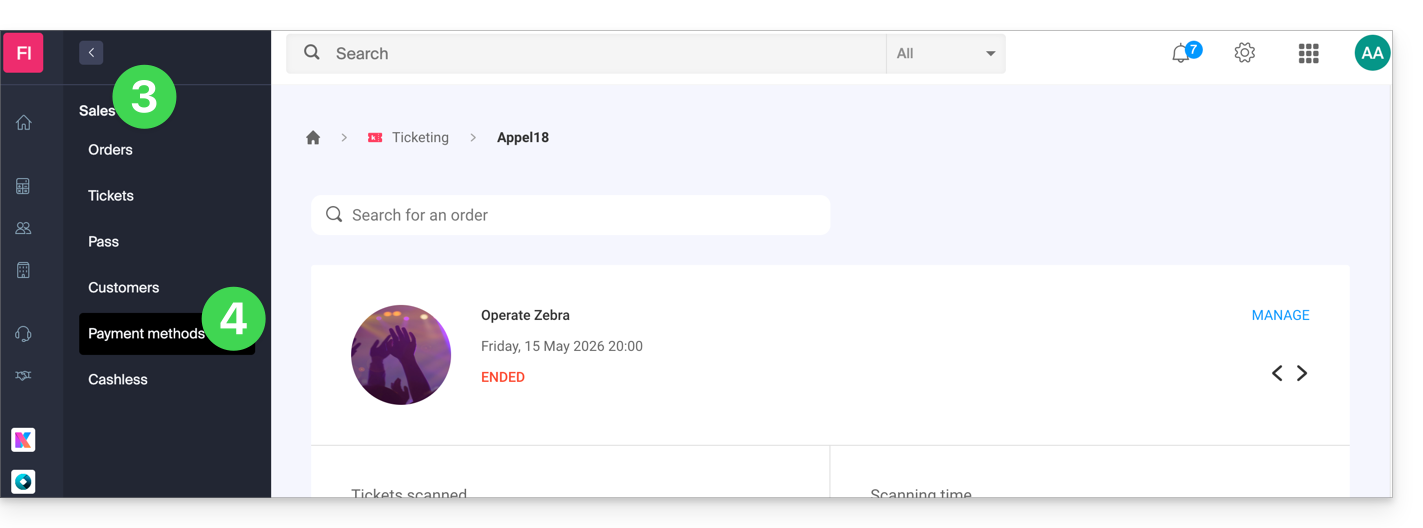
- Click on Sales in the left-hand menu.
- Click on Payment methods in the left-hand menu:
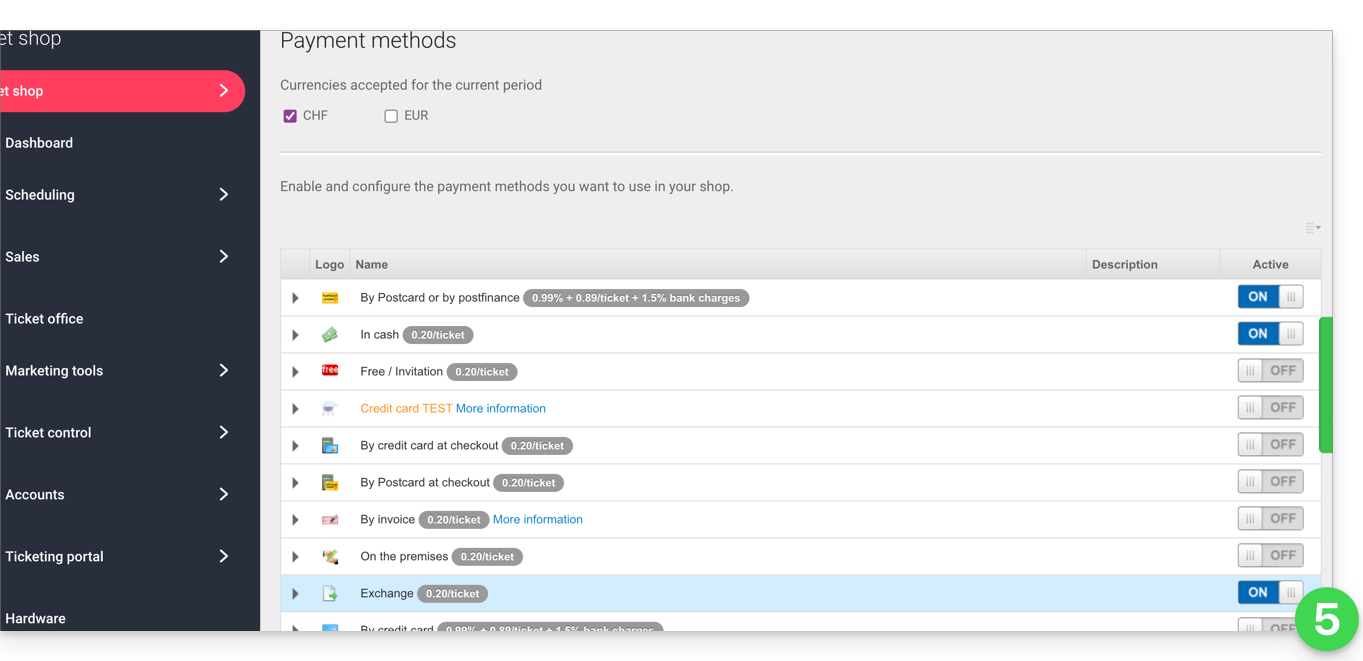
- Switch the toggle switch to ON to the right of the Exchange item:
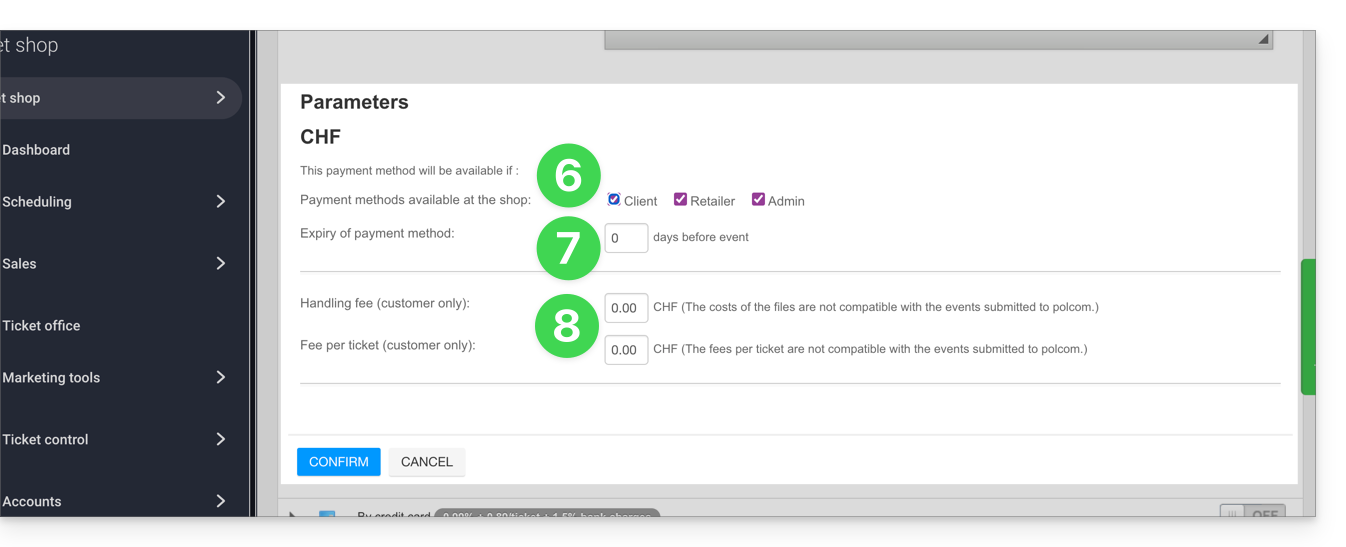
- Click on the arrow to the left of the Exchange mode and then check the client box to enable this option for clients on the online ticketing system; they will then be able to make exchanges directly from your online ticketing system.
- Define the number of days before the event from which the client will no longer be able to exchange a ticket.
- This value prevents customers from changing tickets on the online ticketing system too close to the event date.
- Then, specify the fees associated with this operation, which the customer will have to pay to exchange the tickets:
Once the option is enabled, your customers will find the option to exchange tickets at the bottom of the ticketing page.
Link to this FAQ: https://faq.infomaniak.com/2633
Has this FAQ been helpful?