Knowledge base
1000 FAQs, 500 tutorials and instructional videos. Here, there are only solutions!
Edit an Office file with Microsoft Office Online on kDrive
Update 10/27/2026
This guide explains how to create, save, and edit a collaborative Office file (text, spreadsheet, presentation, etc.) on the web app kDrive (online service ksuite.infomaniak.com/kdrive) and on the mobile app kDrive (application for iOS/Android smartphones or tablets) using the Microsoft Office editor.
✘ UNAVAILABLE with
kSuite Free / kSuite Standard
my kSuite / my kSuite+ (ik.me, etik.com, ikmail.com)
kDrive Solo / kDrive Team
Introduction
- Microsoft Office Online, integrated with kDrive, is available in a single version only; therefore, it is not possible to change or enhance its features by modifying a Microsoft license. This standalone version is the only one offered by Microsoft for this type of integration, and no more comprehensive version is provided or available for this infrastructure.
- Technically, the integration of Office Online into kDrive is based on an infrastructure hosted in Infomaniak's own data centers, guaranteeing that documents never leave its sovereign environment and are never transmitted to Microsoft.
- Learn more in this other guide about the possibilities offered by the native editor on kDrive.
- To set this editor as the default, please refer to this other guide.
Integrating Microsoft Office with kDrive
Prerequisites
- You must have a Microsoft business account with Microsoft 365 licenses that allow you to make changes in Office Online (Business, Business Premium, ProPlus, E3, E4, or E5).
- If using a tablet with a screen size of more than 10 inches, you must have an O365 license.
- Maximum file size for integration:
.docx(< 100 MB).xlsx(< 100 MB).pptx(< 2 GB)
- Compatible Microsoft mobile apps:
- Android: Word | Excel | PowerPoint
- iOS: Word | Excel | PowerPoint
To edit Office files stored on kDrive directly using the dedicated Microsoft Online app:
- Click here to access kDrive on your Infomaniak kSuite (❓: help).
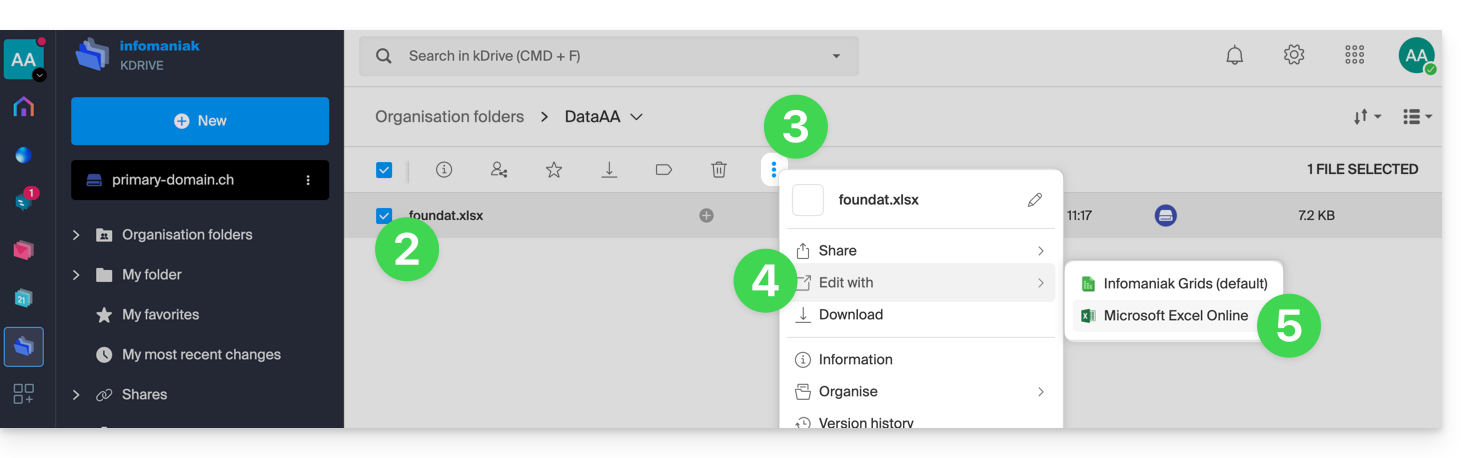
- Select the file to edit (or right-click on the file and then proceed to step 4).
- Click on the action menu ⋮ in the toolbar.
- Click on Edit with…
- Click on Microsoft Excel Online (or the Microsoft app corresponding to your document type):
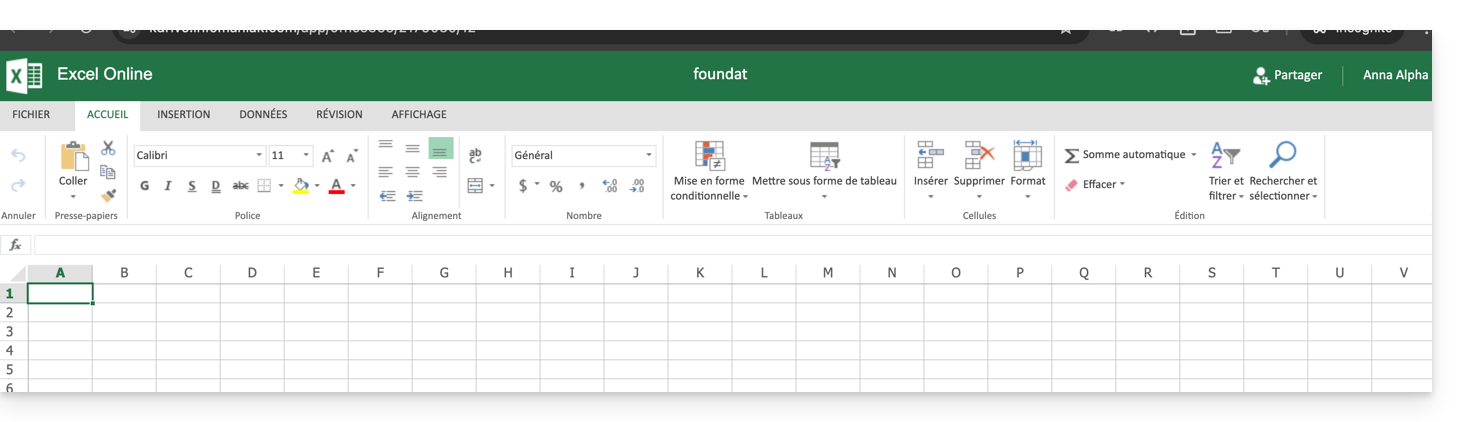
- Your document opens within the Microsoft Office Online editor:
Link to this FAQ: https://faq.infomaniak.com/2627
Has this FAQ been helpful?