Knowledge base
1000 FAQs, 500 tutorials and instructional videos. Here, there are only solutions!
Remove a Cloud backup location on Swiss Backup
This guide explains how to remove a device (of the Cloud backup type) on Swiss Backup, the Swiss independent cloud backup solution.
Remove a device (Swift, S3, etc.)
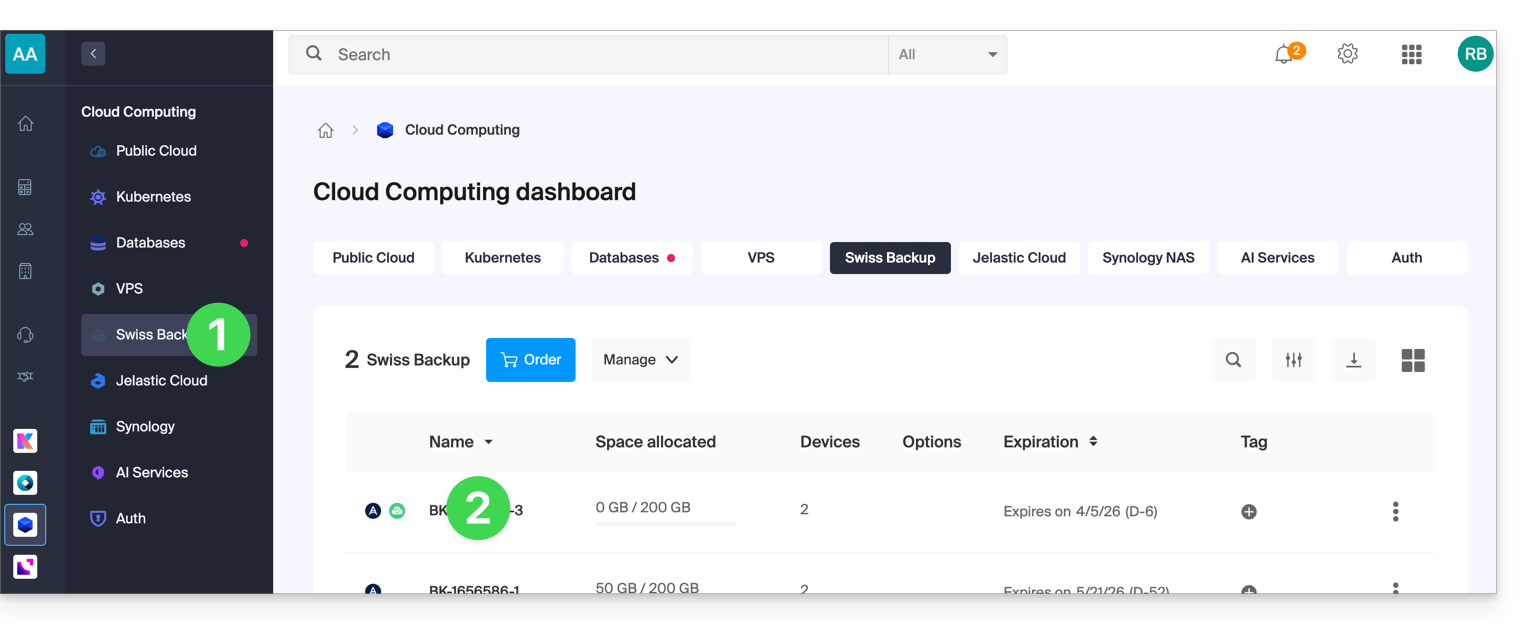
To access Swiss Backup and remove one of the backup locations:
- Click here to access your product management interface on the Infomaniak Manager (need help?).
- Click directly on the name assigned to the product in question:
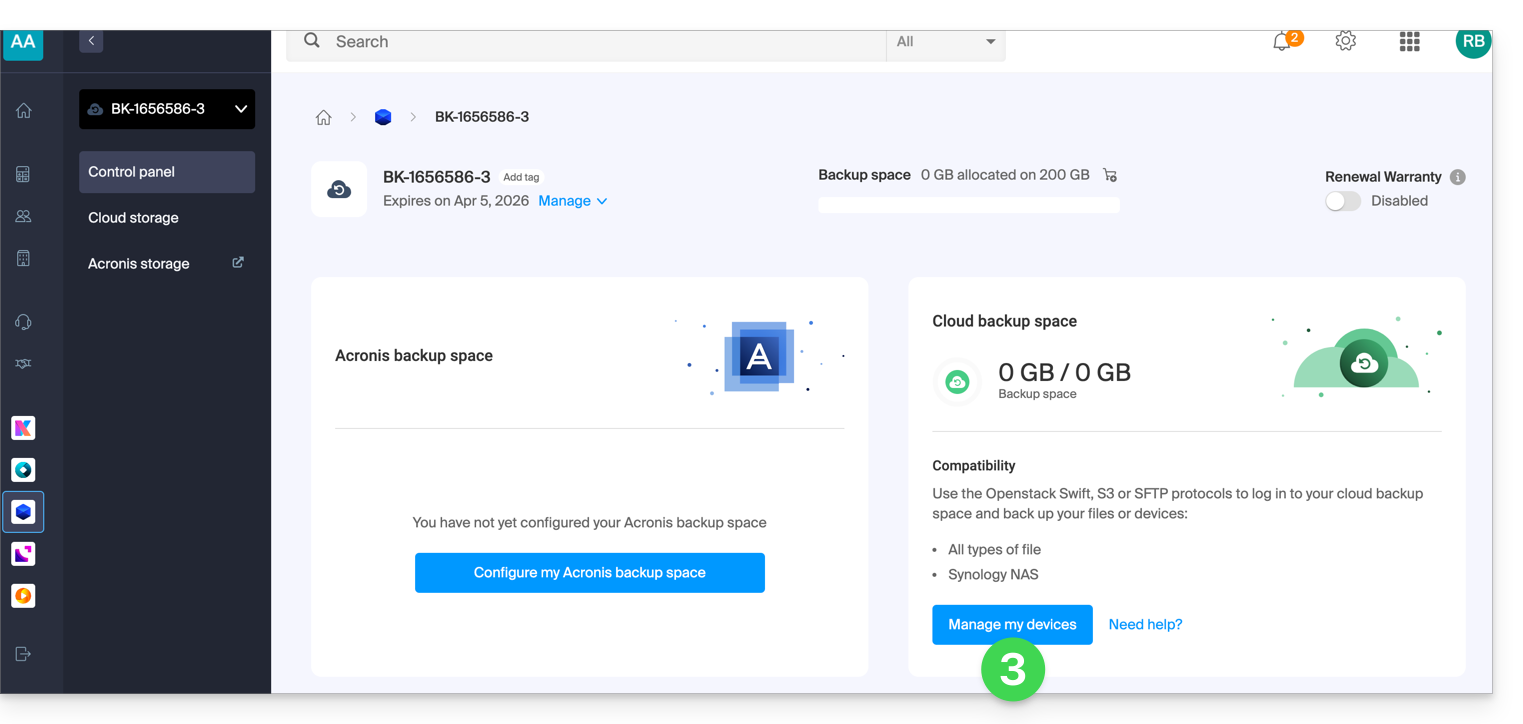
- Click on the blue Manage my devices button (in the Cloud storage space section):
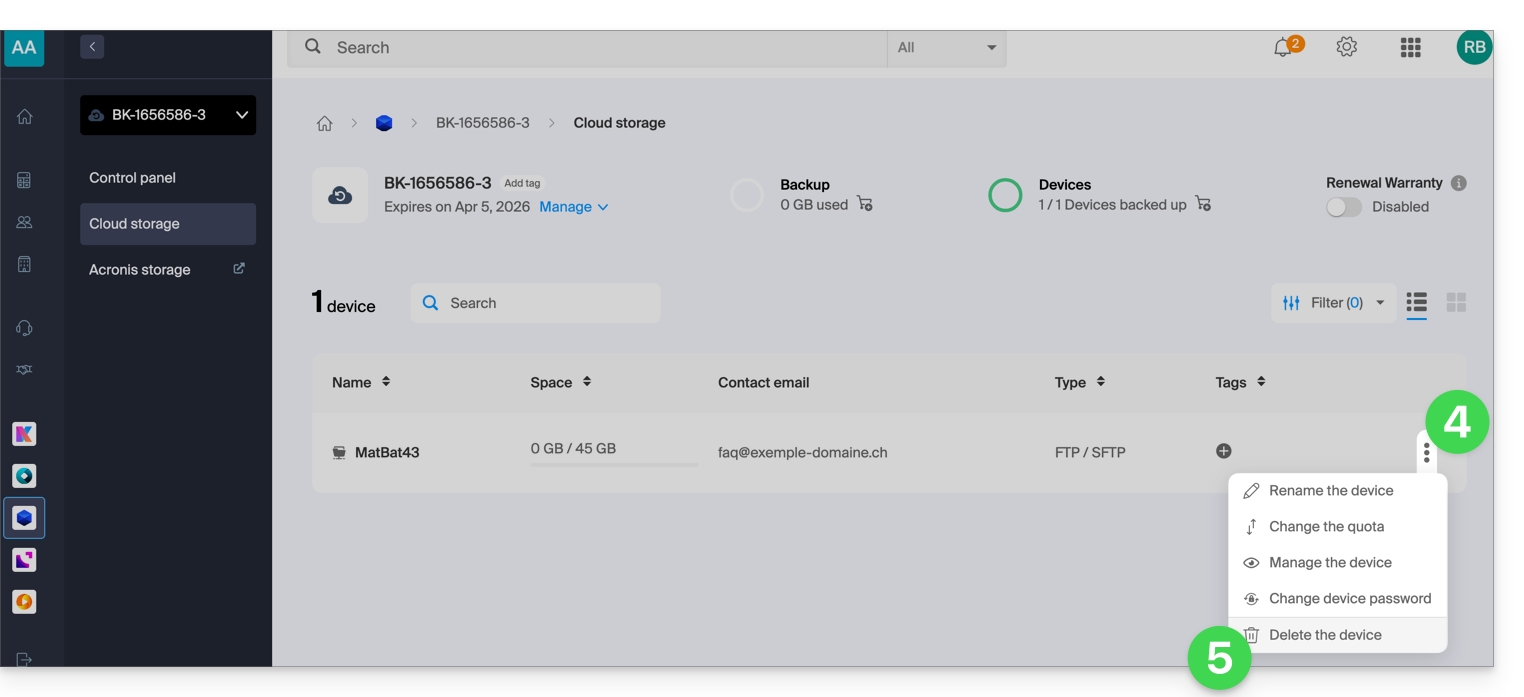
- Click on the action menu ⋮ to the right of the item in question in the table that appears.
- Click on Remove device:
- Confirm the deletion by entering your Manager login password and activating the confirmation box.
Deleting the device is irreversible, and all saved data will be deleted from Infomaniak's servers, with no possibility of recovery.
To choose a new device on Swiss Backup, please refer to this other guide.
Link to this FAQ: https://faq.infomaniak.com/2625
Has this FAQ been helpful?