Knowledge base
1000 FAQs, 500 tutorials and instructional videos. Here, there are only solutions!
Remove a Cloud Backup location on Swiss Backup
This guide explains how to delete a device (such as a Cloud Backup) on Swiss Backup, the independent Swiss cloud backup solution.
Delete a device (Swift, S3, etc.)
To access Swiss Backup and remove one of the free backup locations:
- Click here to access your product management on the Infomaniak Manager (need help?).
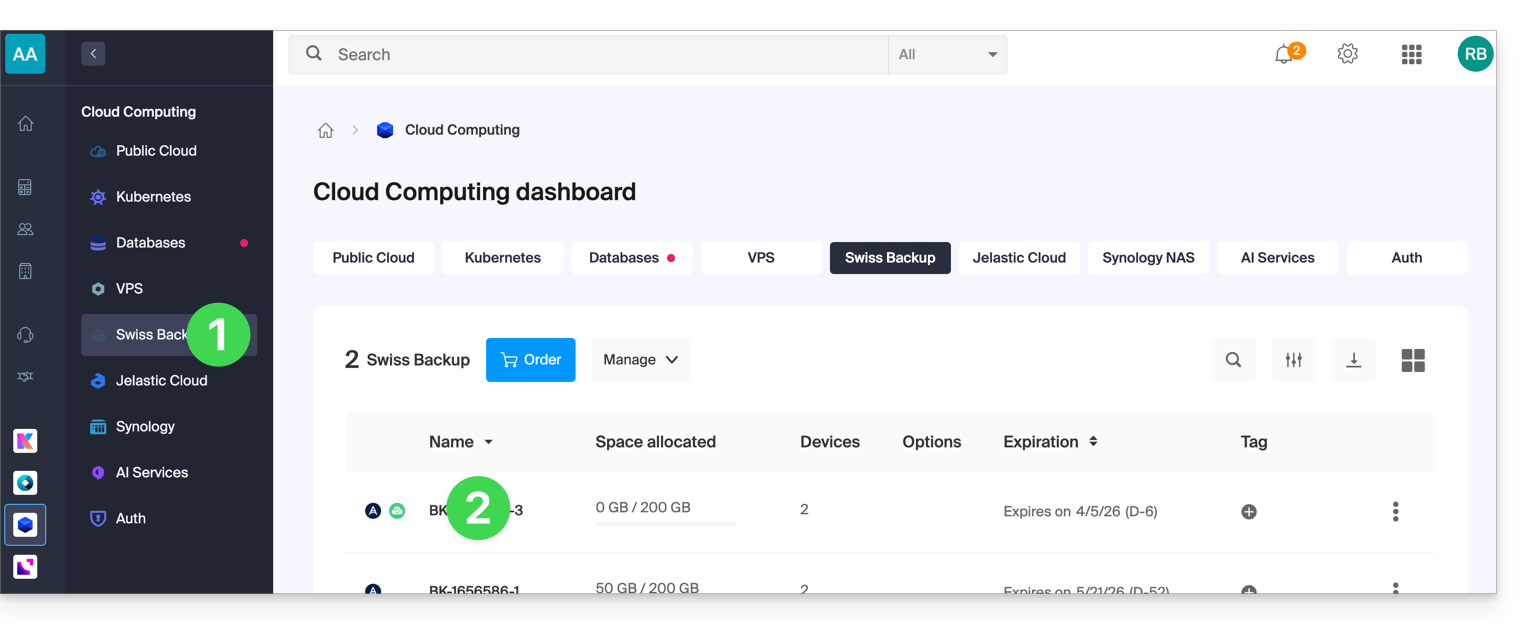
- Click directly on the name assigned to the product concerned:
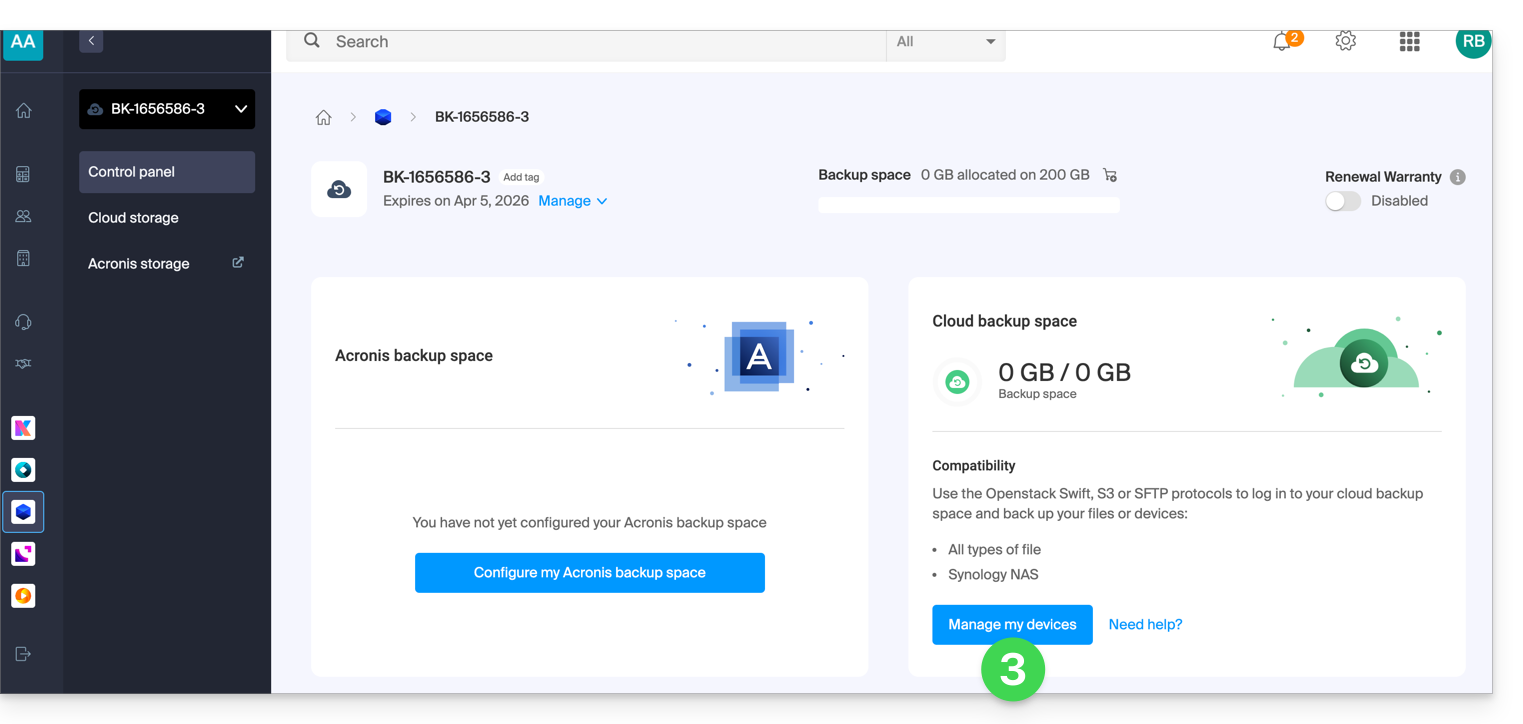
- Click on the blue button Manage my devices (in the Cloud Backup Space section):
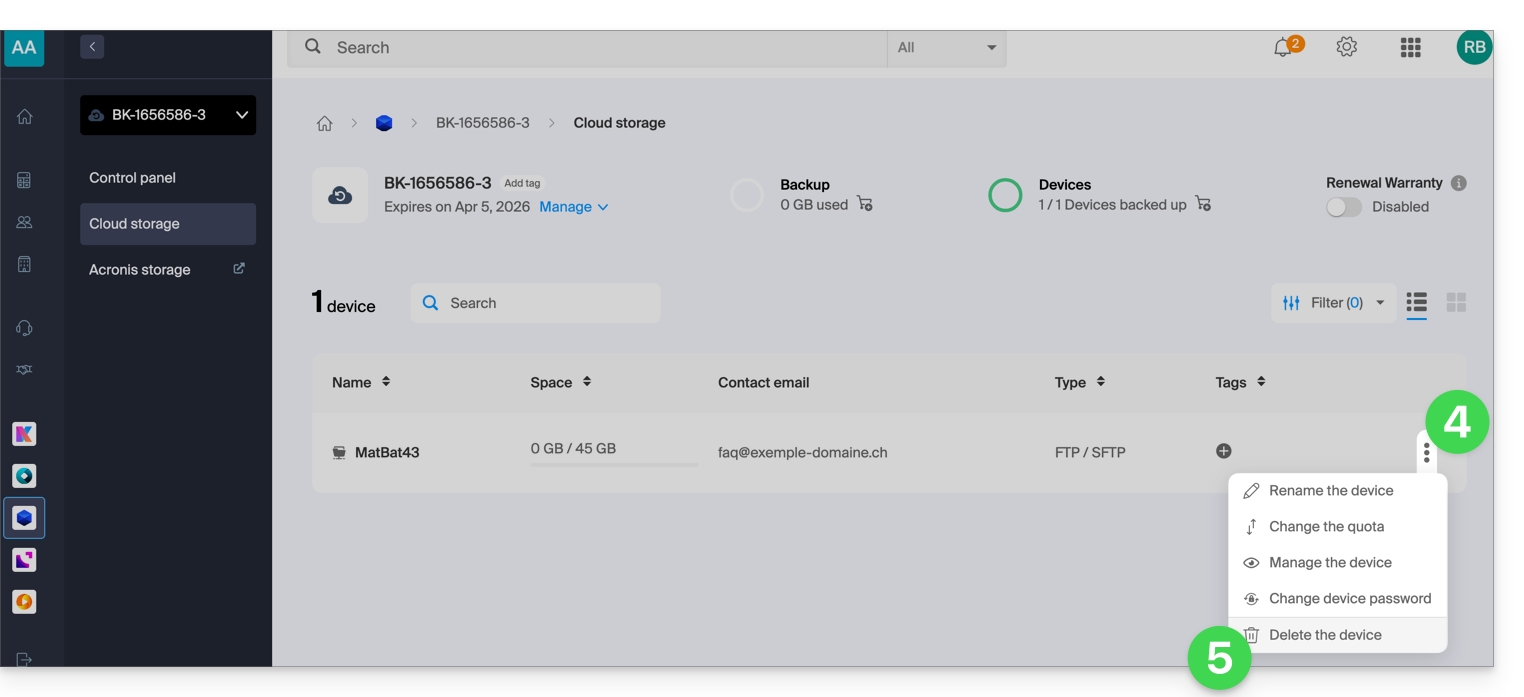
- Click on the action menu ⋮ to the right of the object concerned in the displayed table.
- Click on Delete the device:
- Confirm the deletion by entering the login password for the Manager and activating the confirmation box.
The deletion of the device is irreversible and all backed-up data will be deleted from Infomaniak servers without the possibility of obtaining a restoration.
To choose a new device on Swiss Backup, refer to this other guide.
Link to this FAQ: https://faq.infomaniak.com/2625
Has this FAQ been helpful?