Knowledge base
1000 FAQs, 500 tutorials and instructional videos. Here, there are only solutions!
Create a sorting rules template for your email
Update 10/12/2026
This guide explains how to create a template for the sorting/filtering tool (conditions that allow you to automatically categorize your emails based on certain criteria) for all your email accounts in the Infomaniak Mail web app (online service ksuite.infomaniak.com/mail).
Introduction
- A template allows you to create the basic structure of a tool that can then be used by multiple users of the same Infomaniak Mail service, or even customized according to the person who will be using it.
- In the case of a rule template, the template creator chooses the condition(s) that will trigger the action.however, it is up to the end user, from their Mail interface, to define the action to be performed(e.g., moving to a specific folder) when adding a rule based on the existing template.
- For privacy reasons, it is not possible to apply sorting rules to multiple email addresses at the same time.
- You can also hide a template so that it is no longer used.
Create a sorting rule template
To create a template:
- Click here to access the Mail Service management in your Infomaniak Manager (❓: help).
- Click on the name of the Mail Service in question:
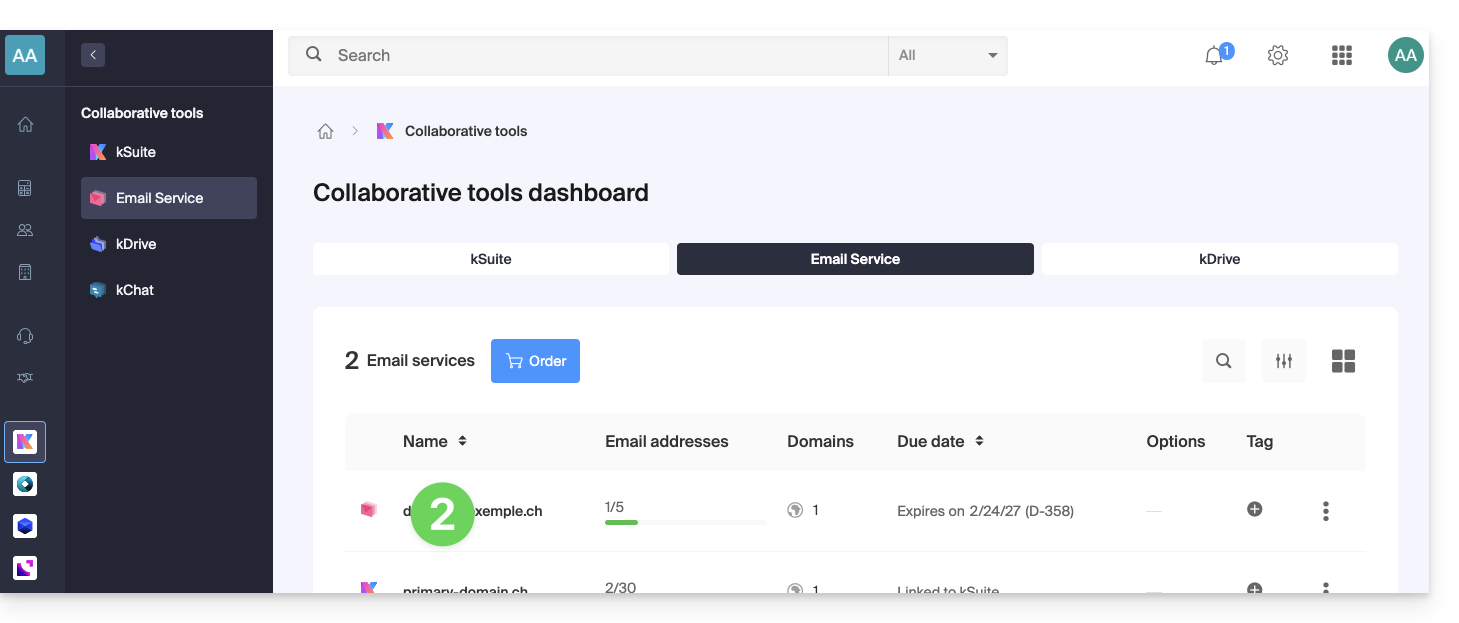
- Click on Global Settings in the left-hand menu.
- Click on the Rules tab.
- Click on Add a rule template:
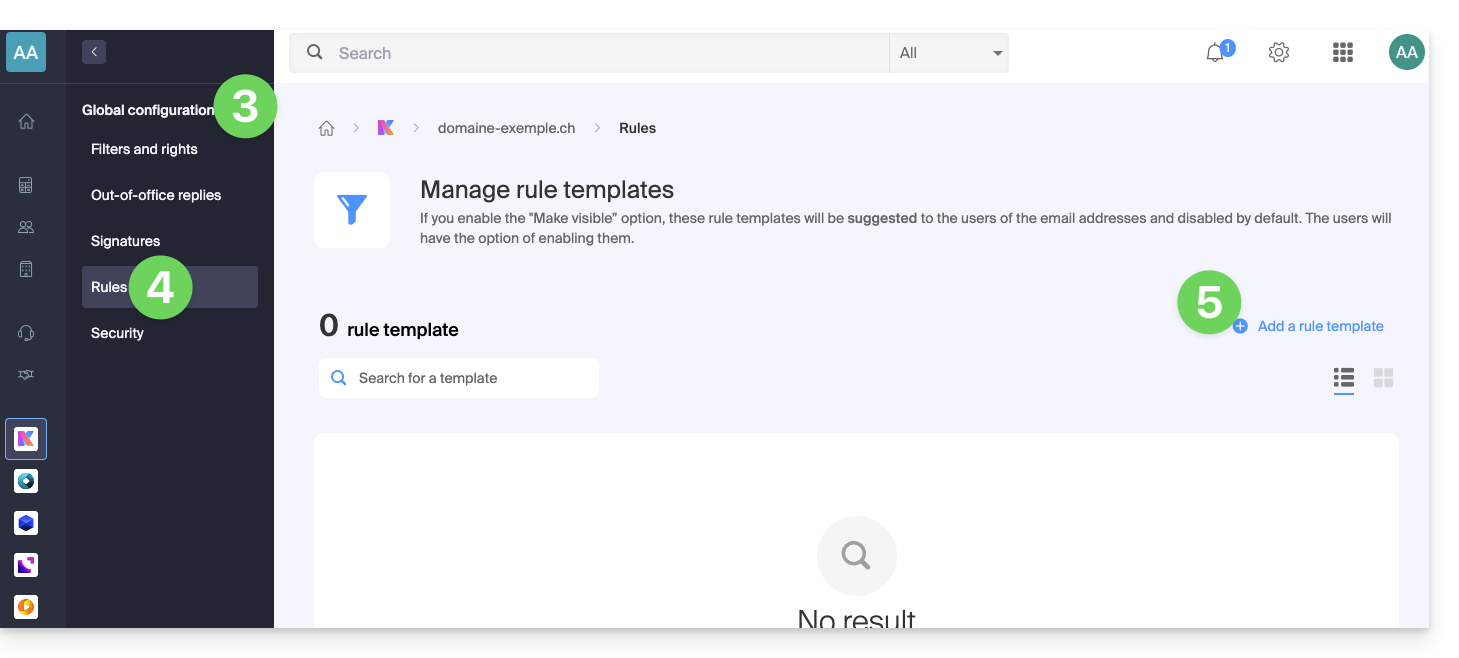
- Give the template a name.
- Define the condition for which the end-user will be able to choose the action to trigger.
- The different conditions available for sorting filters are presented in this other guide.
- If the Make visible option is enabled (during creation or can also be selected later), the rule templates created will be suggested to users of the email addresses in their FILTERS AND RULES section.
- Click on Add template:
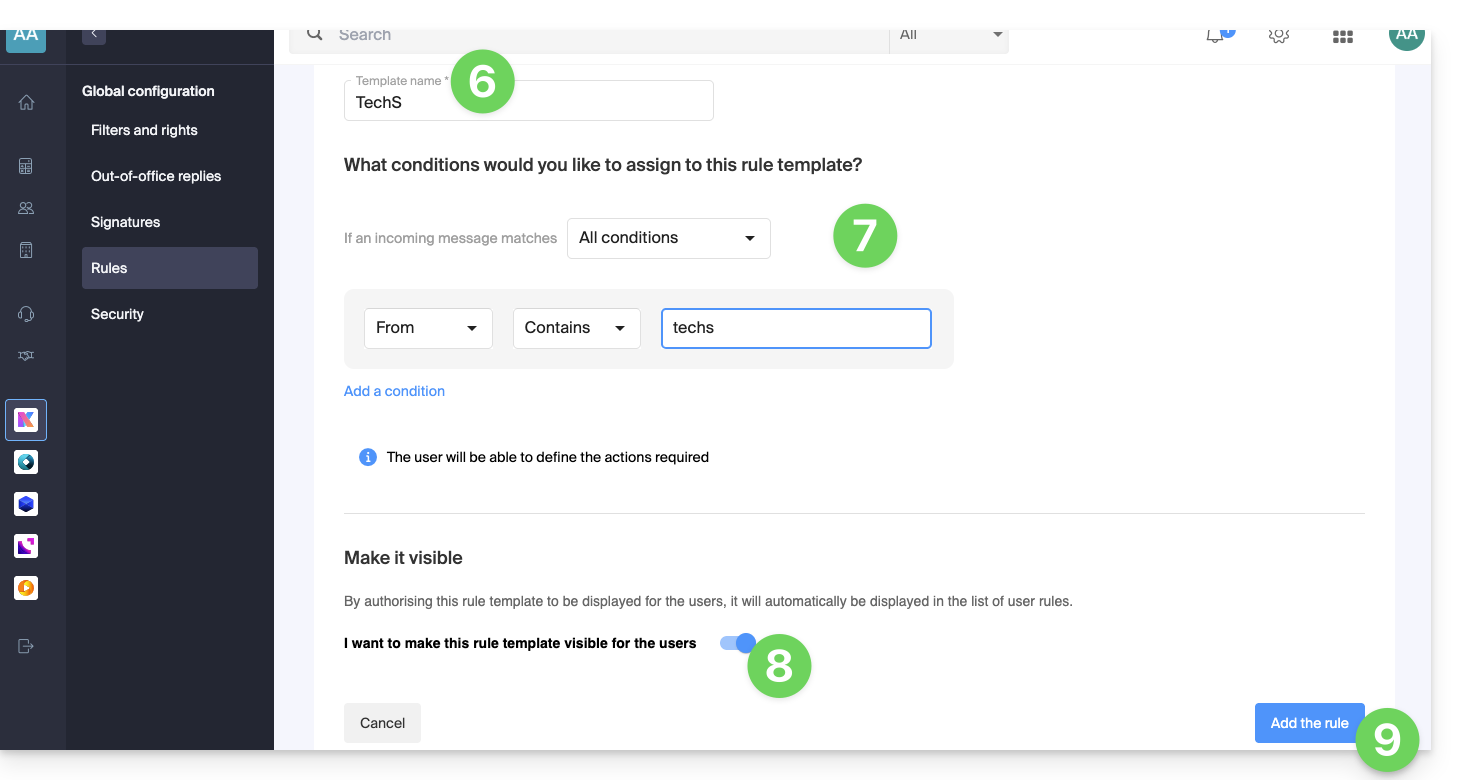
- The template is created:
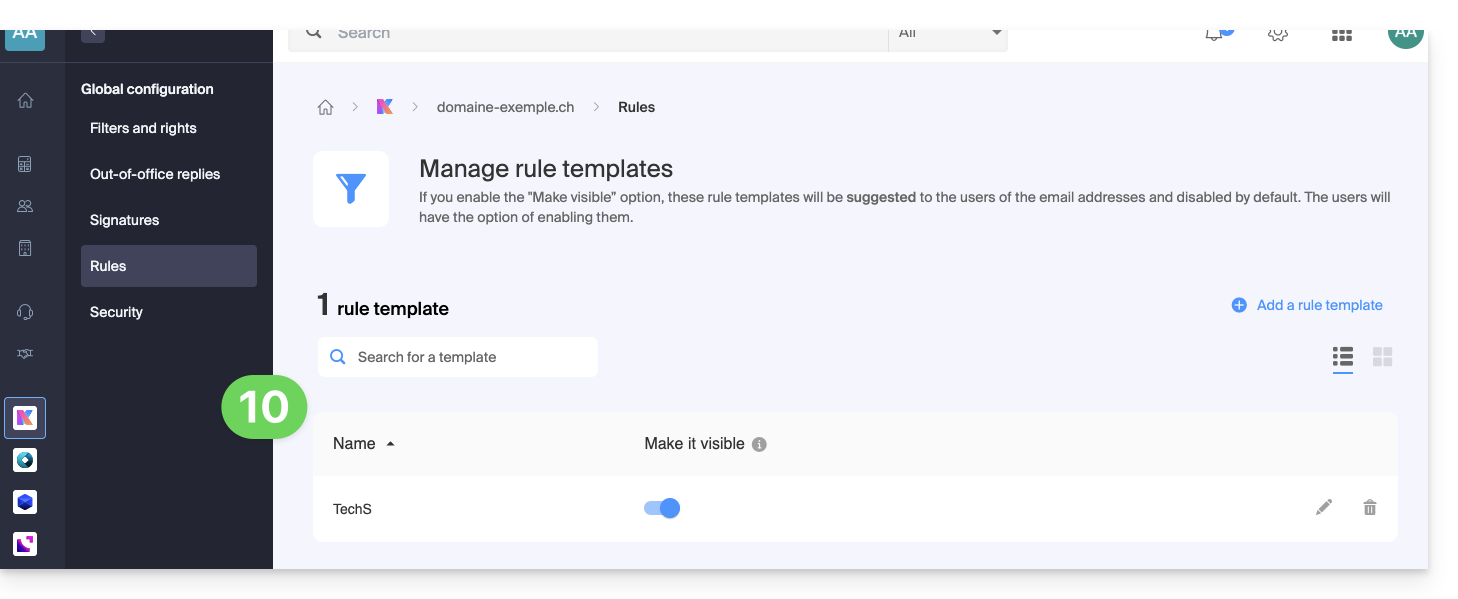
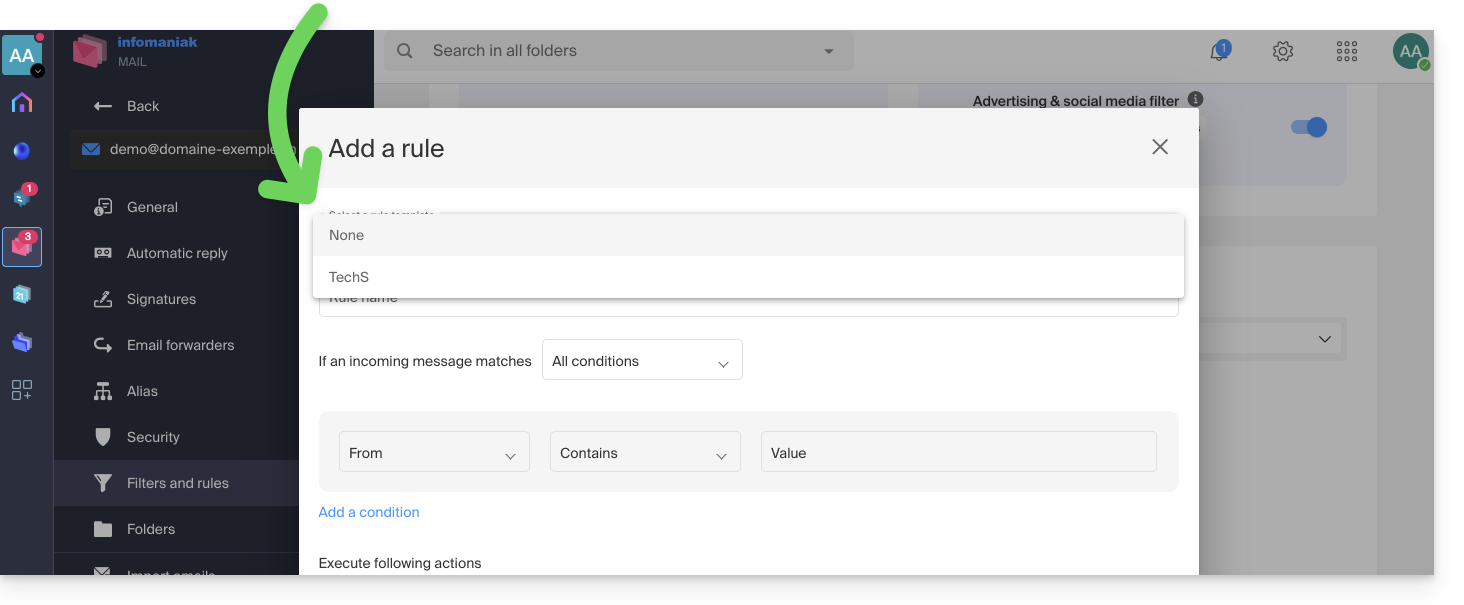
- When a user with an email address on the Mail Service where the rule template was defined accesses the configuration of their sorting rules, they can use the template as a starting point, which will save them from having to redo any complex configuration and simply choose the action to perform:
- When a user with an email address on the Mail Service where the rule template was defined accesses the configuration of their sorting rules, they can use the template as a starting point, which will save them from having to redo any complex configuration and simply choose the action to perform:
Link to this FAQ: https://faq.infomaniak.com/2617
Has this FAQ been helpful?