Knowledge base
1000 FAQs, 500 tutorials and instructional videos. Here, there are only solutions!
Delete a Group
Update 10/12/2026
This guide explains how to delete a Group (❓: help) from the Infomaniak Manager.
Prerequisites
- You must be at least an Administrator of the Organization (❓: help).
- You must have created one or more Groups (❓: help).
Delete a Group
Deleting the Group is irreversible, and users will lose their rights and access to its various products; users, email addresses, kDrive folders, and kChat channels will not be deleted.
- Click here to access the Groups management section in the Infomaniak Manager.
- Click on the action menu ⋮ located to the right of the item in question.
- Choose Delete Group:
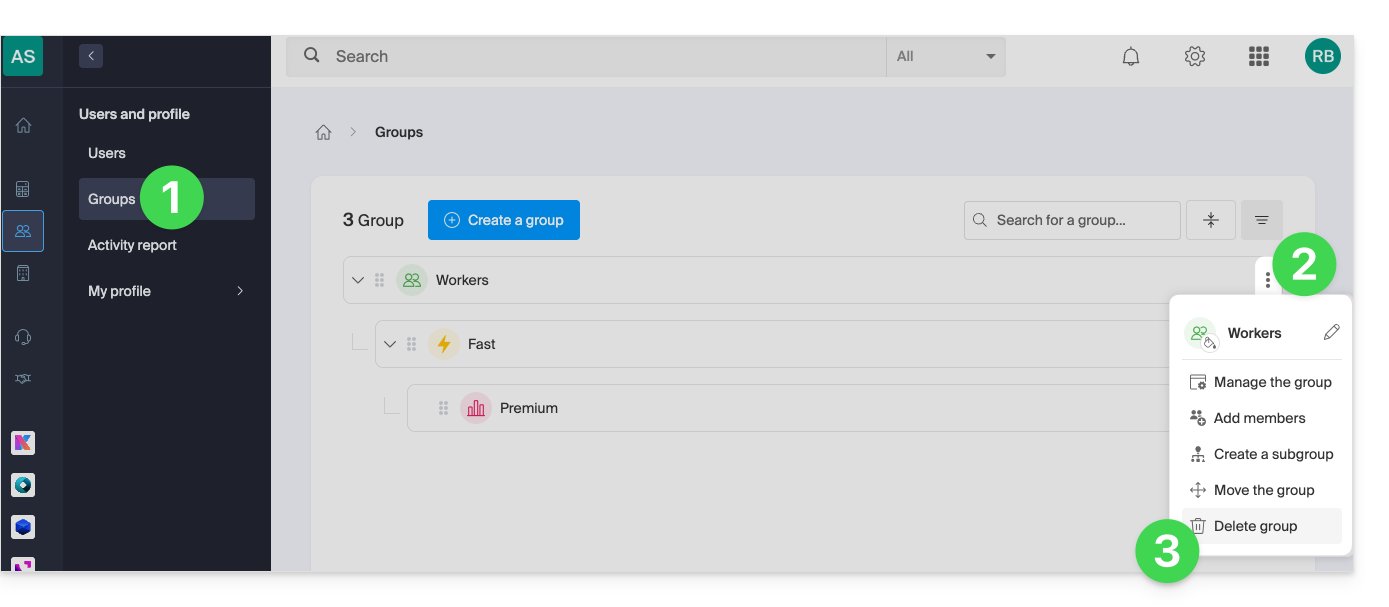
- Click the button to delete the Group permanently.
- You can also delete a Group from its management page:
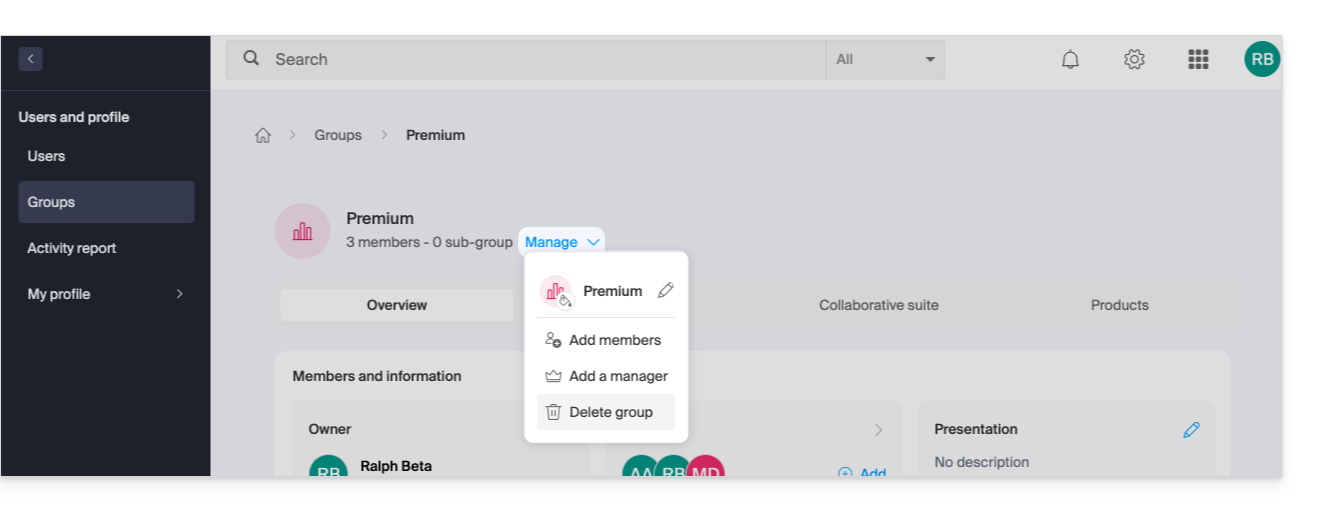
- You can also delete a Group from its management page:
The group disappears, but not its “children,” i.e., the groups placed below it in the hierarchy; you must repeat the operation for each group to be deleted.
Link to this FAQ: https://faq.infomaniak.com/2591
Has this FAQ been helpful?