Knowledge base
1000 FAQs, 500 tutorials and instructional videos. Here, there are only solutions!
Edit a Group
Update 10/12/2026
This guide explains how to modify a Group (❓: help) from the Infomaniak Manager.
Prerequisites
- You must be at least an Administrator of the Organization (❓: help).
- You must have created one or more Groups (❓: help).
Manage & Modify a Group
To access a Group's settings, manage its members, and manage their permissions & access:
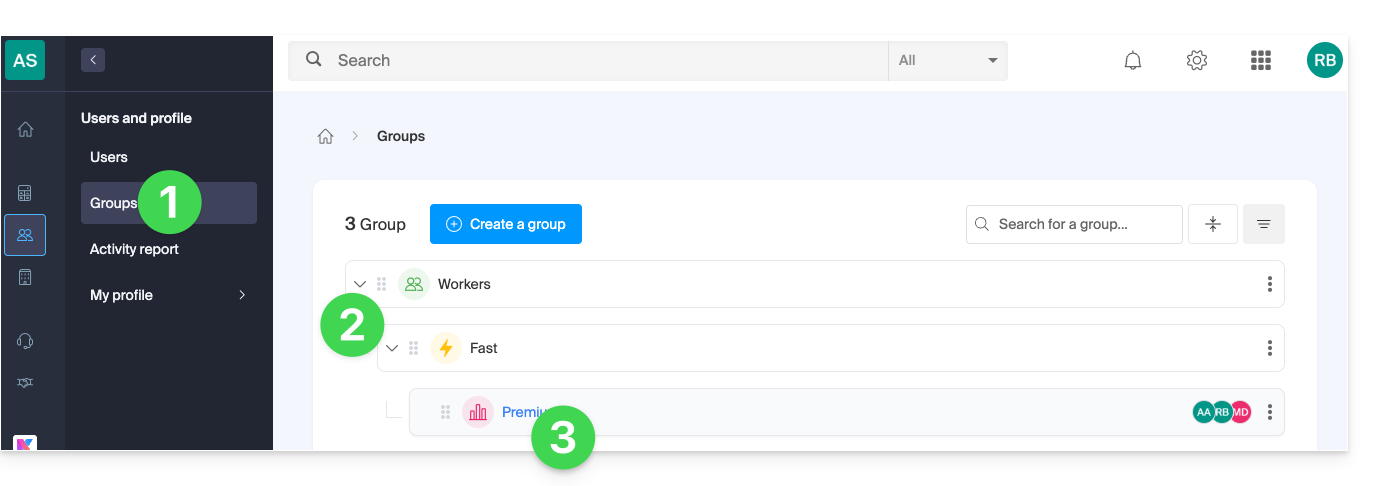
- Click here to access the Groups management section in the Infomaniak Manager.
- Expand any sub-groups by clicking on the chevron .
- Click on the Group name to edit it:
- Browse the different tabs at the top of the Group page:
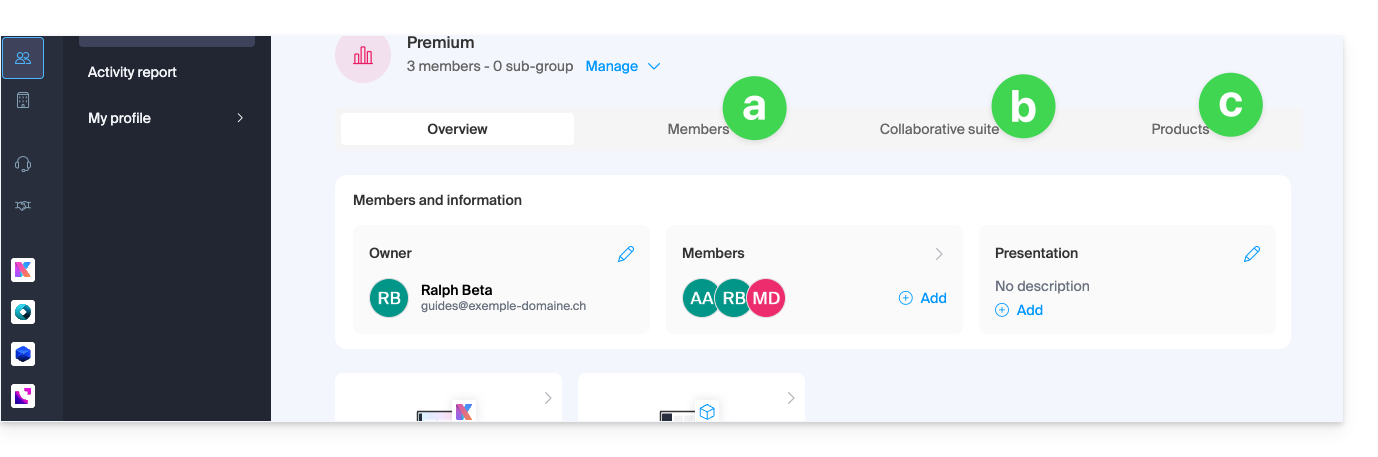
- Member Management:
- Manage user (allows access to the user's profile).
- Modify role (allows switching the user's rights between Administrator and Collaborator).
- Modify Groups (allows adding the user to other Groups).
- Modify product access (allows removing or modifying access to products).
- View activity (allows viewing all actions performed by the user).
- Remove from Group (allows removing the user from the Group).
- You can also delete an entire group (❓: help).
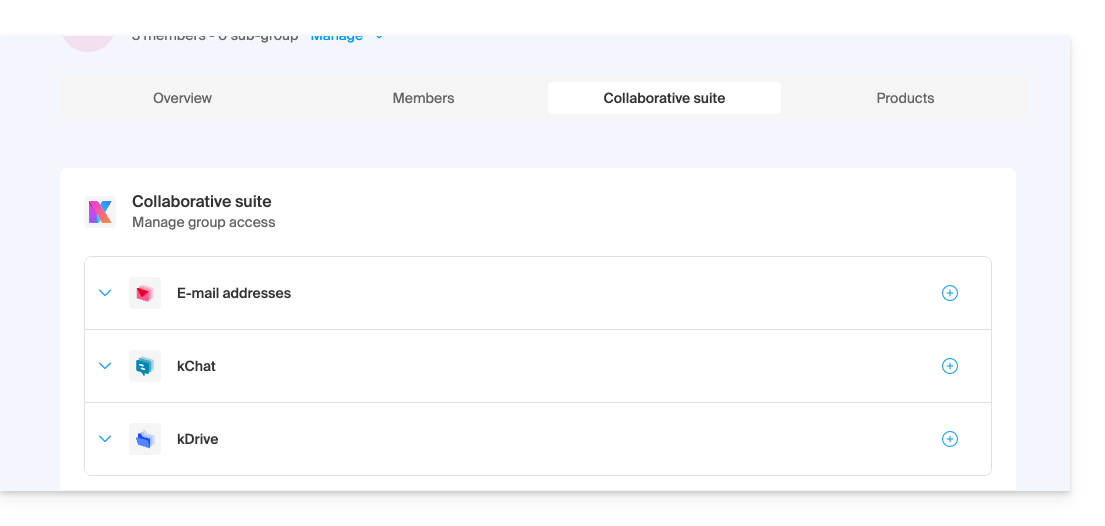
- Access to the collaborative suite (kSuite); choose whether the Group should have access to:
- a mail address; if so, choose it from the existing addresses or create a new address, as well as the rights of the Group members for managing the address.
- a shared kChat channel; if so, choose it from the existing channels or create a new channel, as well as the channel status (private or public, then visible to other kChat users in the Organization).
- a shared kDrive folder; if so, choose it from the existing folders or create a new folder, as well as the rights of the Group members for managing the folder.
- Access to products in the Manager ; you can add products that users in the Group will have access to at the management level (❓: help):
- If you have several products of the same type (e.g., web hosting, Mail Service, Newsletters, etc.), you can choose to grant access to several/all of the products or only one of them.
- For each product, you will need to choose the access rights to it:
- Technical rights: the user can modify the product
- Statistical rights: the user can view the product statistics
- Ticket control: the user can control the tickets (event service)
- Sales control: the user can control the sales (event service)
- Member Management:
Link to this FAQ: https://faq.infomaniak.com/2590
Has this FAQ been helpful?