Knowledge base
1000 FAQs, 500 tutorials and instructional videos. Here, there are only solutions!
Install the Acronis Agent for Apple M1, M2...
This guide explains how to install the Acronis Backup Agent for Swiss Backup on Apple Macs equipped with M1, M2... processors, using an ARM architecture rather than the x86 architecture usually used.
Refer to this other guide if you are looking for information about uninstalling.
Install the ARM-specific Acronis Agent
To access the Acronis management interface:
- Click here to access the Acronis Console using the credentials obtained after adding the device (need help?).
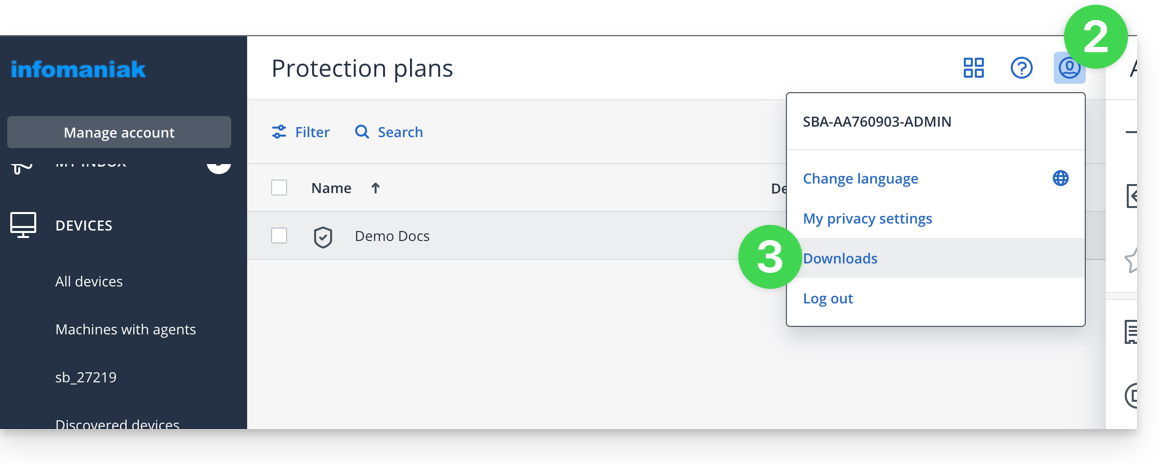
- Click on the user icon in the top right corner.
- Click on Downloads:
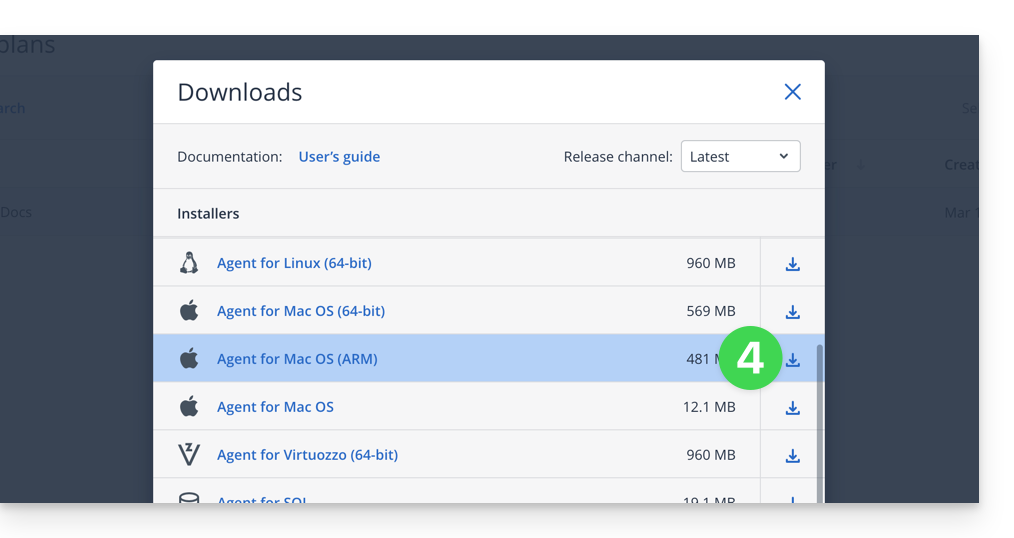
- Choose the client that is suitable for your device:
Attention
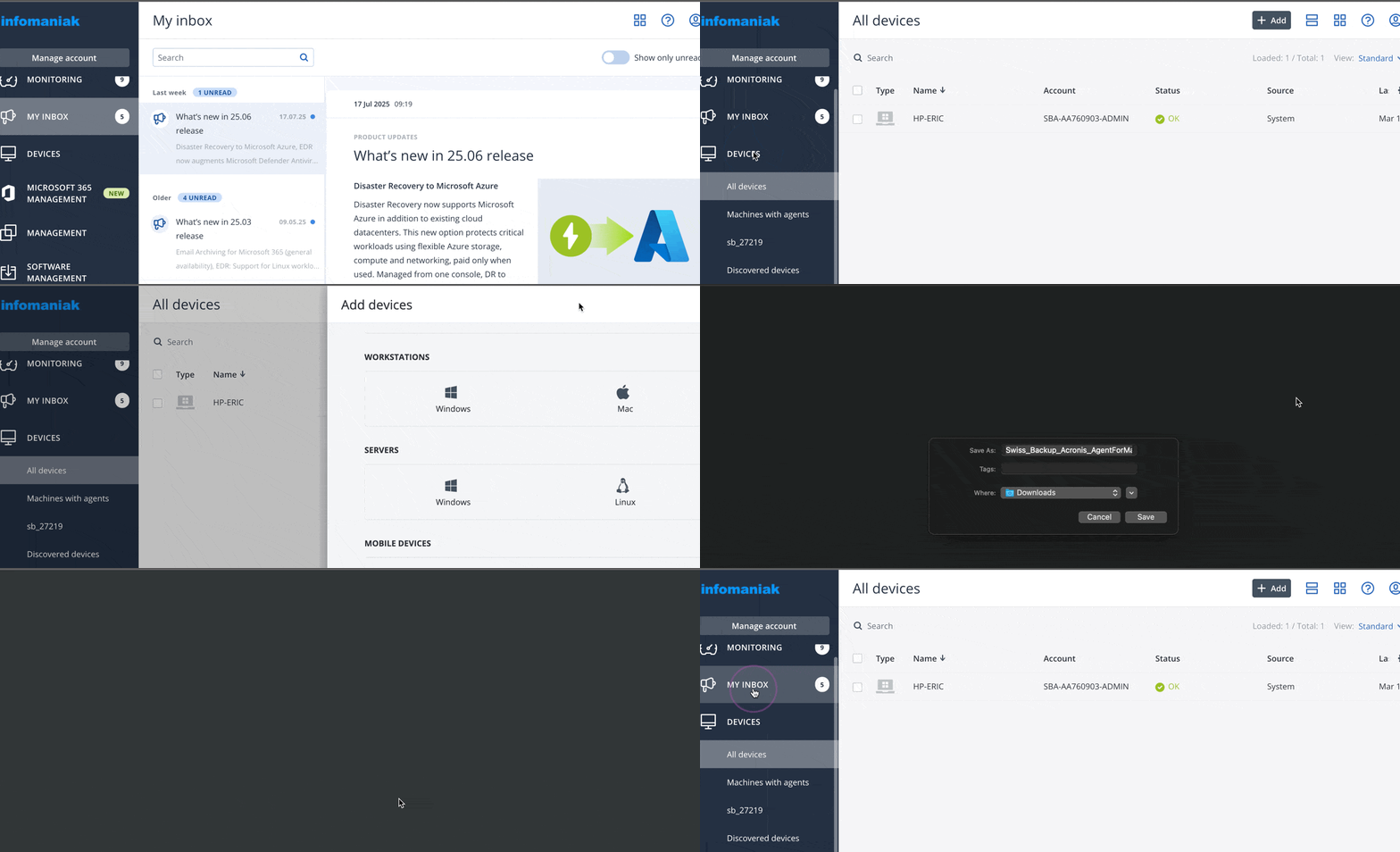
If you choose the version available from the left-hand menu, it will not be compatible:
- Do not follow the method below because the resulting version will not be correct (Intel version):
Link to this FAQ: https://faq.infomaniak.com/2583
Has this FAQ been helpful?