Knowledge base
1000 FAQs, 500 tutorials and instructional videos. Here, there are only solutions!
Whitelist IP to unlock xmlrpc.php
This guide explains how to add IP addresses to the whitelist of an Infomaniak website.
Preamble
- Allowing IPs on
xmlrpc.phpallows access to URLs that are blocked by default, as they are considered risky. - This type of blocking is effective on all recent servers.
- Regarding WordPress, its XML-RPC feature is only available by default via Infomaniak services and JetPack for security reasons.
Add IP addresses to the xmlrpc.php whitelist
To access website management:
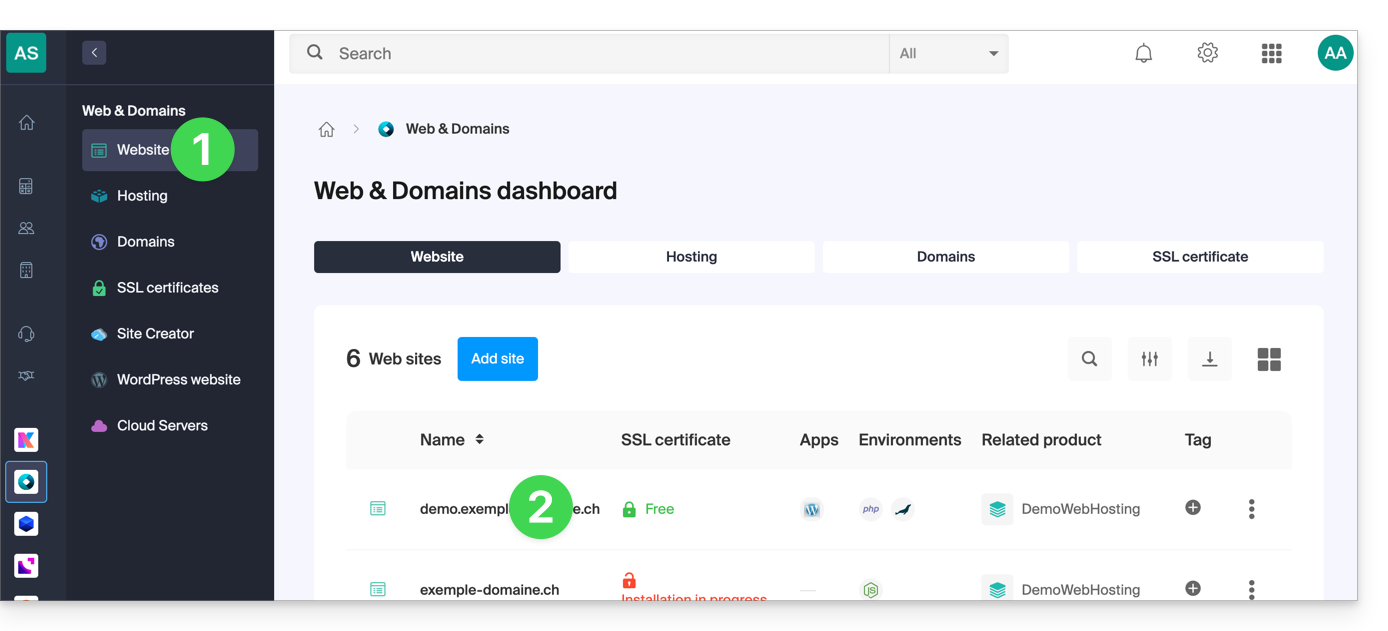
- Click here to access your site management on the Infomaniak Manager (need help?).
- Click directly on the name assigned to the site concerned:
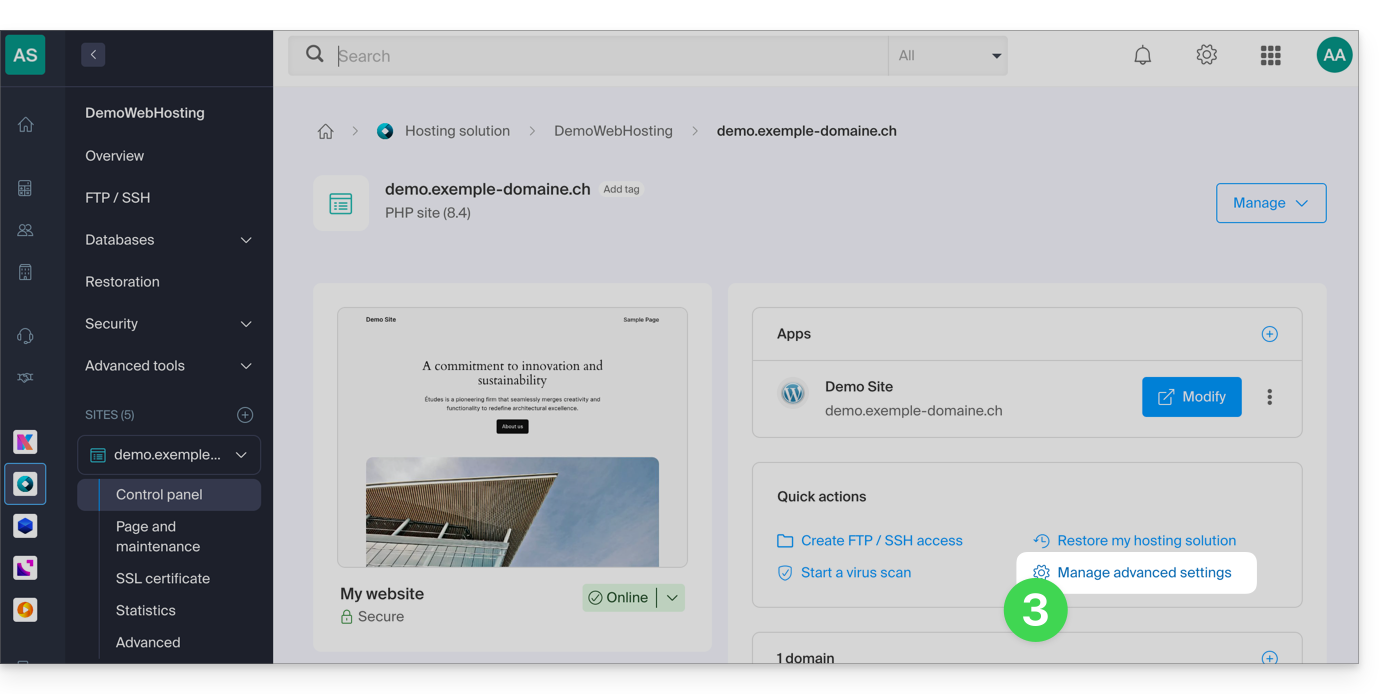
- Click on Manage advanced settings:
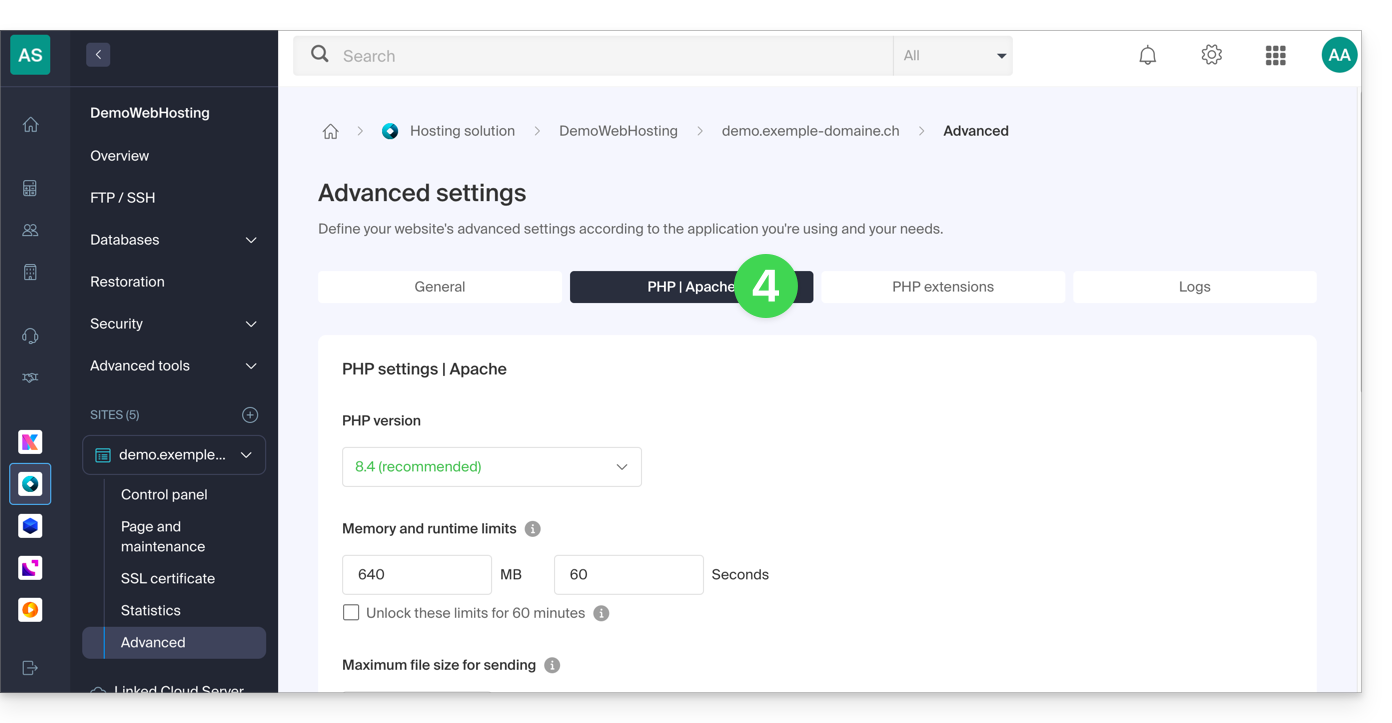
- Click on the PHP / Apache tab:
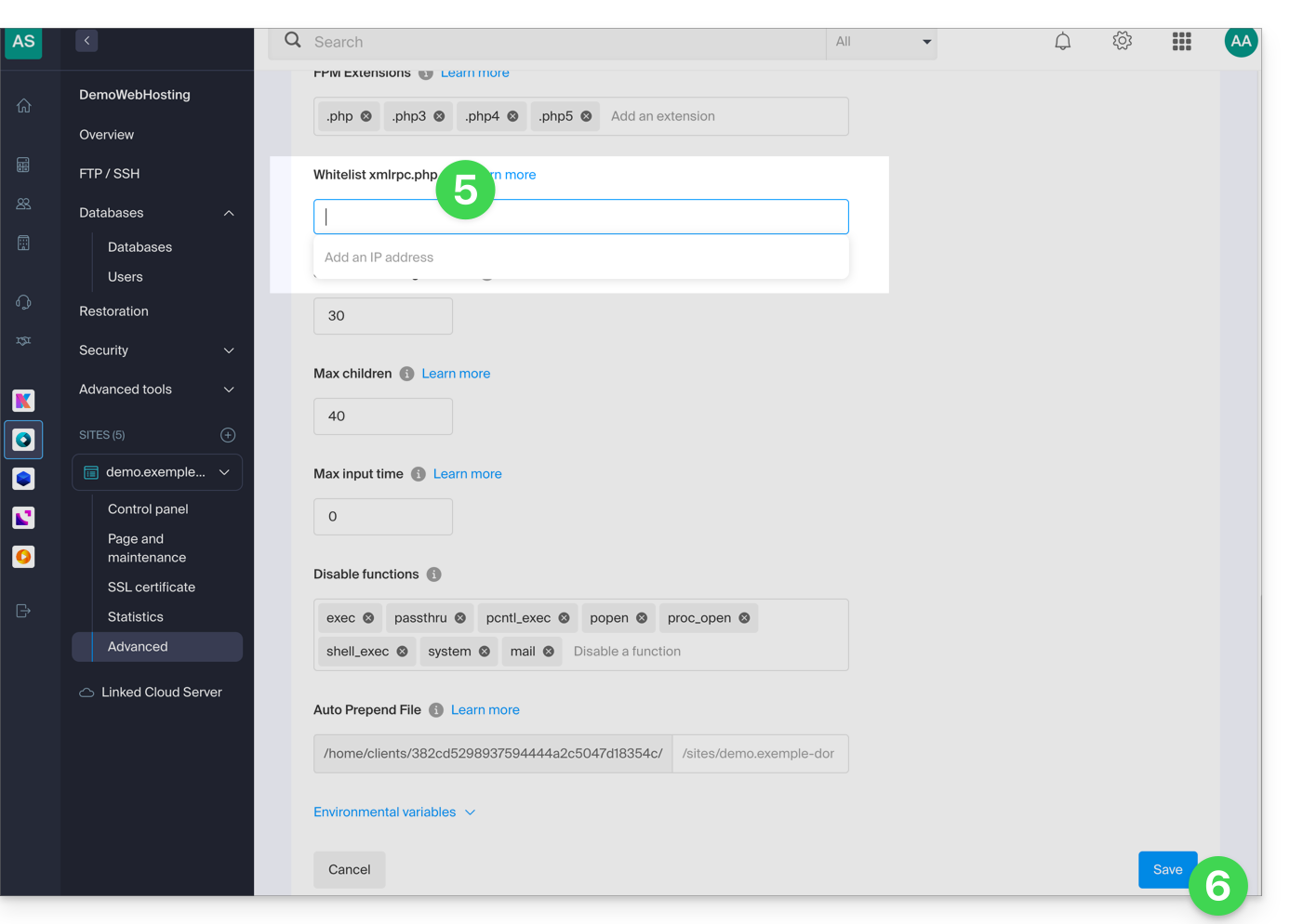
- Complete the relevant line.
- Click on the Save button at the bottom of the page:
Link to this FAQ: https://faq.infomaniak.com/2577
Has this FAQ been helpful?