Knowledge base
1000 FAQs, 500 tutorials and instructional videos. Here, there are only solutions!
Unblock IPs using an XML-RPC whitelist
Update 10/13/2026
This guide explains how to add IP addresses to the whitelist of a website hosted with Infomaniak.
Introduction
- Allowing IPs on
xmlrpc.phpenables access to URLs that are blocked by default because they are considered risky. - This type of blocking is effective on all recent servers.
- Regarding WordPress, its XML-RPC functionality is only available by default through Infomaniak services and JetPack for security reasons.
Add IP addresses to the xmlrpc.php whitelist
To access the site management:
- Click here to access the hosting & site management section in your Infomaniak Manager (❓: help).
- Click on the name of the website in question.
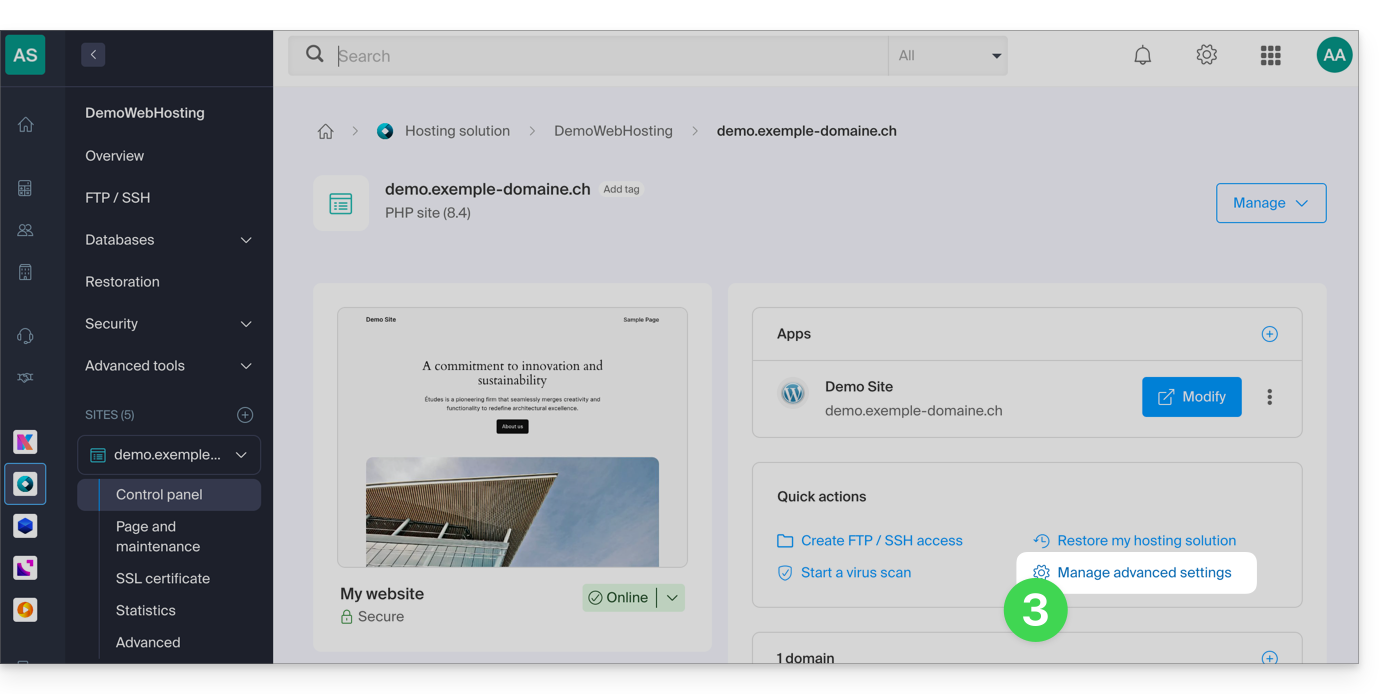
- Click on Manage advanced settings:
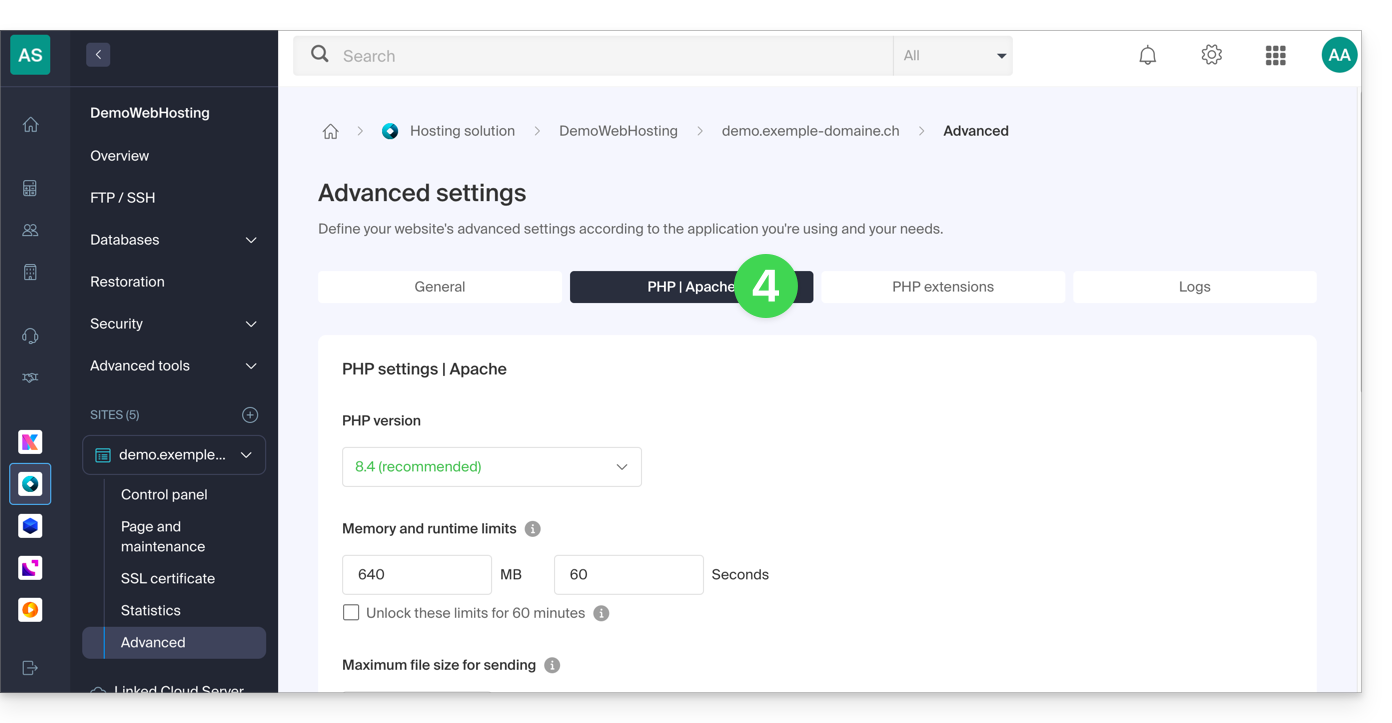
- Click on the PHP / Apache tab:
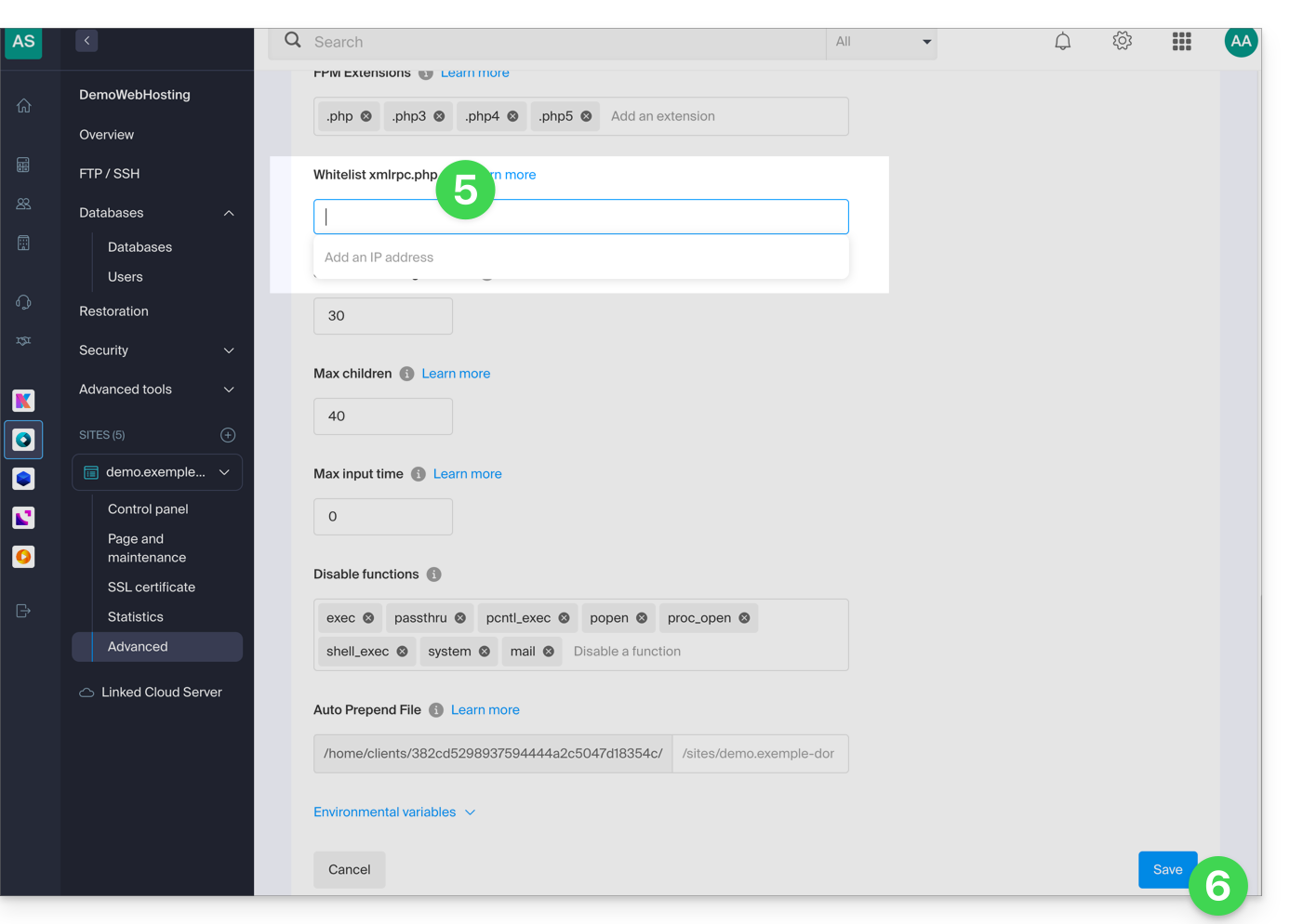
- Complete the relevant field.
- Click on the Save button at the bottom of the page:
Link to this FAQ: https://faq.infomaniak.com/2577
Has this FAQ been helpful?