Knowledge base
1000 FAQs, 500 tutorials and instructional videos. Here, there are only solutions!
Schedule a meeting on Mail Infomaniak
This guide explains how to quickly schedule a meeting between multiple users from the Infomaniak Mail web app (online service ksuite.infomaniak.com/mail).
Create an event from an email
To start the scheduling assistant:
- Click here to access the Infomaniak Mail web app (online service ksuite.infomaniak.com/mail).
- Open the message from the sender (or the conversation between multiple participants) with whom you want to organize a meeting/event.
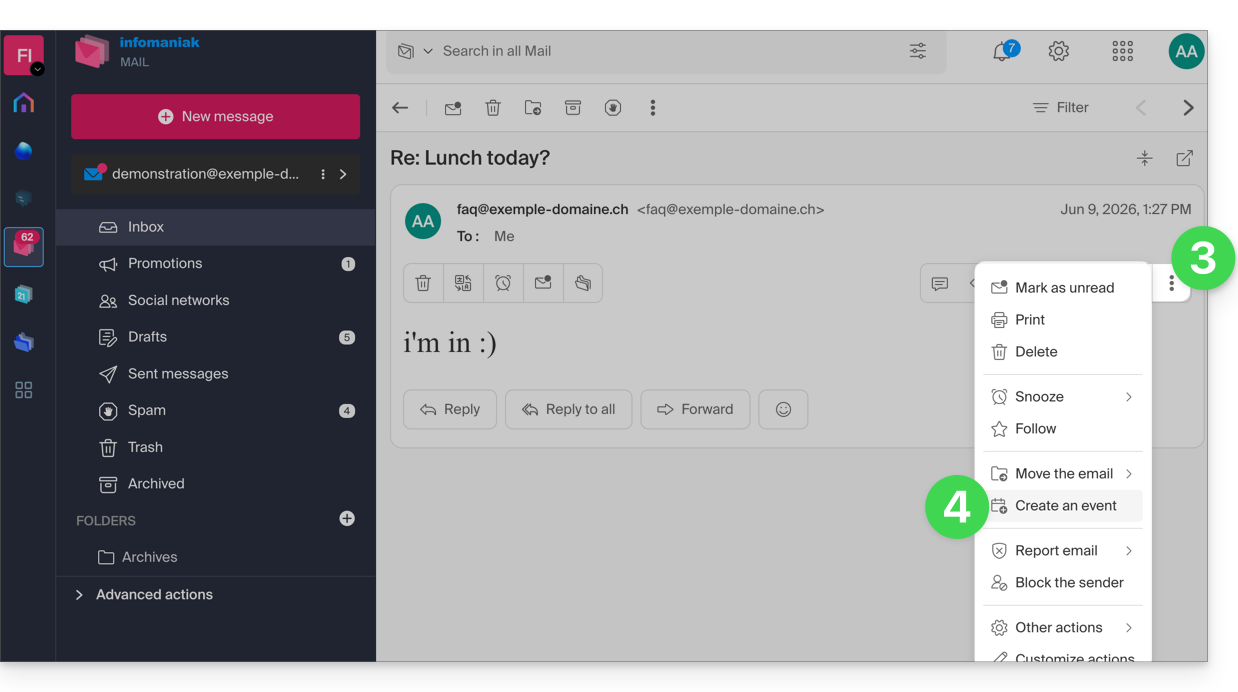
- Click on the ⋮ icon in the upper right corner of the open message.
- Click on Create an event:
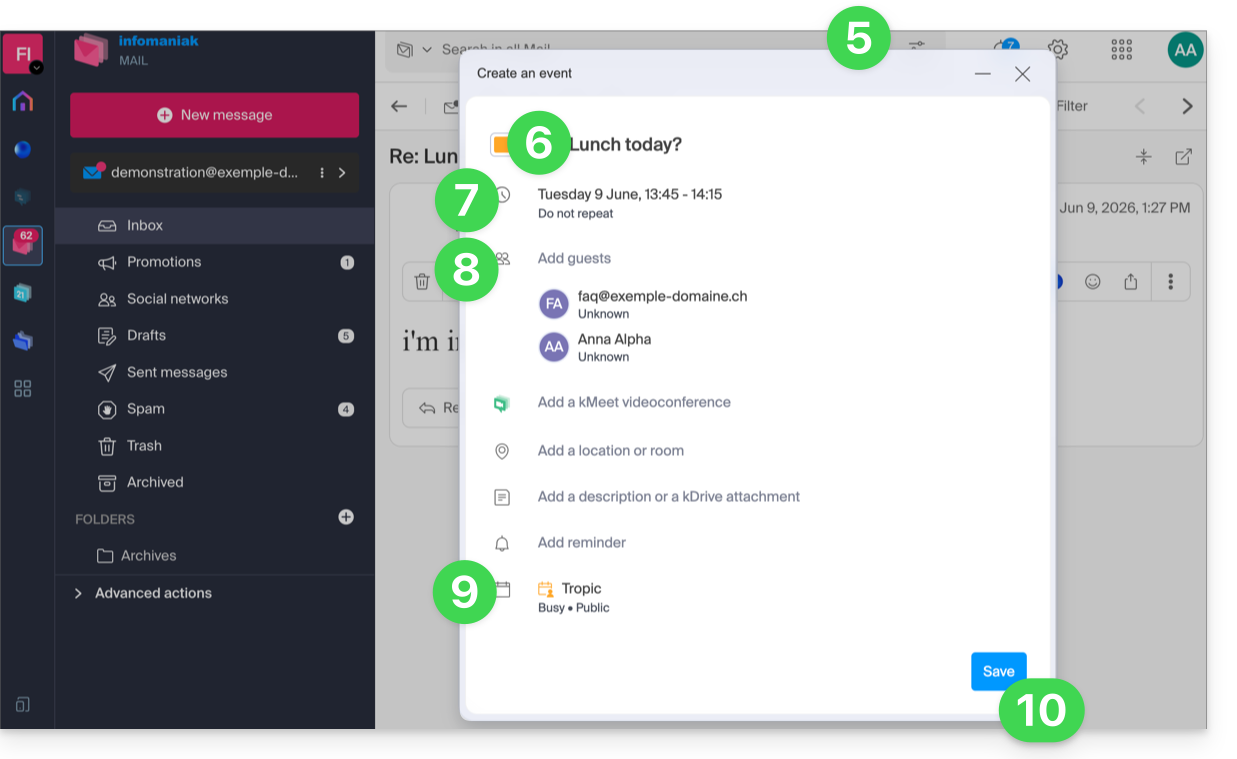
- The assistant for the Infomaniak Calendar app is displayed.
- The meeting title is automatically generated from the email subject, but it can be modified.
- The event duration (and its position within the day) is automatically generated as close as possible to the present time, but it can be modified, as can a possible room, which can be added below.
- The participants in the conversation are automatically added using their email addresses.
- Check or change the calendar used.
- Save the information to create the event and send the invitations:
Link to this FAQ: https://faq.infomaniak.com/2572
Has this FAQ been helpful?