Knowledge base
1000 FAQs, 500 tutorials and instructional videos. Here, there are only solutions!
Add and manage Infomaniak API applications
Update 10/06/2026
This guide explains how to create and manage an OAuth2/OpenID Connect (OIDC) application to allow a third-party application to use your Infomaniak login ID to authenticate users and, with their permission, access the resources provided by the granted authorizations (scopes).
Introduction
- An OAuth2 application is used, in particular, to implement a single sign-on (Single Sign-On) mechanism or to allow software to access certain data without having to transmit the account password.
Manage Infomaniak OAuth2 Applications
To create a new OAuth2 application:
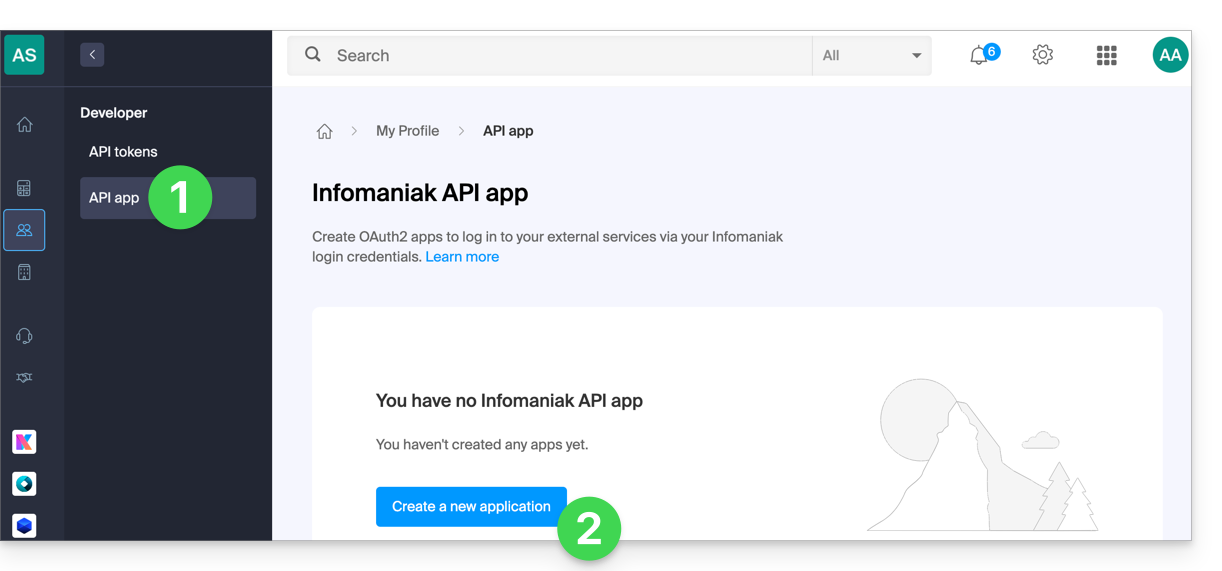
- Click here to access the OAuth2 application management section in your Infomaniak Manager (❓: help).
- Click on the blue Create a new application button:
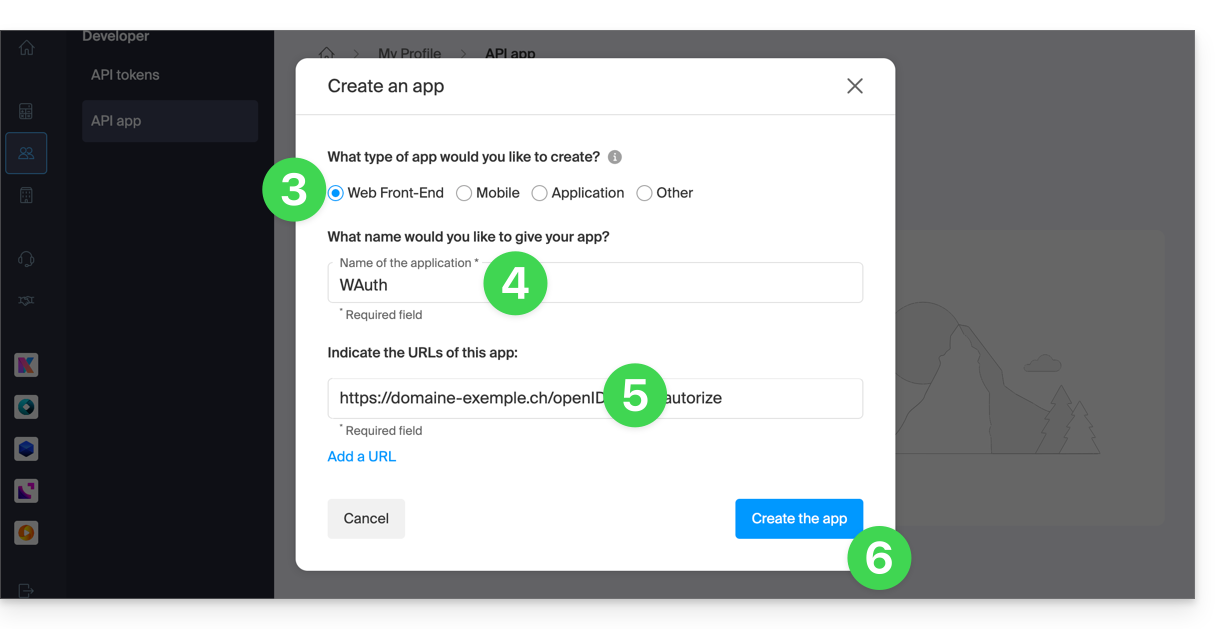
- Choose the application type that corresponds to your project. This choice determines, in particular, the OAuth2 authentication flow used.
- Give the application a name so you can easily identify it in the Manager.
- Enter the application's URL according to its technical configuration (e.g., its public URL or its redirect URL, depending on the type of application).
- Click the button to create the application:
- Keep the
Client IDandClient secretin a safe place.- These credentials allow your application to authenticate with Infomaniak services.
- For security reasons, the
Client secretis only displayed once when it is created: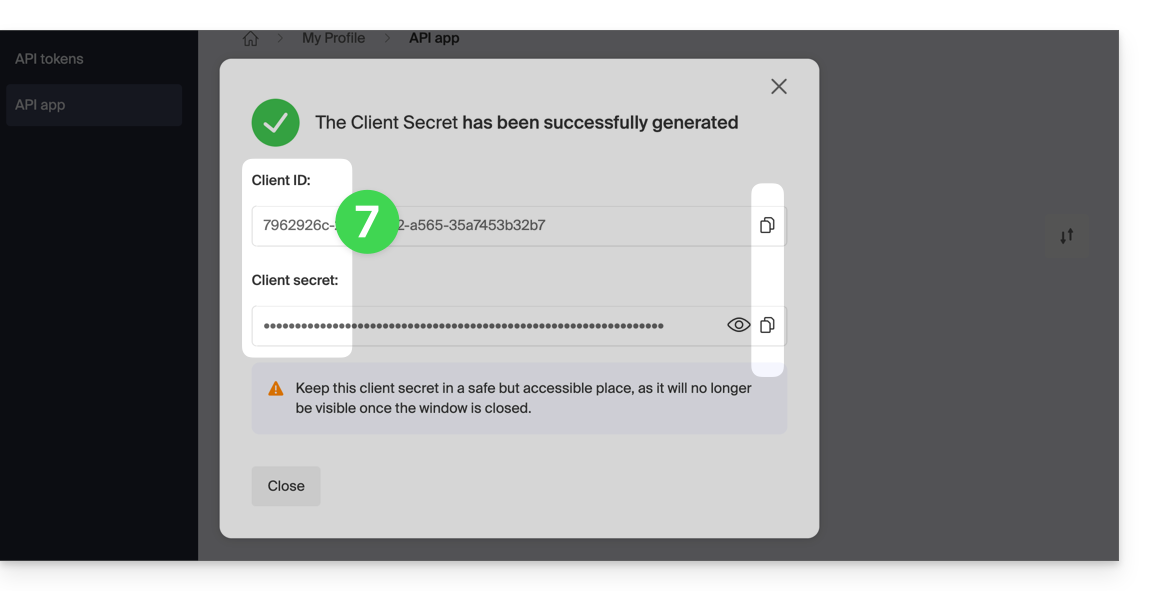
- You can renew the secret key from the main page.
Link to this FAQ: https://faq.infomaniak.com/2567
Has this FAQ been helpful?