Knowledge base
1000 FAQs, 500 tutorials and instructional videos. Here, there are only solutions!
Customize kDrive shares and folders
Update 10/13/2026
This guide explains how to add background images and change the text color of the share links (❓: help) and the upload boxes (❓: help) in kDrive so that they match the graphic identity of your Organization.
✘ UNAVAILABLE with
kSuite Free
my kSuite / my kSuite+ (ik.me, etik.com, ikmail.com)
Introduction
- Any customization made from the share link is applied to the drop box (and vice versa).
- The customization of the upload folder will only be visible when you share its access via a sharing link. (❓: help).
- If Custom Brand (❓: help) is enabled on the Organization where kDrive is located, the customization is managed in the option's settings:
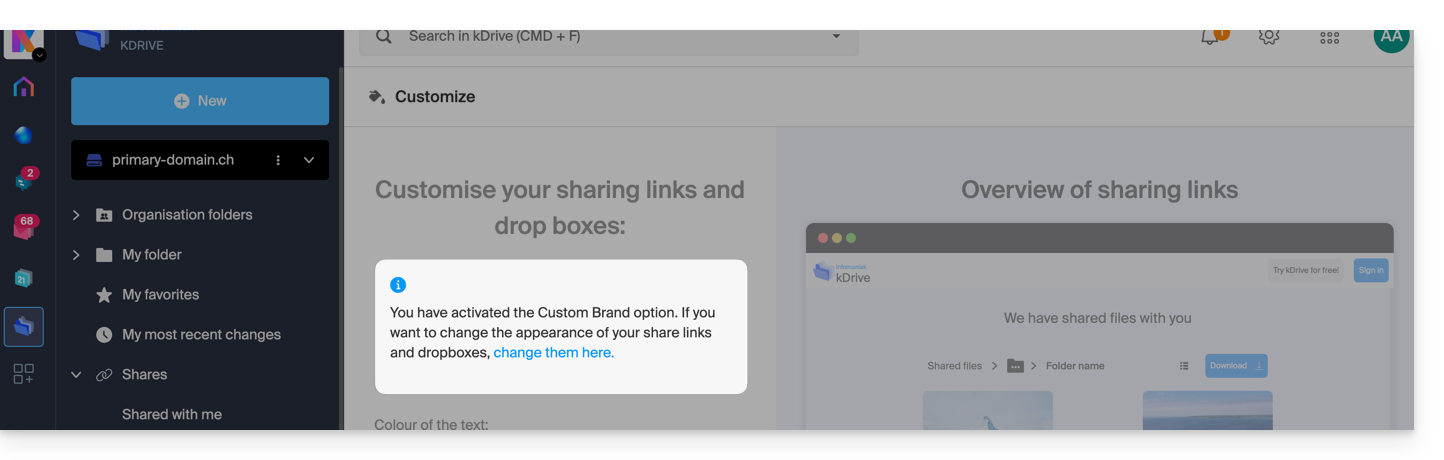
Customize sharing links & drop boxes
To access kDrive customization:
- Click here to access the Infomaniak kDrive web app (online service ksuite.infomaniak.com/kdrive).
- Click on the chevron to expand the Sharing section in the left-hand menu:
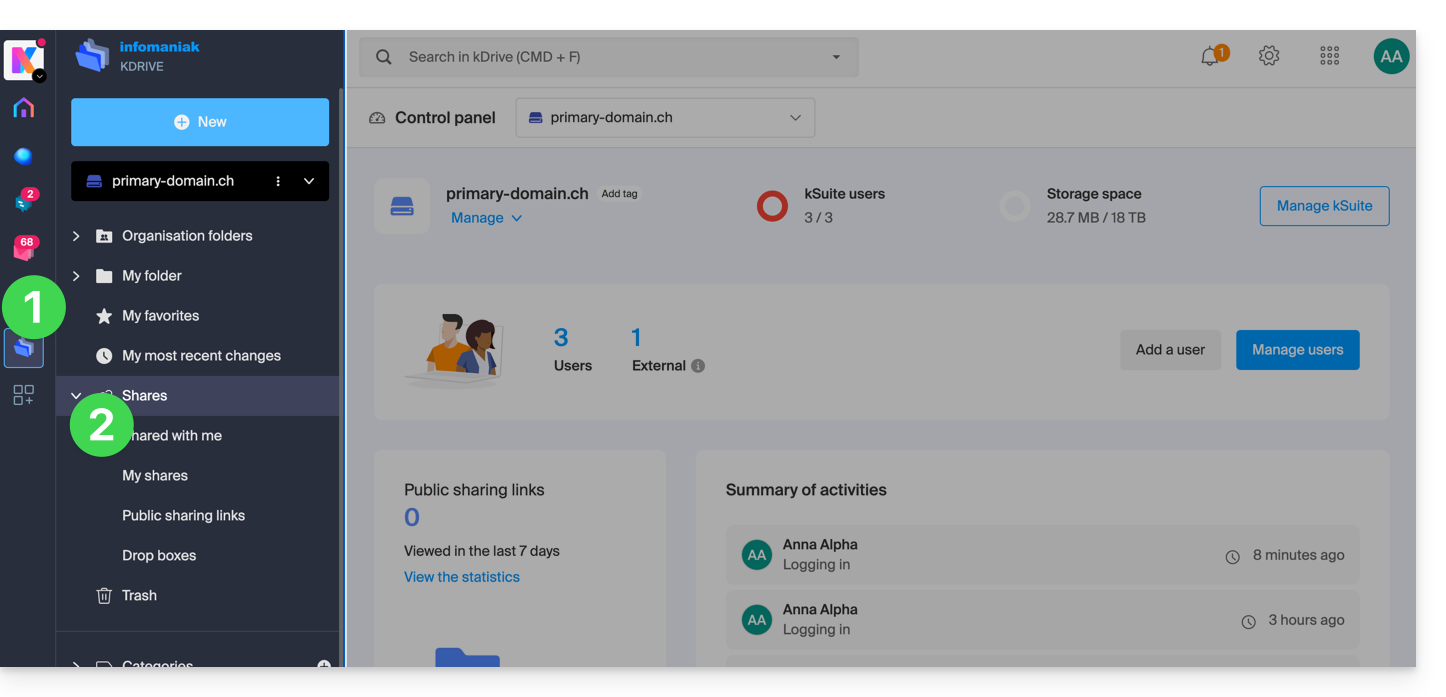
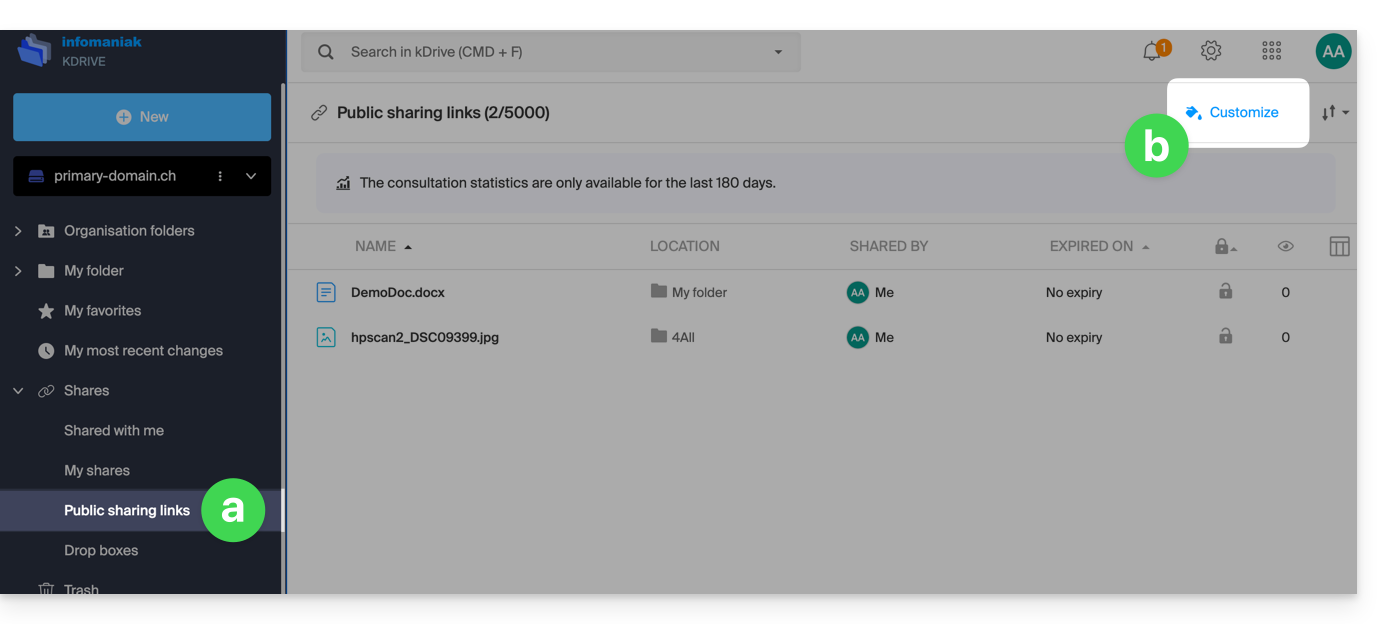
- Click on Public sharing links.
- Click on Customize:
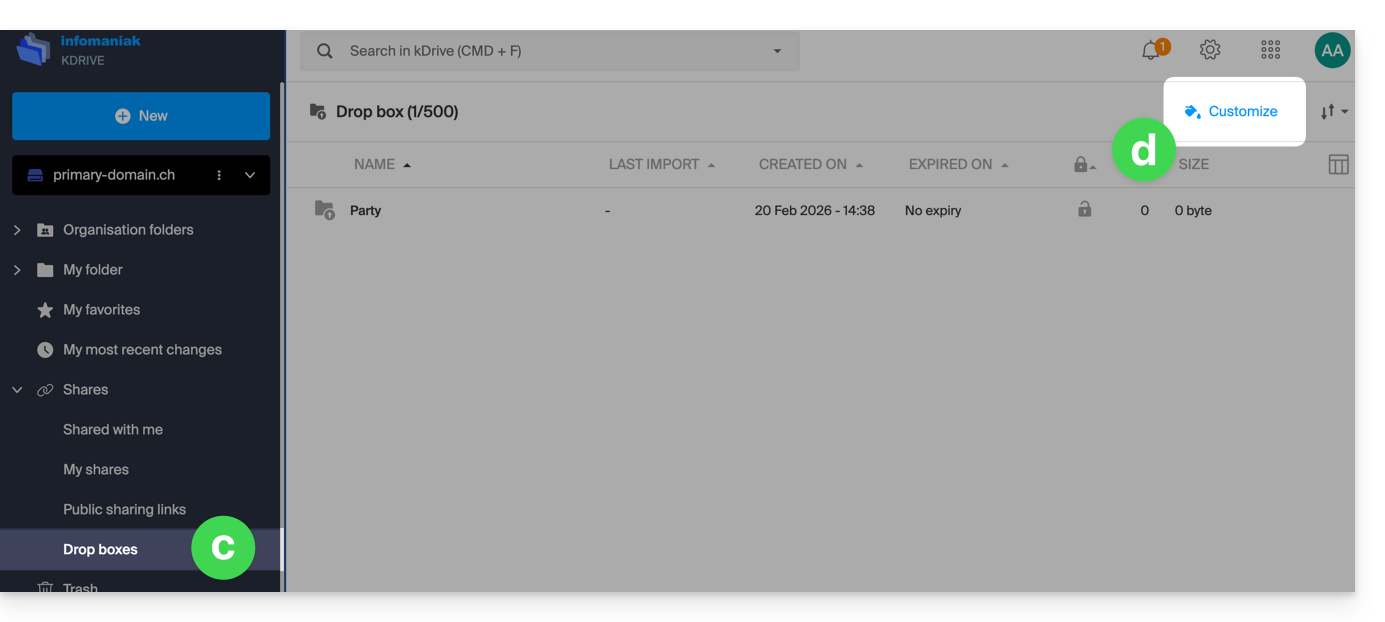
- The same principle applies if you click on Drop boxes.
- Click on Customize:
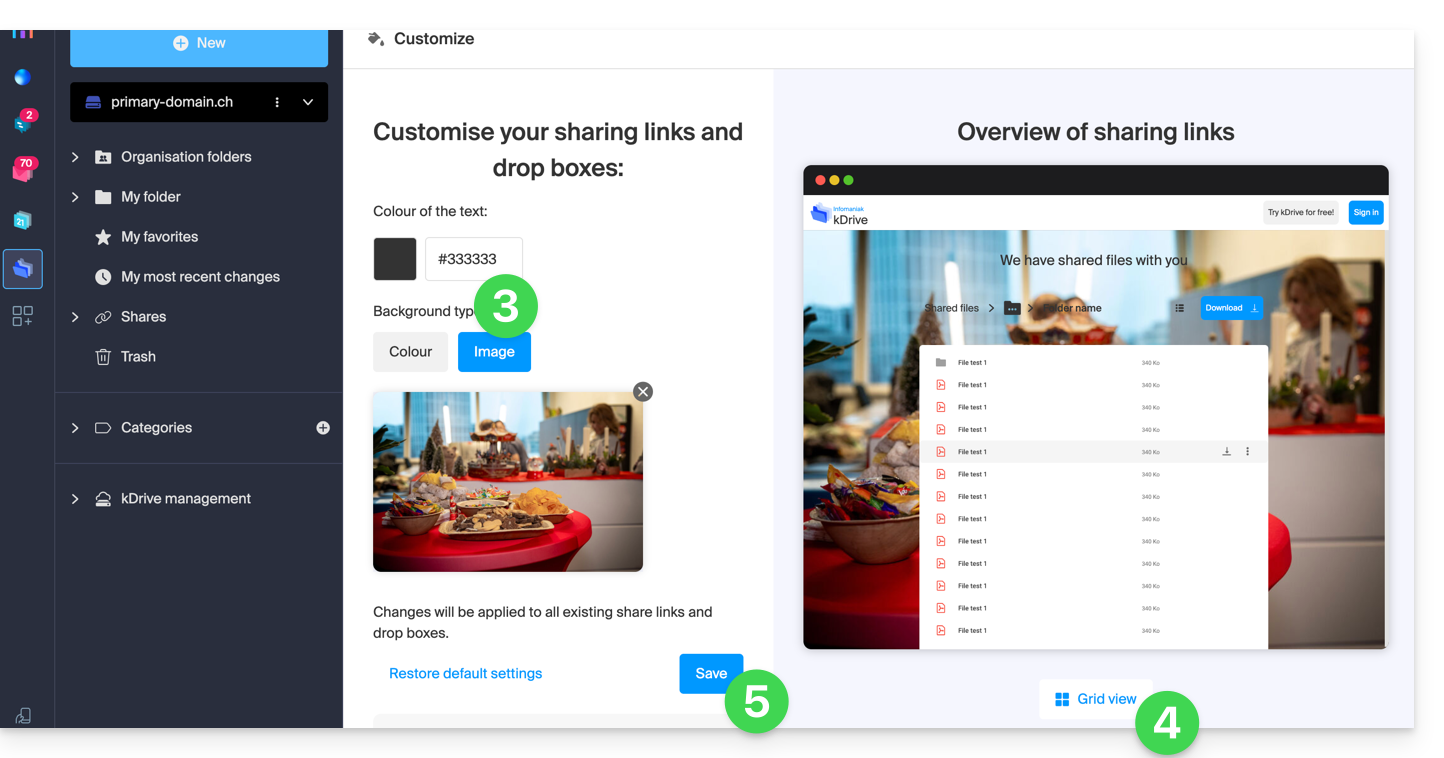
- Modify the text color and add an image (min. 100 KB; it must be located on kDrive) or a background color.
- Preview the effects on both display types.
- Click on Save:
Link to this FAQ: https://faq.infomaniak.com/2565
Has this FAQ been helpful?