Knowledge base
1000 FAQs, 500 tutorials and instructional videos. Here, there are only solutions!
Customize kDrive shares and folders
Update 08/13/2026
This guide explains how to add background images and change the text color of the sharing links and drop boxes in kDrive so that they match the graphic identity of your Organization.
✘ UNAVAILABLE with
kSuite Free
my kSuite / my kSuite+ (ik.me, etik.com, ikmail.com)
Introduction
- Any customization made from the share link is applied to the drop box (and vice versa).
- The customization of the upload folder will only be visible when you share its access via a sharing link.
- If Custom Brand is active on the Organization where kDrive is located, the customization is managed in the option's settings:
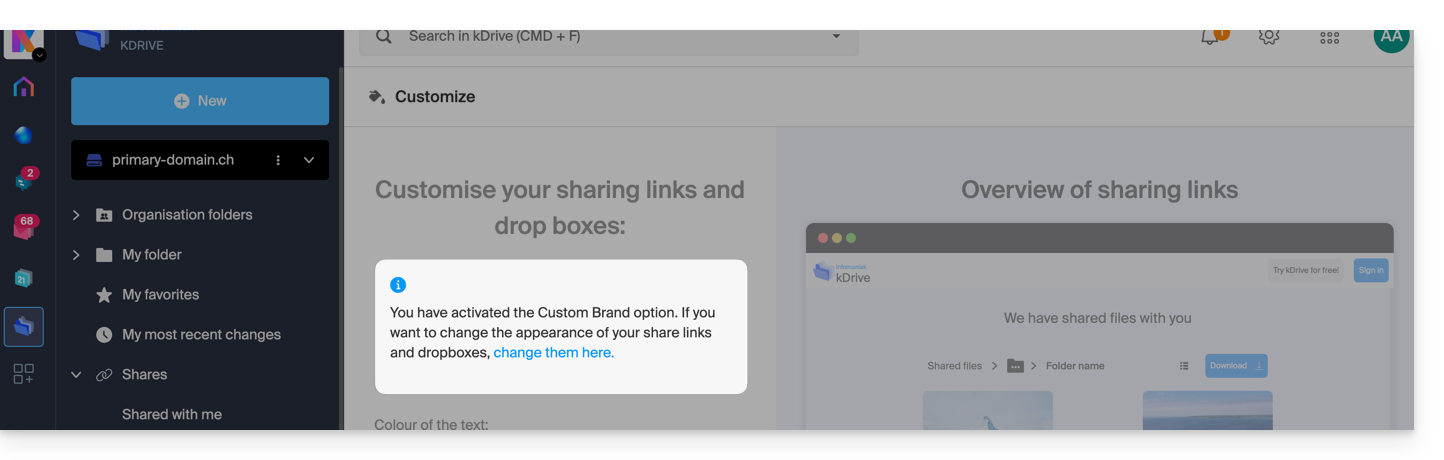
Customize sharing links & drop boxes
To access kDrive customization:
- Click here to access the Infomaniak kDrive web app (online service ksuite.infomaniak.com/kdrive).
- Click on the chevron to expand the Sharing section in the left-hand menu:
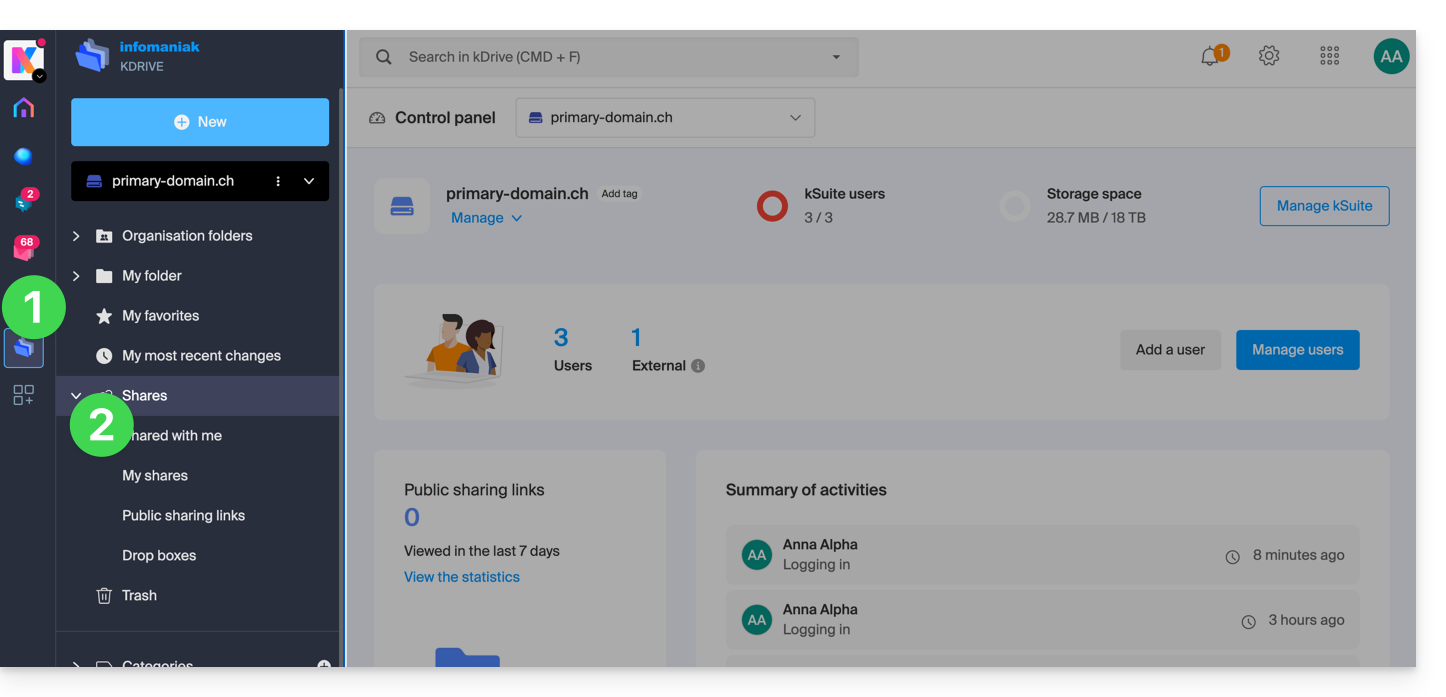
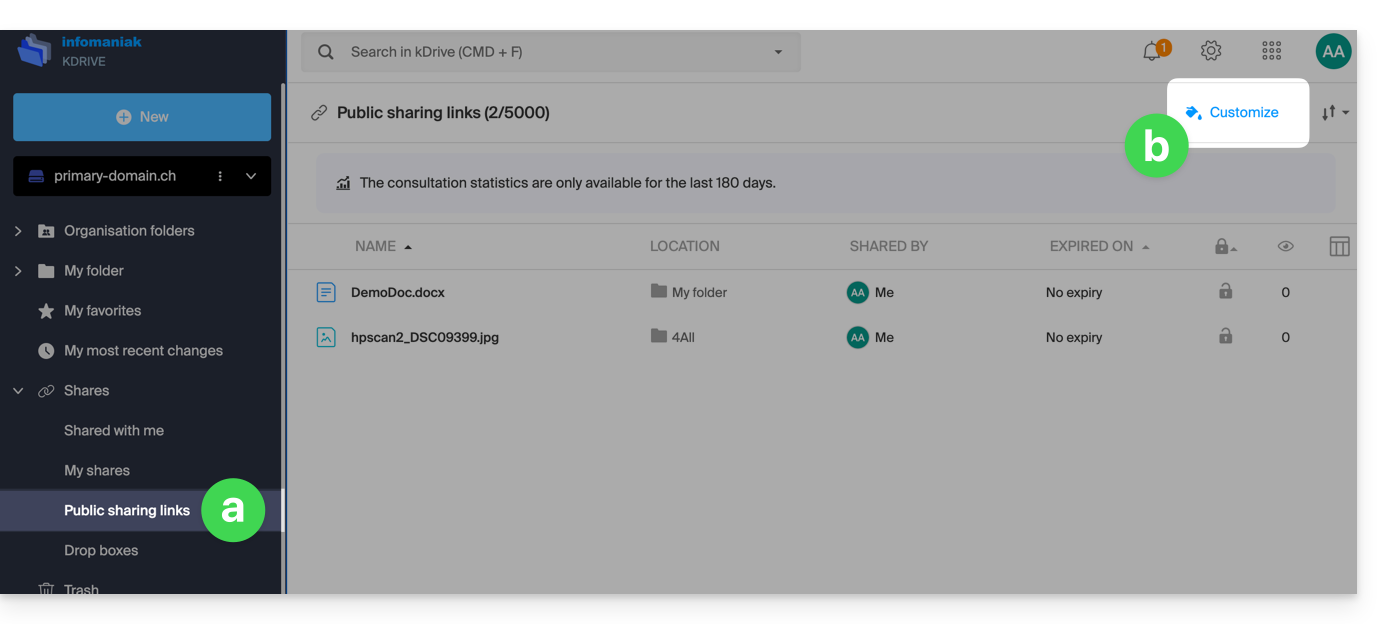
- Click on Public sharing links.
- Click on Customize:
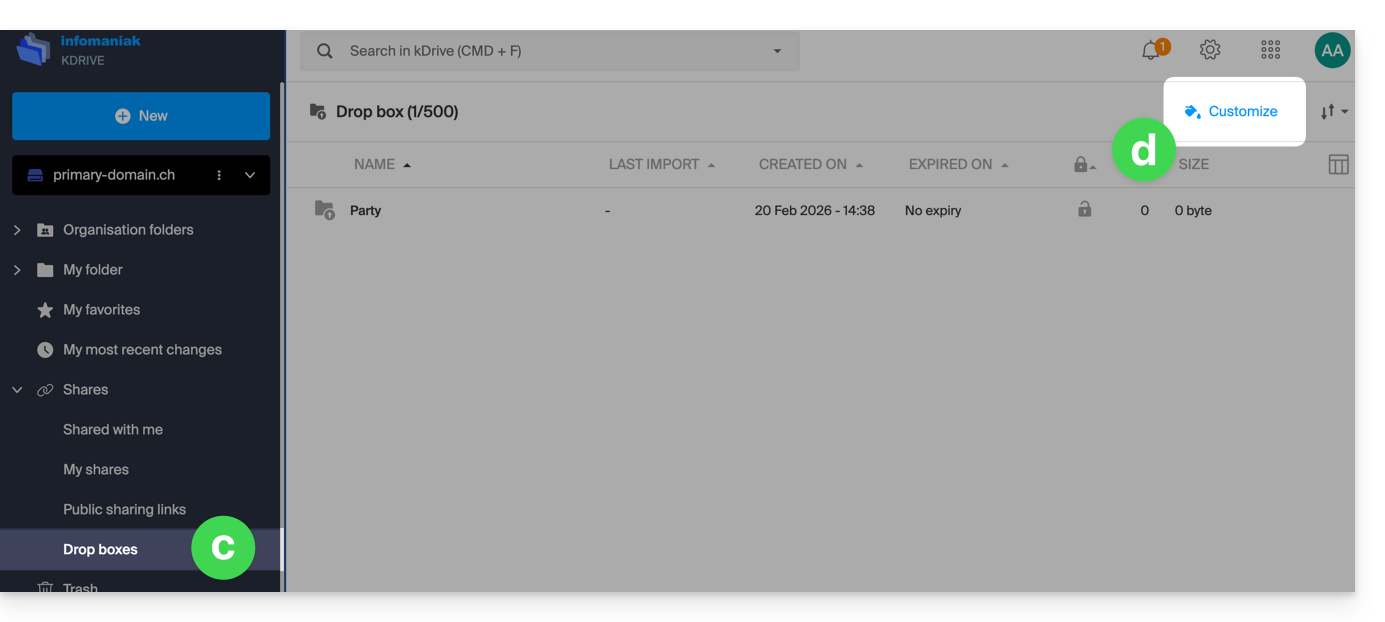
- The same principle applies if you click on Drop boxes.
- Click on Customize:
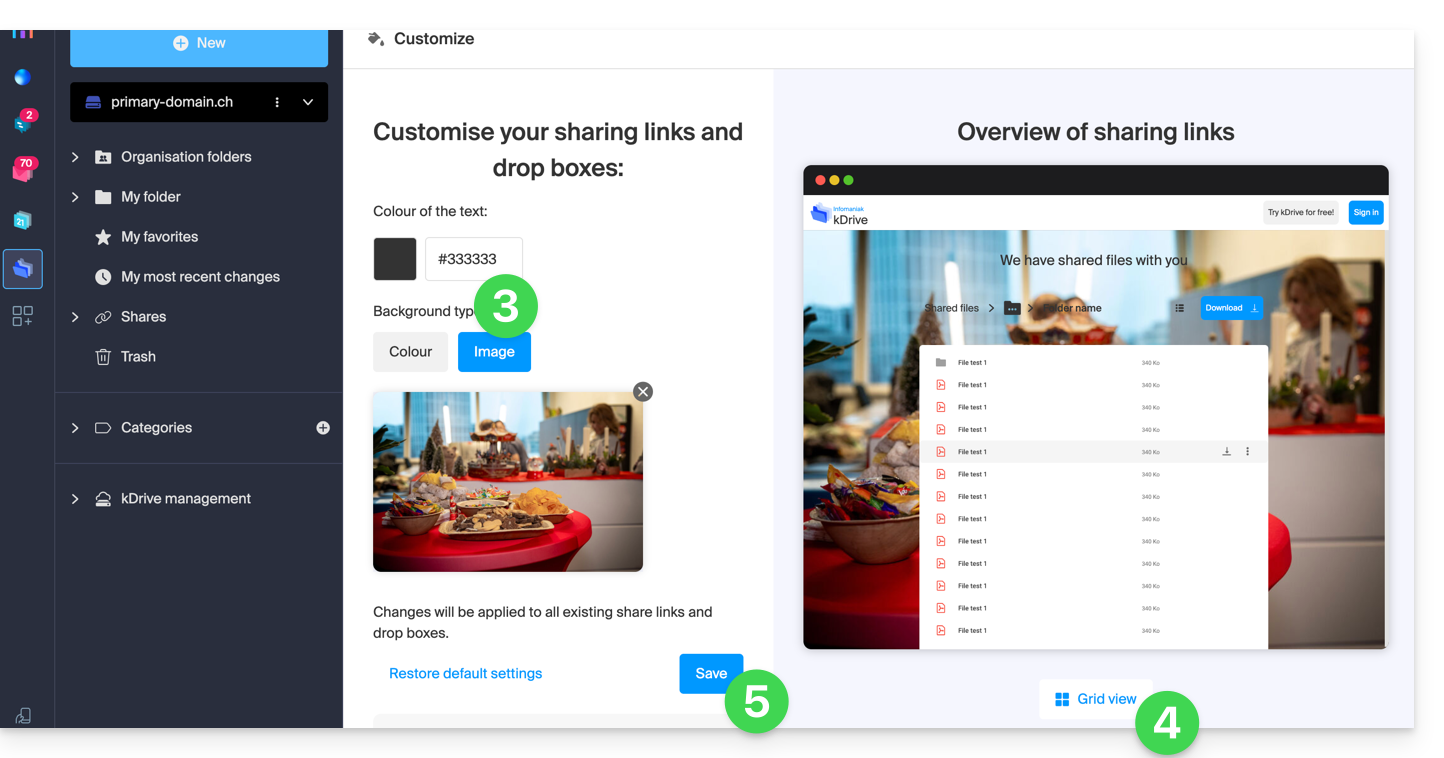
- Modify the text color and add an image (min. 100 KB; it must be located on kDrive) or a background color.
- Preview the effects on both display types.
- Click on Save:
Link to this FAQ: https://faq.infomaniak.com/2565
Has this FAQ been helpful?