Knowledge base
1000 FAQs, 500 tutorials and instructional videos. Here, there are only solutions!
Update the password for your email address in Apple Mail (macOS / iOS)
Update 10/08/2026
This guide explains how to update the password for a mail address on your device after you have changed it from an Infomaniak Mail Service.
Introduction
- You can also consult the official Apple help on this topic.
Apple Mail (macOS)
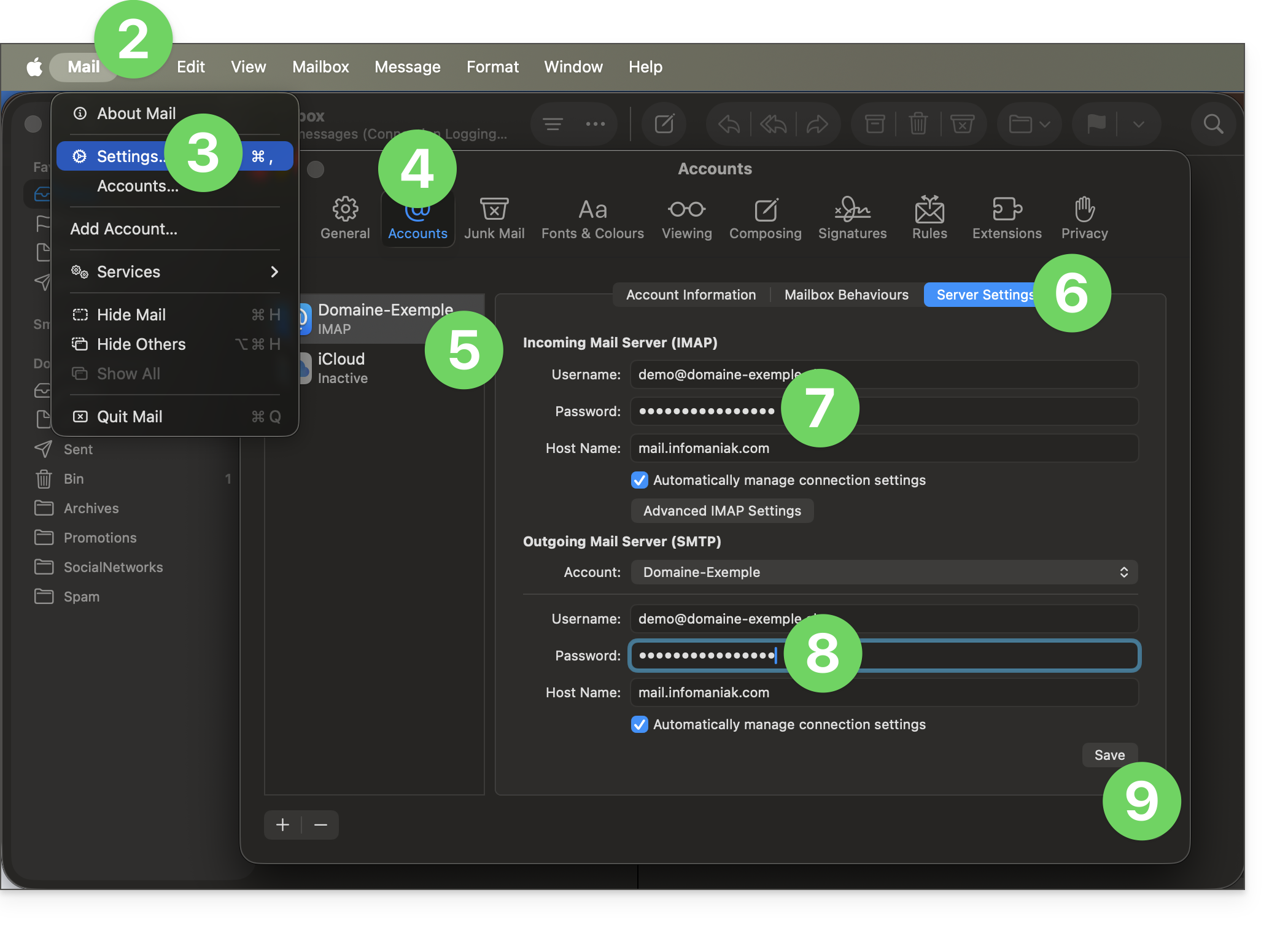
To access the password settings (refer to the complete guide if needed):
- Open the Mail application.
- Click on the Mail menu at the top left.
- Click on Settings.
- Click on Accounts.
- Make sure the relevant account is selected.
- Click on the Server Settings tab.
- Enter the IMAP password.
- Enter the SMTP password, then check the other settings, such as the port number, etc.
- Click the Save button:
iOS (iPhone, iPad, etc.)
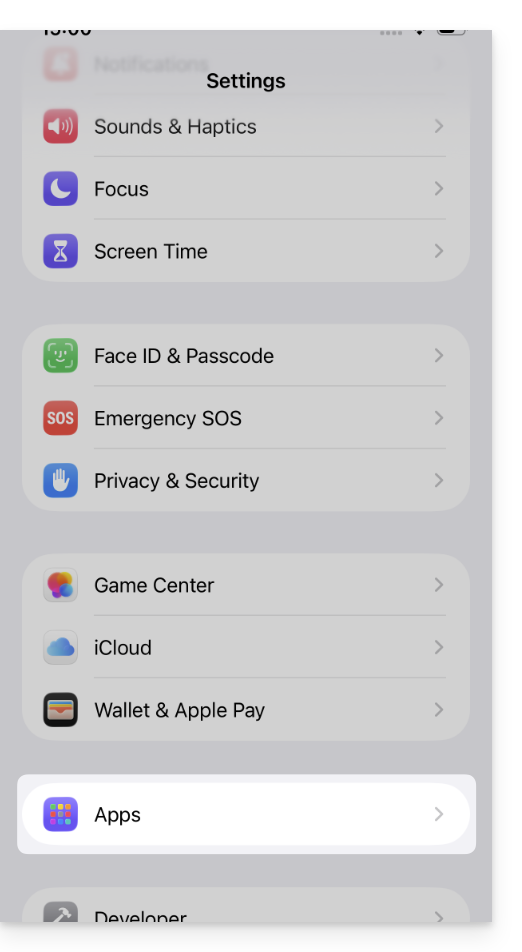
Here's how to access the password settings (refer to the complete guide if needed):
- Open the Settings app on your iPhone and tap Apps:
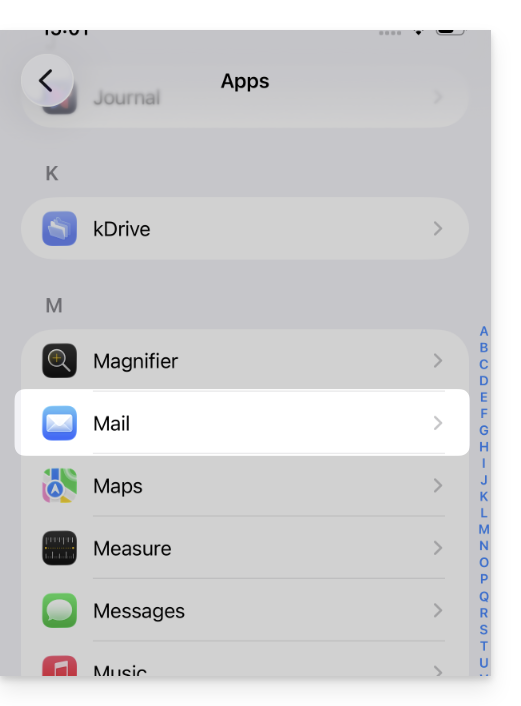
- In Apps, tap Mail:
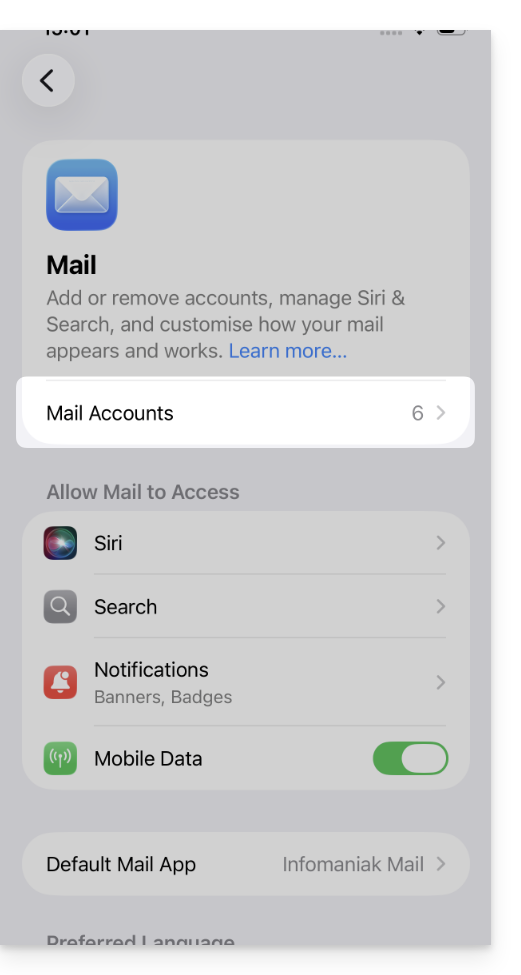
- Tap Mail Accounts:
- Tap the account associated with your Infomaniak email address:
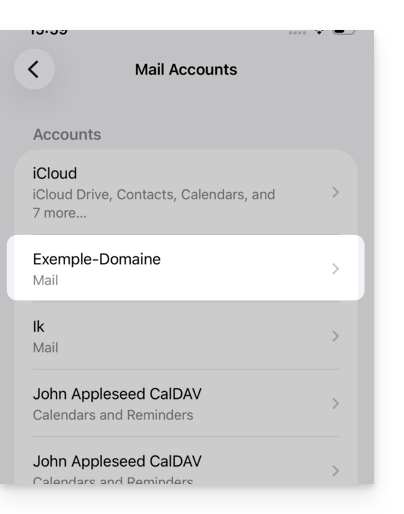
- Tap on Account settings:
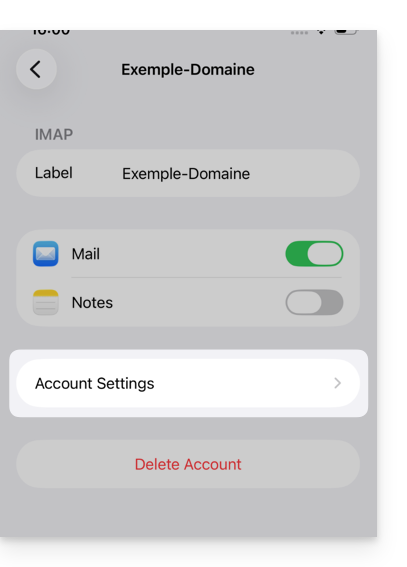
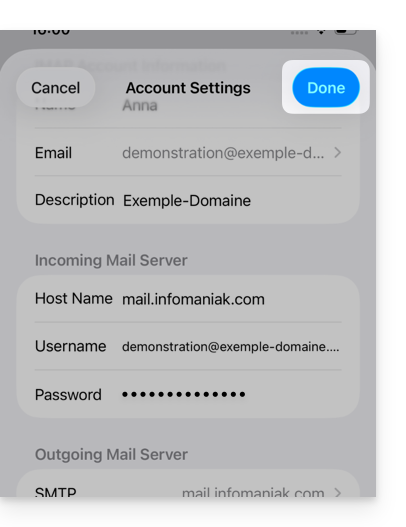
- Update the password in the Incoming Server section.
- Tap on the SMTP server in the Outgoing Server section to update the password or resolve an issue with a missing SMTP server, for example:
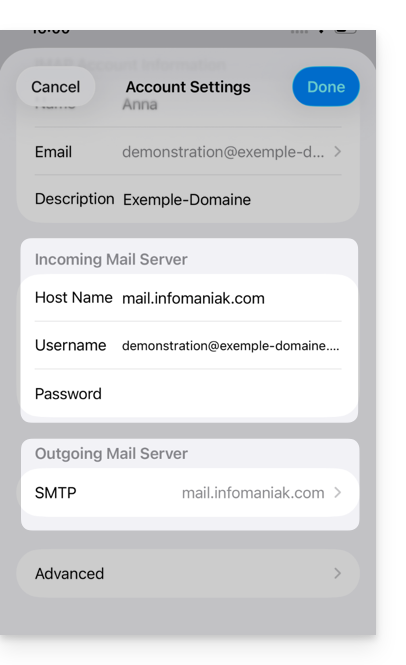
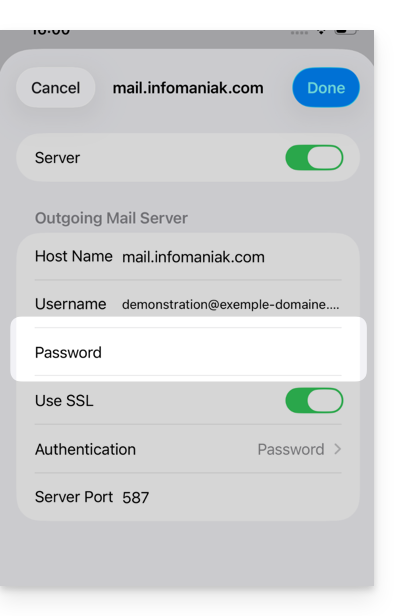
- Tap on the server associated with your Infomaniak email address (or if it is missing, tap on Add a server below and configure it according to these instructions):
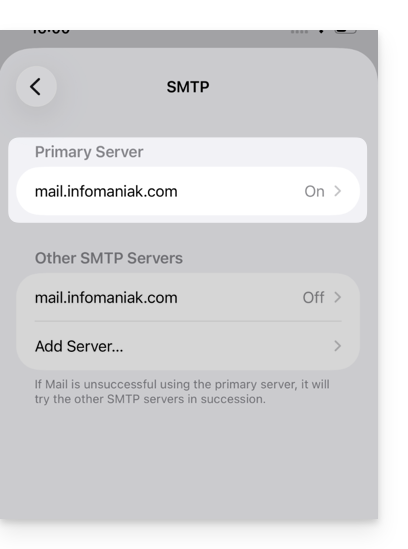
- Tap ON to enable the SMTP server if necessary.
- Update the password and verify all settings, including password authentication.
- Click Confirm in the top right corner:
- The SMTP account is now correctly activated:
Link to this FAQ: https://faq.infomaniak.com/2556
Has this FAQ been helpful?