Knowledge base
1000 FAQs, 500 tutorials and instructional videos. Here, there are only solutions!
Modify an existing Mail Service plan
This guide explains how to modify an Infomaniak Mail Service plan, the powerful and secure solution for hosting your email addresses, in order to increase or decrease the email address quota available within it.
Introduction
- Refer to this other guide if you simply want to create or delete an email address on your existing Mail service, without affecting the number of email addresses available within it.
- If your Mail service is not yet part of a kSuite, refer to this other guide to consider a possible change of plan along the way.
Modify the address quota for a Mail Service
Prerequisites
- Have a Mail Service on your Infomaniak Manager.
To view the number of email addresses currently available on your Mail Service, and then order more if necessary (or remove some):
- Click here to access your product management in the Infomaniak Manager (need help?).
- Click directly on the name assigned to the product in question.
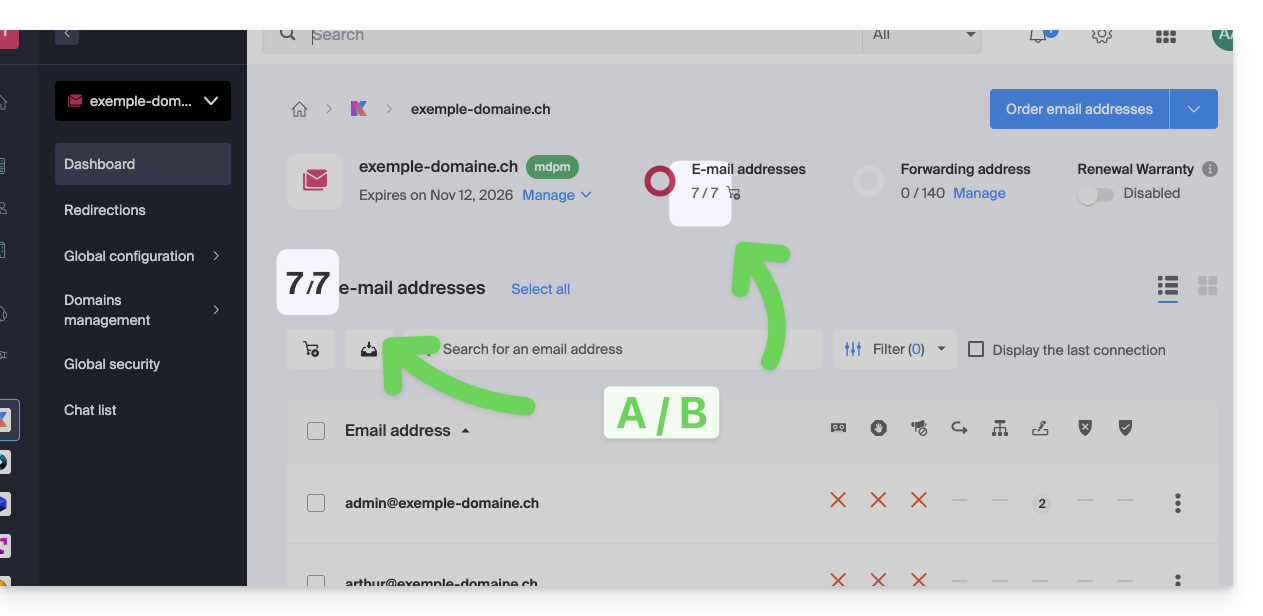
- The number of email addresses created (A) and the total number of addresses available (B) on the Service is displayed at the top of the page:
- Note that you can also view the quota directly in step 1, when you are on the page listing your Mail Services:
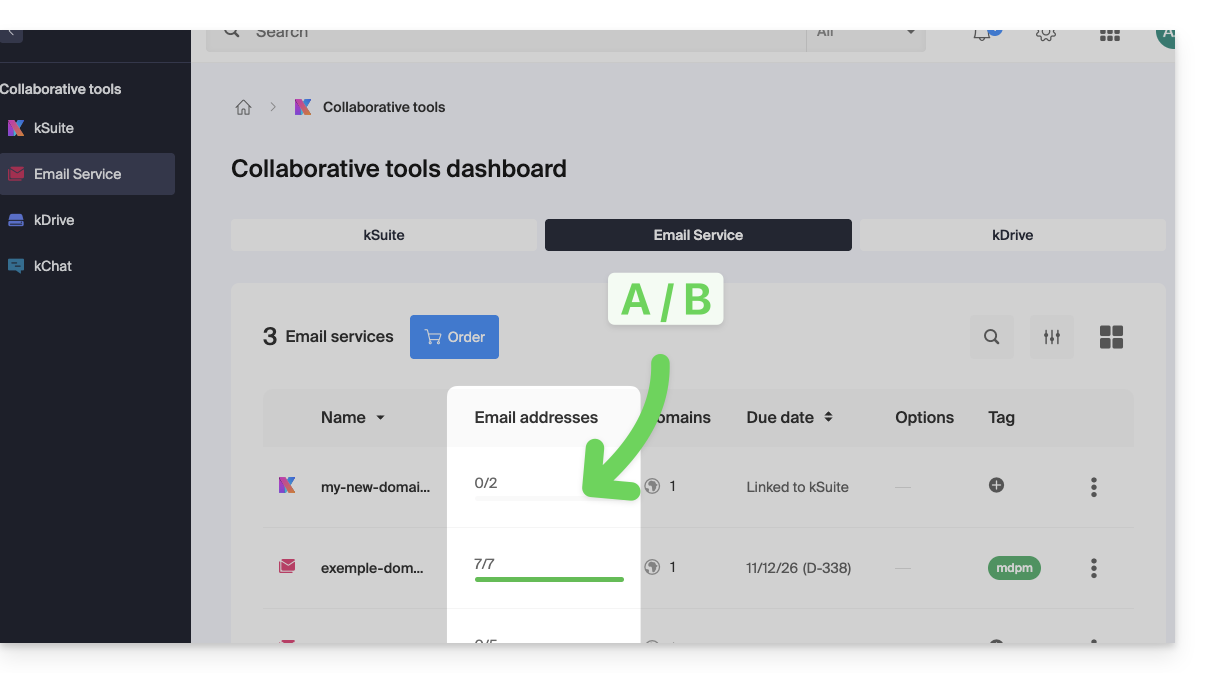
- Note that you can also view the quota directly in step 1, when you are on the page listing your Mail Services:
Increase the number of email addresses available
To increase the number of email addresses available to you on your Mail Service, allowing you to create new email addresses for yourself or your contacts:
- Click here to access the management of your product on the Infomaniak Manager (need help?).
- Click directly on the name assigned to the product in question.
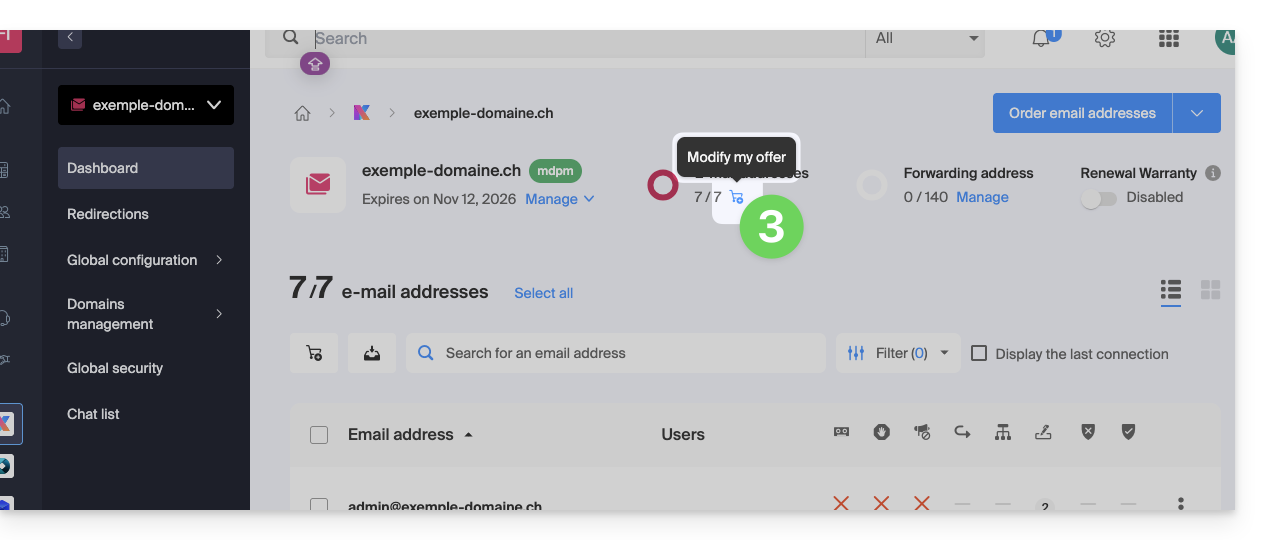
- Click on the shopping cart icon at the top:
- Adjust the desired quota and proceed with ordering the additional number of addresses on the Mail Service domain.
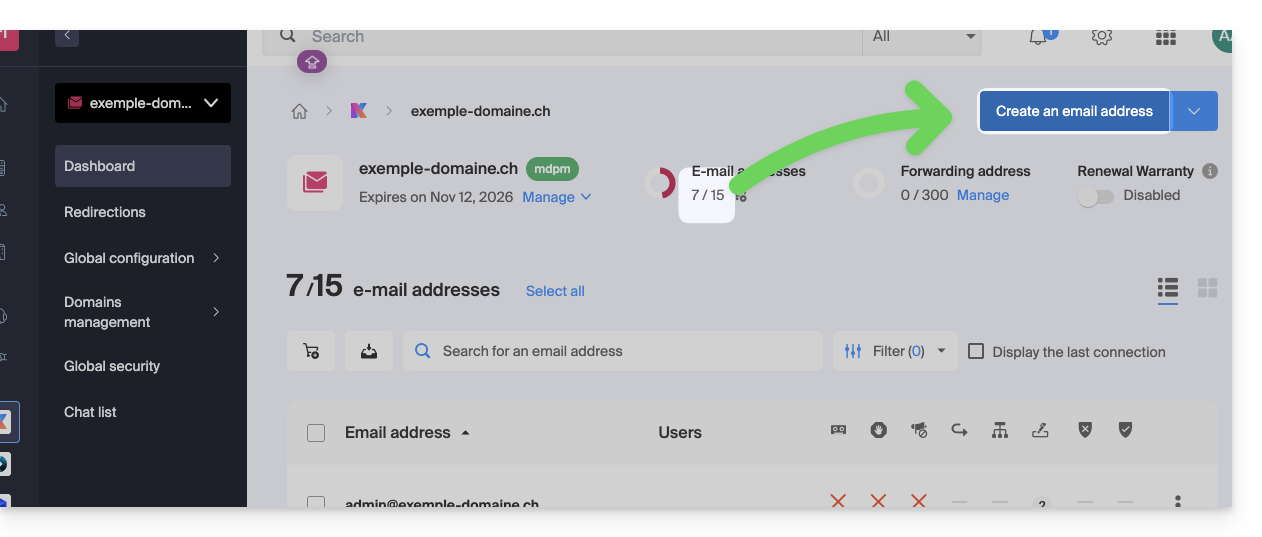
- Complete the payment process; you can now create your additional email addresses:
Reduce the number of email addresses available
To reduce the number of email addresses available on your Mail Service, allowing you to only pay for the number of addresses you actually want and use during the next renewal (a minimum of 5 addresses is required for all Mail Services, except for Mail Starter), you may need to delete any unnecessary email addresses and then:
- Click here to access your product management interface in the Infomaniak Manager (need help?).
- Click directly on the name assigned to the product in question.
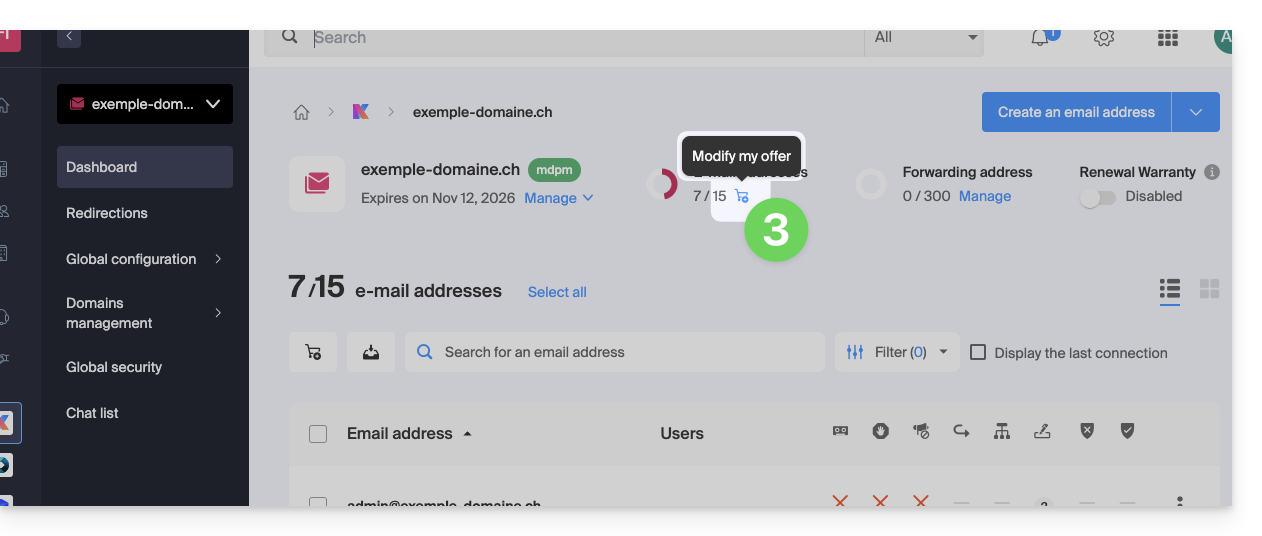
- Click on the shopping cart icon at the top:
- Adjust the desired quota and complete the process by reviewing the important information displayed on the screen.
Link to this FAQ: https://faq.infomaniak.com/2541
Has this FAQ been helpful?