Knowledge base
1000 FAQs, 500 tutorials and instructional videos. Here, there are only solutions!
Manage advertisements within a VOD player
Update 10/06/2026
This guide explains how to integrate advertisements during media playback using your Infomaniak VOD Player.
Introduction
- You can insert multiple videos as advertisements, and their source can be:
- your own videos that have already been imported,
- URLs if you have an advertising platform (Google Marketing Platform, Openx, Oath, Tremor Video DSP, etc.).
- The advertisement can be Pre-roll, Mid-roll, and Post-roll, meaning it can be loaded at the beginning, middle, or end of your video.
- You can allow viewers to skip the advertisement (after a number of seconds of your choice).
Configure the VOD Player advertisement
Prerequisites
- Create a Player (❓: help) within your VOD/AOD space.
Once you are in the configuration of your Player:
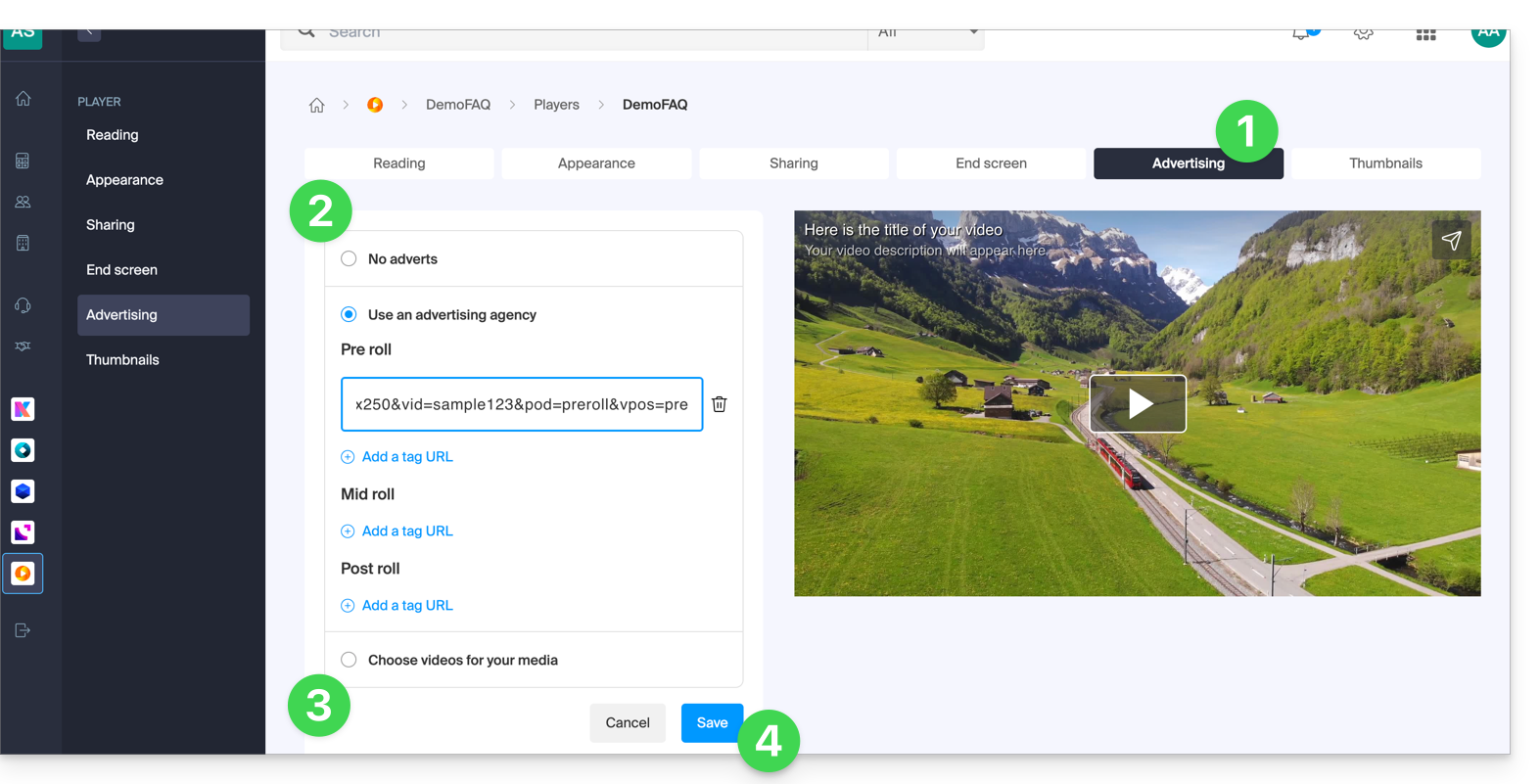
- Click on the Advertising tab.
- Choose between:
- no advertising,
- links provided by your advertising agency,
- video(s) from your library.
- Please note that you cannot mix the two types of advertising; you will lose the information already entered if you change the type of advertising.
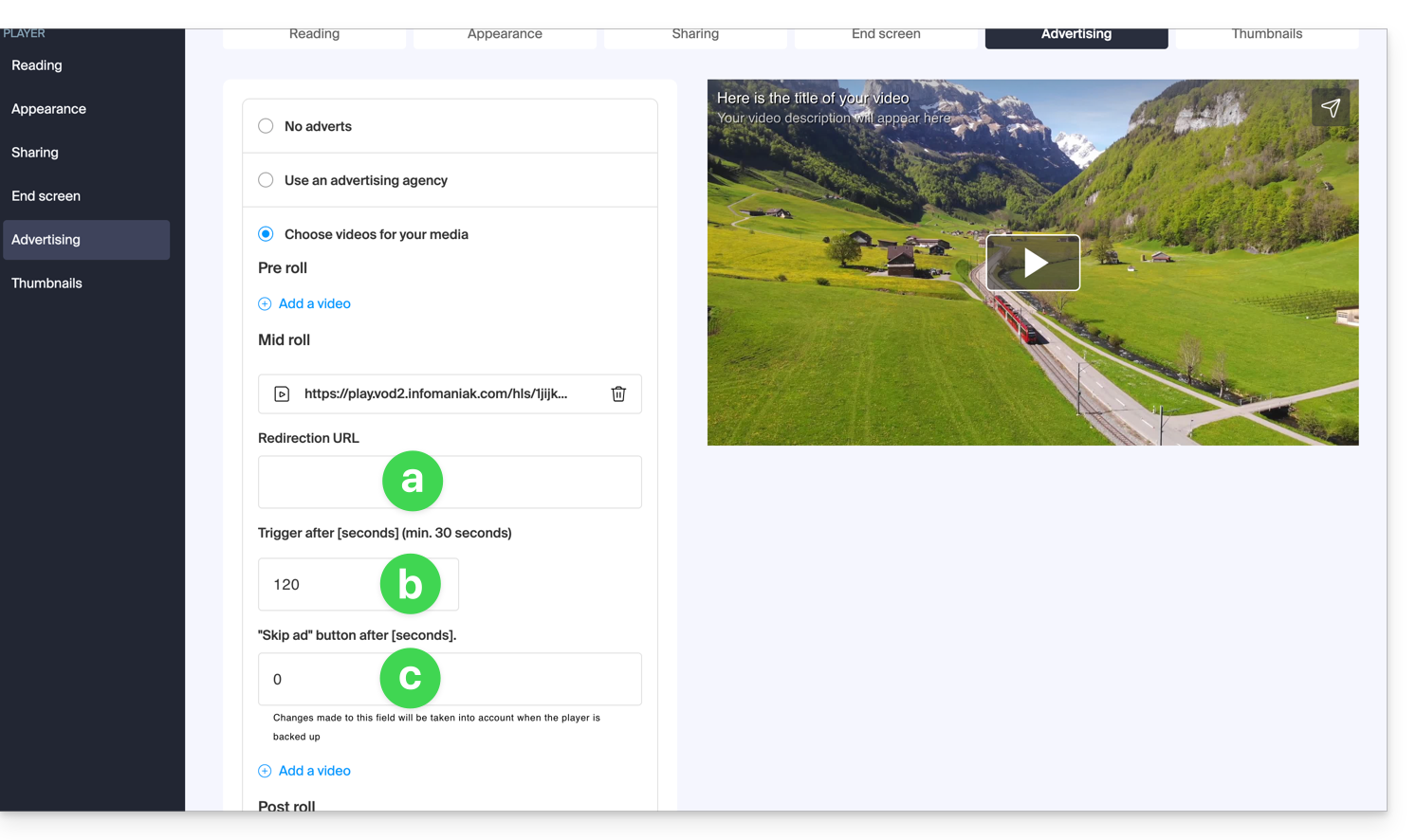
- If you choose one or more videos from your media, you can choose:
- the URL to which the viewer will be redirected if they click on the advertisement to learn more,
- the time at which the video should start (only mid-roll),
- the time at which the viewer can skip the advertisement:
- Click the button to Save.
Link to this FAQ: https://faq.infomaniak.com/2527
Has this FAQ been helpful?