Knowledge base
1000 FAQs, 500 tutorials and instructional videos. Here, there are only solutions!
Manage ads within a VOD player
This guide explains how to integrate ads during media playback by your Infomaniak VOD Player.
Preamble
- You can insert multiple videos as ads and their source can be:
- your own videos already imported,
- URLs if you have an ad network (Google Marketing Platform, Openx, Oath, Tremor Video DSP, etc.).
- The ad can be Pre-roll, Mid-roll and Post-roll so loaded at the beginning, middle, or end of your video.
- You can offer the viewer the option to skip the ad (after the number of seconds of your choice).
Configure the VOD Player ad
Prerequisites
- Create a Player within your VOD/AOD space.
Once in your Player configuration: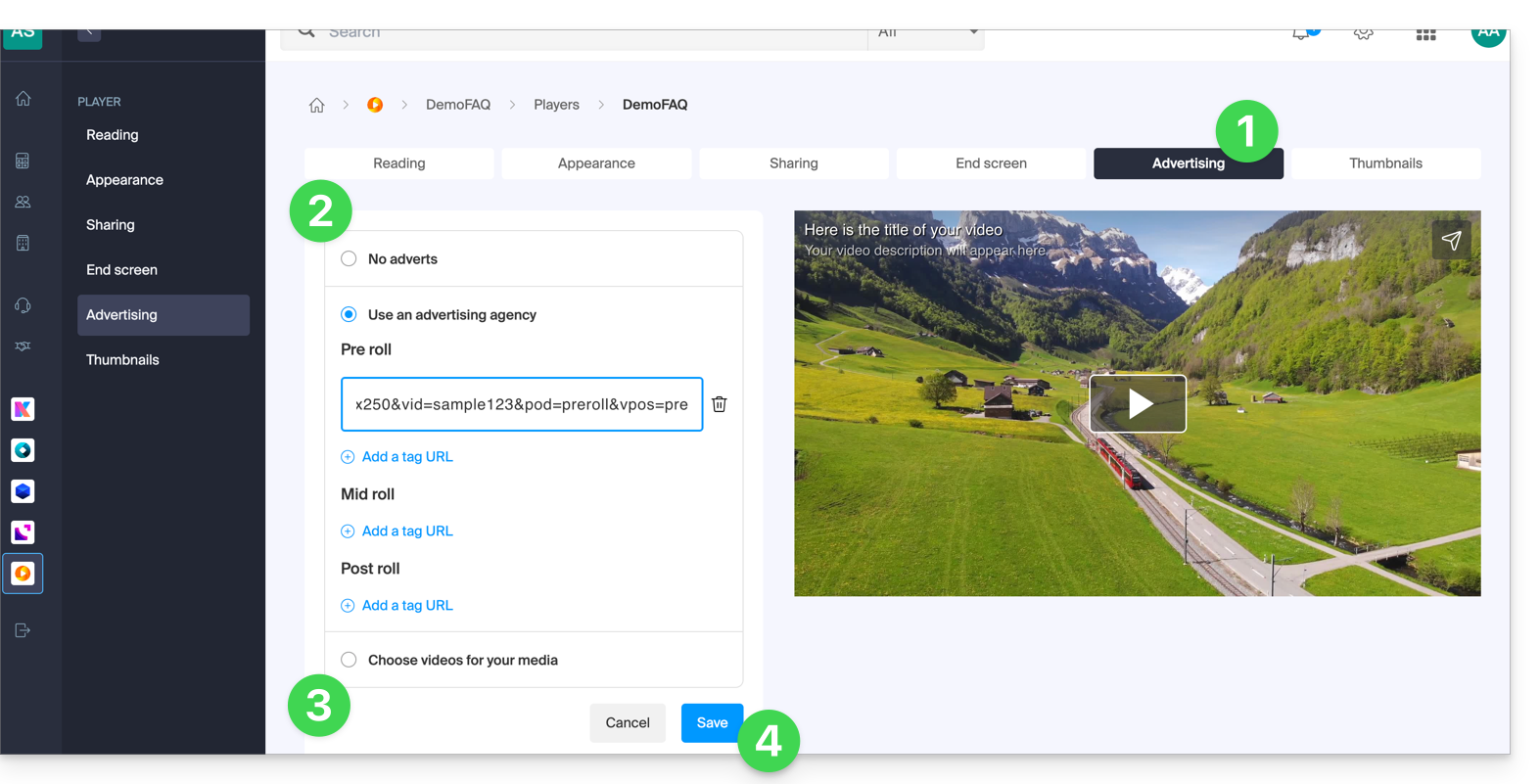
- Click on the Advertising tab.
- Choose between:
- no ads,
- links provided by your ad network,
- video(s) from your library.
- Note, you cannot mix the two types of ads; you lose the information already entered if you change the type of ad.
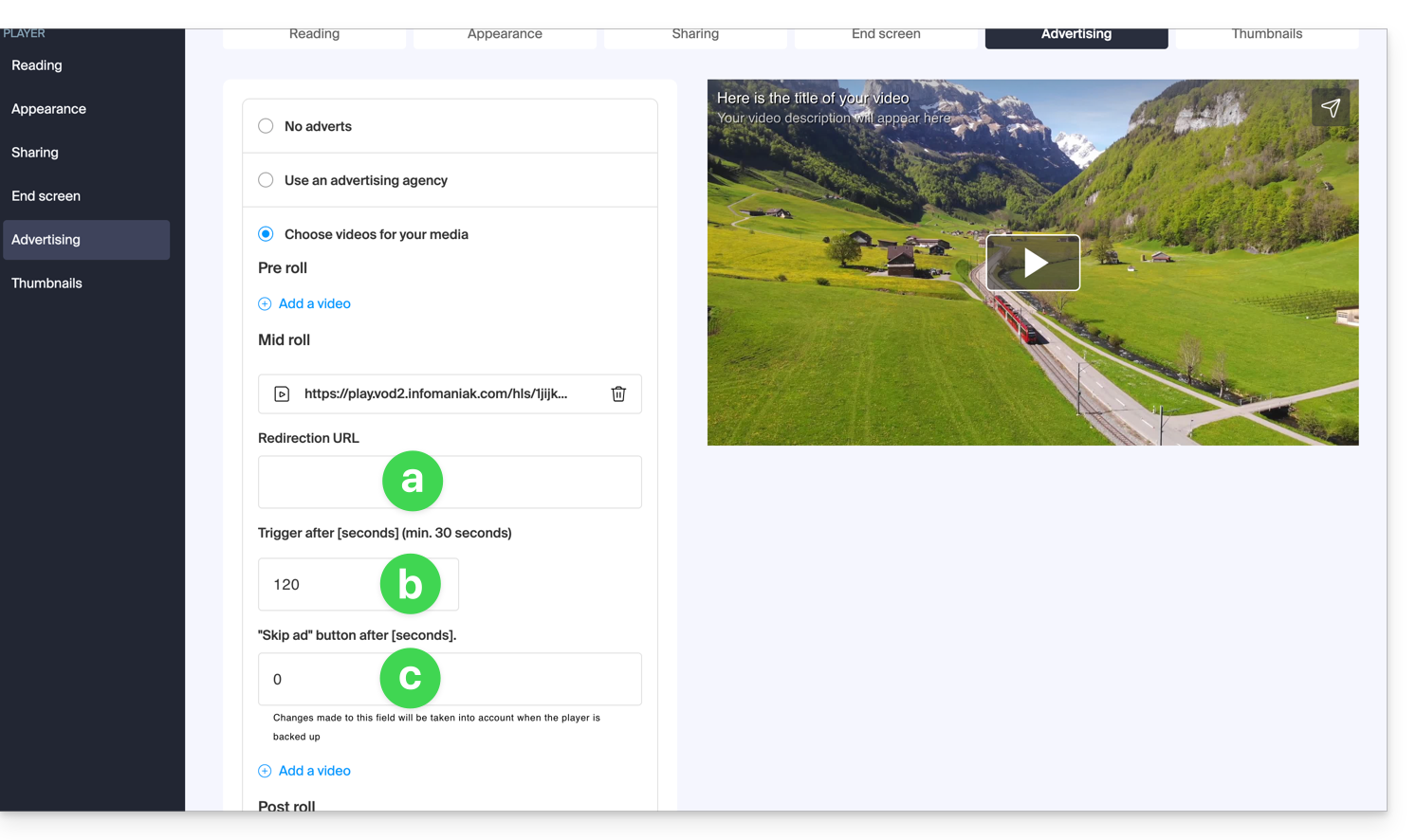
- If you choose one or more videos from your media, you can choose:
- the URL to which to send the viewer if they click on the ad to learn more,
- the moment when the video should start (only mid-roll),
- the moment when the viewer can skip the ad:
- Click the button to Save.
Link to this FAQ: https://faq.infomaniak.com/2527
Has this FAQ been helpful?