Knowledge base
1000 FAQs, 500 tutorials and instructional videos. Here, there are only solutions!
Transfer an audio stream from one radio station to another
This guide explains how to transfer audio streams from one of your Infomaniak Streaming Radio stations to another station within the same organization.
Refer to this other guide to transfer all streams from a Streaming Radio station to a new owner.
Transfer audio streams
To do this:
- Click here to access the management interface for your product in the Infomaniak Manager (need help?).
- Click directly on the name assigned to the product in question.
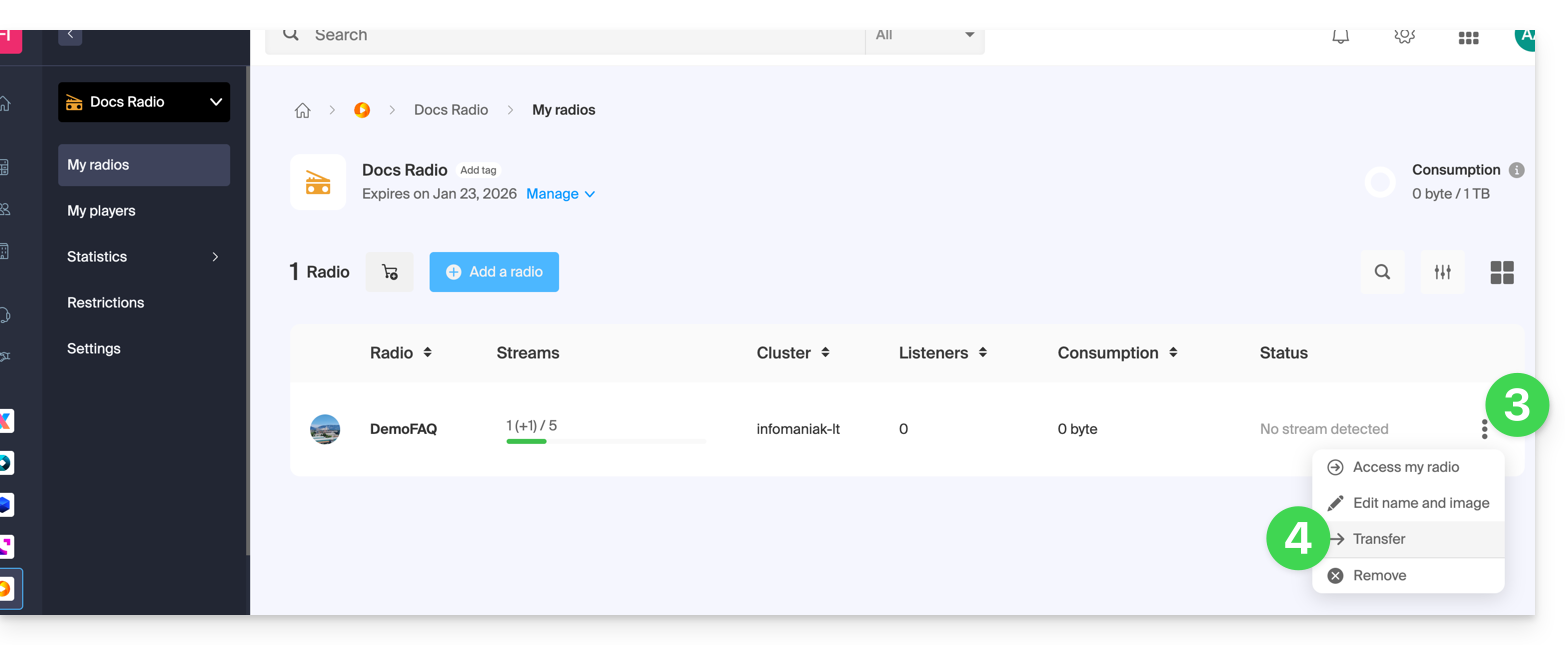
- Click on the action menu ⋮ located to the right of the item in question.
- Choose Transfer:
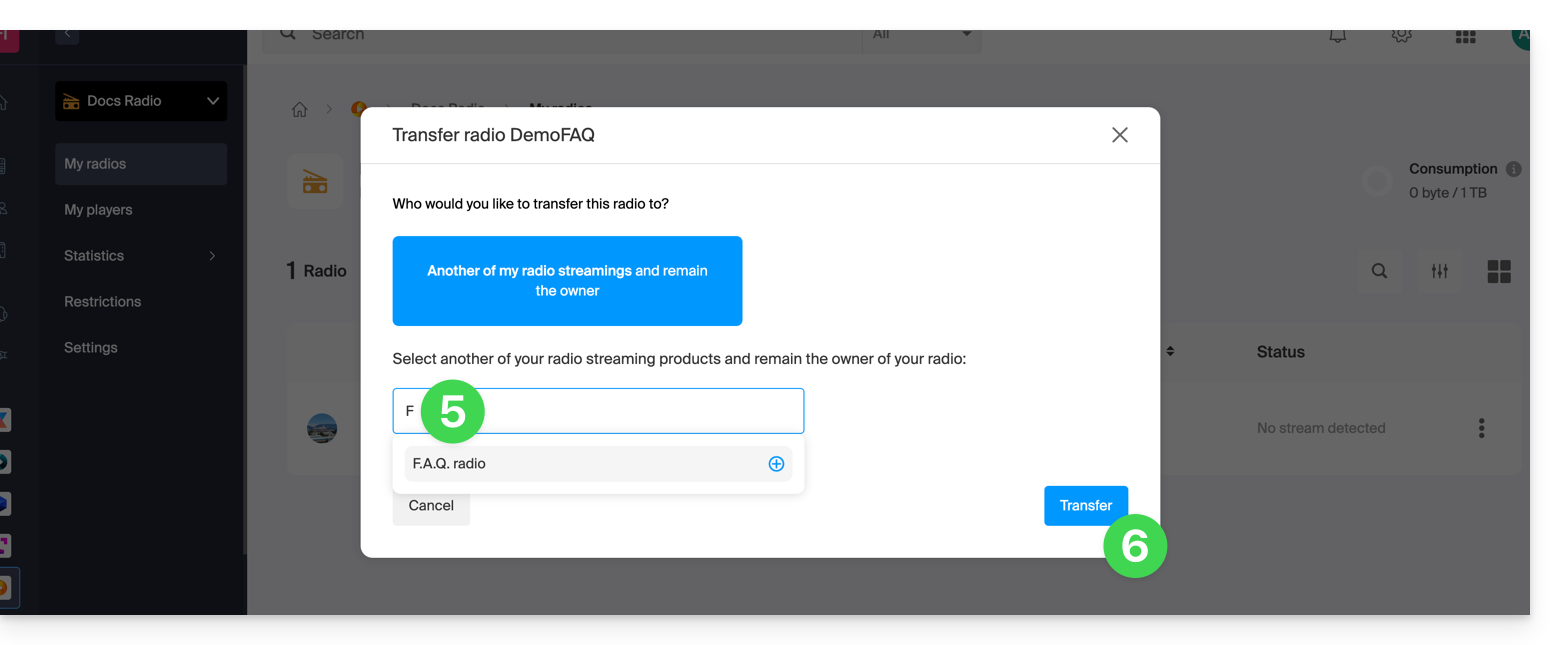
- Search for and confirm the name of the other radio you own within the same Organization.
- Confirm the transfer:
Refresh the Manager pages if necessary to update the displayed information.
Link to this FAQ: https://faq.infomaniak.com/2513
Has this FAQ been helpful?