Knowledge base
1000 FAQs, 500 tutorials and instructional videos. Here, there are only solutions!
Reply to an email via kChat
This guide explains how to respond to an email visible on the Web app Mail Infomaniak (online service ksuite.infomaniak.com/mail) by sending the response directly in the Web app kChat (online service ksuite.infomaniak.com/kchat) or the desktop app, in the form of a private message to the email sender.
Preamble
- This feature allows you to respond to an email directly in kChat, with a reminder of the original message to facilitate understanding.
- It aims to streamline collaboration by allowing you to react quickly to an email without leaving the kSuite environment.
- It reduces the back and forth between classic messaging and the collaborative workspace.
Send a response to an email via kChat
Prerequisites
- The button providing access to the feature will only appear in the case of an email received from a sender attached to the kSuite, and this within the same Organization as the user who wishes to respond.
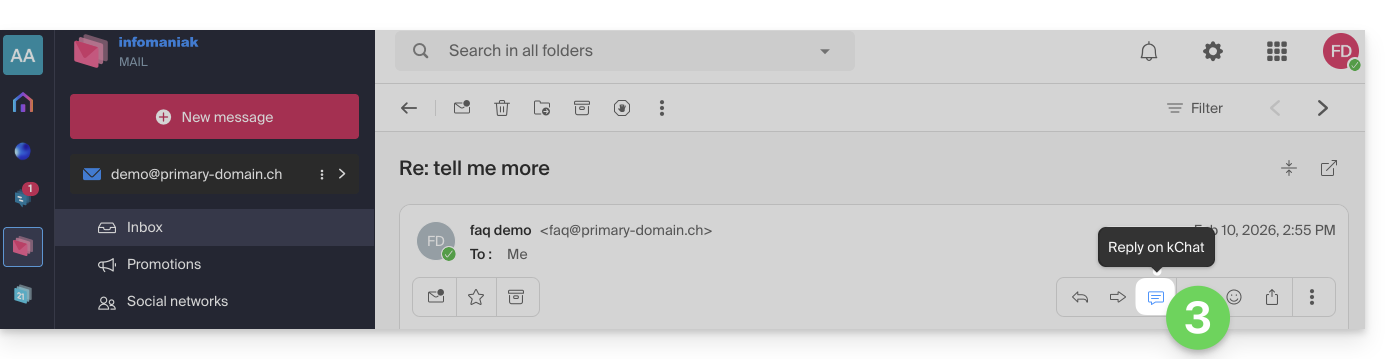
- To display a shortcut to this feature as in the first point 3 below, refer to this other guide.
When you have received an email from a colleague and you want to respond to them directly on kChat:
- Click here to access the Web app Mail Infomaniak (online service ksuite.infomaniak.com/mail).
- Open the message to be replied to by kChat.
- Click on the kChat icon in the email toolbar:
- It is also possible to click on a button below the message:
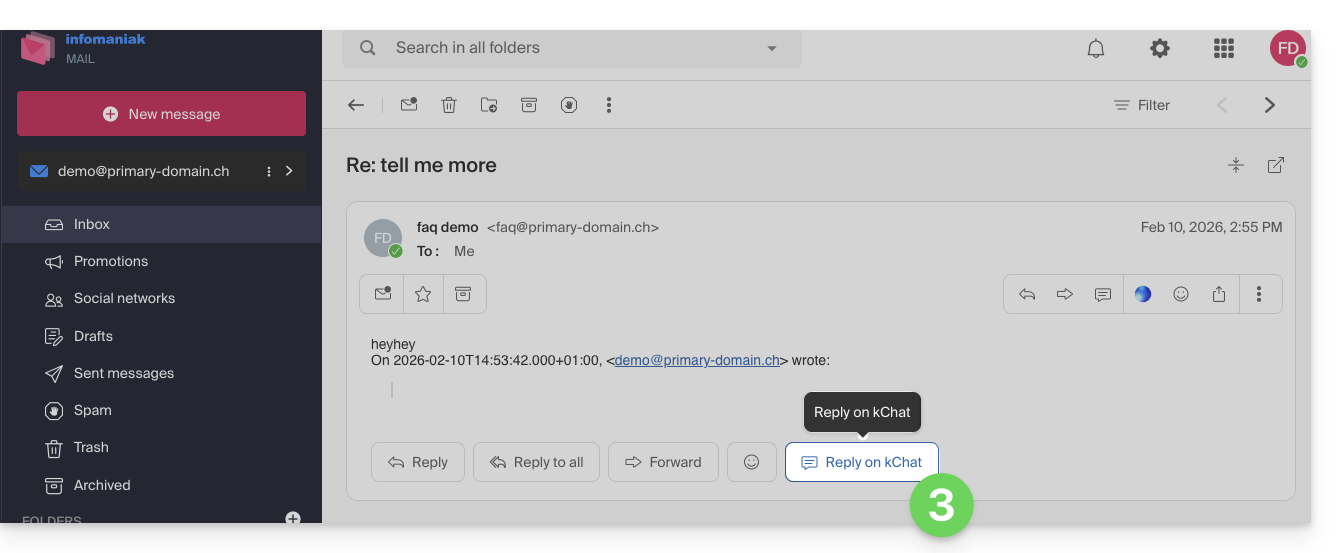
- It is also possible to click on a button below the message:
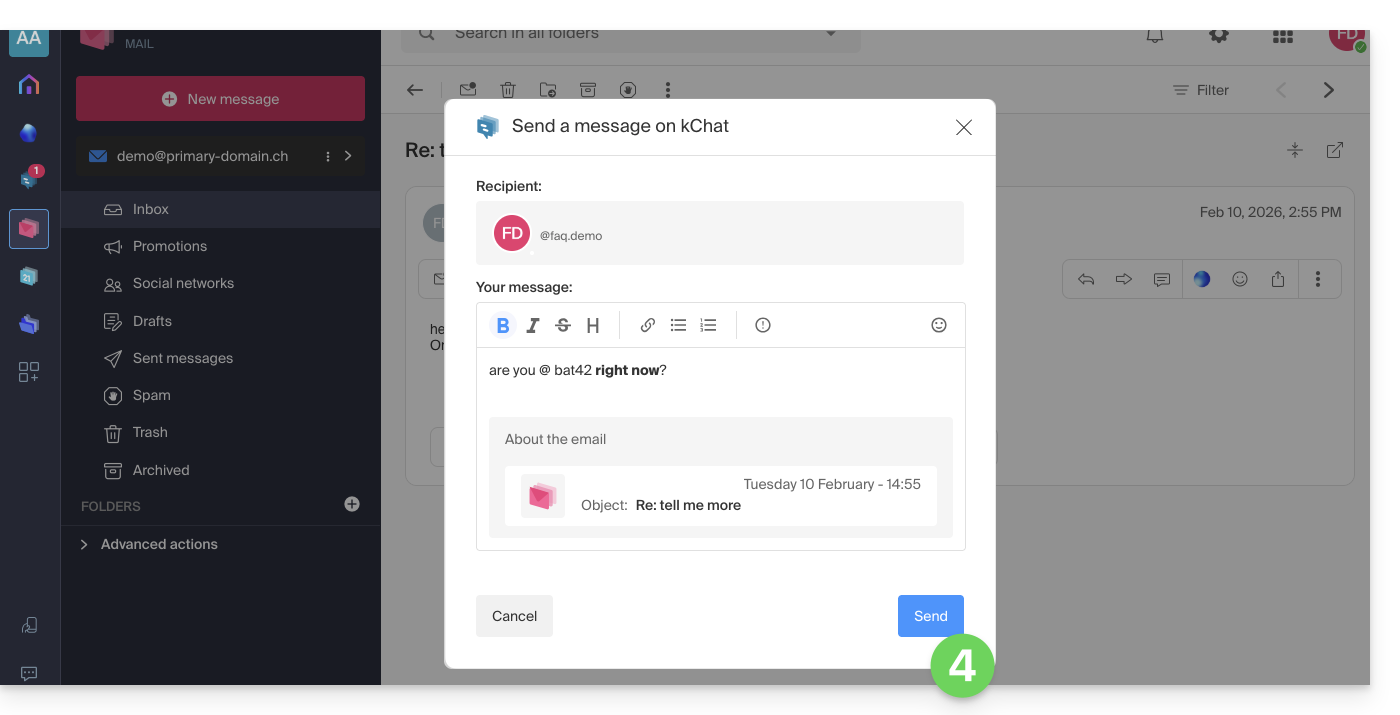
- Write your kChat message, format it if necessary and click on the Send button at the bottom right:
- Your correspondent receives the message on kChat accompanied by a box representing the original email (date & time, subject):
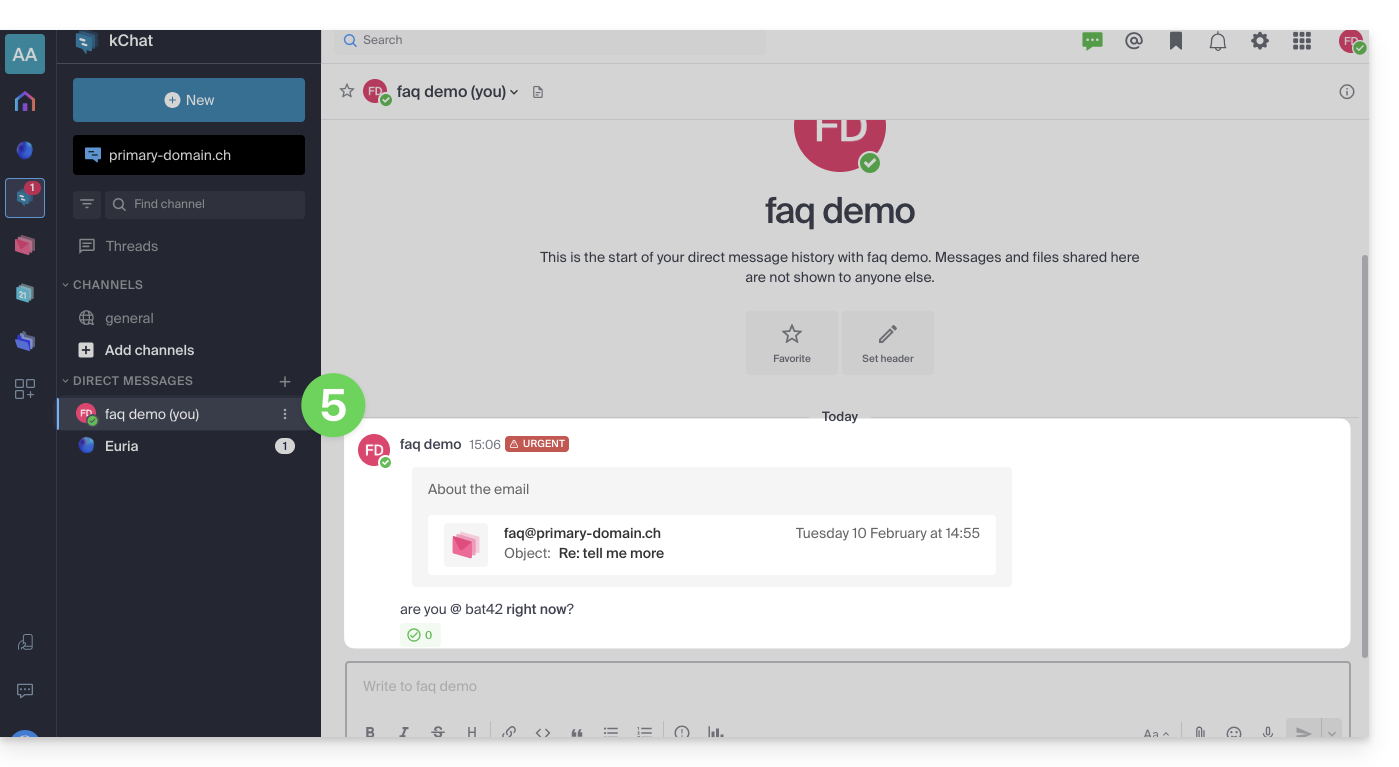
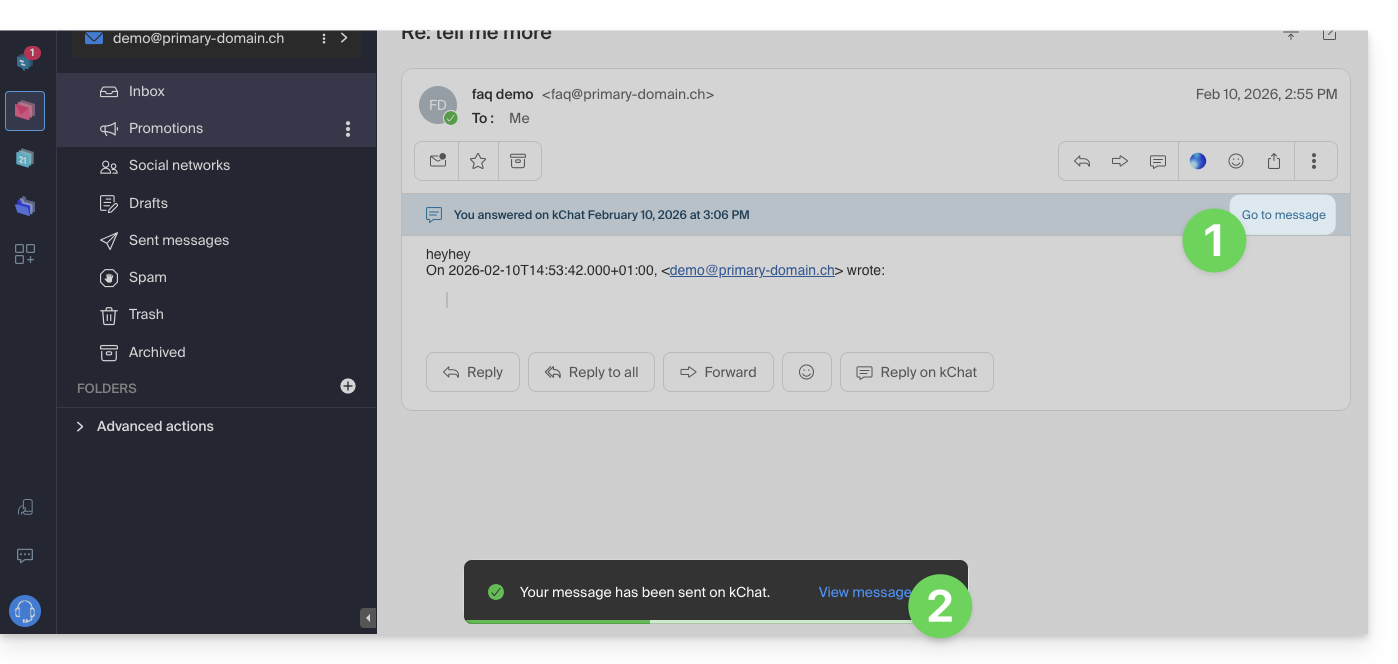
You can access this message on kChat (in the thread of private messages exchanged with your correspondent as above) but also:
- in an information banner on the email conversation,
- in the send confirmation message:
Link to this FAQ: https://faq.infomaniak.com/2512
Has this FAQ been helpful?