Knowledge base
1000 FAQs, 500 tutorials and instructional videos. Here, there are only solutions!
Replace a VOD/AOD media file
This guide explains how to replace an already imported media file in an Infomaniak VOD/AOD space and thus preserve the history of statistics.
Add a new media file to replace another
To access a media file in the VOD space:
- Click here to access the management of your VOD/AOD in the Infomaniak Manager (need help?).
- Click directly on the name assigned to the product in question:
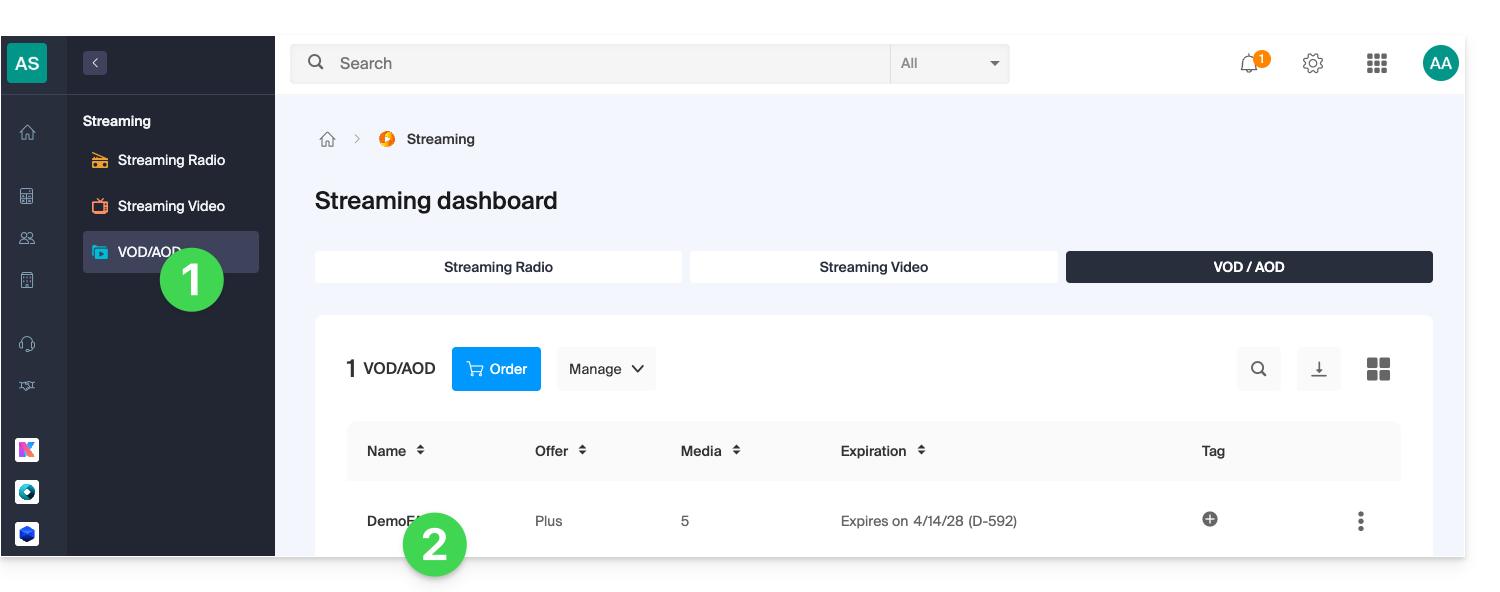
- Click on Media in the left-hand menu.
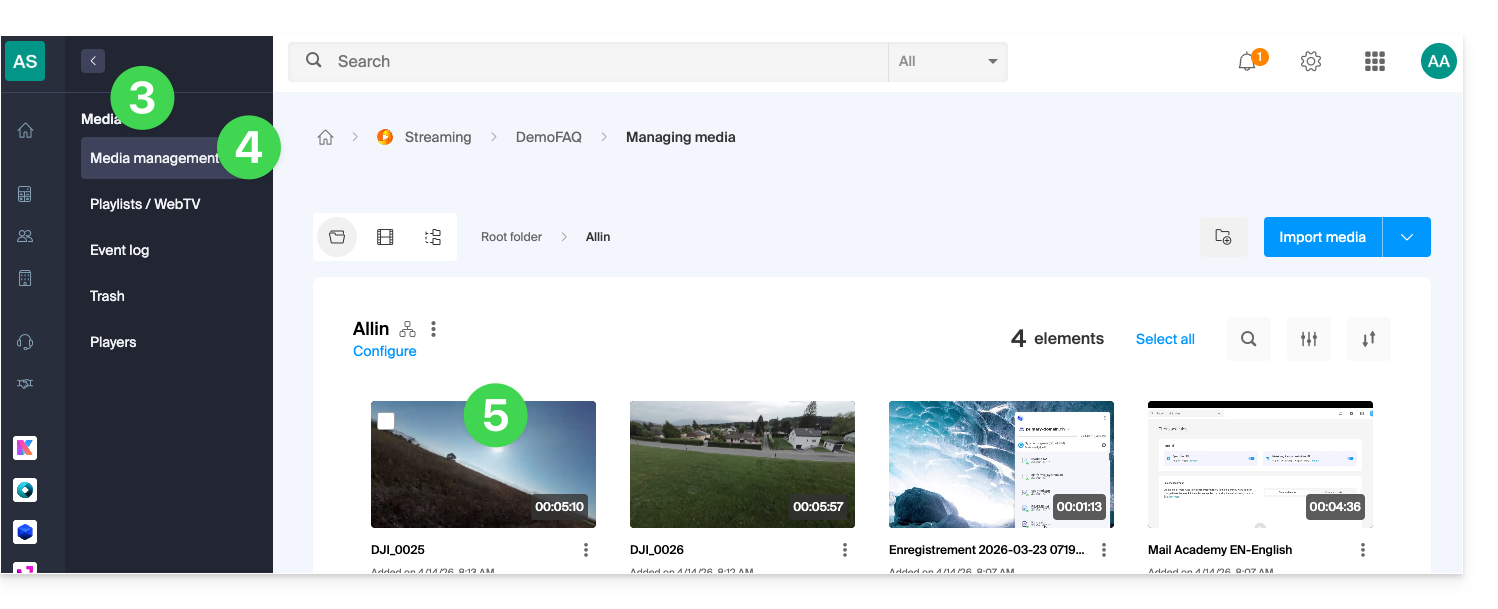
- Click on Media Management in the left-hand menu.
- Click on the relevant media:
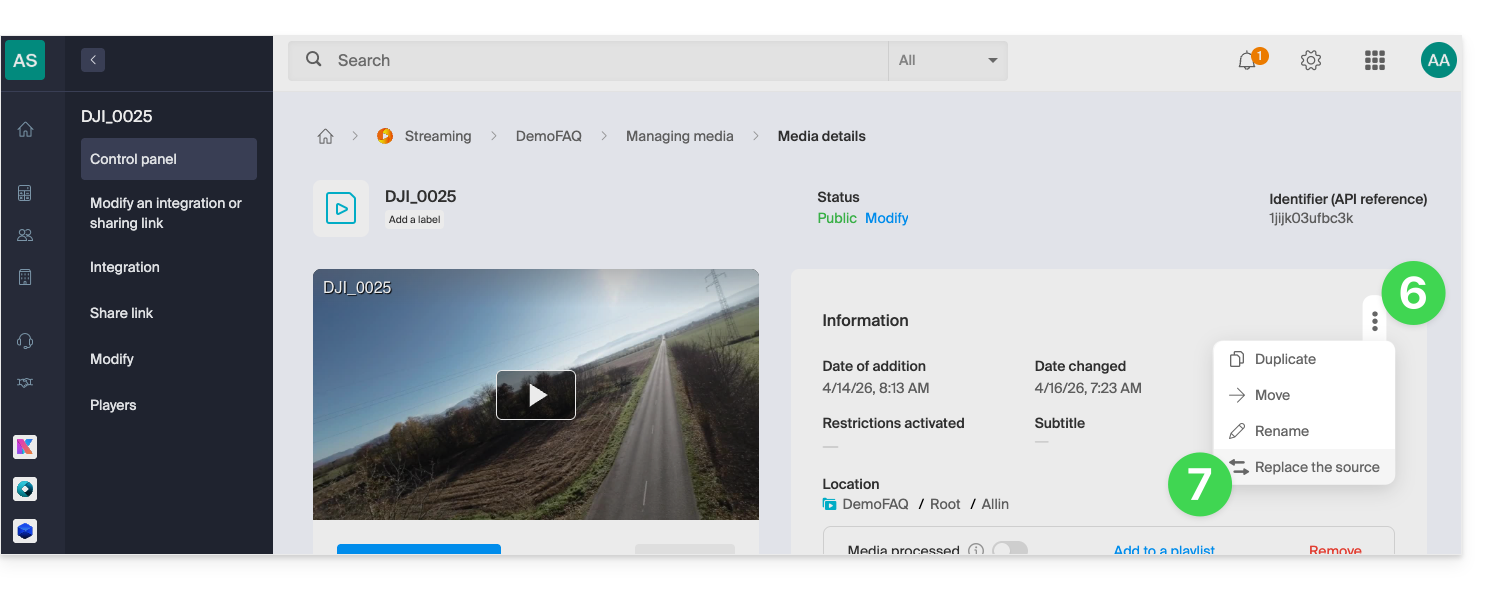
- Click on the action menu ⋮ located to the right, under Information.
- Click on Replace source:
- Choose the media file on the device's hard drive (or on a removable storage device) and upload it:
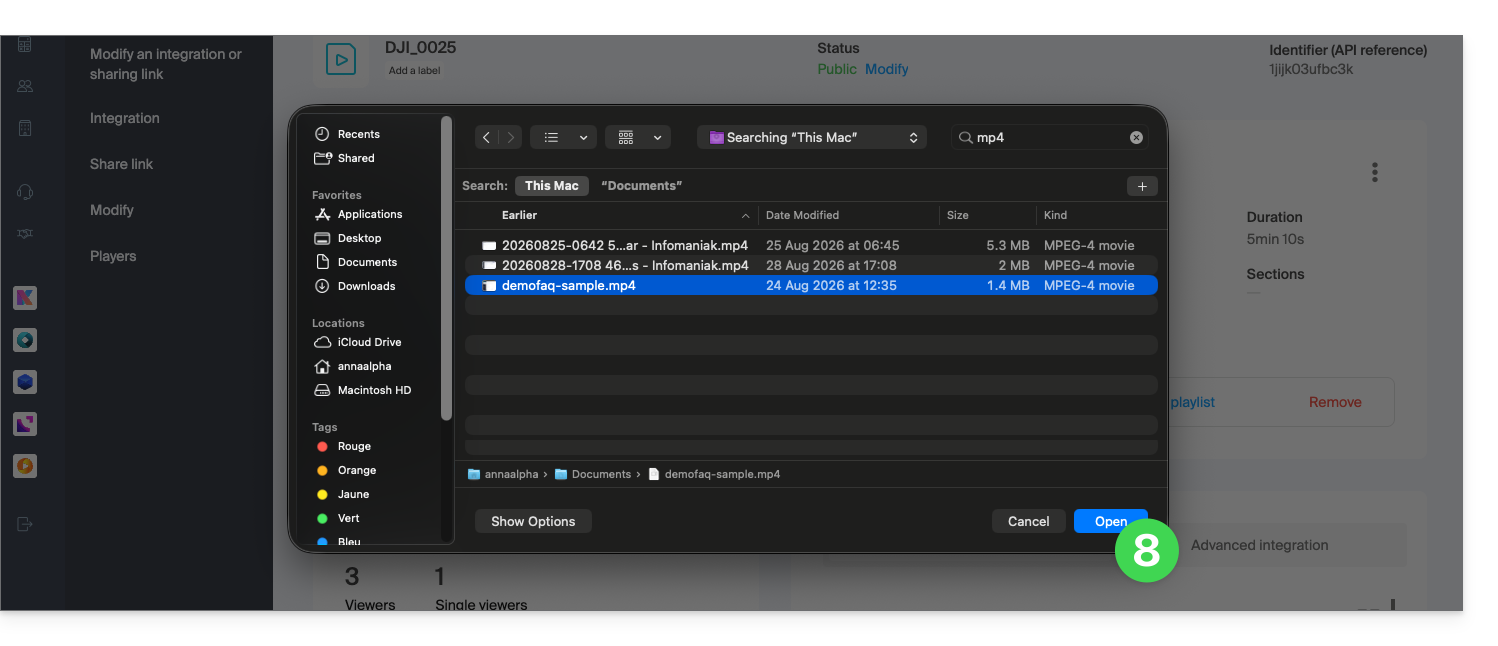
- Wait for the encoding process to complete so that the media file replaces the previous one.
A media file can also be replaced by uploading it via FTP, using the same file name as the existing one.
Link to this FAQ: https://faq.infomaniak.com/2511
Has this FAQ been helpful?