Knowledge base
1000 FAQs, 500 tutorials and instructional videos. Here, there are only solutions!
Replace a VOD/AOD media
This guide explains how to replace an already imported media on an Infomaniak VOD/AOD space and thus preserve the statistics history.
Add a new media to replace another
To access a media from the VOD space:
- Click here to access the management of your VOD/AOD on the Infomaniak Manager (need help?).
- Click directly on the name assigned to the product concerned:
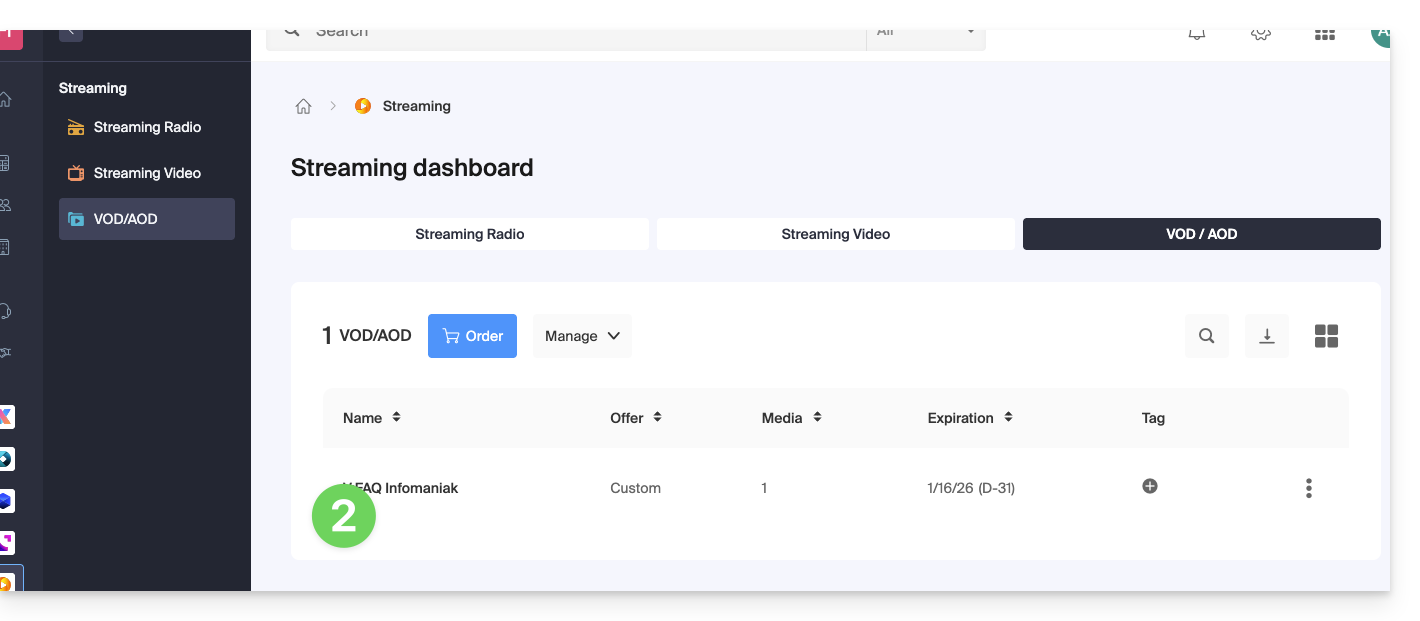
- Click on Media in the left sidebar menu.
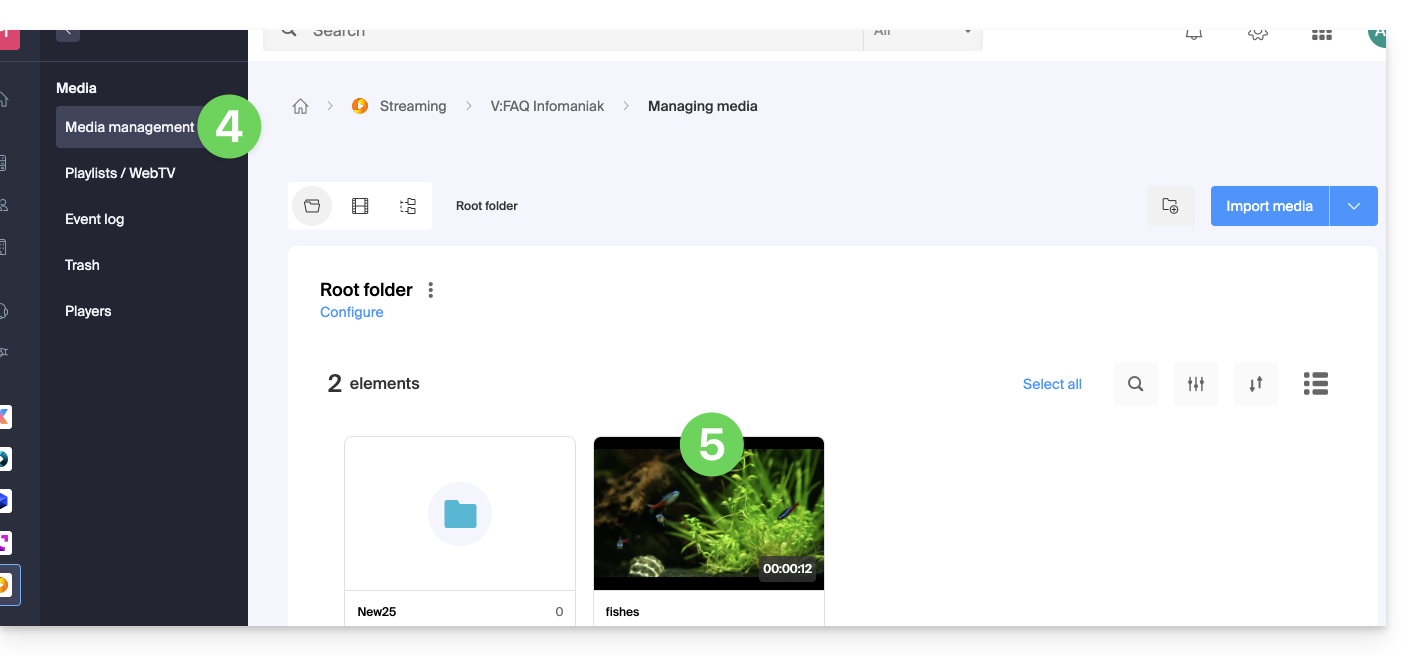
- Click on Media management in the left sidebar menu.
- Click on the media concerned:
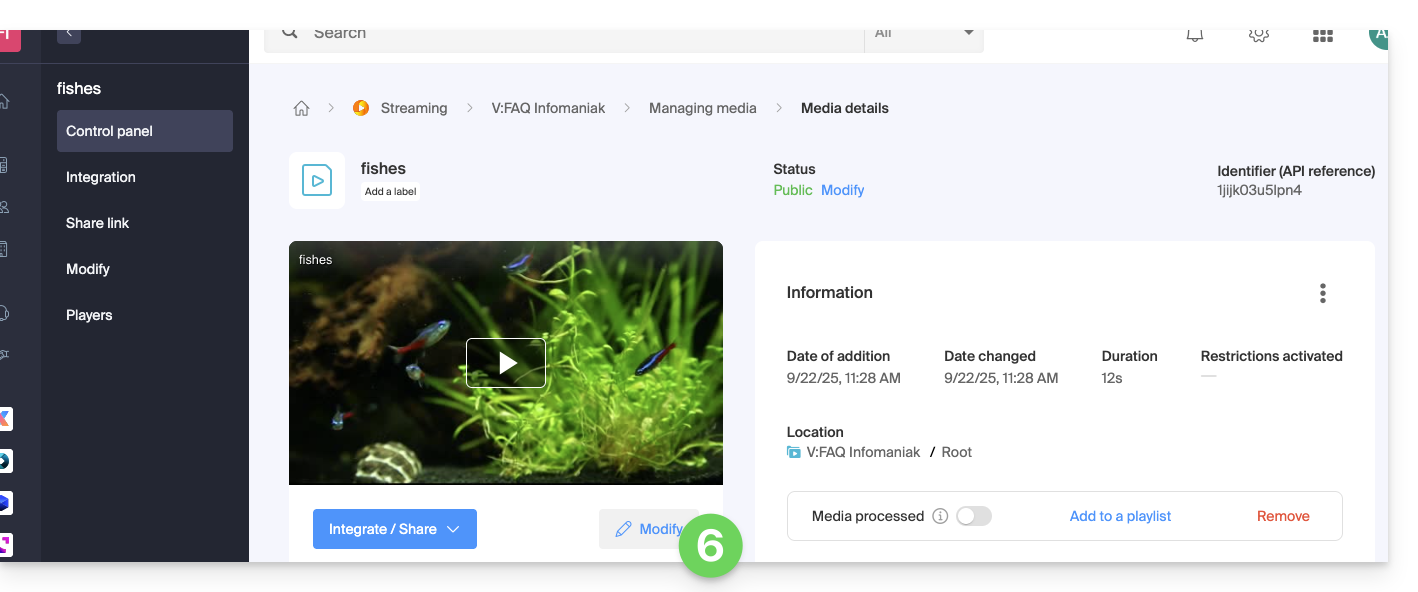
- Click on the Edit button:
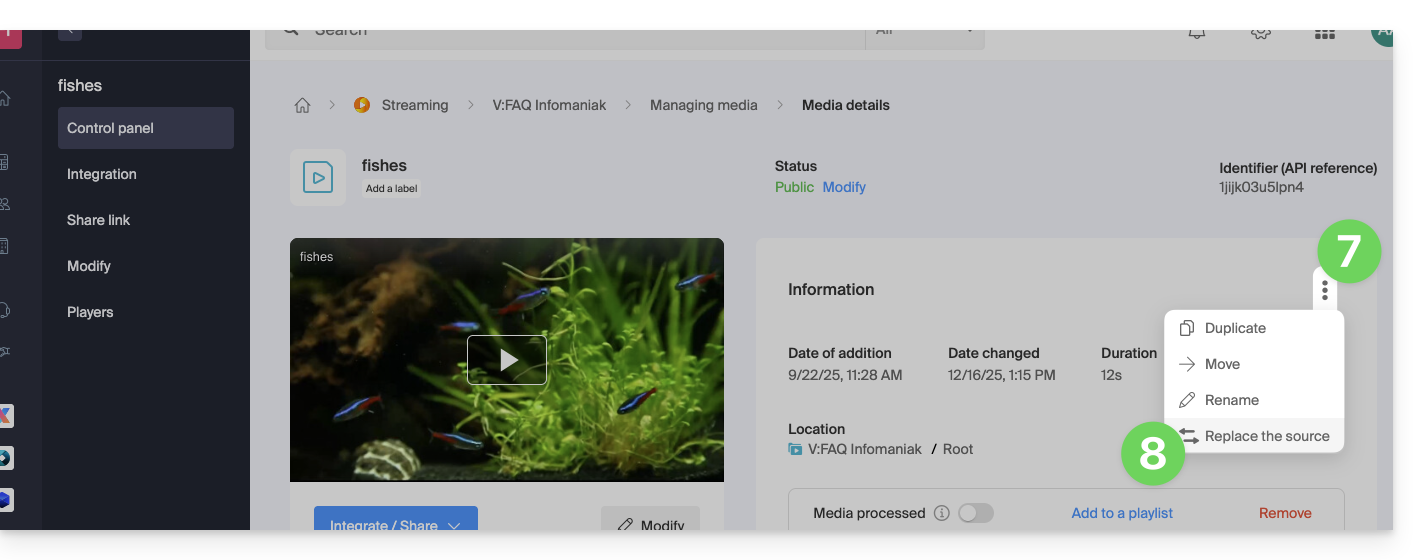
- Click on the action menu ⋮ located to the right under Information.
- Click on Replace source:
- Choose the media from the device's hard drive (or from a removable media) and upload it.
- Wait for the encoding to complete so that the media replaces the previous one.
Replacing a media can also be done via FTP using the same file name as the existing one.
Link to this FAQ: https://faq.infomaniak.com/2511
Has this FAQ been helpful?