Knowledge base
1000 FAQs, 500 tutorials and instructional videos. Here, there are only solutions!
Troubleshooting a Web Redirection Error
Update 10/05/2026
You have reached this page because a web redirection on your domain is incorrectly configured. Infomaniak is unable to identify the correct path for this redirection, so you are being redirected to this page to help you correct the situation.
DNS Zone Check
To restore the functionality of your redirection, you must first remove any traces of a previously misconfigured redirection:
- Access your DNS zone (❓: help).
- Delete the relevant records (refer to the list below) that correspond to your redirection.
- Click on the action menu ⋮ to the right of the DNS entry in question and select Delete:
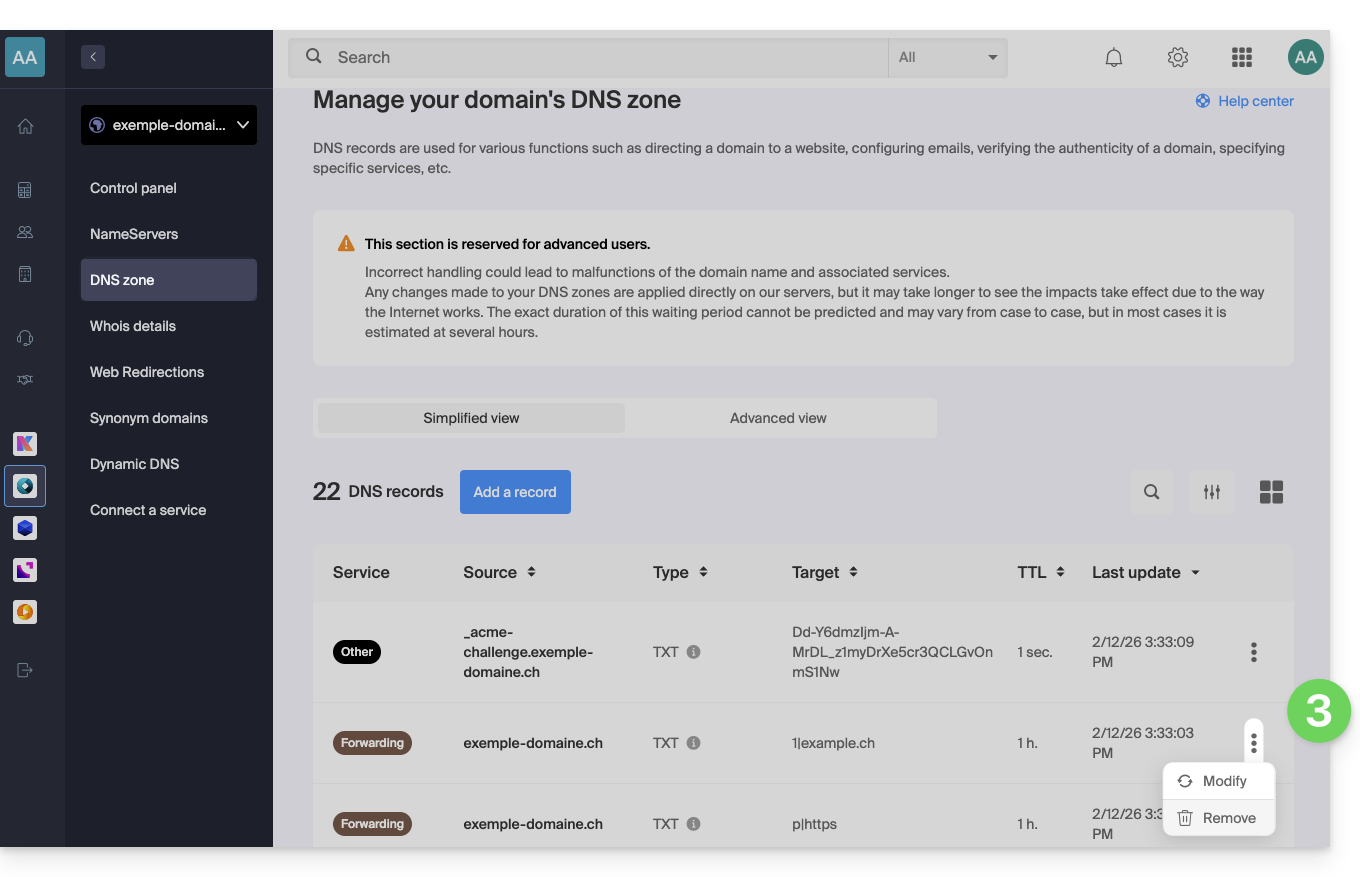
- You probably won't find all the records listed, and that's perfectly normal.
- Any DNS addition/modification may take up to 48 hours to propagate (❓: help).
- Recreate the web redirection (❓: help).
List of records to check and delete
DNS records can be of the following types:
A, which points toxx.xx.xx.xx(only numbers)AAAArecords that point to an IP addressxxxx:xxxx:x:x::x(a combination of numbers and letters).TXTrecords whose string resembles "(number)|(URL)"- for example,
1|infomaniak.comif your redirection points to infomaniak.com
- for example,
TXTwhere the string resembles "(letter)|(text)"- for example
t|Text,d|Textork|Text
- for example
Link to this FAQ: https://faq.infomaniak.com/2506
Has this FAQ been helpful?