Knowledge base
1000 FAQs, 500 tutorials and instructional videos. Here, there are only solutions!
Cancel Custom Brand
This guide explains how to cancel the URL customization product from your Infomaniak Manager.
Introduction
- It will no longer be possible to access the tools via your domain name. Remember to inform your users of the default addresses (
ksuite.infomaniak.com,ksuite.infomaniak.com/mail, etc.). - Any outstanding or overage charges will still be due.
- A cancellation confirmation is sent to any other administrators of the Organization.
Procedure for cancelling the custom URL
To access the Custom Brand offer cancellation:
- Click here to access your product management in the Infomaniak Manager (need help?).
- Scroll down to the Custom Brand service and click on Cancel (you can also simply temporarily disable it):
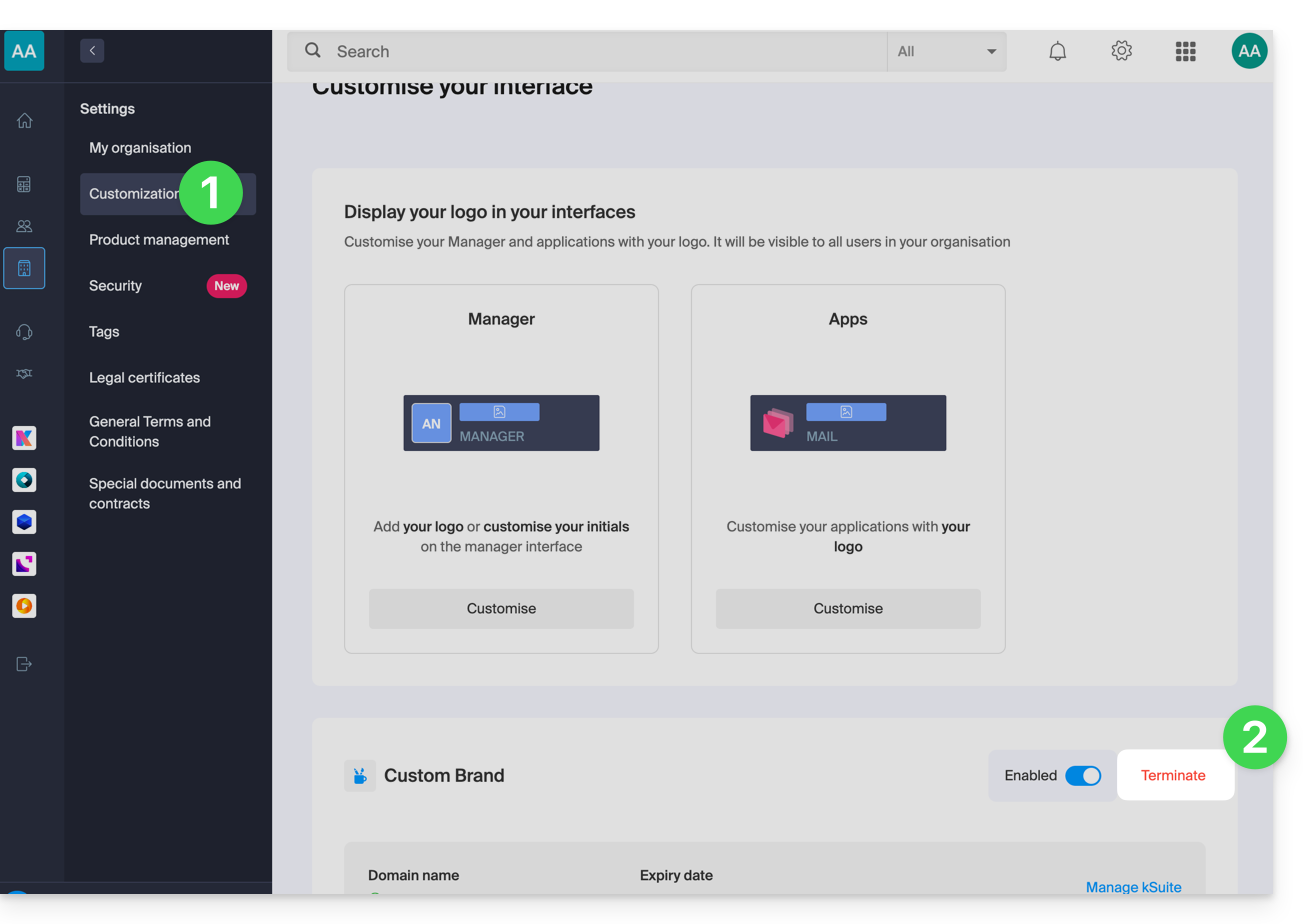
- Follow the procedure until the end.
Link to this FAQ: https://faq.infomaniak.com/2503
Has this FAQ been helpful?