Knowledge base
1000 FAQs, 500 tutorials and instructional videos. Here, there are only solutions!
Modify an existing my kSuite plan
This guide explains how to upgrade your my kSuite plan (ik.me, etik.com, ikmail.com) and switch to a paid plan.
Introduction
- To help you identify the my kSuite / kSuite plan that best suits your needs, please refer to this other guide.
- You don't have to change a my kSuite plan just to add services: please refer to this other guide about Organizations.
Upgrade to my kSuite+
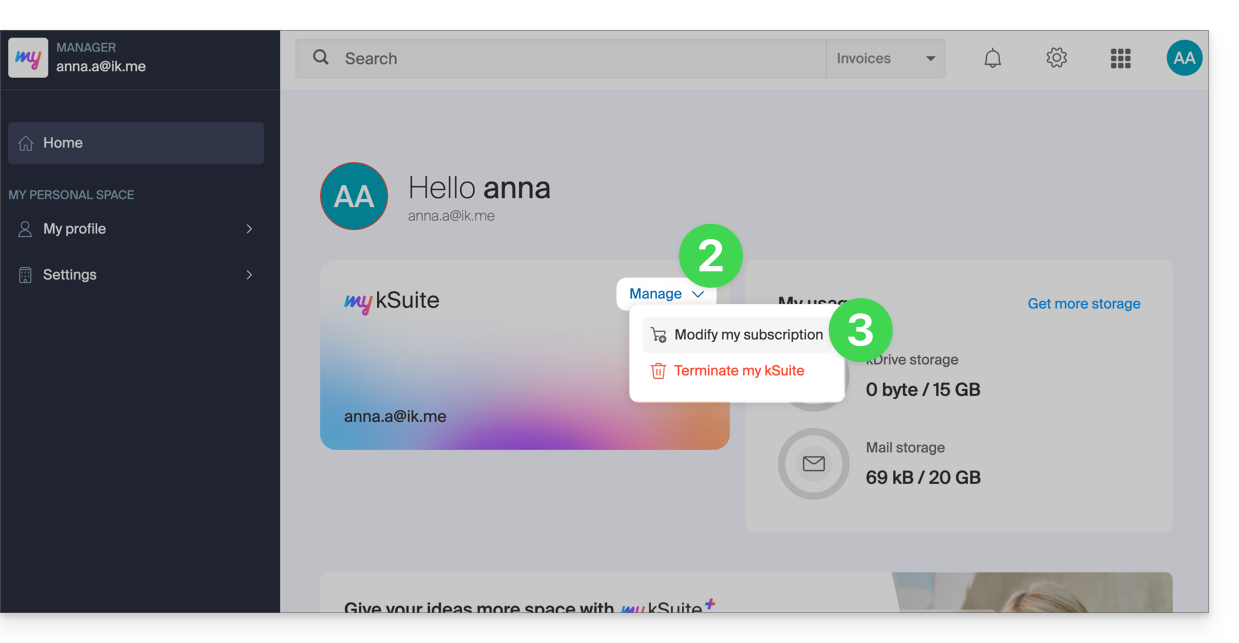
To access the current my kSuite plan and switch to the upgraded plan (❓: help) my kSuite+:
- Click here to access the Manager for your my kSuite plan.
- Click on the chevron to the right of Manage.
- Choose Modify my plan to upgrade from the free plan to a paid, more comprehensive plan:
- The reverse (switching from my kSuite+ back to my kSuite) is also possible in the same place, but any incurred fees will still be due.
Upgrade to kSuite Pro
You can change your my kSuite / my kSuite+ plan and its email address (…@ik.me/…@etik.com/…@ikmail.com) to have a custom email address (…@your-domain…) within a kSuite Pro (Free/Standard/Business/Enterprise) plan. The content on kDrive can also be migrated.
1. Add a device password to your my kSuite / my kSuite+ address
To enable later recovery of your emails, you must assign a device password to your current email address:
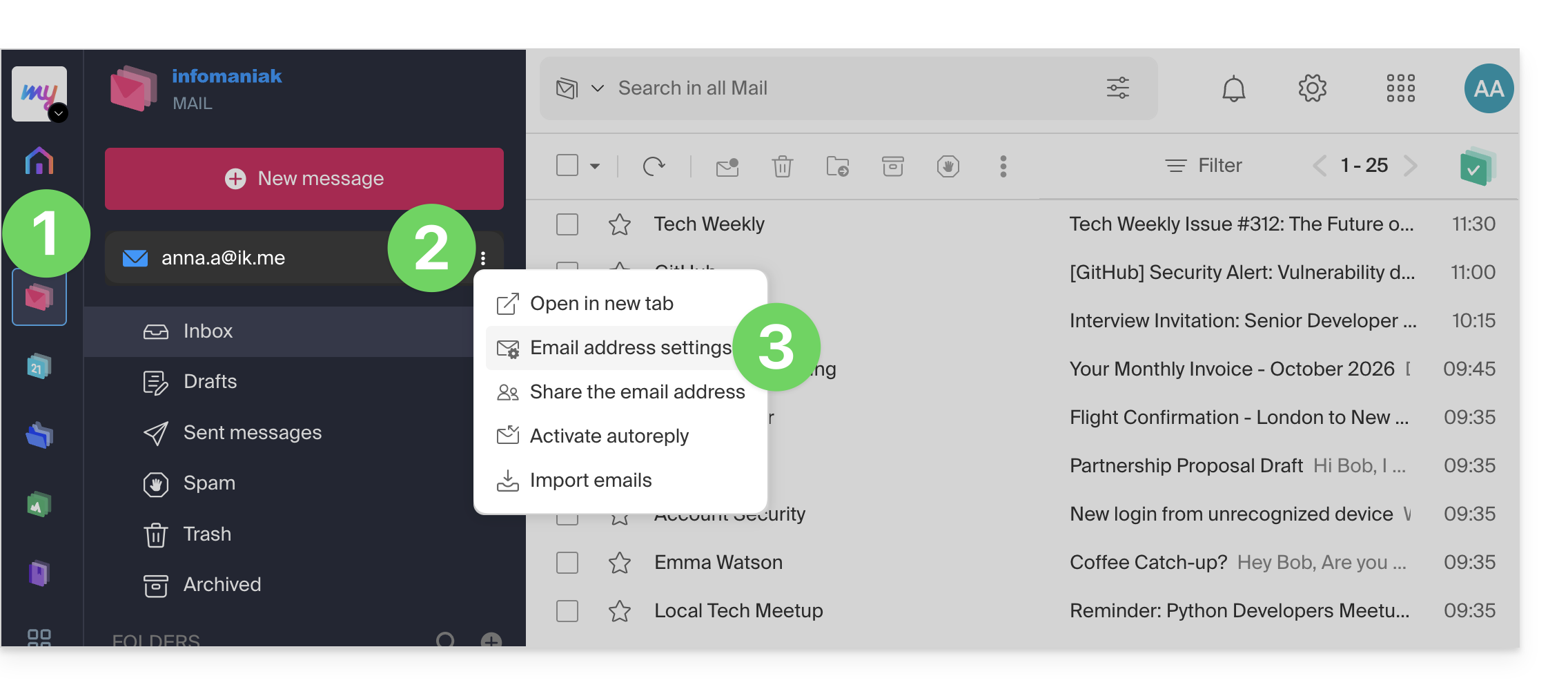
- Click here to access your emails on your Infomaniak mykSuite / mykSuite+ account (❓: help).
- Click on the action button ⋮ to the right of your email address.
- Click on the settings for the email address:
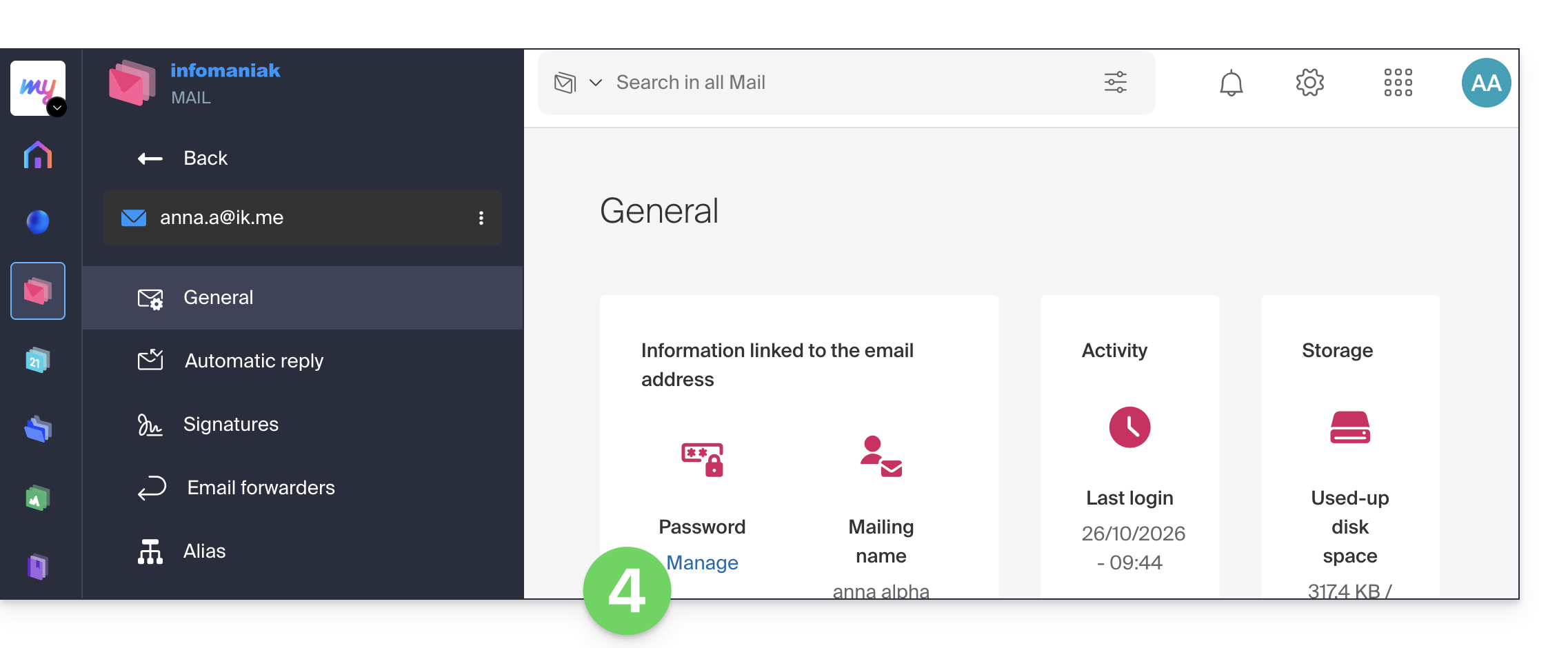
- Click on Manage password:
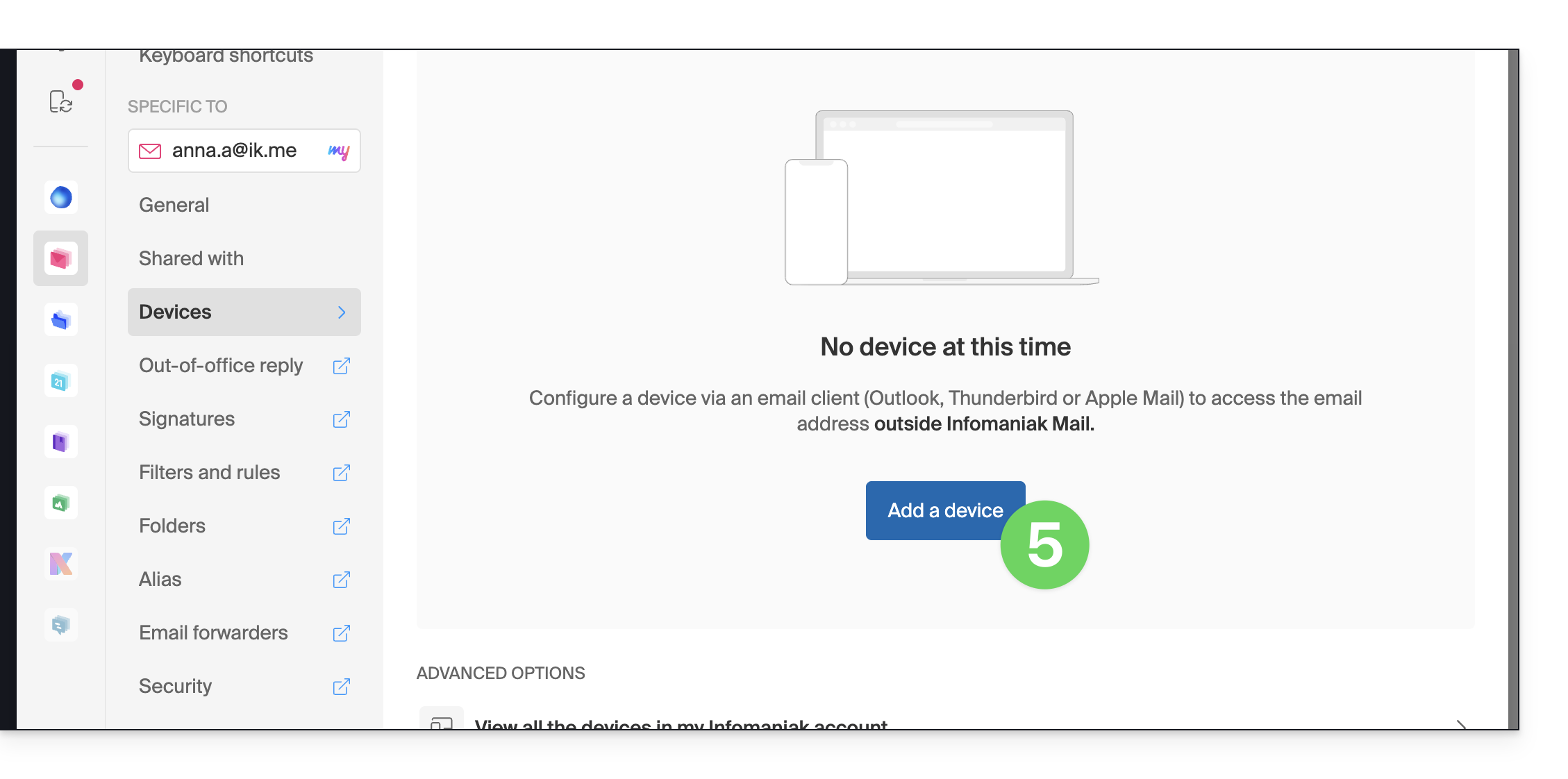
- Click on Add a device:
- Enter the login password if required for security purposes:
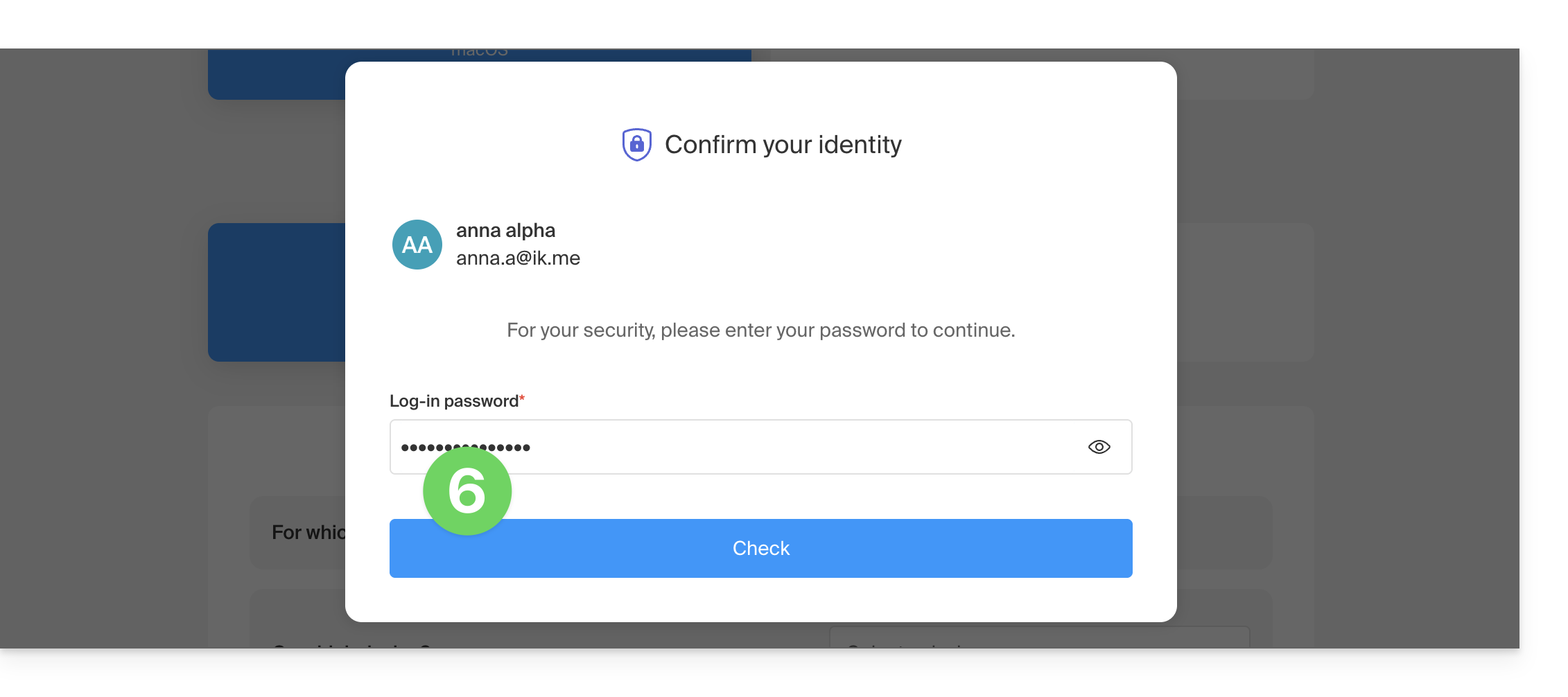
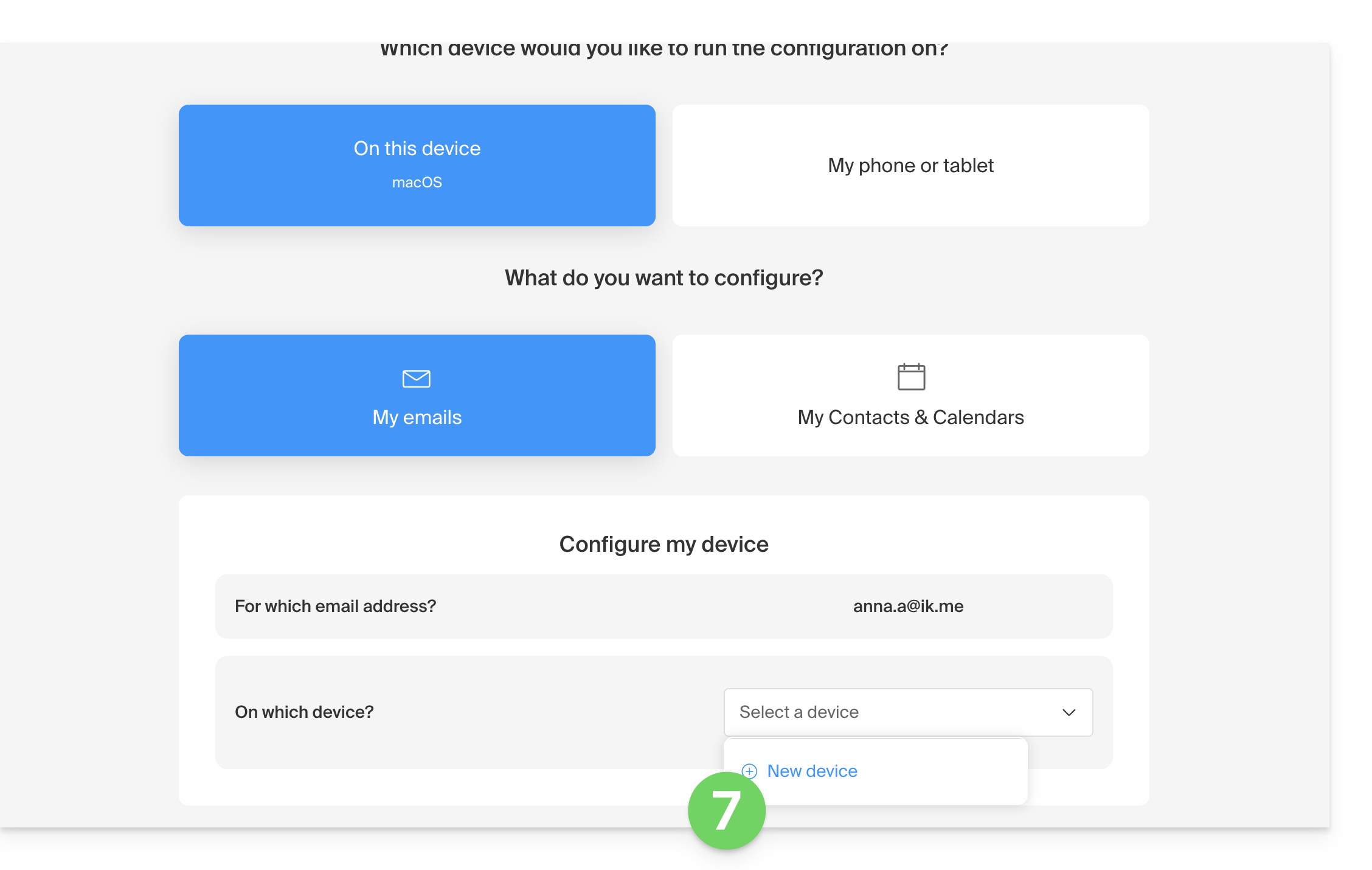
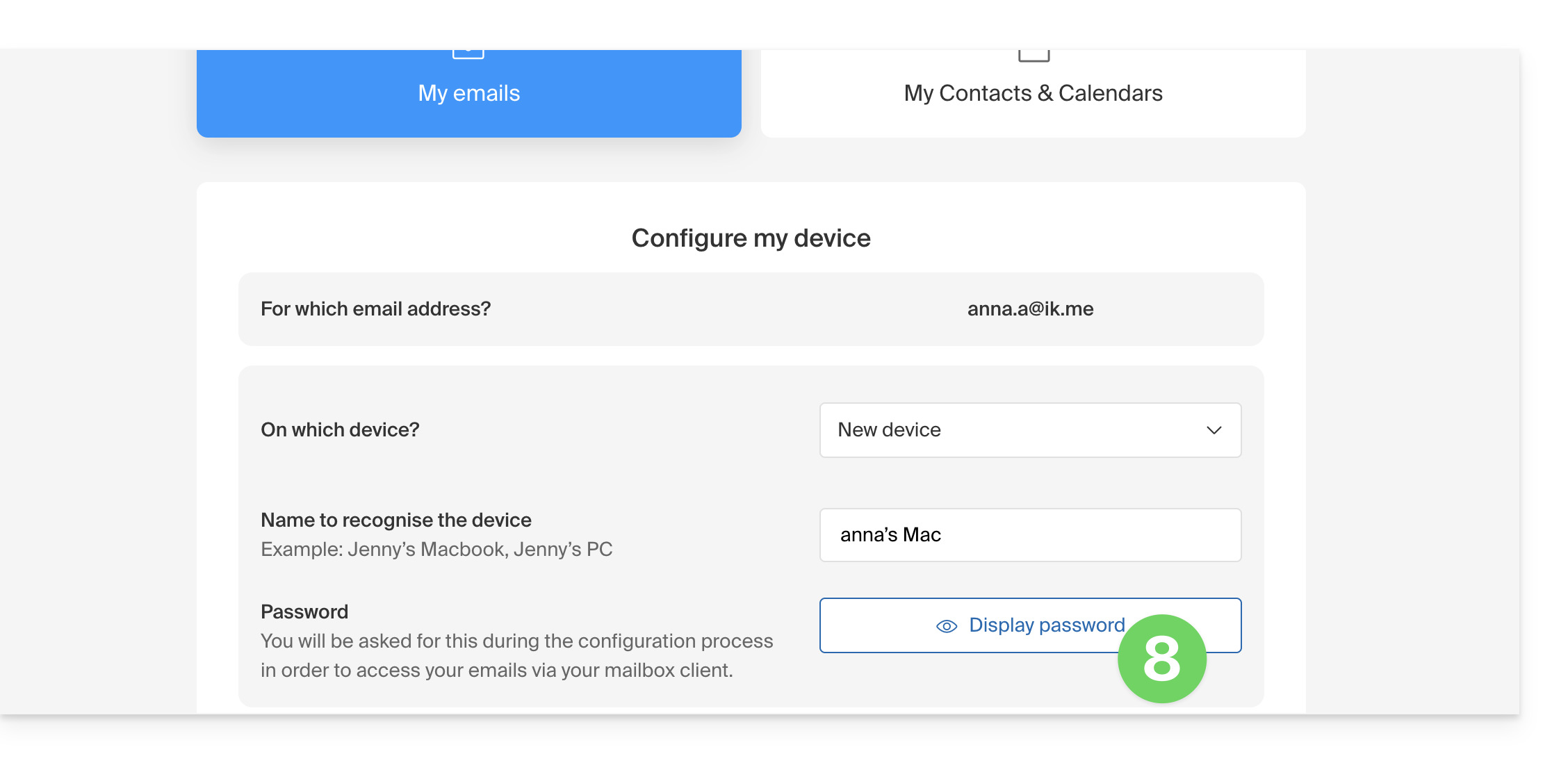
- Follow the wizard according to your needs, until a new device is created:
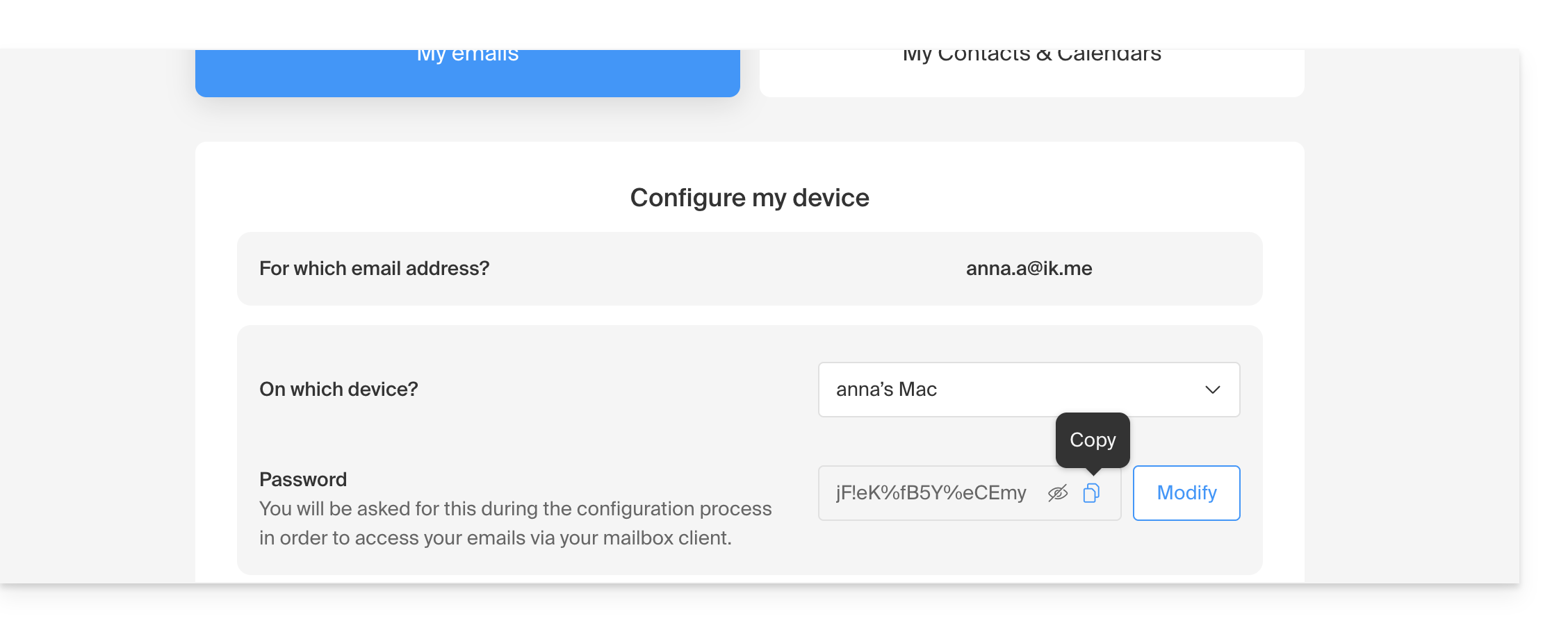
- This will allow you to generate a new secure password:
- Copy it, you will need it later:
2. Order the kSuite Pro offer
- Click here to access the various kSuite offers.
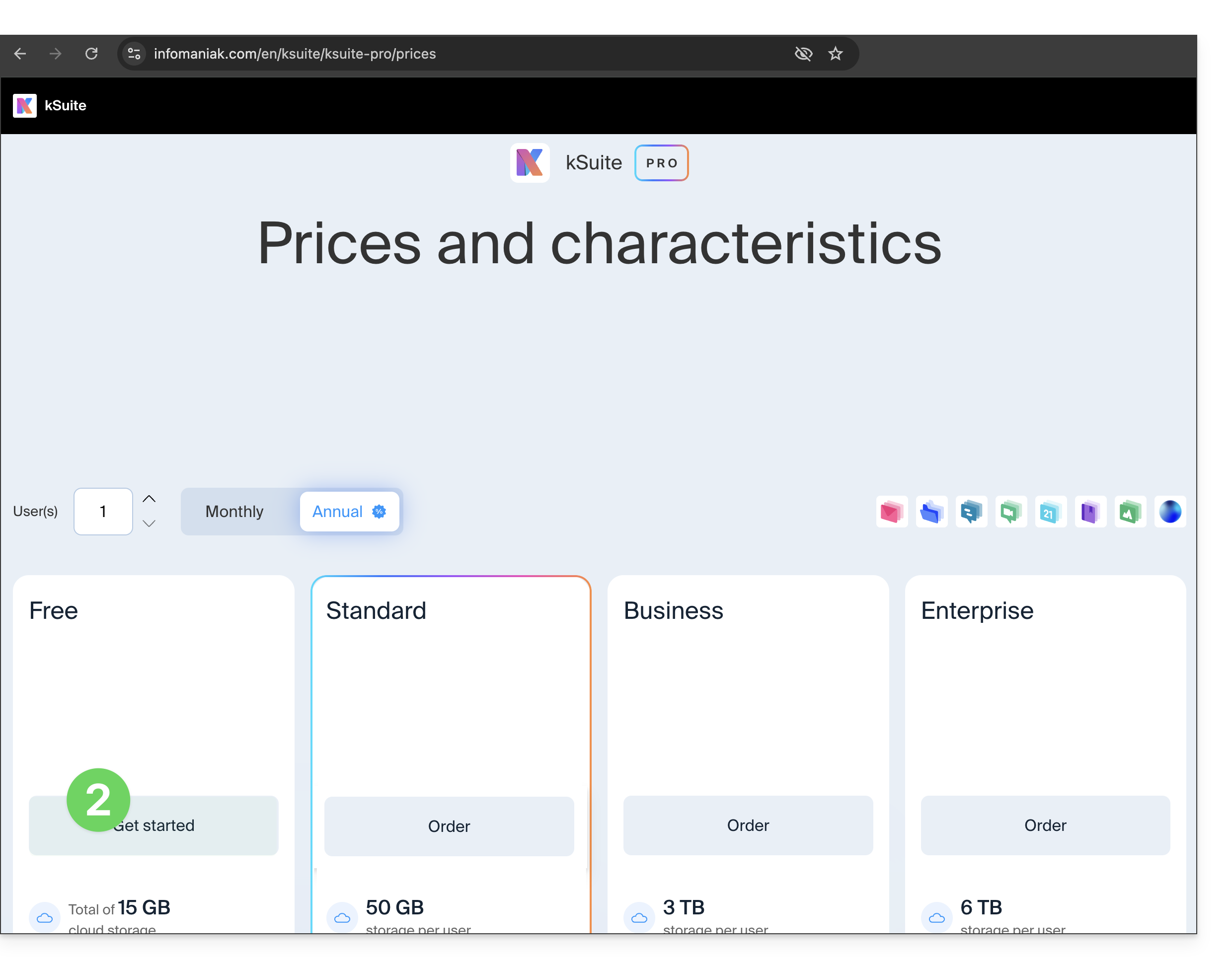
- Compare and click on the button for the offer that suits you:
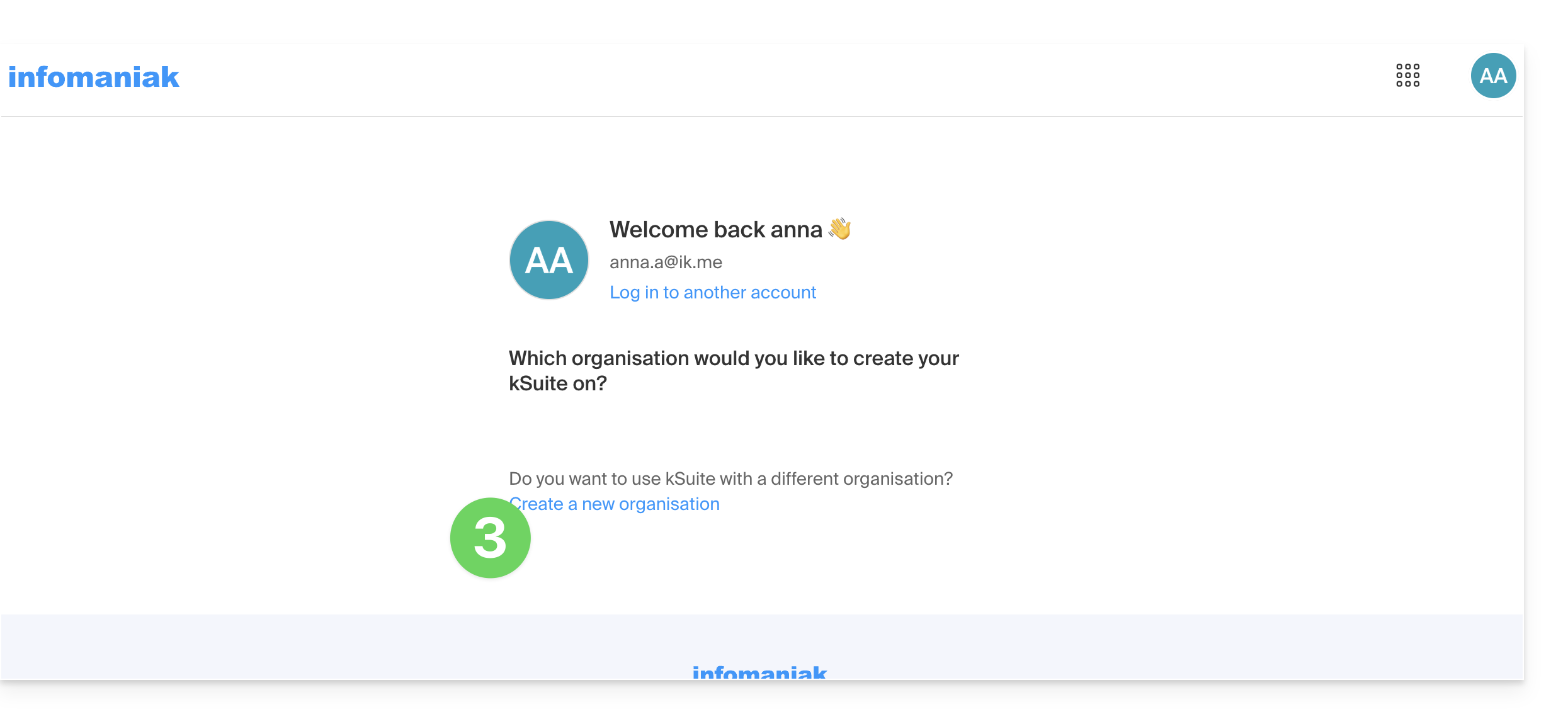
- Click to create the Organization that will host your kSuite:
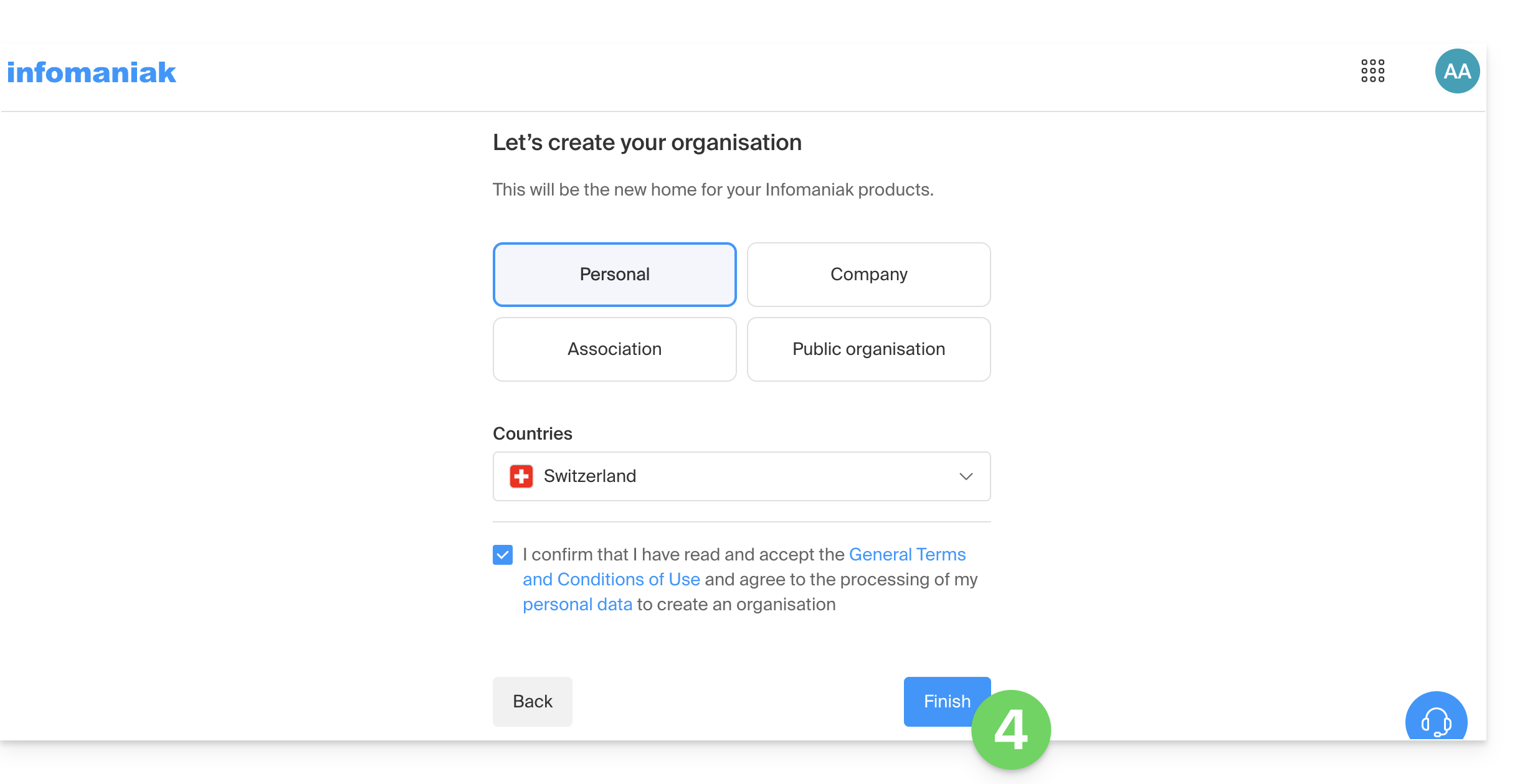
- Complete the information for the new Organization:
3. Add/link a domain name to kSuite
IF NEEDED: to return to your current email address, switch between Organizations using the menu in the top left corner of the interface: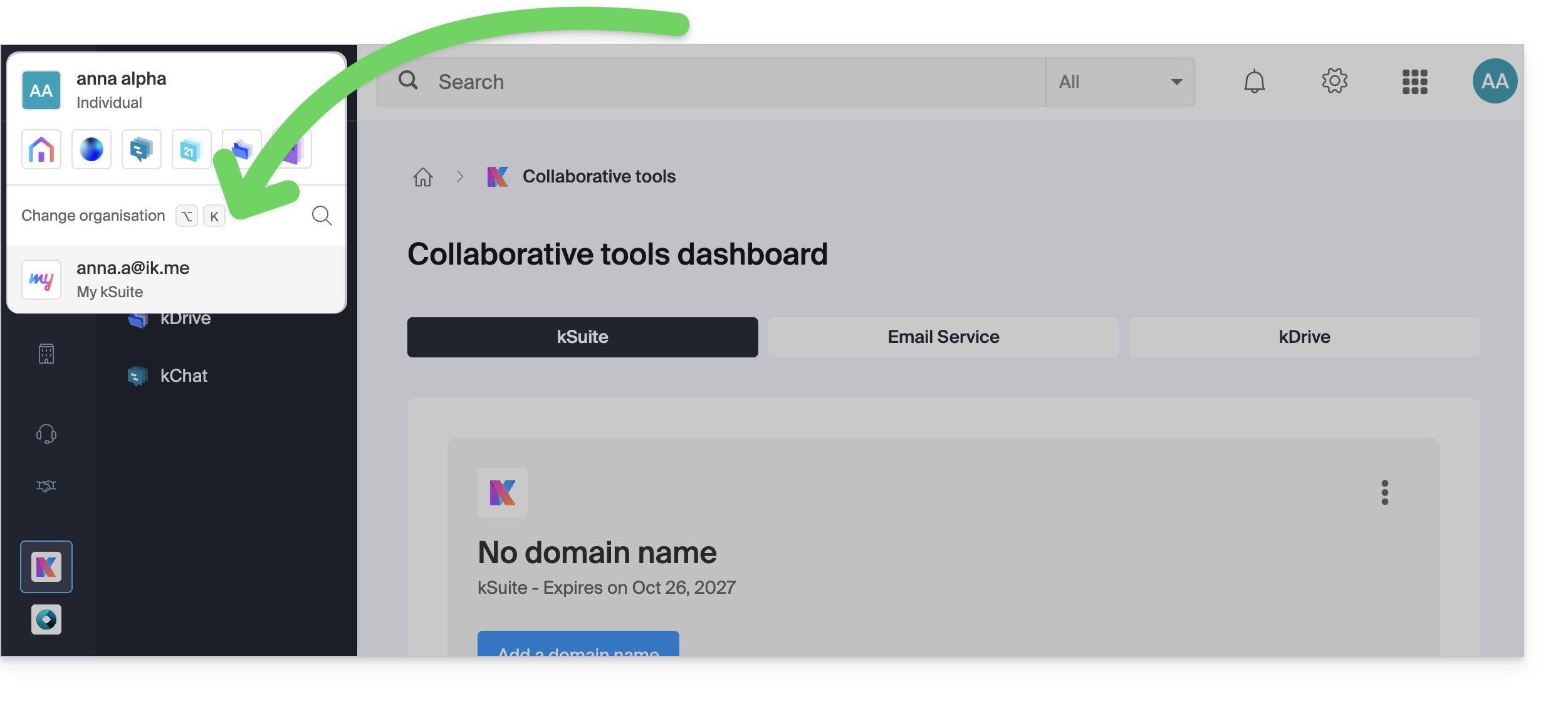
To manage the domain to be associated with your kSuite:
- Click here to access the management interface for your new kSuite.
- Click the button to add a domain name:
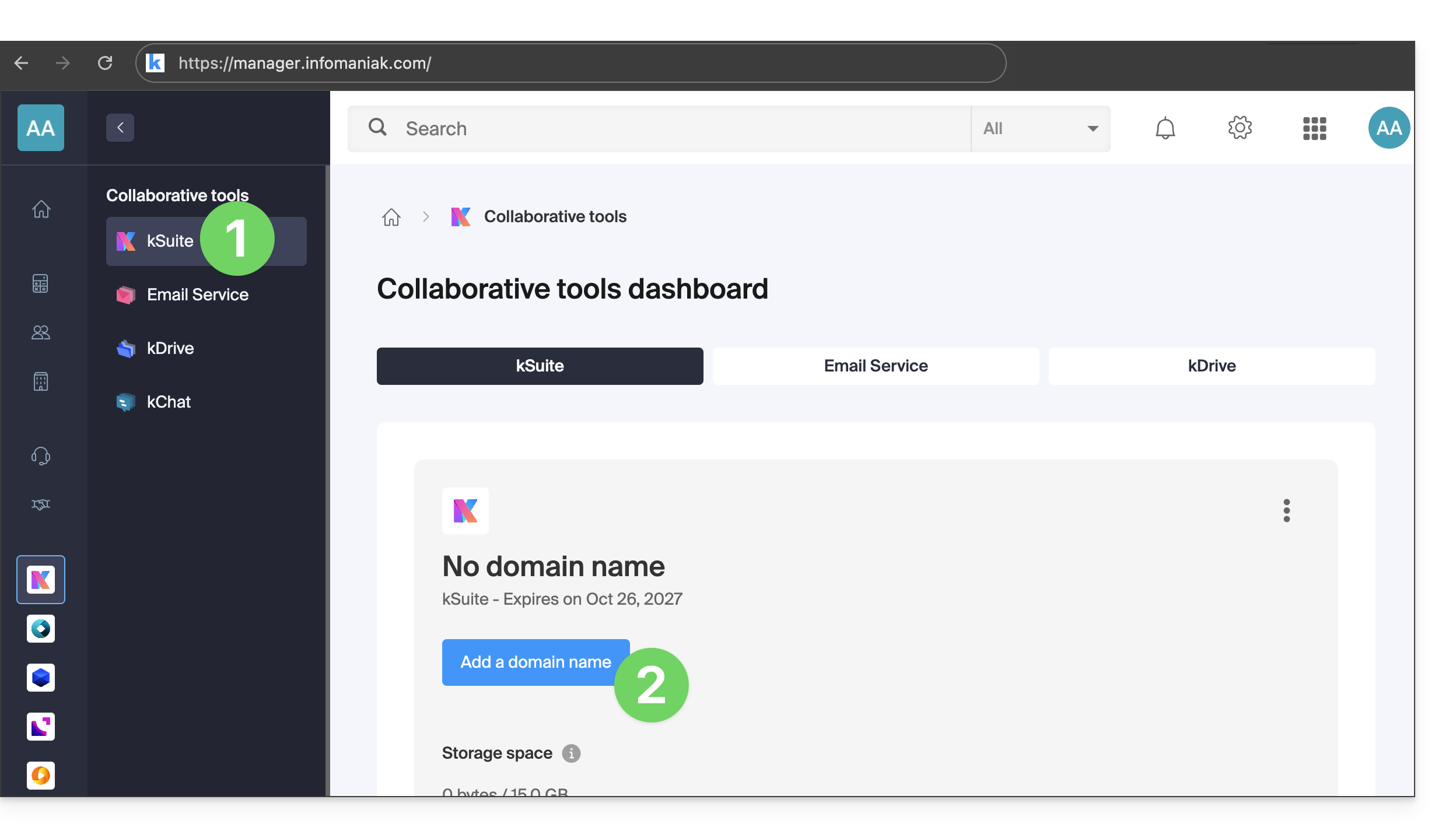
- Click the button to add a domain name:
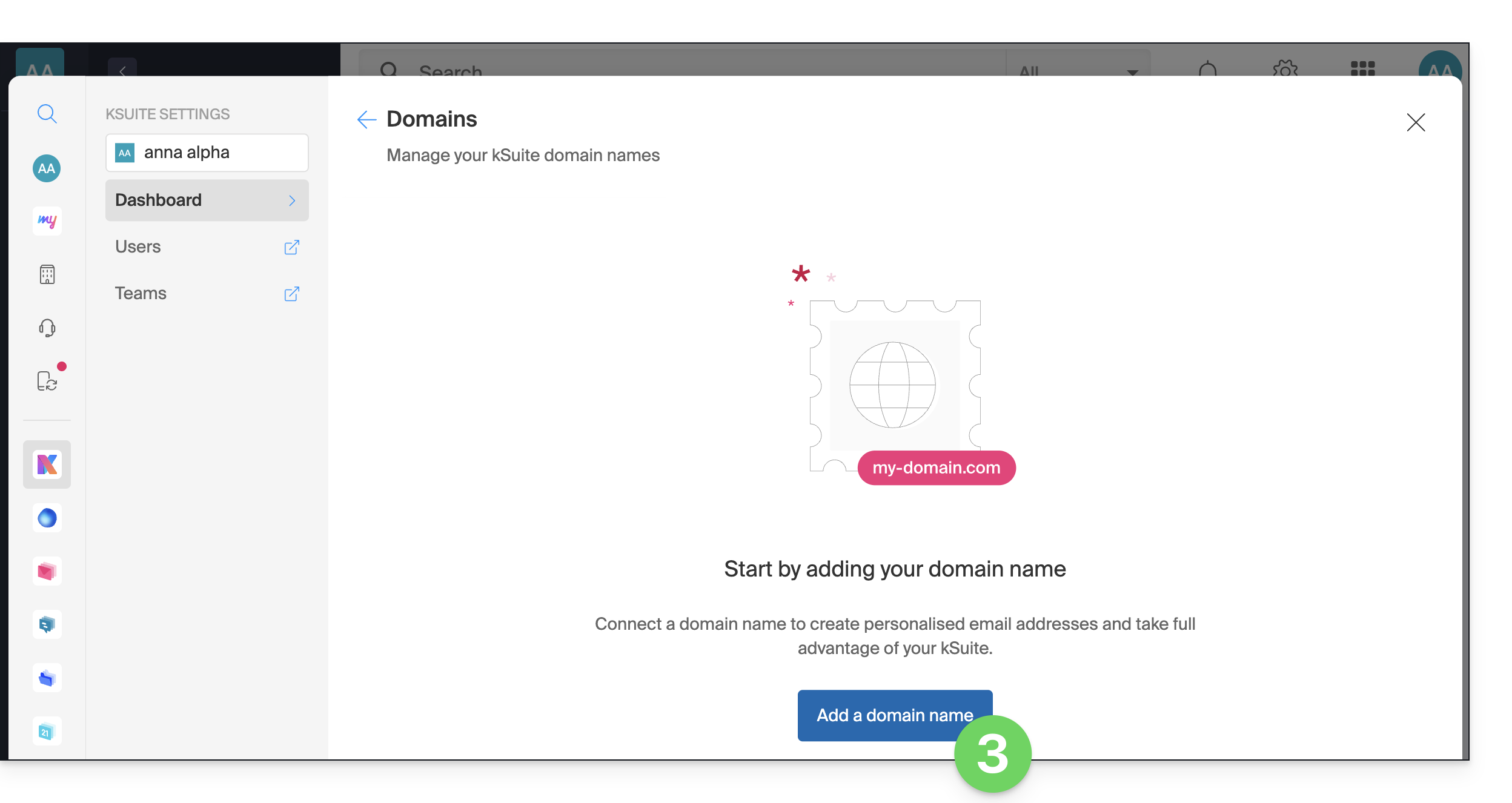
- Enter the desired domain name (this is the name that will make up your email address after the @ symbol: example@your-domain.here).
- If the domain is still available, click the button to order it and complete the purchase process:
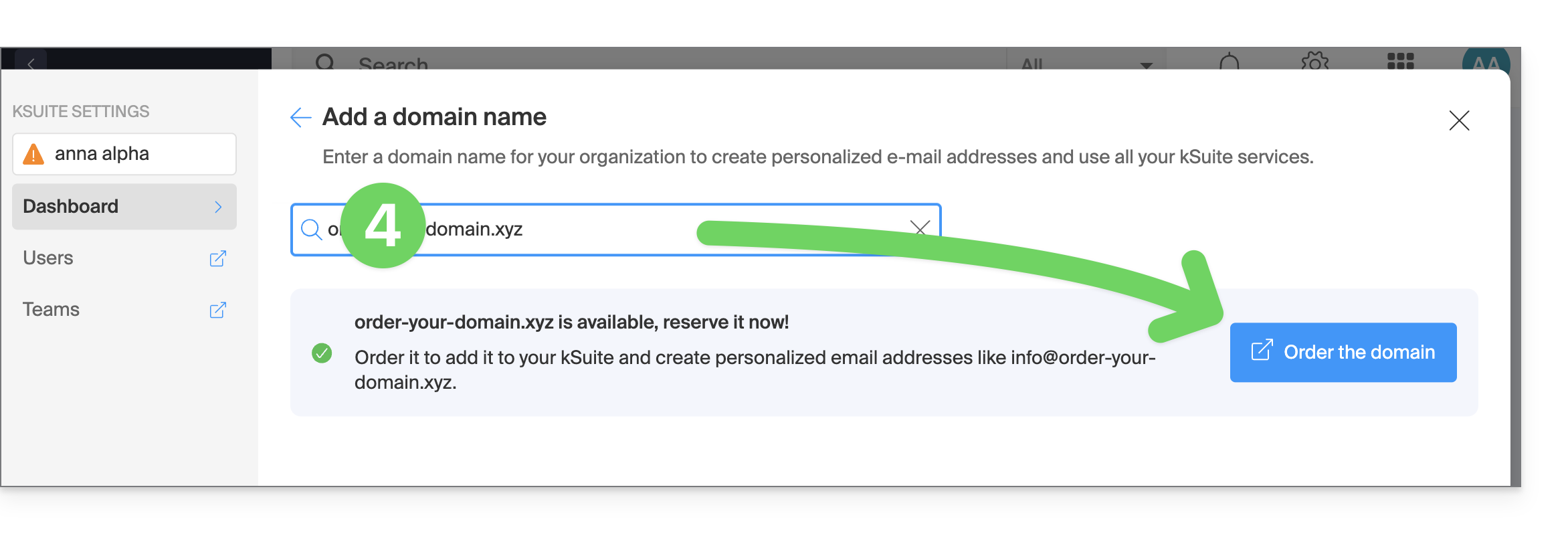
- If the domain is still available, click the button to order it and complete the purchase process:
- If you already own the domain, confirm that it belongs to you and validate at the bottom of the page:
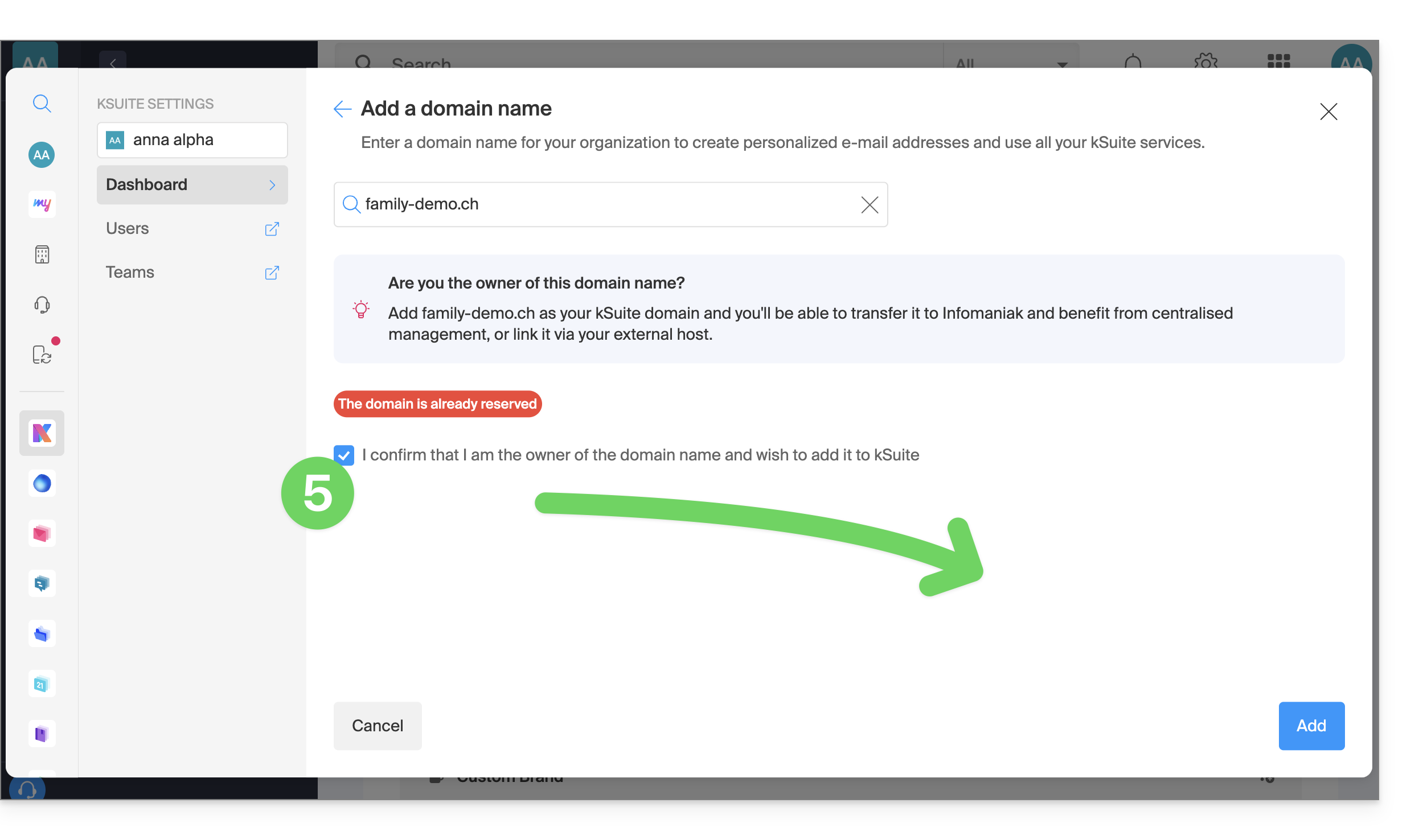
- Close the settings window; the domain addition will proceed in the background:
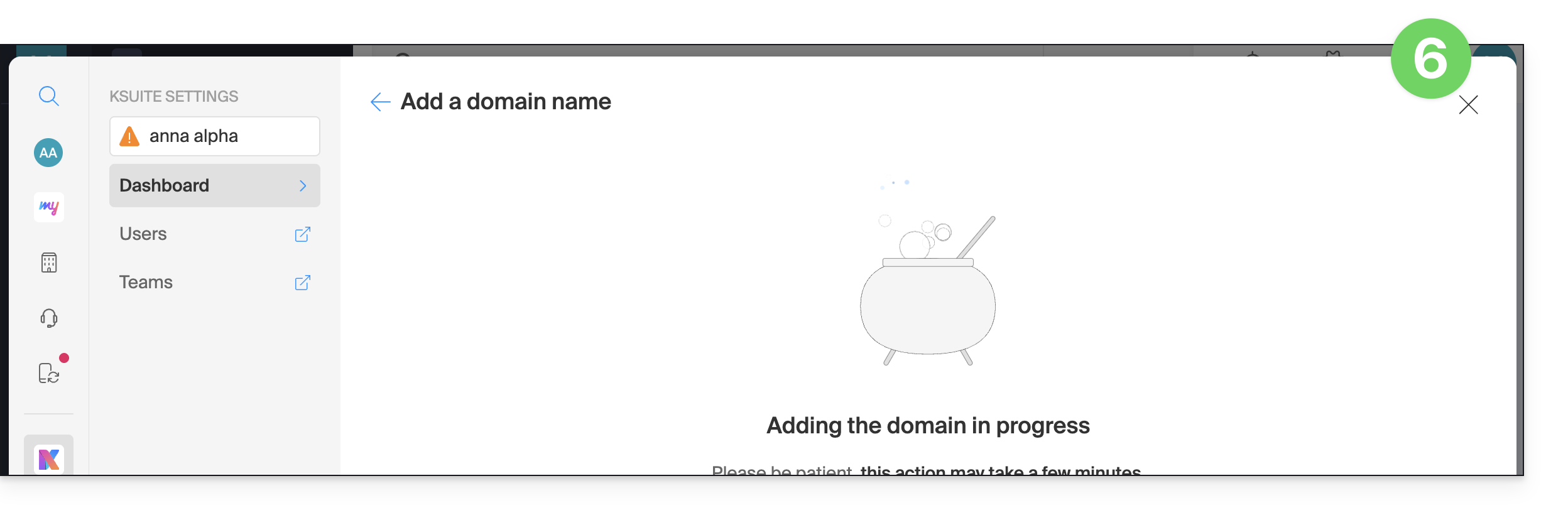
4. Create the new email address
- Click here to access the Mail Service management in your Infomaniak Manager (❓: help).
- Click on the name of the Mail Service in question:
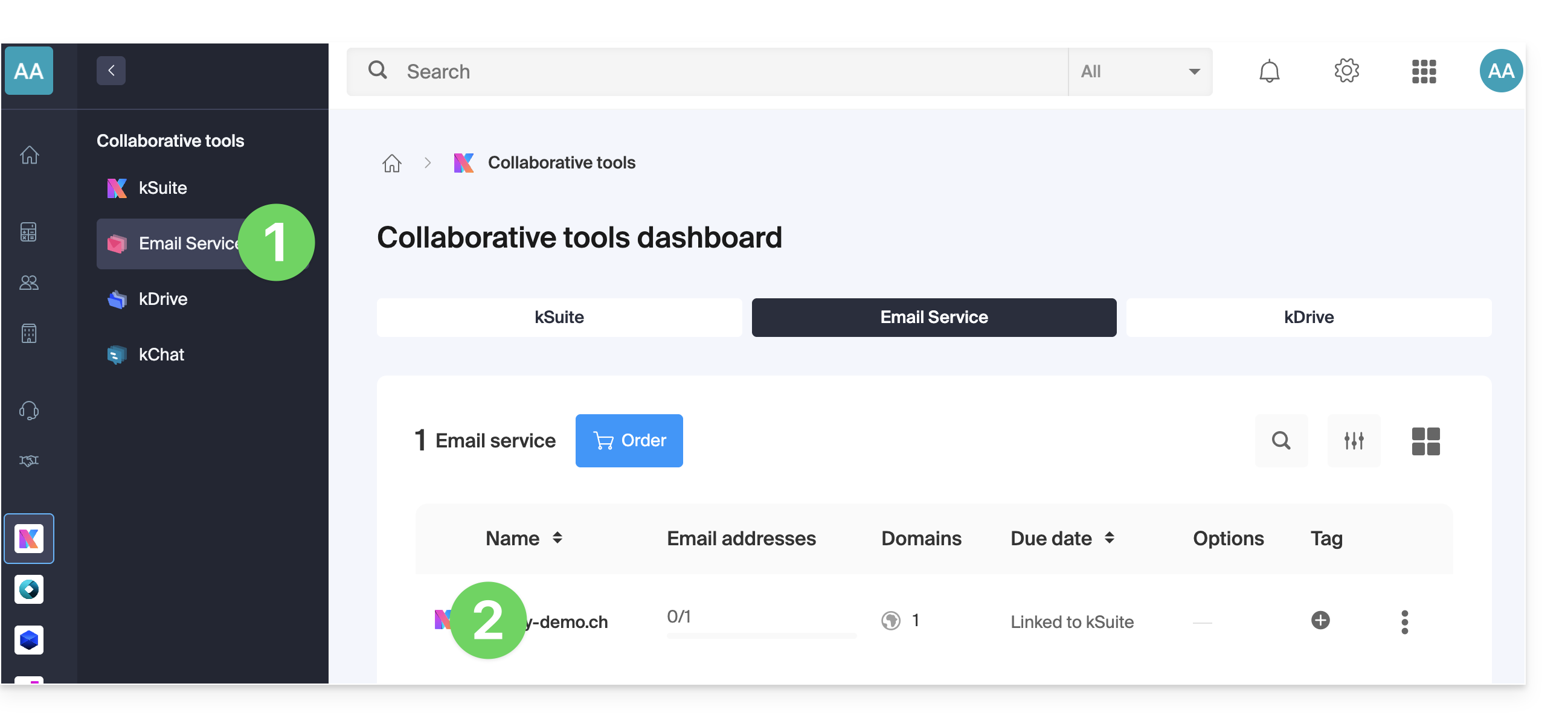
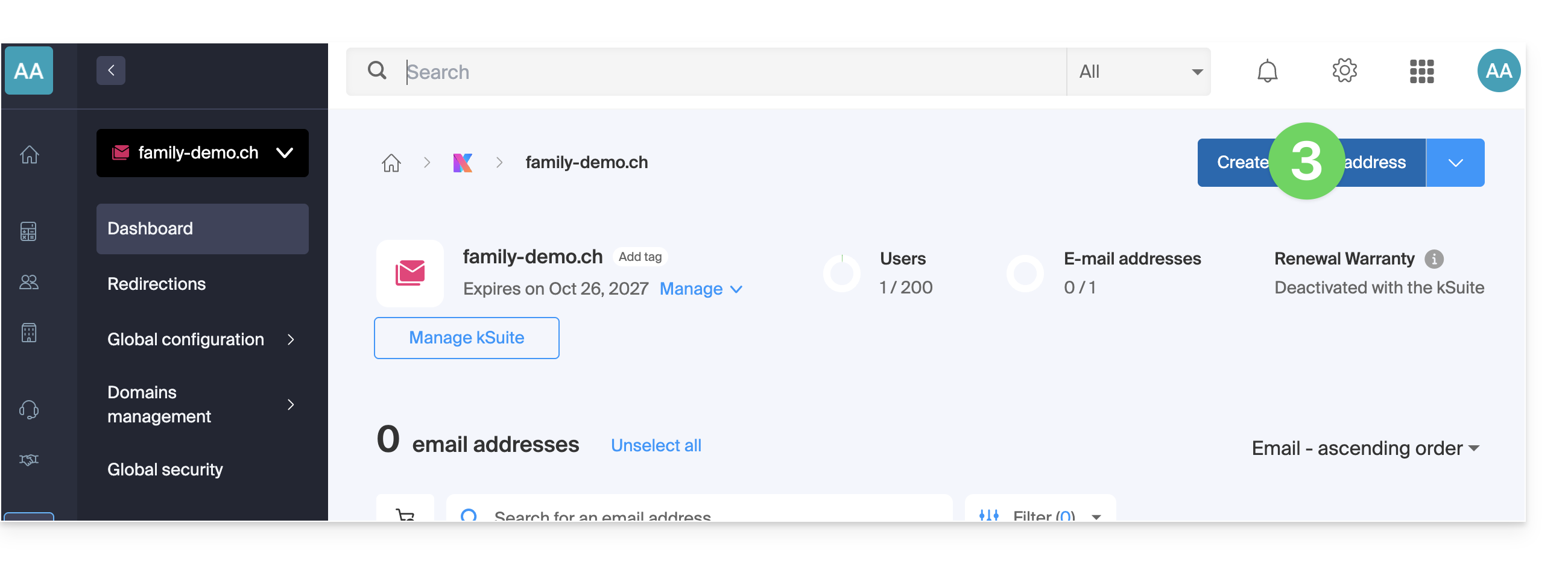
- Click on the Create a mail address button in the top right corner:
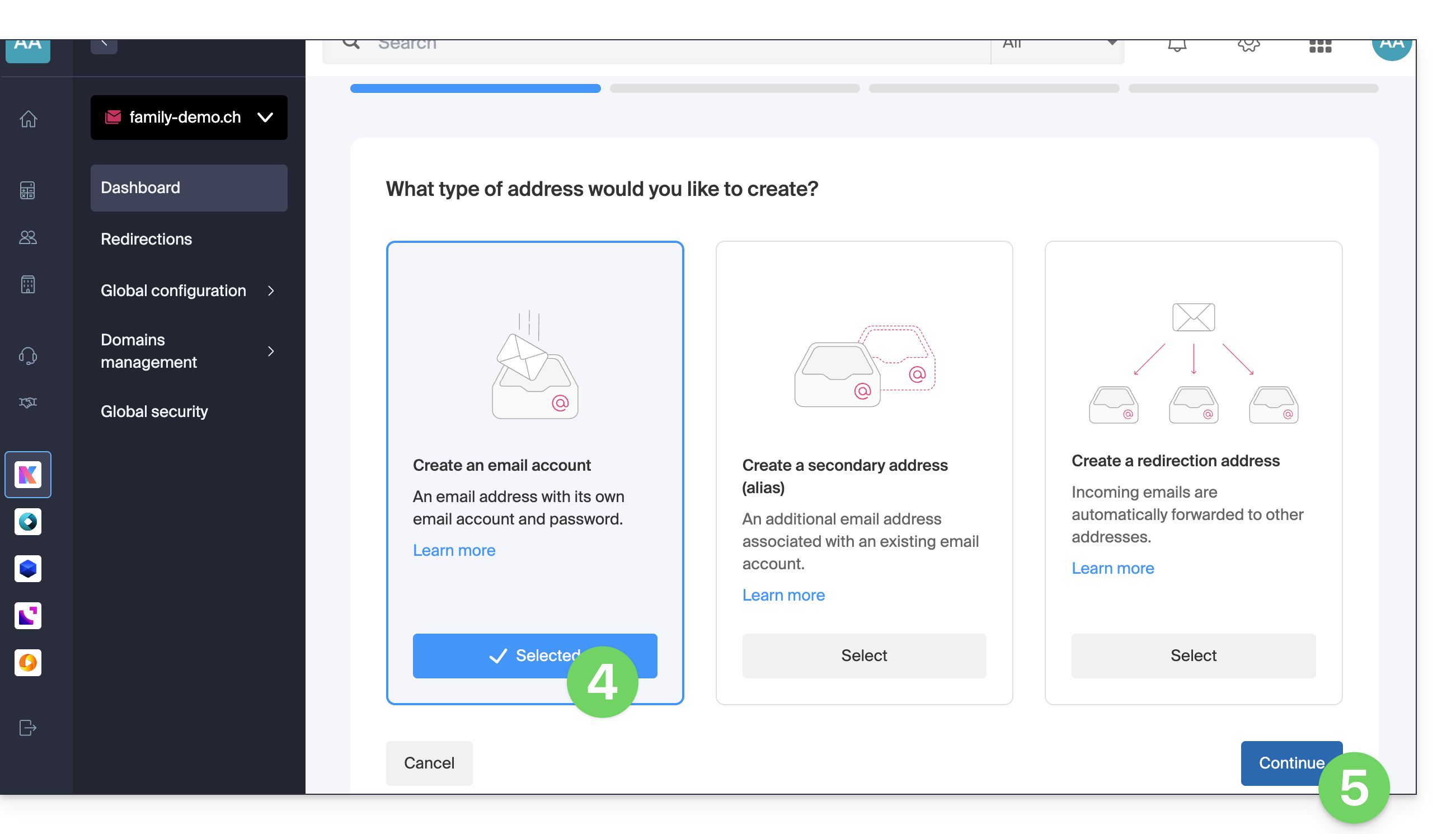
- Select the first type of mail address.
- Click the button to continue:
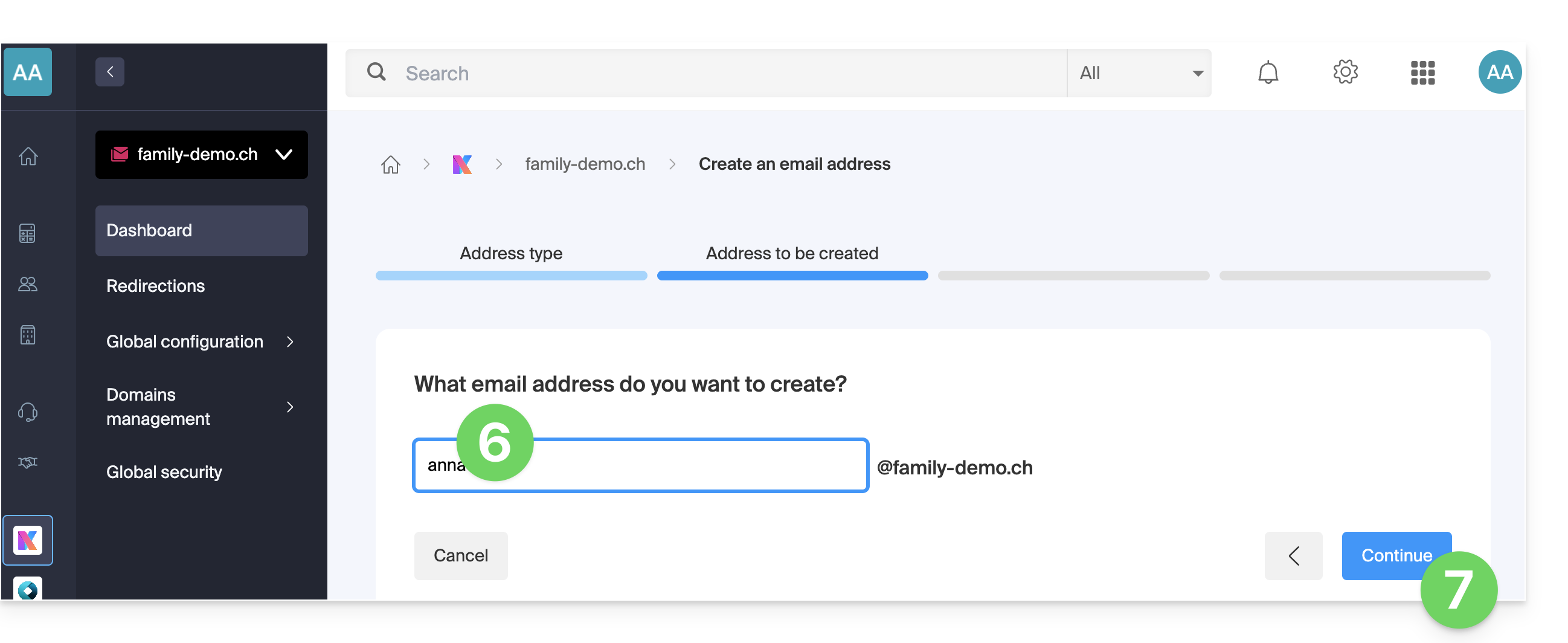
- Enter the name that will make up the email address.
- Click the button to continue:
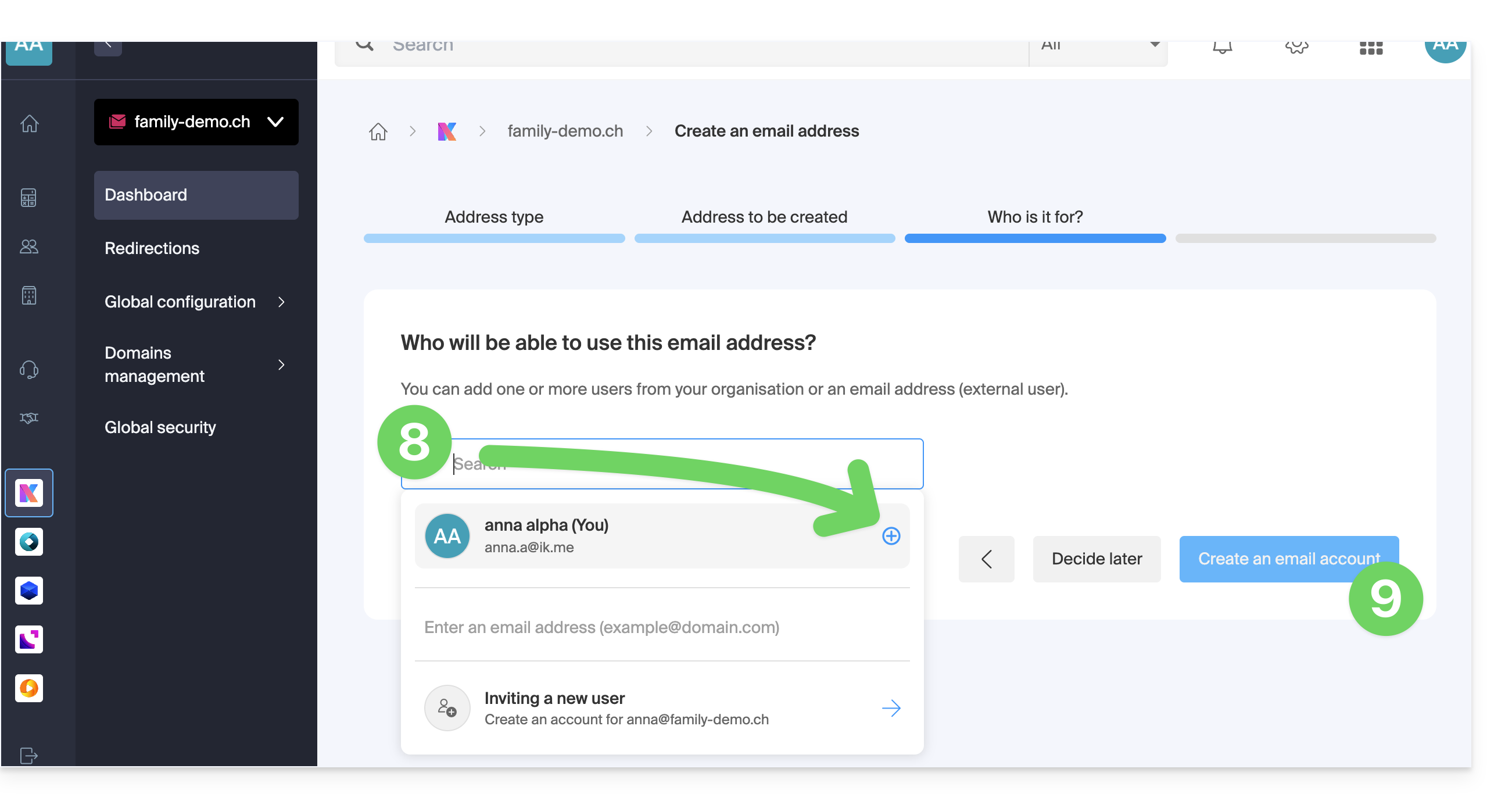
- Add yourself as a user of the address (this is so that it is visible in the Web Mail app and allows the import of email history).
- Click the button to validate:
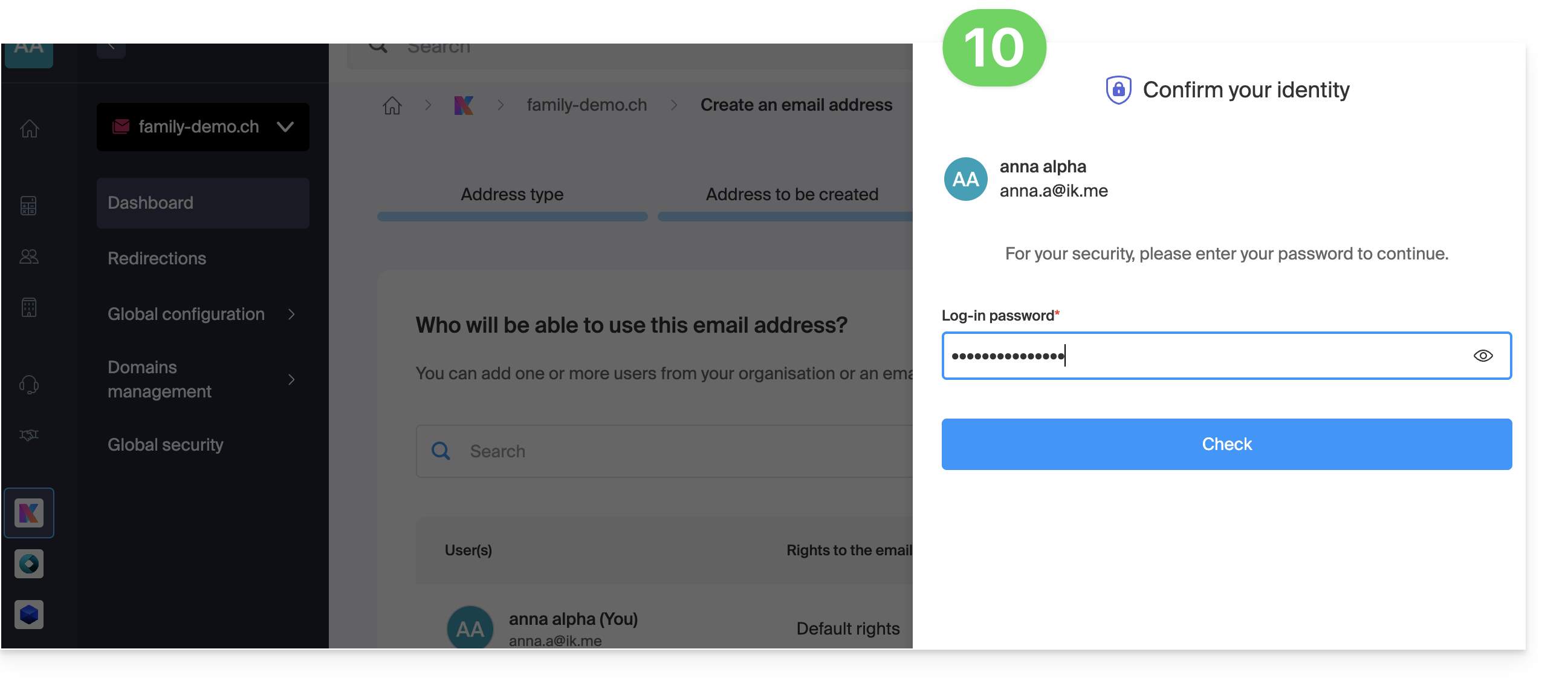
- At this stage, it may sometimes be necessary to re-enter your login password:
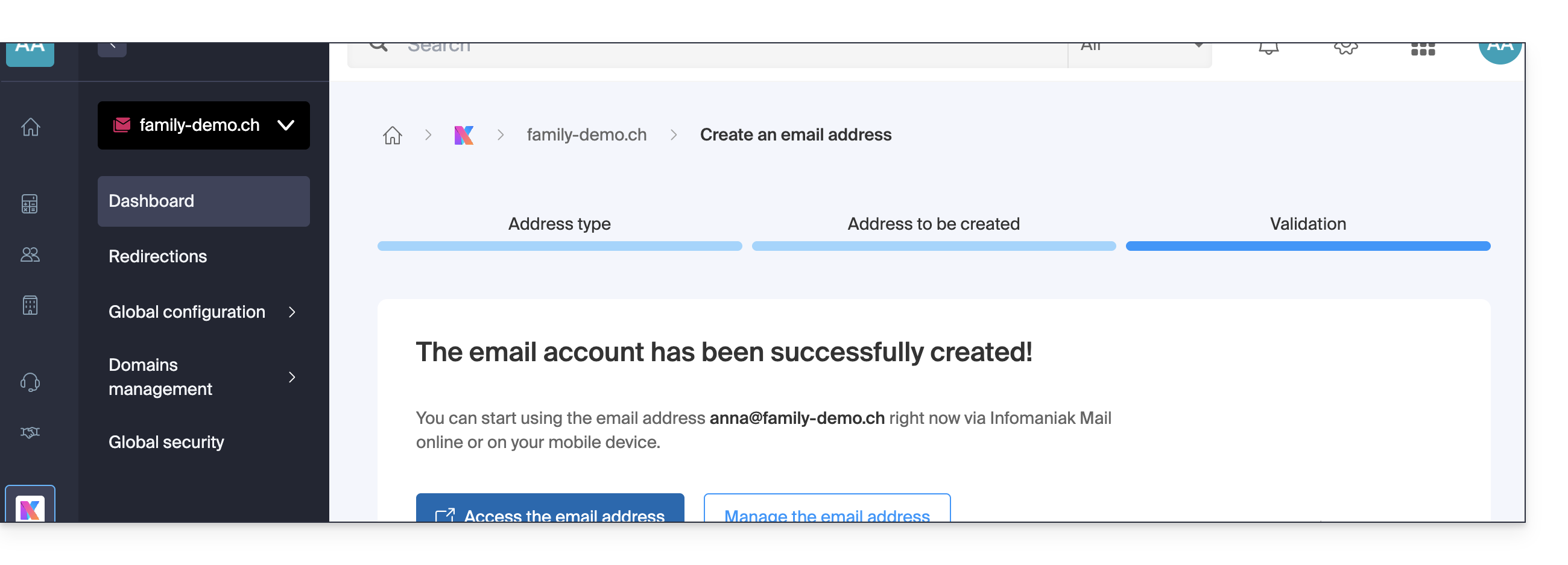
- That's it, the email address has been created:
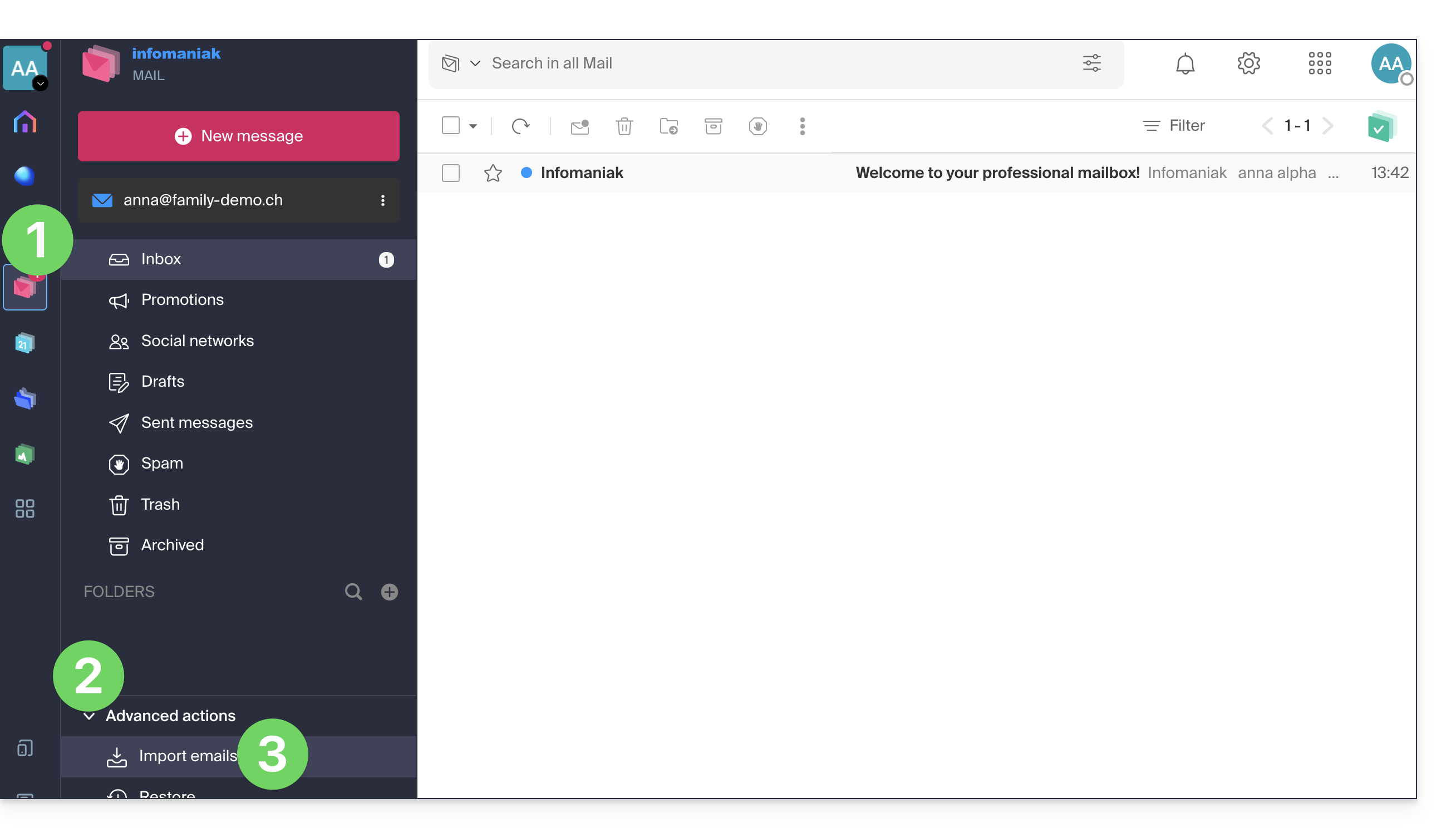
5. Import email history from mykSuite/mykSuite+
- Click here to access your emails in your new Infomaniak kSuite (❓: help).
- Click on the chevron to expand the Advanced actions in the left-hand menu.
- Click on Import:
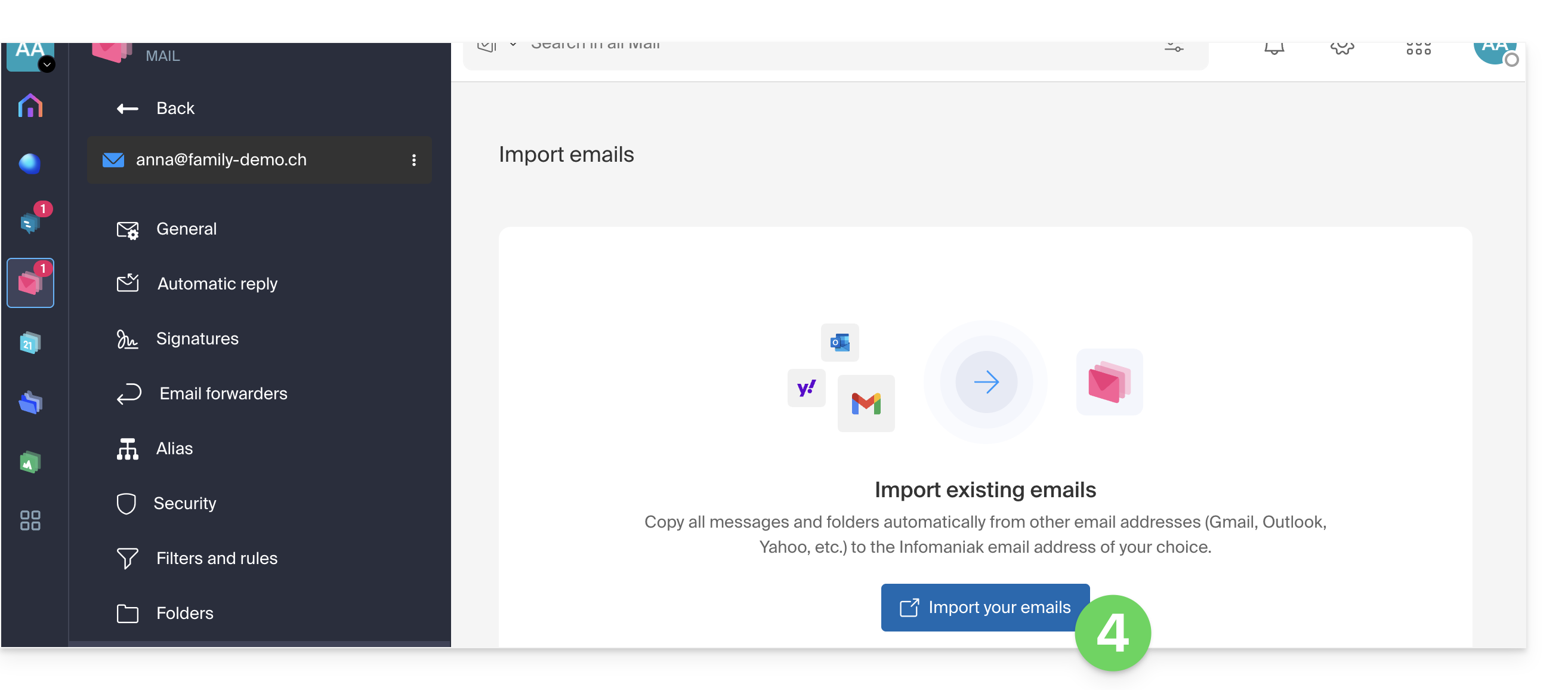
- Click on the button to Import your emails:
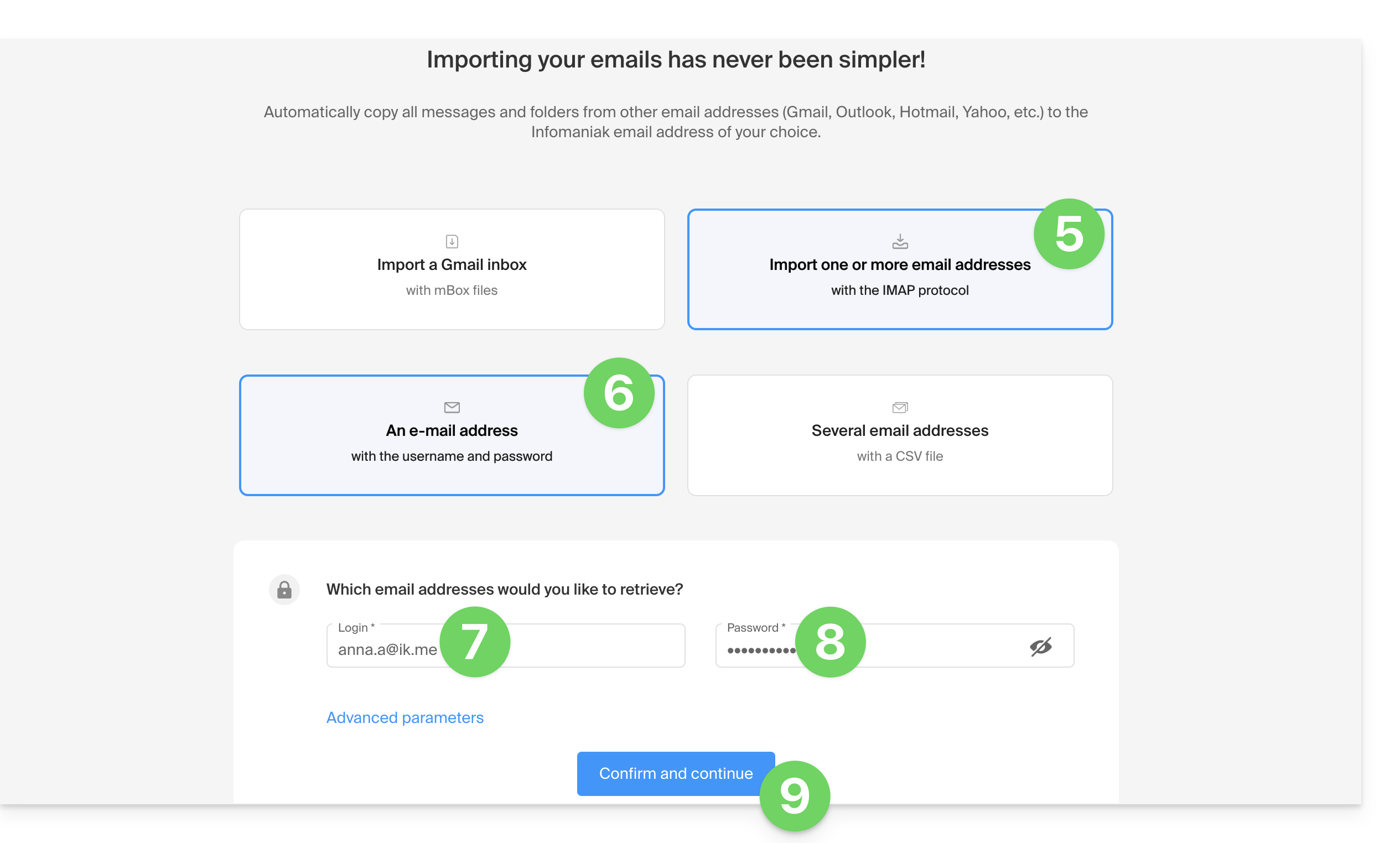
- Click to import an email address.
- Click to import an email address using its credentials.
- Enter your mykSuite/mykSuite+ email address.
- Enter the device password you created earlier.
- Click the button to confirm:
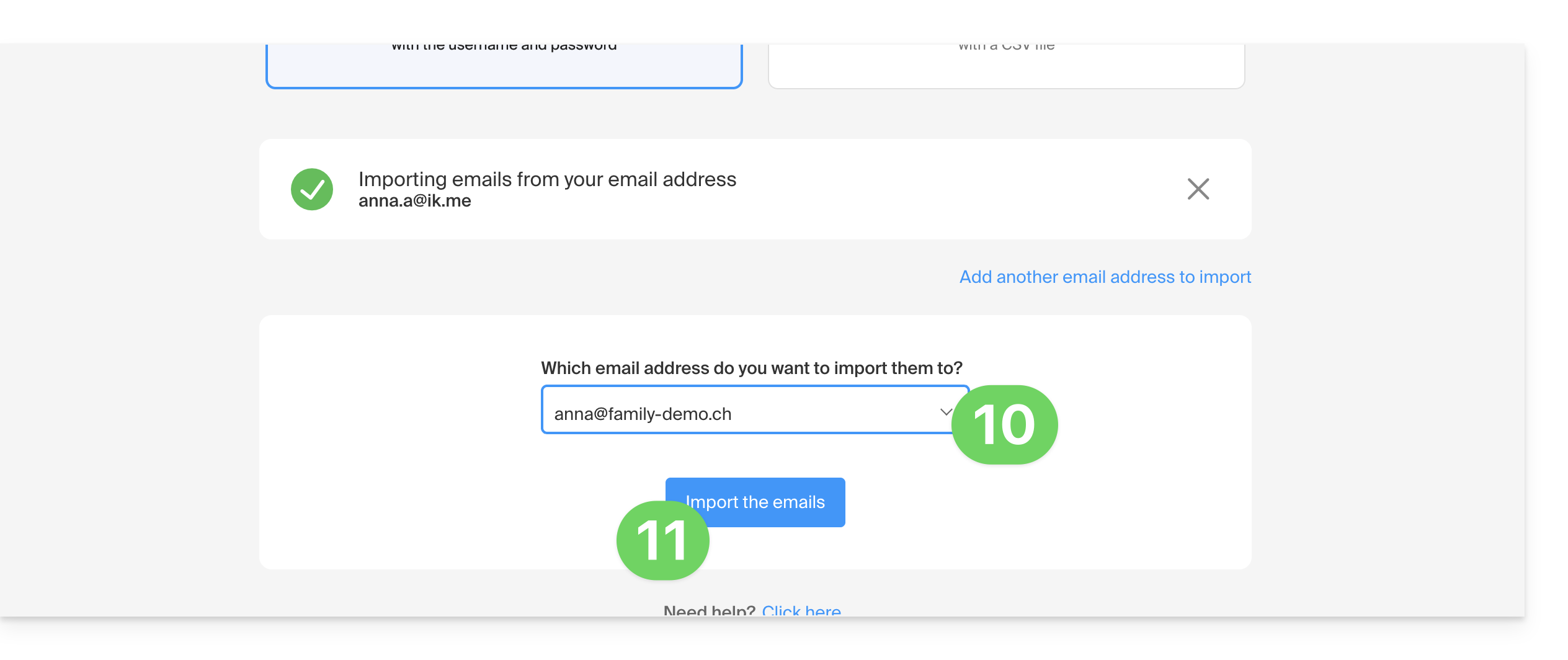
- Choose your new email address from the list.
- Click the button to confirm the import:
- Click the button to access the inbox, which will display the imported emails:
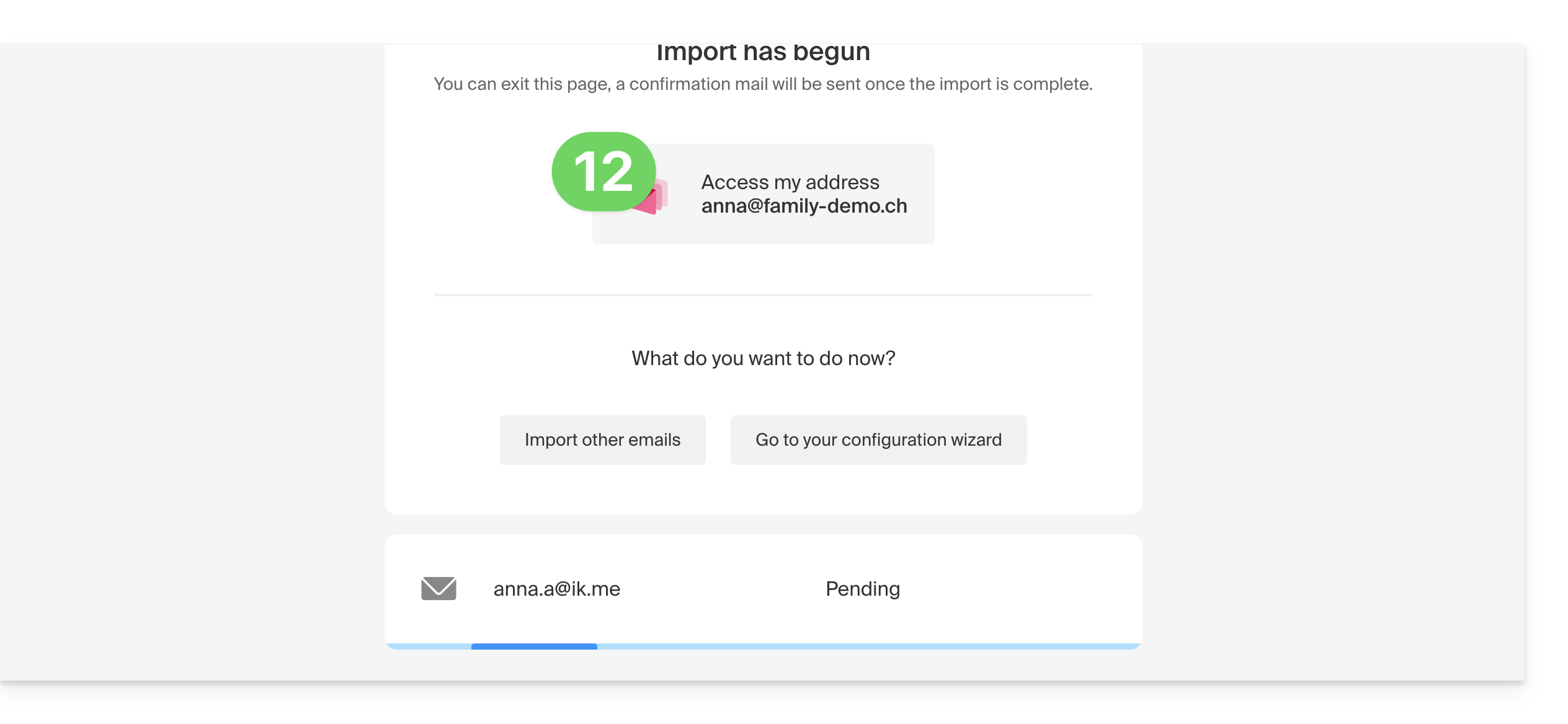
6. Import data from kDrive mykSuite/mykSuite+
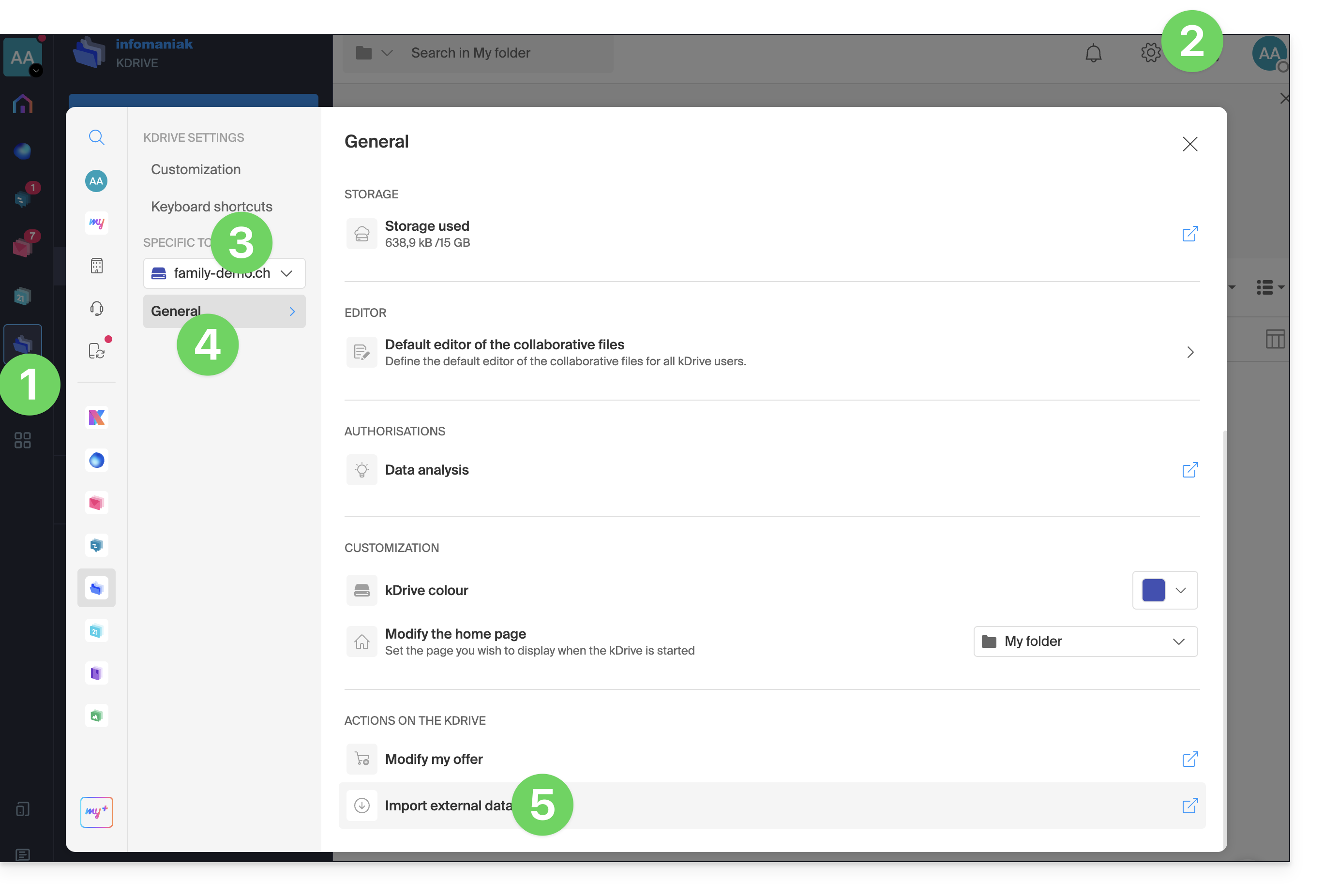
- Click here to access kDrive on your new kSuite Infomaniak account (❓: help).
- Click on Settings in the top right corner.
- Make sure the new kDrive is selected in the dropdown menu in the left sidebar.
- Click on General in the left-hand menu.
- Click on Import external data:
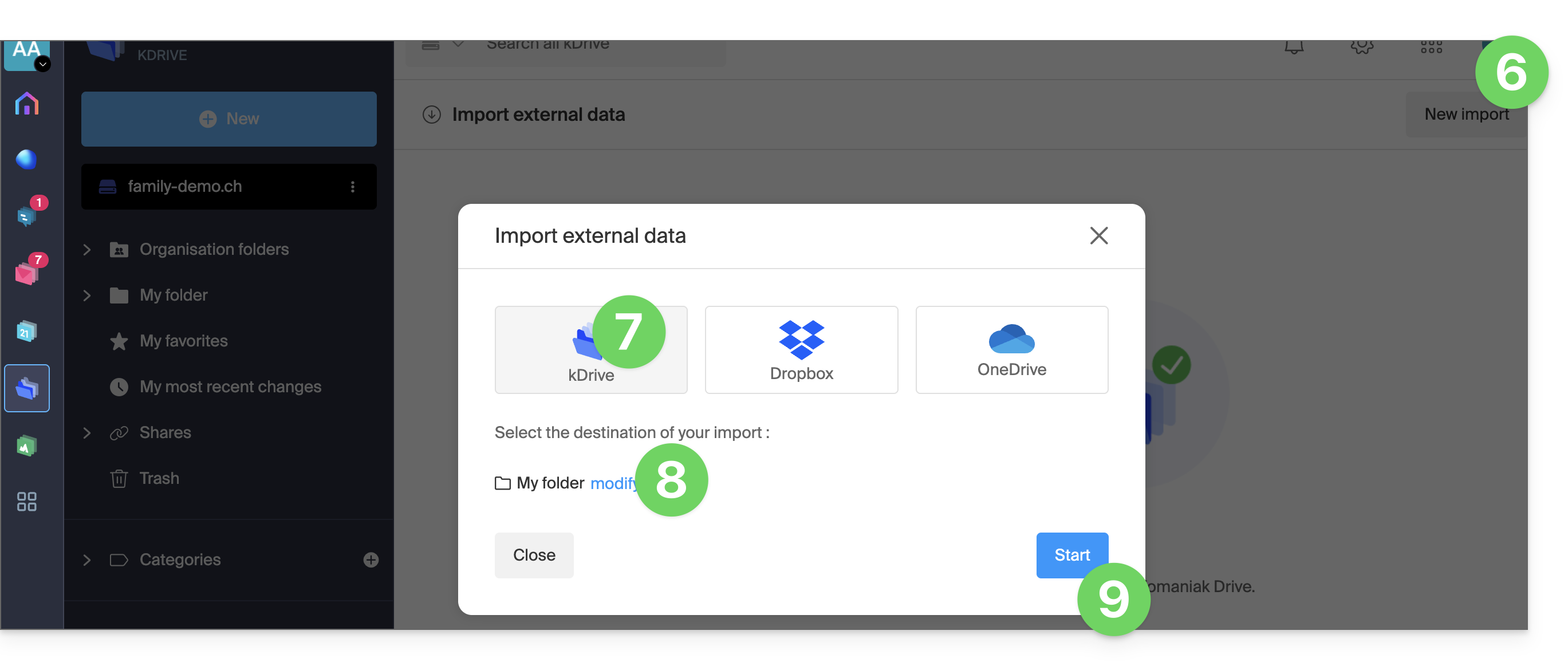
- Click on New Import at the top.
- Choose kDrive.
- Choose the location where the imported files will be stored.
- Click the Start button:
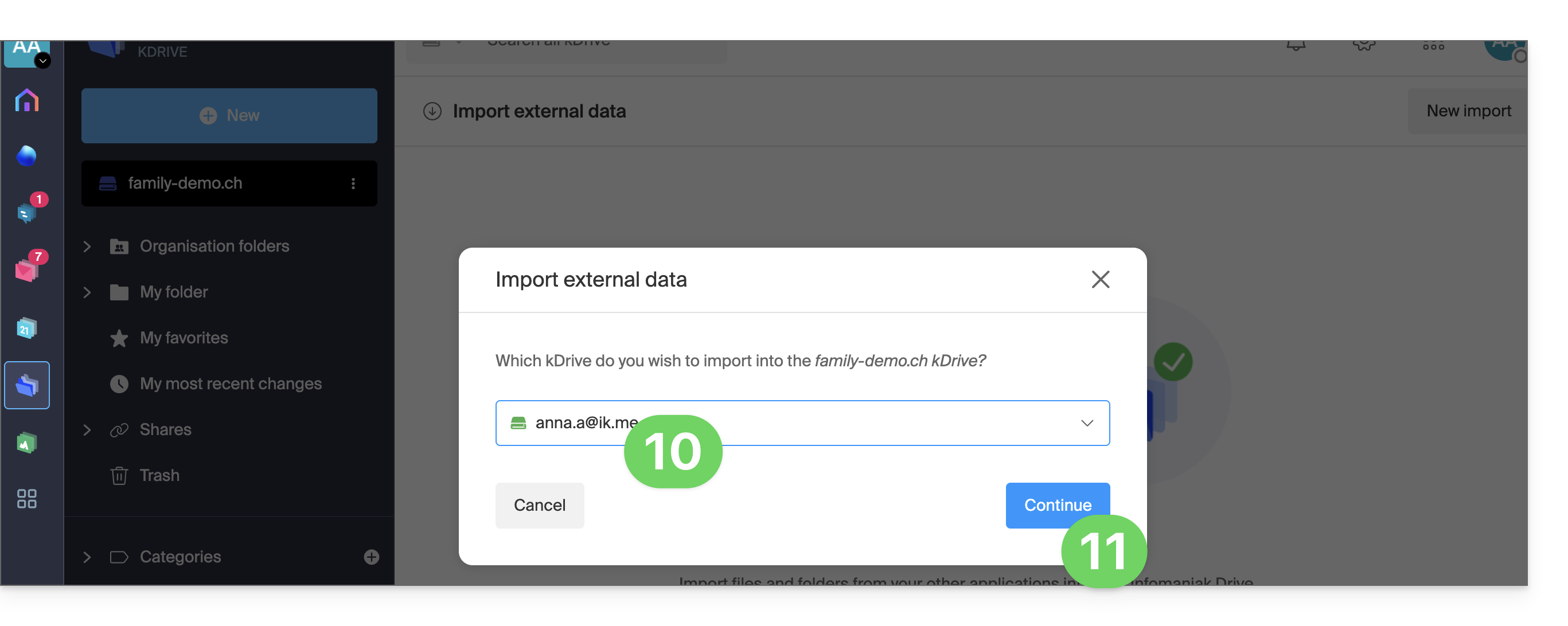
- Make sure the kDrive mykSuite/mykSuite+ is selected in the drop-down menu.
- Complete the wizard:
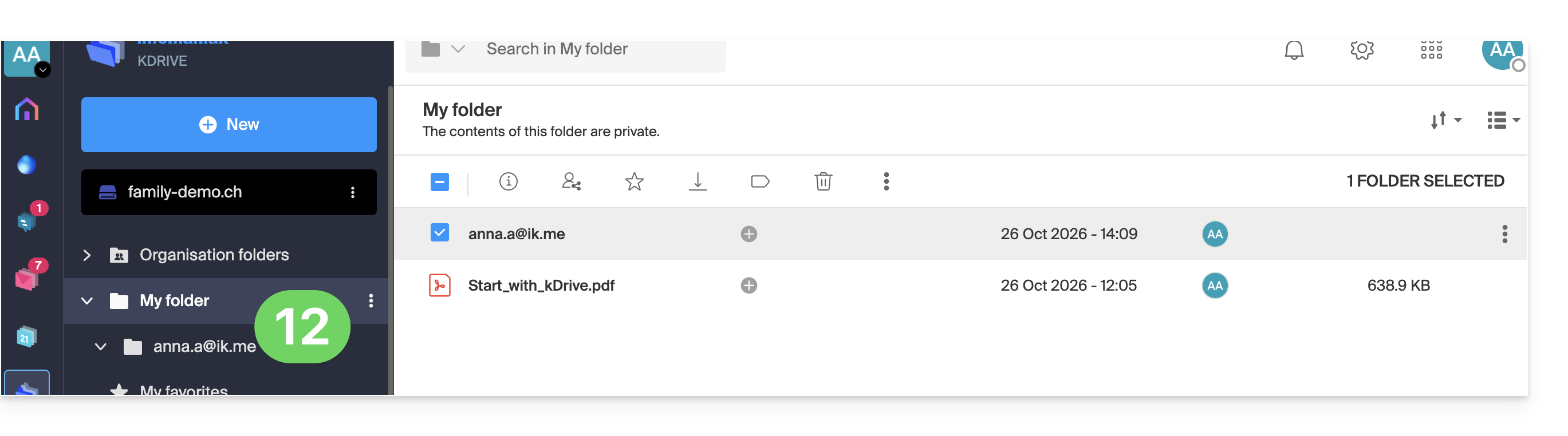
- Please wait while the data is imported; it will then be visible in the chosen location, in a folder named after your kDrive mykSuite/mykSuite+:
Link to this FAQ: https://faq.infomaniak.com/2496
Has this FAQ been helpful?