Knowledge base
1000 FAQs, 500 tutorials and instructional videos. Here, there are only solutions!
Chat with kMeet participants
This guide explains how to use the chat feature in kMeet, Infomaniak's ethical and free video conferencing solution.
Starting a chat between kMeet participants
To do this:
- Click here to access kMeet in your Infomaniak kSuite (or launch the mobile/desktop app — ❓: help).
- Start a meeting (❓: help) or join one (❓: help).
- Click on the message bubble icon in the toolbar to open/close the chat and chat from a side panel on the left.
- Close the chat/poll panel if necessary:
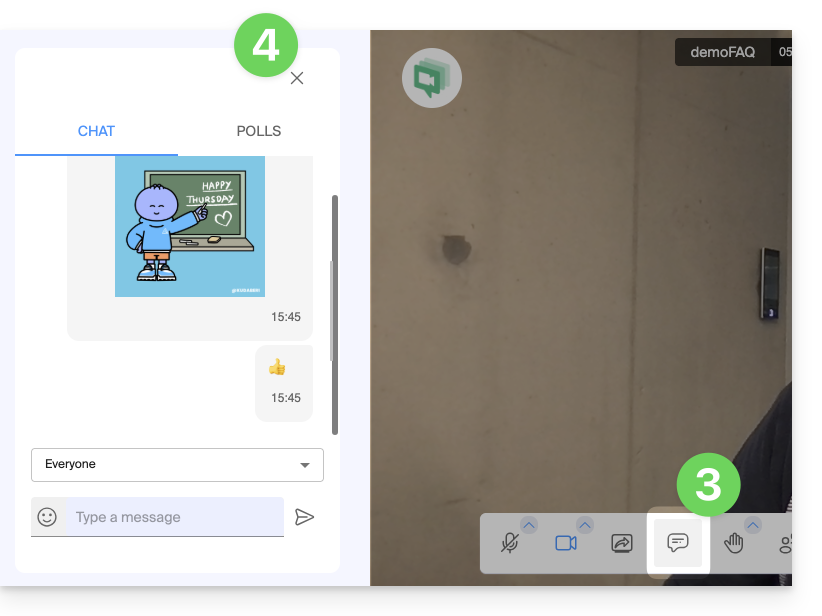
- Close the chat/poll panel if necessary:
React live, create a poll
- The chat supports the use of Emojis.
- It is also possible to:
- request to speak using the hand icon (Raise/Lower Hand)
- react with visual (and audible) emojis and GIFs — they will appear in the conversation area
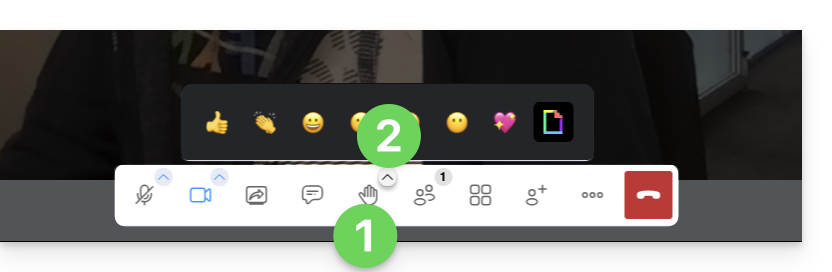
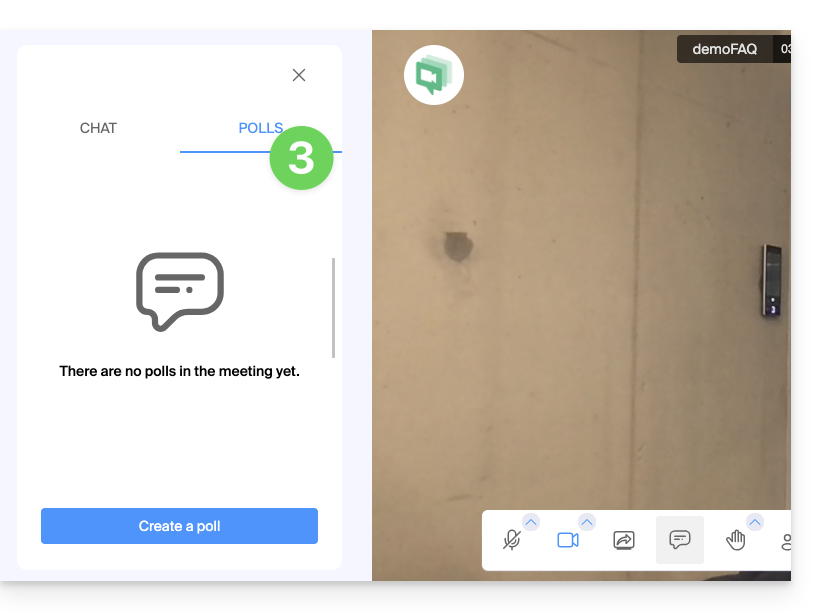
- create a poll among the participants (click on the Polls tab in the chat panel):
Link to this FAQ: https://faq.infomaniak.com/2478
Has this FAQ been helpful?