Knowledge base
1000 FAQs, 500 tutorials and instructional videos. Here, there are only solutions!
Transfer files via SCP (secure copy command)
This guide explains how to securely transfer files between your machine and the web hosting server using the SCP (secure copy command) protocol.
Preamble
- To work, the
SCPcommand requires:- a source: a file/folder to transfer
- a destination: FTP server address to perform the transfer
- The data is automatically encrypted by
SCPat the time of transfer.
Copy a local file to the server
Prerequisites
- To get the FTP server address:
- Click here to access the management of your hosting on the Infomaniak Manager (need help?).
- Click directly on the name assigned to the hosting concerned.
- Click on FTP / SSH in the left sidebar:
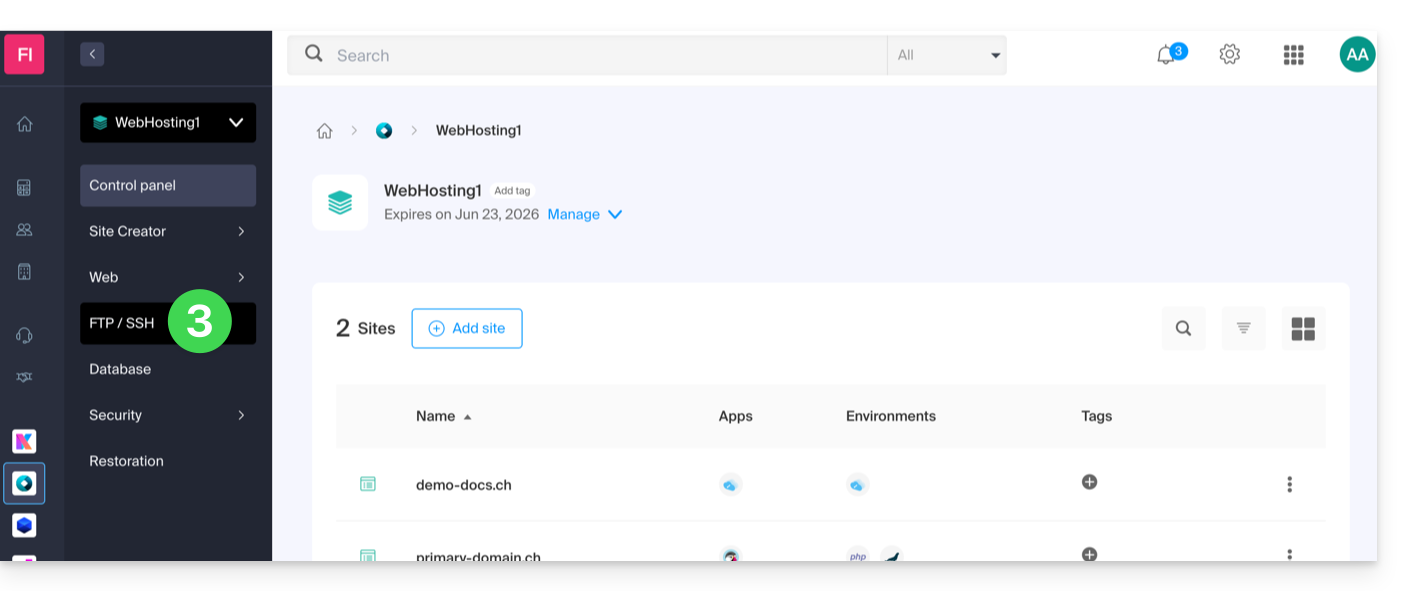
- The host server address is displayed at the top left and can be copied:
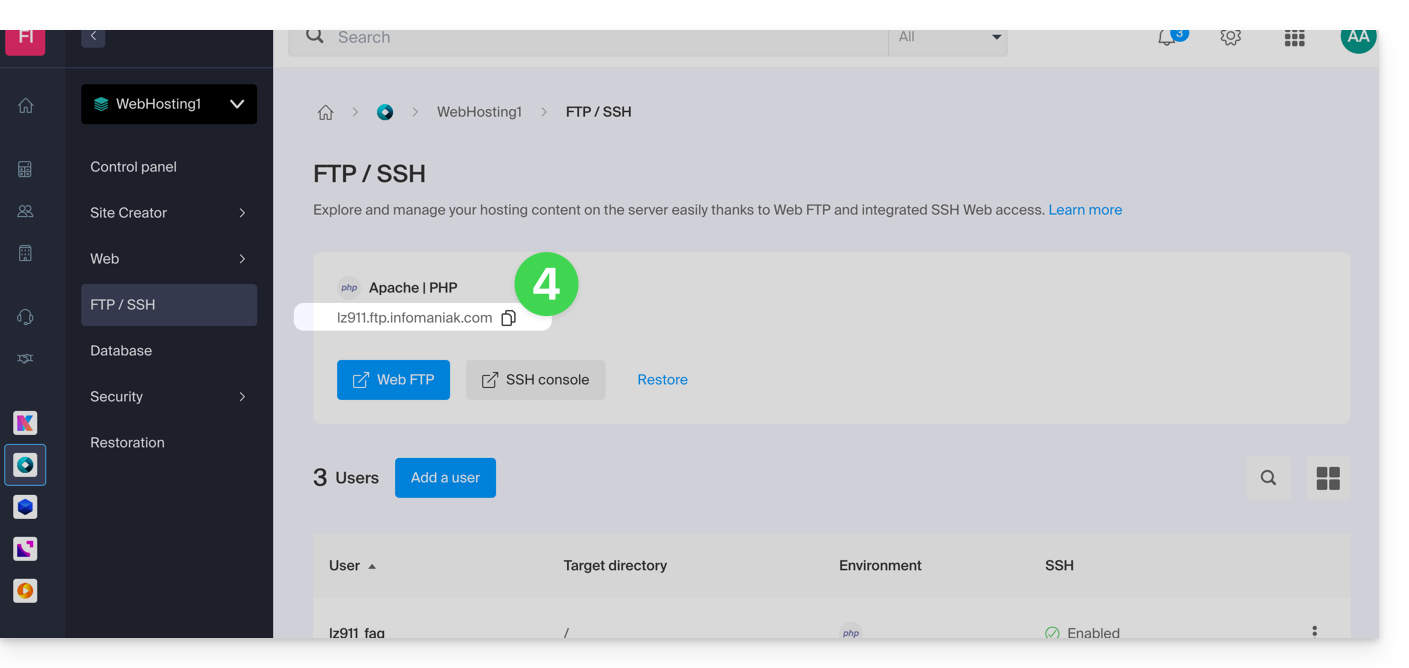
- To get the destination folder path:
- Click here to access the management of your hosting on the Infomaniak Manager (need help?).
- Click directly on the name assigned to the hosting concerned.
- Click on More information (in the Information section).
- Copy the absolute path:
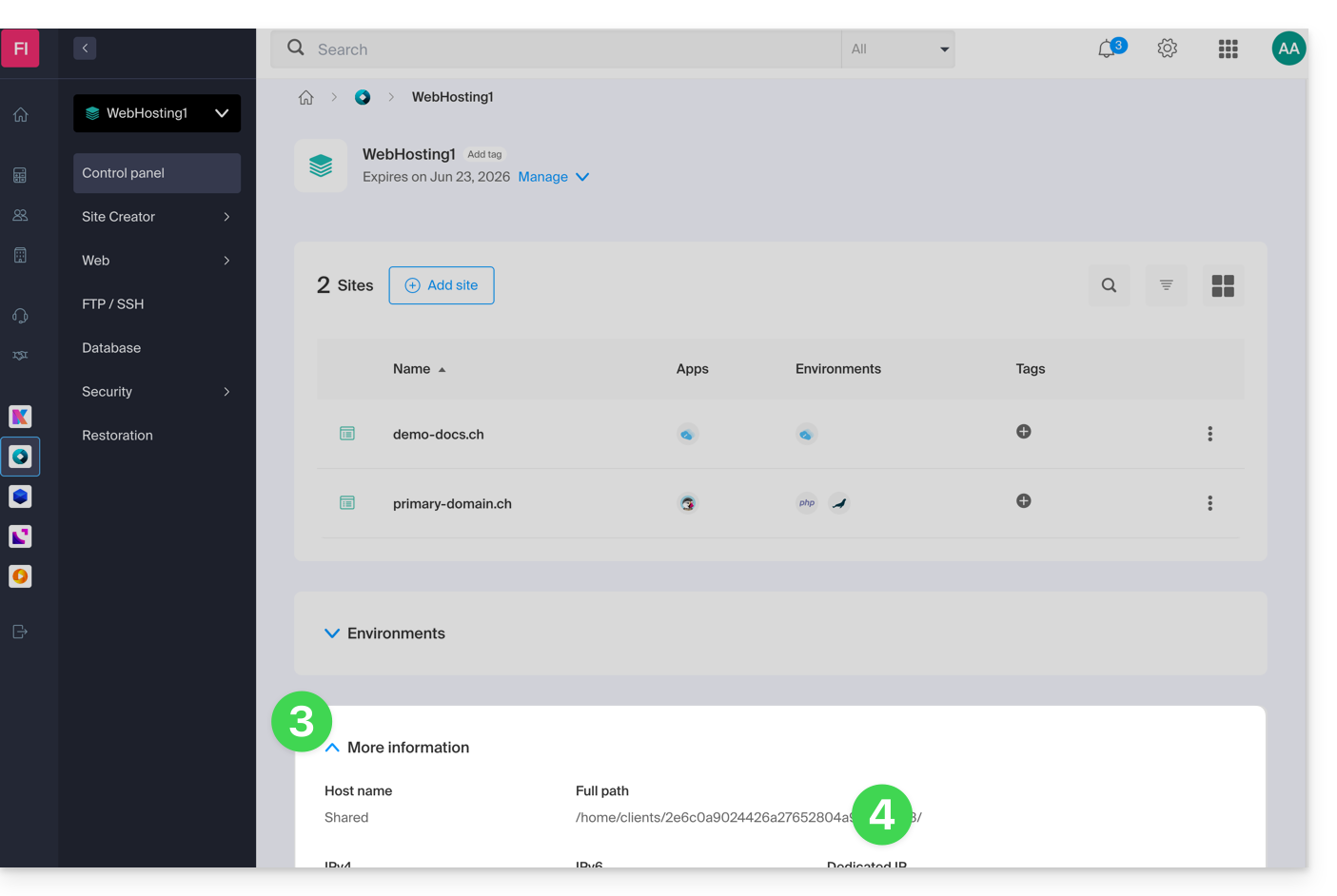
- Complete the absolute path with the desired destination folder.
Then, to copy a file from your machine, the command is as follows:
scp localmachine/path_to_the_file username@ftp_server_adress:/path_to_remote_directory
To copy an entire directory from your machine, you need to adapt the command as follows:
scp -r localmachine/path_to_the_file username@ftp_server_adress:/path_to_remote_directoryThe entire folder will be transferred to your server.
To copy the contents of an entire directory from your machine, you need to adapt the command as follows:
scp -r localmachine/path_to_the_file/* username@ftp_server_adress:/path_to_remote_directoryLink to this FAQ: https://faq.infomaniak.com/2461
Has this FAQ been helpful?