Knowledge base
1000 FAQs, 500 tutorials and instructional videos. Here, there are only solutions!
Manage TXT records
Update 10/05/2026
This guide explains how to add or modify one or more TXT recordsin the DNS zone (of a domain name) managed in the Infomaniak Manager.
Introduction
- The
TXTrecord type allows you to insert readable text into the DNS zone of a domain name. - This is the method generally used to help prevent spam and to verify domain ownership (Google may ask you to do this before using some of their services: see this other guide for an example of adding a
TXTrecord to authenticate a domain).
Modify the DNS zone
To manage this type of record in a DNS zone:
- Click here to access the domain management section in your Infomaniak Manager (❓: help).
- Click on the name of the domain in question.
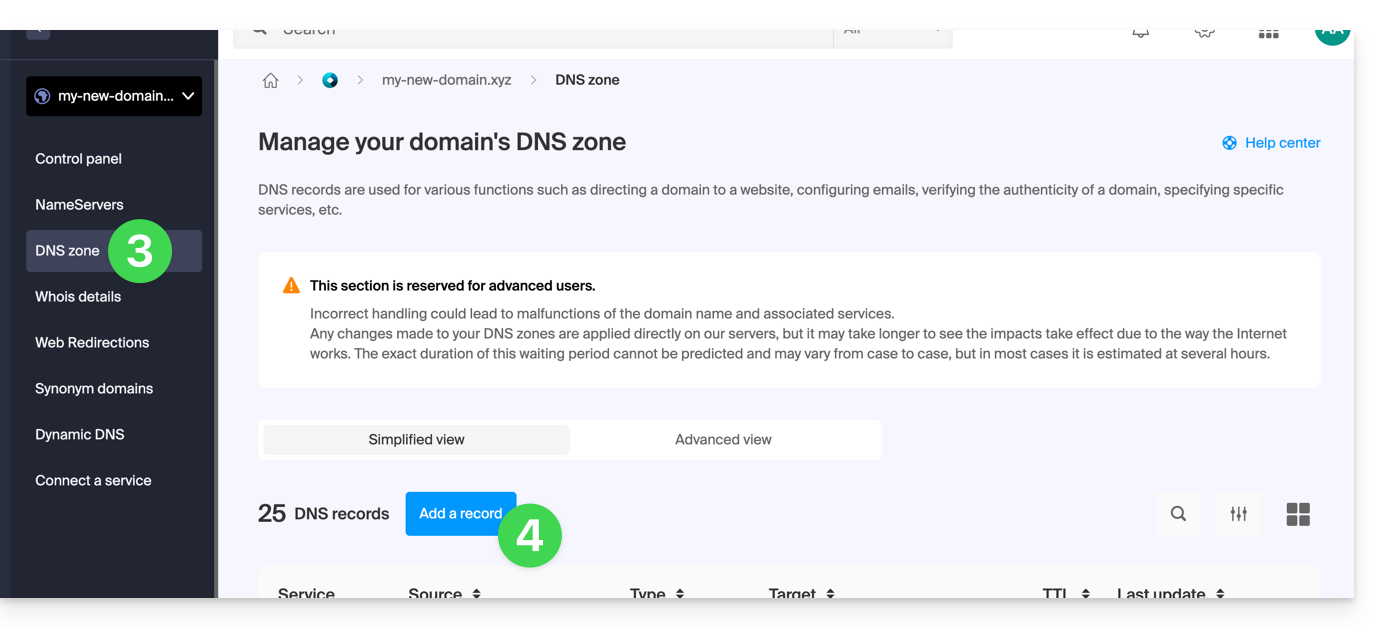
- Click on DNS Zone in the left-hand menu.
- Click the button to add a record:
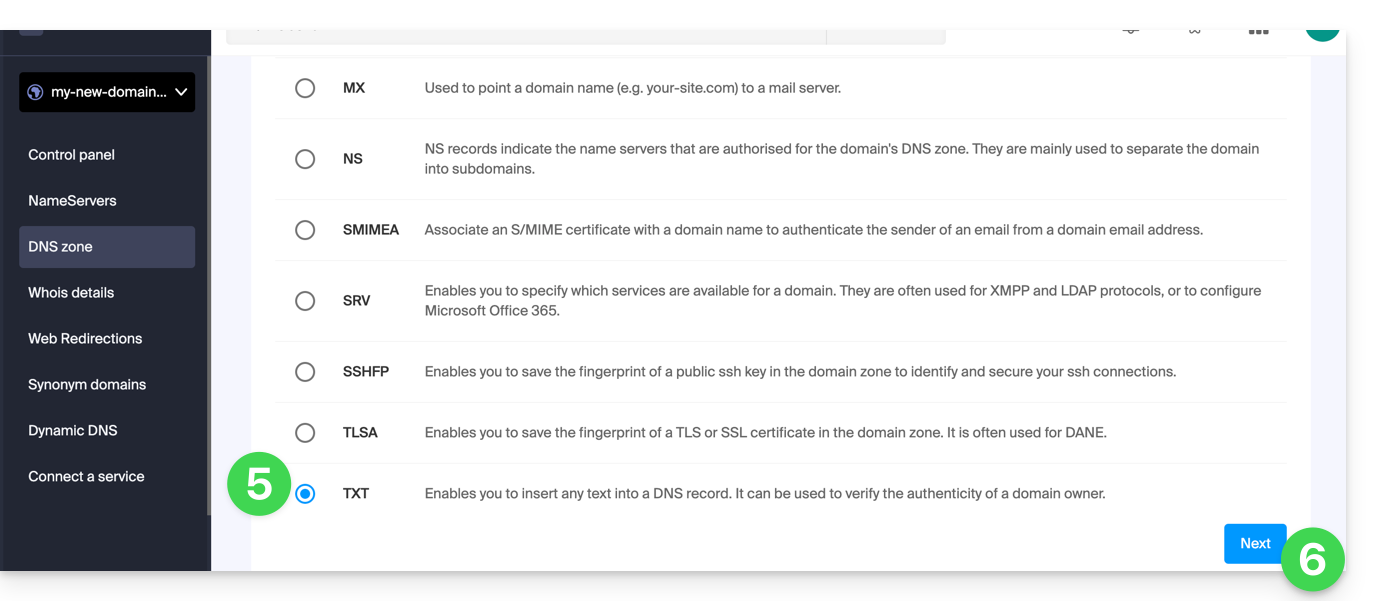
- Click the TXT radio button to add a record.
- Click the Next button:
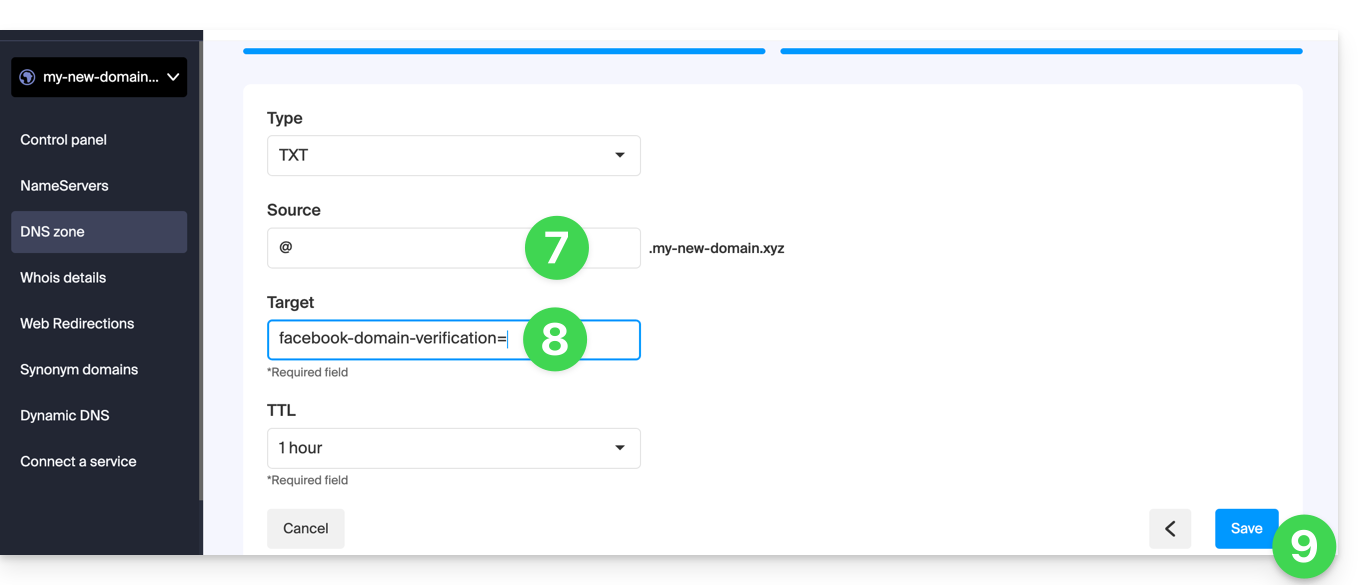
- Enter the TXT values required for your DNS zone.
- Leave the default value for the TTL.
- Click on the Save button:
Link to this FAQ: https://faq.infomaniak.com/2460
Has this FAQ been helpful?