Knowledge base
1000 FAQs, 500 tutorials and instructional videos. Here, there are only solutions!
Manage TXT records
This guide explains how to add or modify one or more TXT recordsin the DNS zone (of a domain name) managed in the Infomaniak Manager.
Introduction
- The
TXTrecord type allows you to insert readable text into the DNS zone of a domain name. - This is the method generally used to help prevent spam and to verify domain ownership (Google may ask you to do this before using some of their services: see this other guide for an example of adding a
TXTrecord to authenticate a domain).
Modify the DNS zone
To manage this type of record in a DNS zone:
- Click here to access the domain management section in your Infomaniak Manager (❓: help).
- Click on the name of the domain in question.
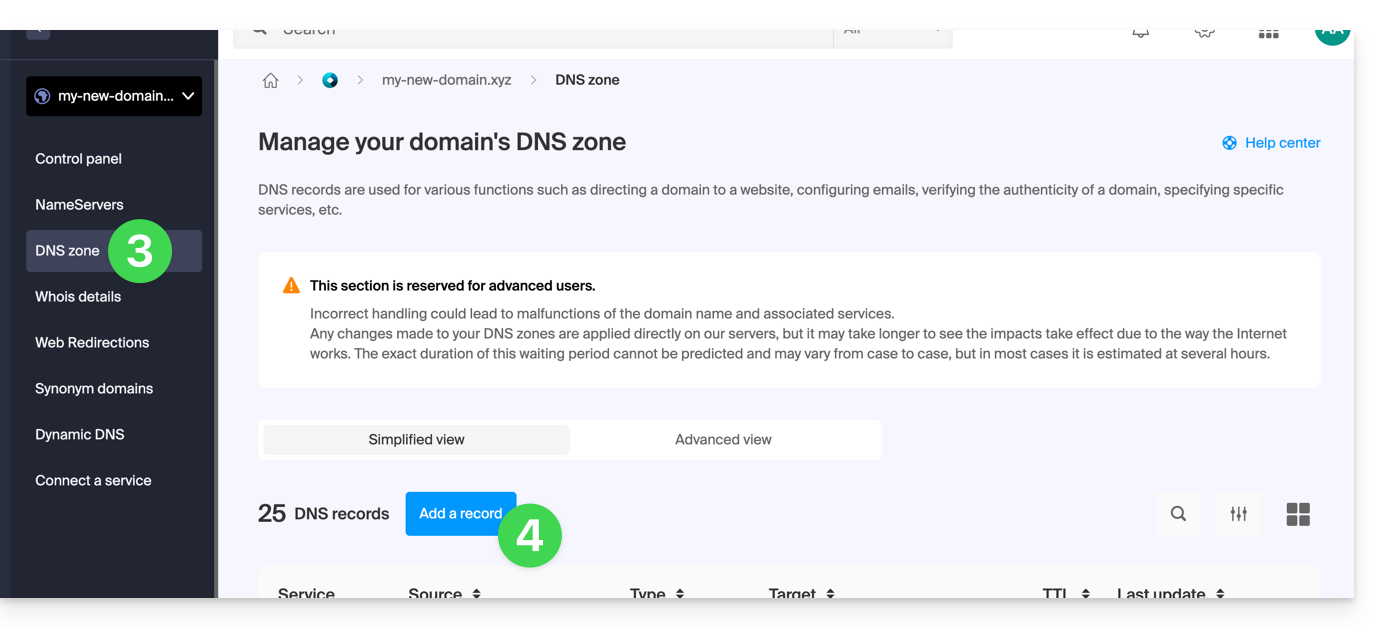
- Click on DNS Zone in the left-hand menu.
- Click the button to add a record:
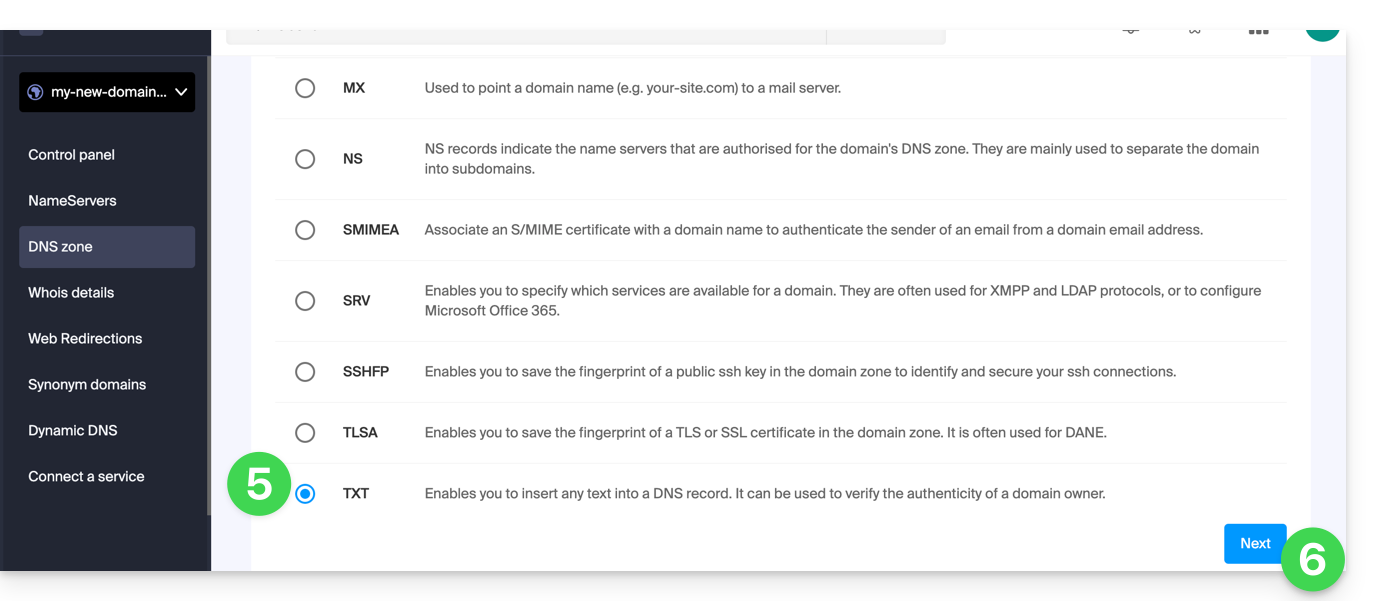
- Click the TXT radio button to add a record.
- Click the Next button:
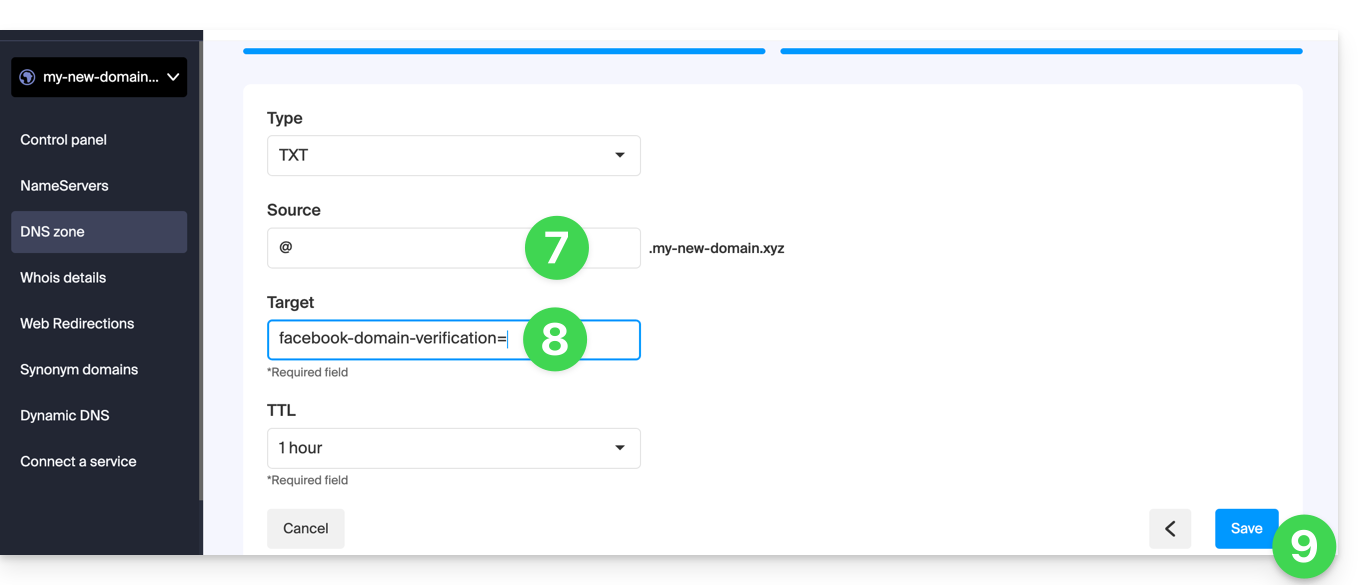
- Enter the TXT values required for your DNS zone.
- Leave the default value for the TTL.
- Click on the Save button:
Link to this FAQ: https://faq.infomaniak.com/2460
Has this FAQ been helpful?