Knowledge base
1000 FAQs, 500 tutorials and instructional videos. Here, there are only solutions!
Access kDrive files locally and online
This guide explains how to access kDrive files locally on your hard drive using the desktop app kDrive (desktop application for macOS / Windows / Linux), as well as files from the kDrive web app (online service ksuite.infomaniak.com/kdrive).
Prerequisites
- Install the kDrive desktop app on your device.
- Make sure you are logged in with the same Infomaniak account on both the desktop and web versions; otherwise, step 3 below will lead to an error.
View kDrive files
When the kDrive application is installed and launched:
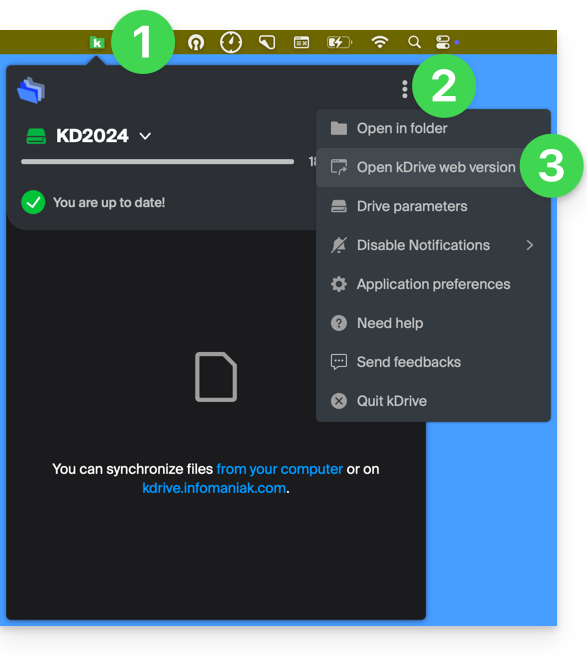
- Left-click on the app icon in the notification area of your computer (top right on macOS, bottom right on Windows, and double left-click in the taskbar on Linux).
- Click on the action menu ⋮ in the top right corner.
- Click on Open kDrive Web to access the files stored on the kDrive server:
- It is possible that the version in the browser may not display correctly.
- Click on the item above to open the disk folder on your computer containing your kDrive files, physically present or virtually present (depending on whether Lite Sync is enabled).
If not all of your files are present/synchronized, please refer to this other guide.
Differences between the web version and the synchronized computer version
Shared folders
In the web version of kDrive, the shared folder is called Organization folders: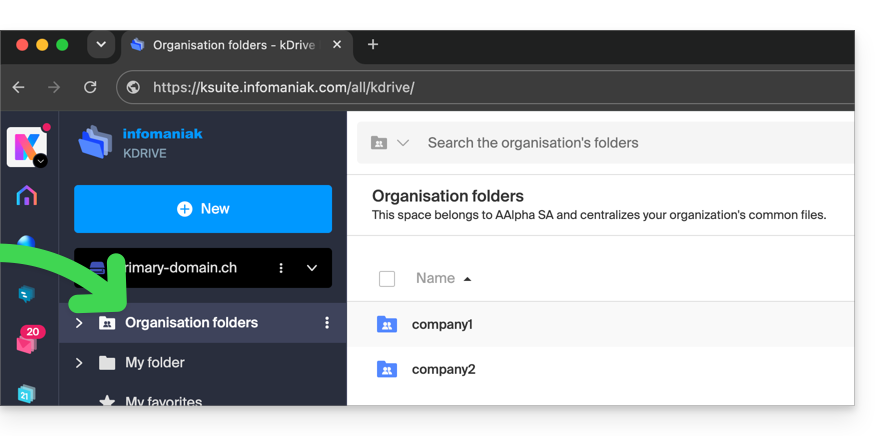
On the computer side, you will find the same folder, but named Common documents; do not attempt to rename it: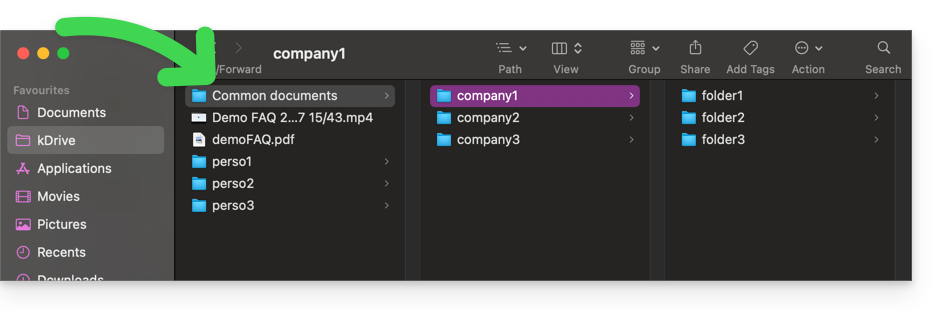
Personal folder
In the web version of kDrive, the logged-in user's personal folder is located in a separate area ("My folder"), which cannot be modified either: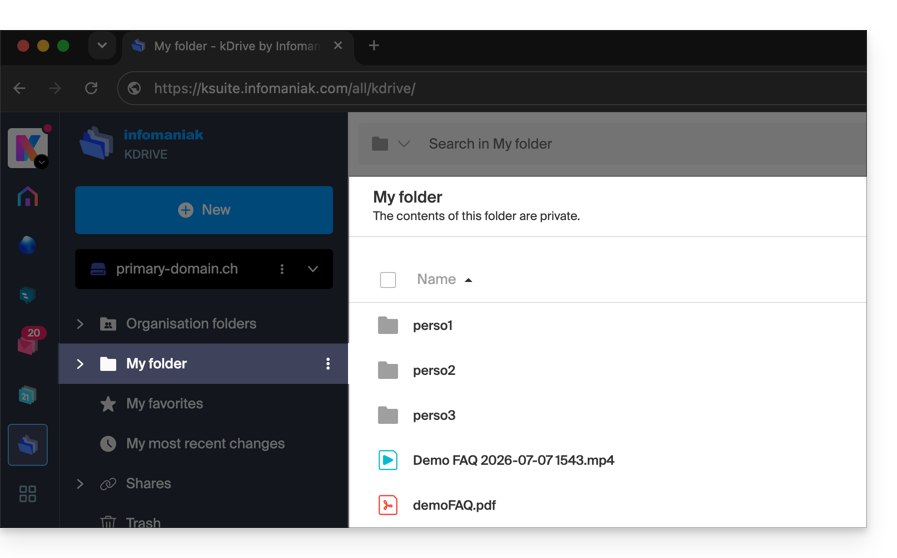
On the computer, everything outside of Common documents belongs to the personal folder ("My folder") of the logged-in user: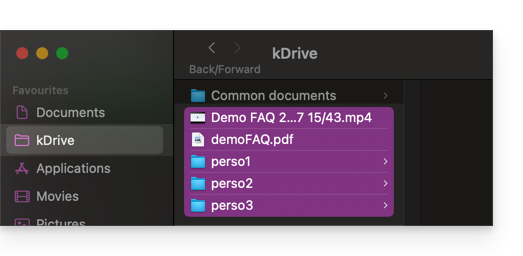
Link to this FAQ: https://faq.infomaniak.com/2456
Has this FAQ been helpful?