Knowledge base
1000 FAQs, 500 tutorials and instructional videos. Here, there are only solutions!
Create an e-commerce store in Site Creator
This guide explains how to add and configure an online store moduleon your website created with Site Creator Infomaniak, to help you get started with e-commerce and offer your products for sale.
Prerequisites
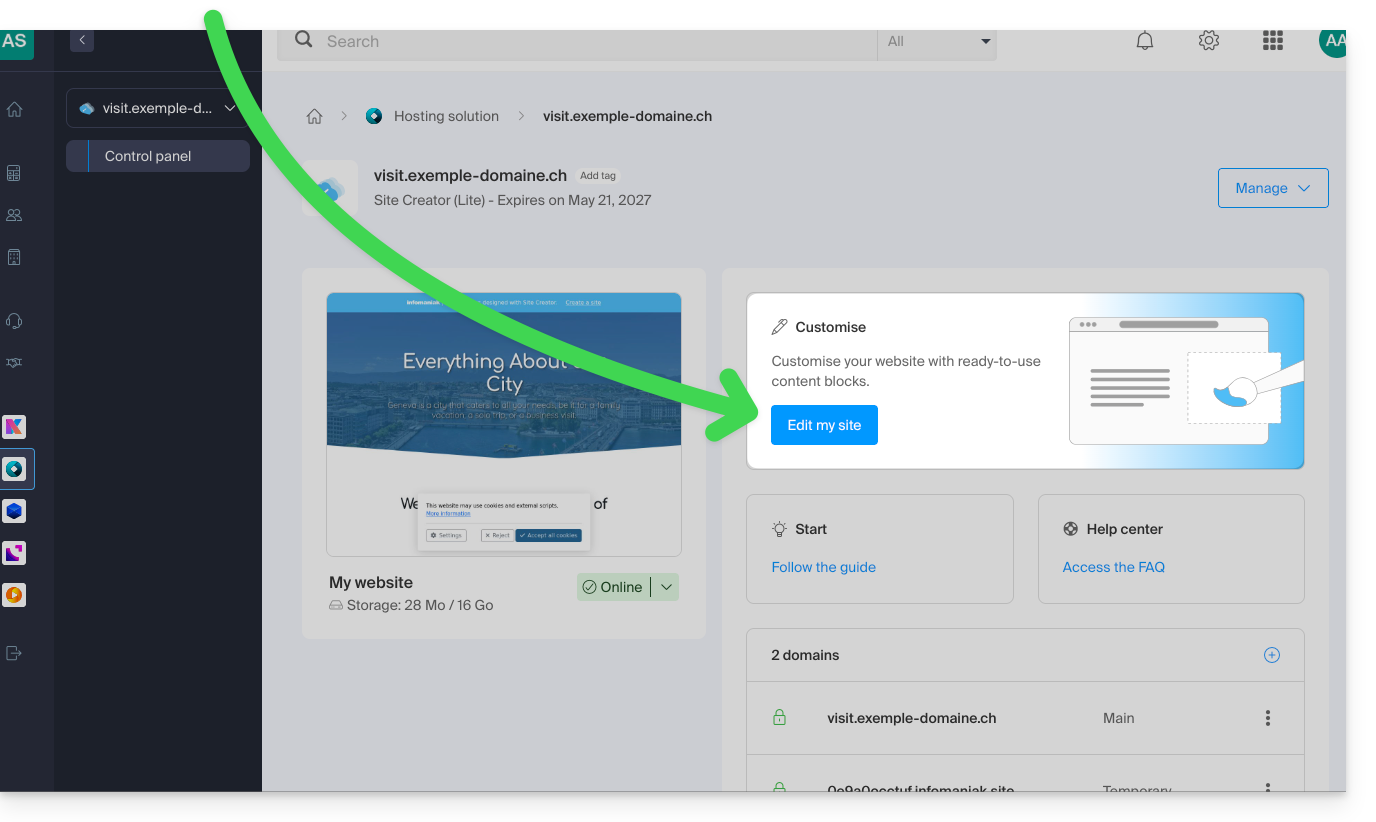
- Access Site Creator:
- Click here to access the management of your product on the Infomaniak Manager (need help?).
- Click directly on the name assigned to the Site Creator in question.
- Click on the Edit my site button to launch the editor:
Add the online store to Site Creator
Dedicated themes
If you plan to create a website entirely dedicated to your products in the form of an online store, you can choose from the start to apply a theme from the E-Commerce category: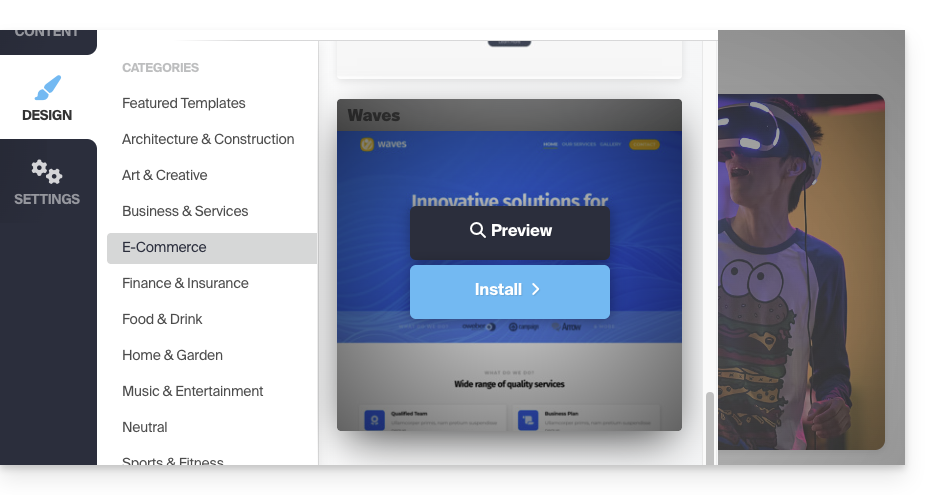
Shop module for Site Creator
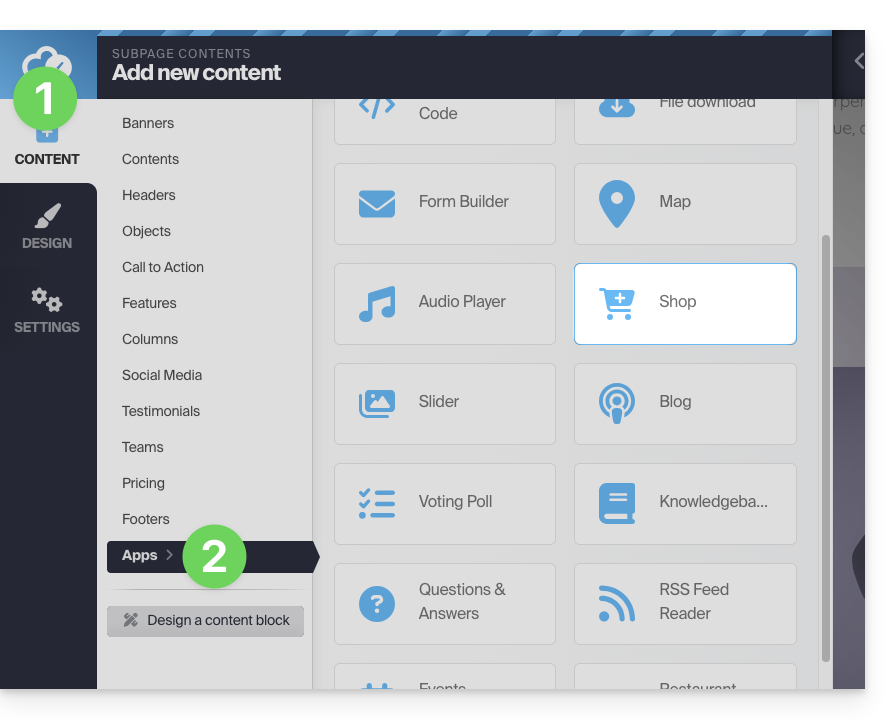
If the Shop module is not yet integrated into your pages, simply add it to the location of your choice:
- Click on the Content button in the left sidebar.
- Click on Applications at the bottom of the list, then on Store:
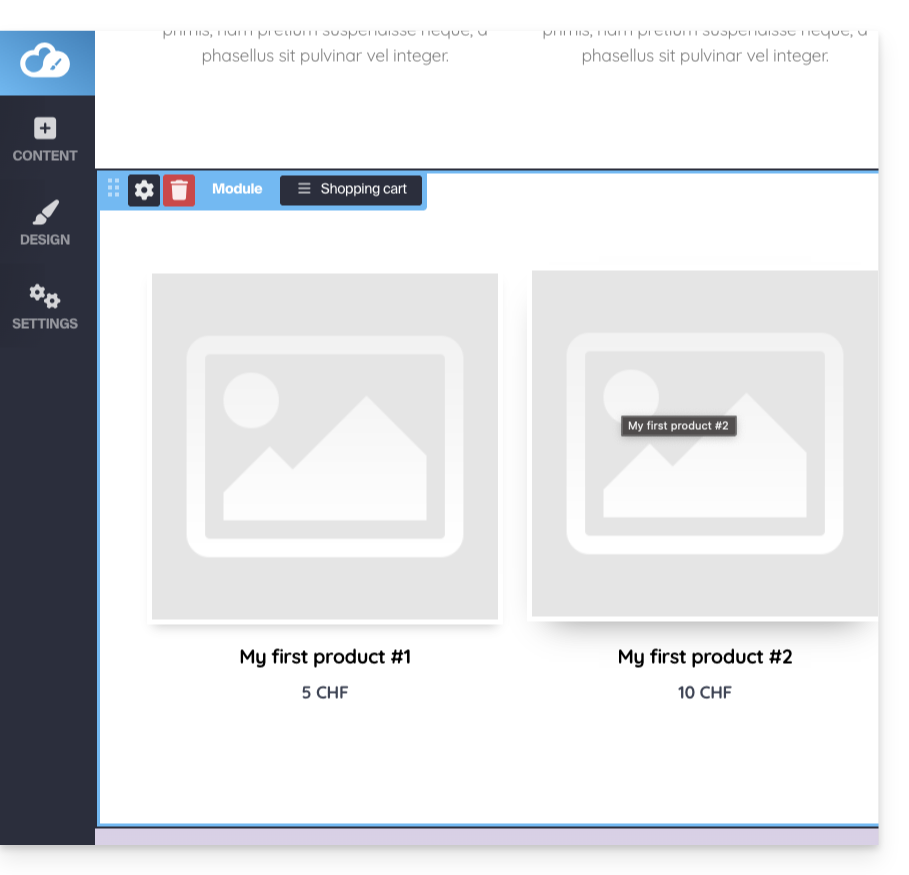
- The store and 3 example products are inserted:
Configure the store
Refer to this other guide about the different configuration options for the Site Creator store.
Link to this FAQ: https://faq.infomaniak.com/2450
Has this FAQ been helpful?